
1. Уводзіны
Дзякуй за пакупкуasing the Sofirn HS21 and D25S headlamps. These headlamps are designed for various outdoor activities, offering reliable illumination and convenient features. This manual provides detailed instructions for the safe and effective use, setup, operation, and maintenance of your new headlamps. Калі ласка, уважліва прачытайце гэтую інструкцыю перад выкарыстаннем і захавайце яе для далейшага выкарыстання.
2. Інструкцыі па тэхніцы бяспекі
- Do not shine the light directly into eyes. The powerful beam can cause temporary vision impairment or permanent eye damage.
- Захоўваць у месцах, недаступных дзецям.
- Не разбірайце галоўкуamp. This may damage the device and void the warranty.
- Use only the recommended battery types. Improper battery use can lead to fire, explosion, or leakage.
- Пазбягайце агалення галавыamp экстрэмальных тэмператур або прамых сонечных прамянёў на працягу доўгага часу.
- Пераканайцеся, што вечка зараднага порта USB-C шчыльна зачынена, калі прылада не зараджаецца, каб забяспечыць воданепранікальнасць.
3. Змесціва ўпакоўкі
- 1 x Sofirn HS21 Headlamp
- 1 x Sofirn D25S Headlamp
- 2 х павязкі
- 2 х зарадныя кабелі USB-C
- 2 x Rechargeable Batteries (pre-installed or separate)
- 1 х Кіраўніцтва карыстальніка
4. Прадукт скончыўсяview
4.1 Sofirn HS21 Headlamp
The Sofirn HS21 is a versatile headlamp featuring a combination of spotlight, floodlight, and red light. It is equipped with a convenient rotary switch for easy mode selection and offers a wide 130° rotation adjustment for optimal illumination angle.

Image 1: Sofirn HS21 Headlamp showing its various light modes including red light, spotlight, and floodlight.

Image 2: The Sofirn HS21 headlamp demonstrating its 130-degree rotation capability for adjustable light direction.
4.2 Sofirn D25S Headlamp
The Sofirn D25S is a compact and powerful headlamp utilizing an SST40 LED, offering multiple brightness levels. It features a hidden USB-C charging port for convenient recharging and a simple user interface with memory mode.

Image 3: Sofirn D25S Headlamp highlighting its comfortable switch and simple user interface.
5. Настройка
5.1 Устаноўка батарэі
Both HS21 and D25S headlamps typically come with batteries pre-installed. If not, or if replacing batteries:
- Unscrew the tail cap of the headlamp цела.
- Insert the rechargeable battery with the positive (+) terminal facing towards the head of the lamp.
- Шчыльна закруціце заднюю крышку, каб забяспечыць належны кантакт і воданепранікальнасць.
5.2 Зарадка
Абодва галamps feature a built-in USB-C charging port.
For HS21:
- Знайдзіце порт зарадкі USB-C збоку галоўкіamp цела.
- Gently lift the protective rubber cover to expose the port.
- Падключыце кабель USB-C з камплекта да галоўкі.amp and to a USB power source (e.g., wall adapter, power bank, computer).
- Індыкатар будзе гарэць чырвоным колерам падчас зарадкі і зялёным пры поўнай зарадцы.
- Once charging is complete, securely close the rubber cover to protect the port from dust and water.
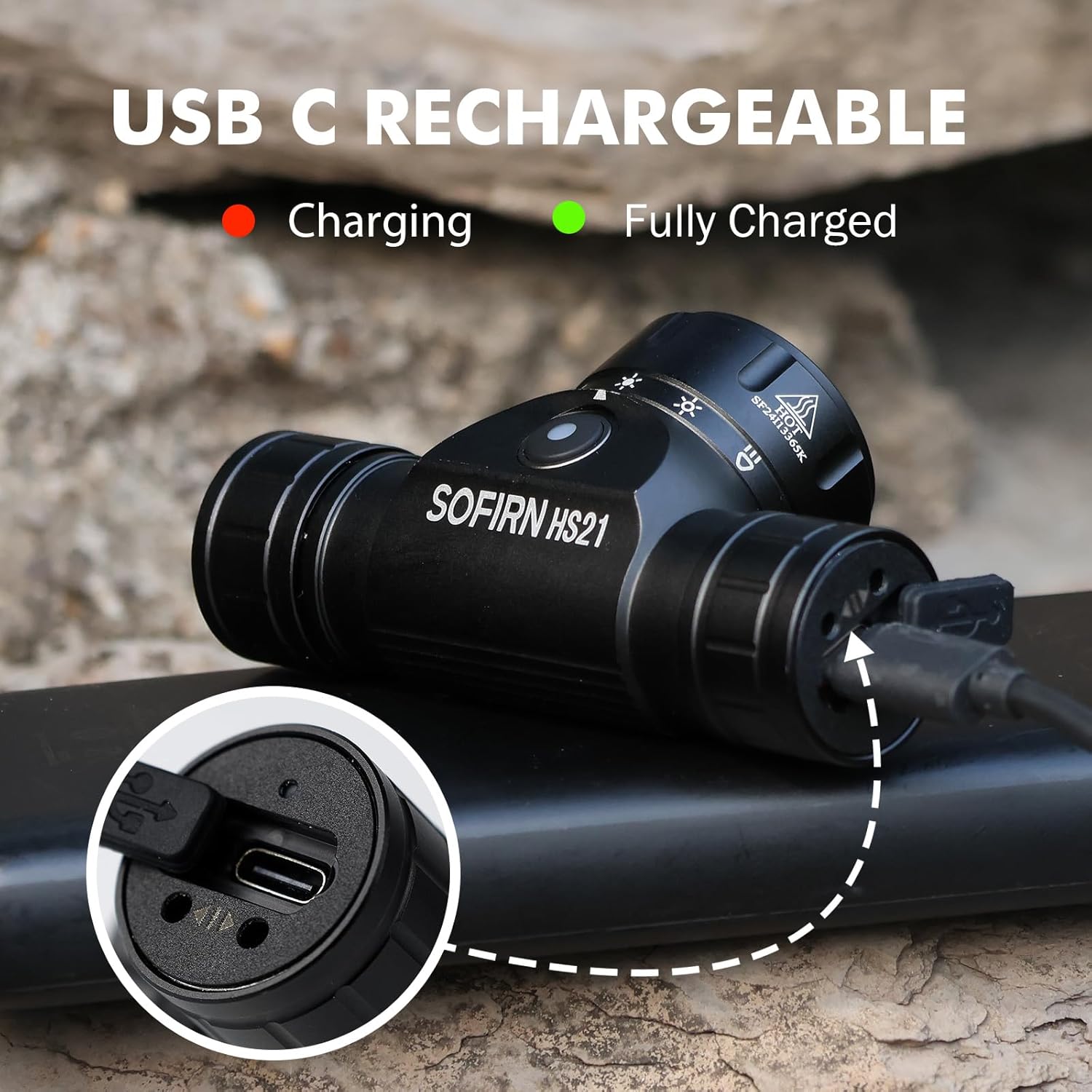
Image 4: Sofirn HS21 Headlamp connected to a USB-C charging cable, showing the charging indicator light.
For D25S:
- Unscrew the head of the D25S headlamp to reveal the hidden USB-C charging port.
- Падключыце кабель USB-C з камплекта да галоўкі.amp and to a USB power source.
- Індыкатар будзе гарэць чырвоным колерам падчас зарадкі і зялёным пры поўнай зарадцы.
- After charging, screw the head back on tightly to ensure water resistance.

Image 5: Sofirn D25S Headlamp with its head unscrewed, revealing the built-in USB-C charging port.
6. Інструкцыя па эксплуатацыі
6.1 Sofirn HS21 Headlamp Аперацыя
The HS21 features a rotary switch for easy mode selection and a separate power button.
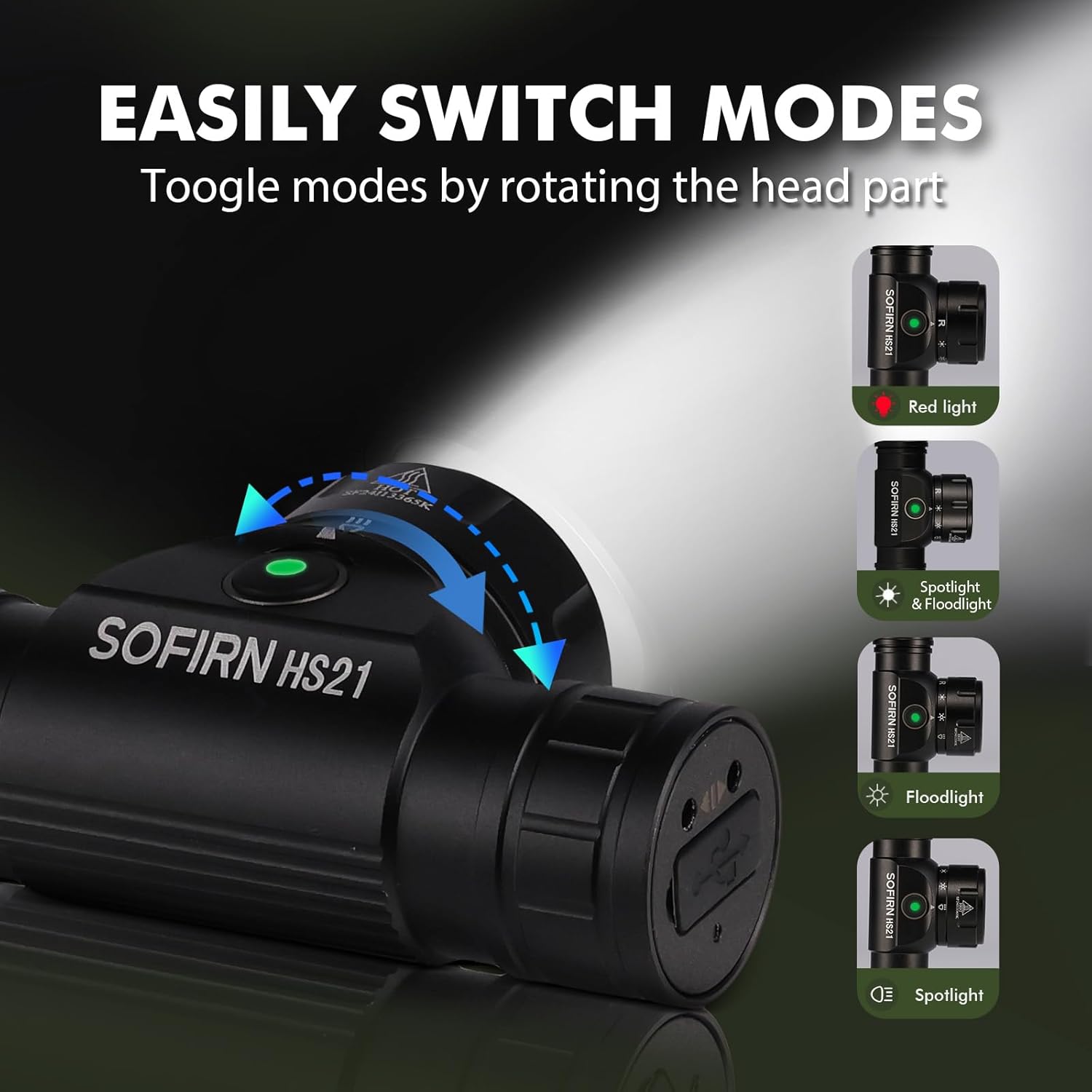
Image 6: Illustration of the Sofirn HS21's rotary switch mechanism for changing light modes.
- Уключэнне/выключэнне харчавання: Націсніце кнопку харчавання адзін раз, каб уключыць галоўкуamp уключана або выключана.
- Выбар рэжыму: Rotate the head part of the headlamp to cycle through the main light modes: Red Light, Spotlight, Floodlight, and Spotlight + Floodlight (combined).
- Рэгуляванне яркасці: While a mode is active, press and hold the power button to cycle through brightness levels (Low, Medium, High). Release the button at your desired brightness.
- Red Light Activation: Rotate to the red light setting. Press and hold the power button for additional red light modes (e.g., red strobe, red beacon).
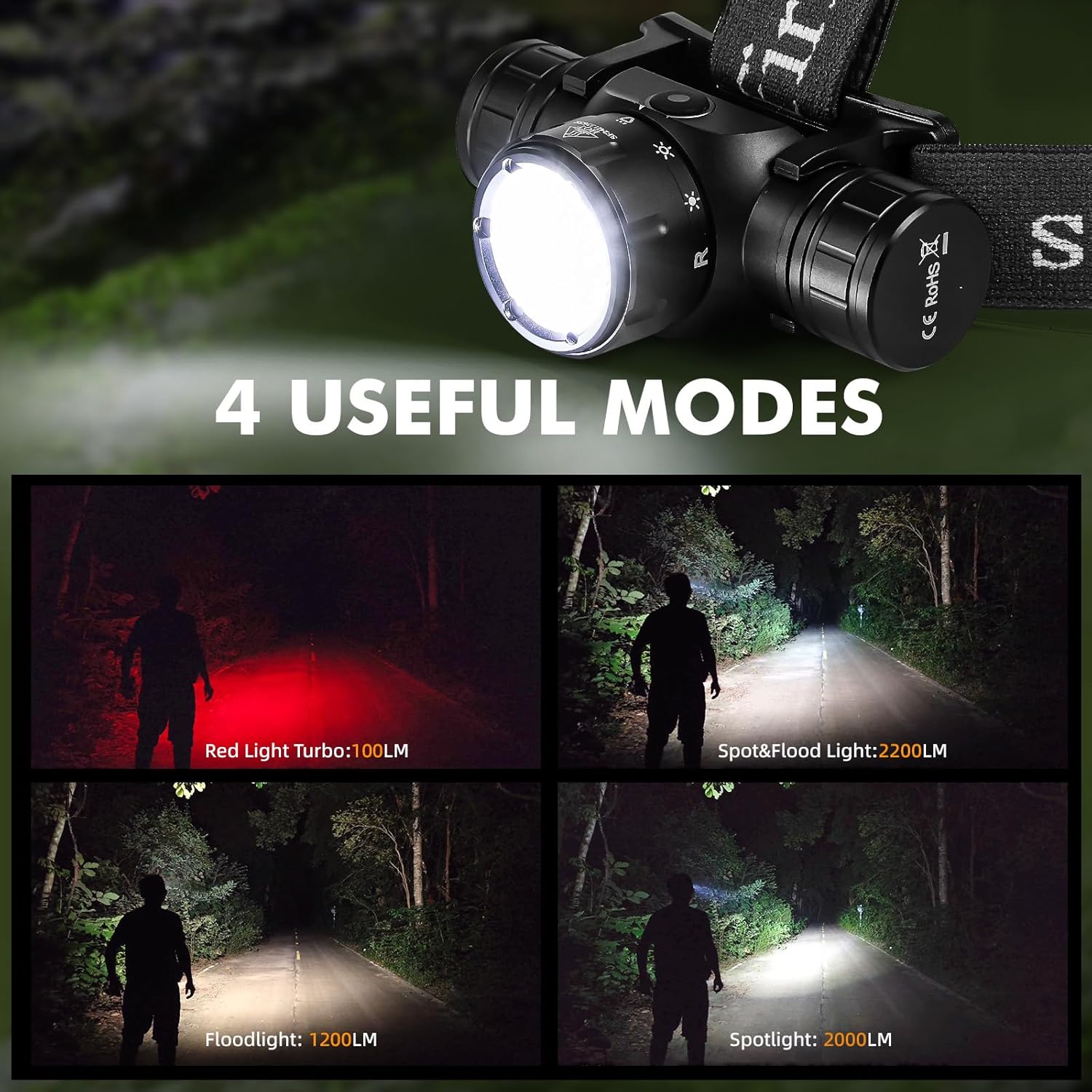
Image 7: The Sofirn HS21 headlamp displaying its four primary light modes: Red Light, Spot & Flood, Floodlight, and Spotlight.
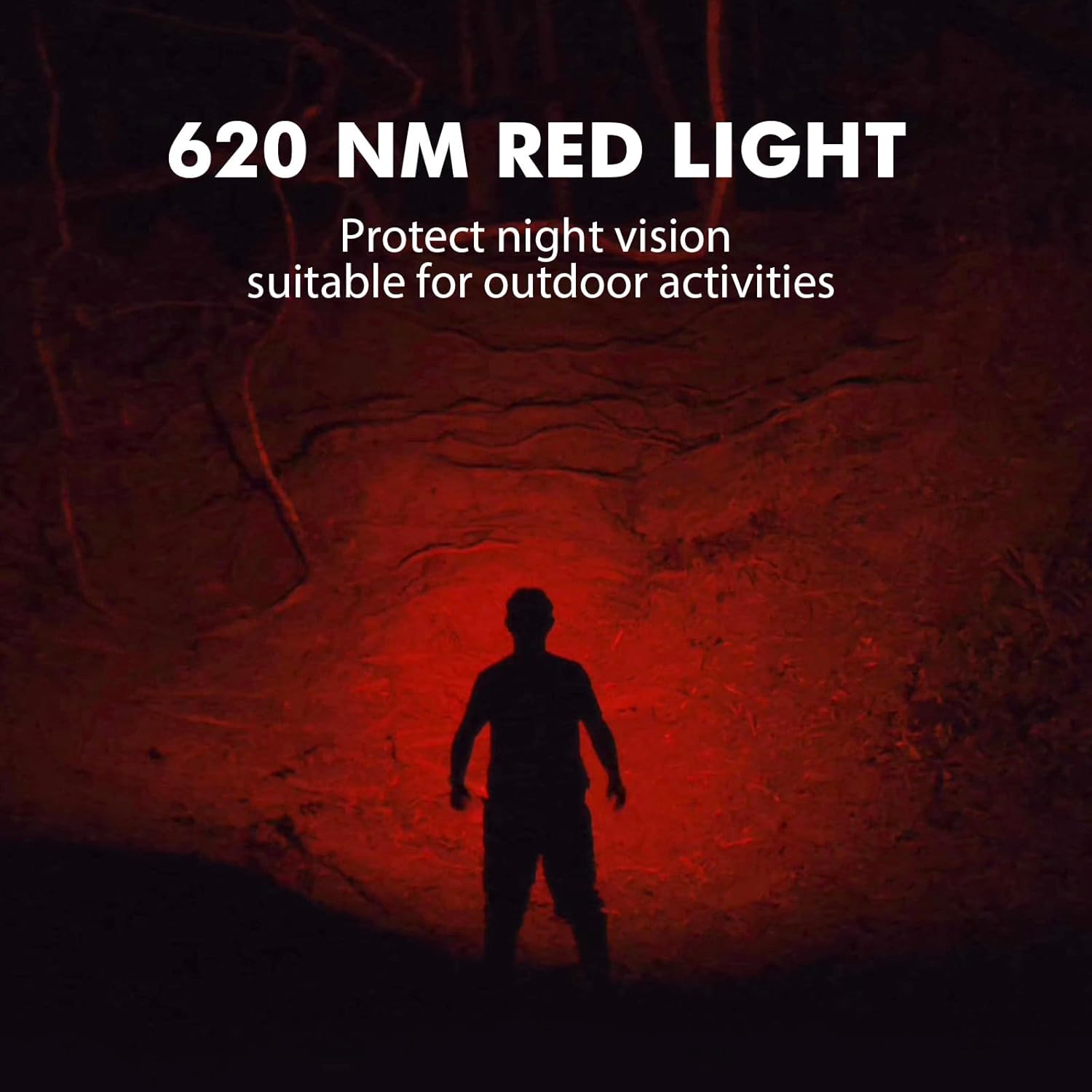
Image 8: The Sofirn HS21 headlamp emitting a 620 NM red light, suitable for preserving night vision.
6.2 Sofirn D25S Headlamp Аперацыя
The D25S operates with a single button interface.
- Уключэнне/выключэнне харчавання: Press the button once to turn the headlamp уключана або выключана.
- Рэжым цыклічнасці: У той час як загamp is on, press and hold the button to cycle through brightness modes: Low → Medium 1 → Medium 2 → High. Release the button at your desired mode.
- Рэжым Турба: From any mode, double-click the button to activate Turbo mode. Double-click again to return to the previous mode.
- Функцыя памяці: The D25S will remember the last used brightness level (excluding Turbo) and turn on in that mode.
7. Тэхнічнае абслугоўванне
- Уборка: Выцерці галавуamp з мяккім, damp тканіна. Не выкарыстоўвайце абразіўныя ачышчальнікі або растваральнікі.
- ўшчыльняльныя кольцы: Periodically check and lubricate the O-rings with silicone grease to maintain water resistance. Replace damaged O-rings.
- Сыход за батарэяй: Калі галаўныamp will not be used for an extended period, remove the battery to prevent leakage. Recharge batteries regularly to prolong their lifespan.
- захоўванне: Захаваць галавуamp у прахалодным, сухім месцы, удалечыні ад прамых сонечных прамянёў.
8. Выпраўленне непаладак
| праблема | Магчымая прычына | Рашэнне |
|---|---|---|
| Хэдлamp не ўключаецца | Low battery; Battery incorrectly installed; Loose tail cap; Faulty battery. | Charge battery; Reinstall battery with correct polarity; Tighten tail cap; Replace battery. |
| Святлоаддача цьмяная | Нізкі ўзровень зарада батарэі; аб'ектыў брудны. | Charge battery; Clean the lens. |
| Зарадка не працуе | Cable not connected properly; Faulty cable or power source; Charging port obstructed. | Ensure secure connection; Try a different cable/power source; Clean charging port. |
| Трапленне вады | O-rings damaged or missing; Tail cap/charging port cover not sealed properly. | Check and replace O-rings; Ensure all caps are tightly sealed. |
9. Тэхнічныя характарыстыкі
9.1 Sofirn HS21 Headlamp
| Асаблівасць | Дэталь |
|---|---|
| Крыніца святла | LED (Spotlight, Floodlight, Red Light) |
| Максімальны выхад | 2200 Lumens (Spotlight + Floodlight) |
| Даўжыня хвалі чырвонага святла | 620 нм |
| Тып перамыкача | Rotary Switch + Push Button |
| Зарадка | USB-C акумулятар |
| Кручэнне | 130° Рэгуляваны |
| Памеры | 3.4 х 1.8 х 1.4 цалі |
| Вага | 0.3 фунта (з акумулятарам) |
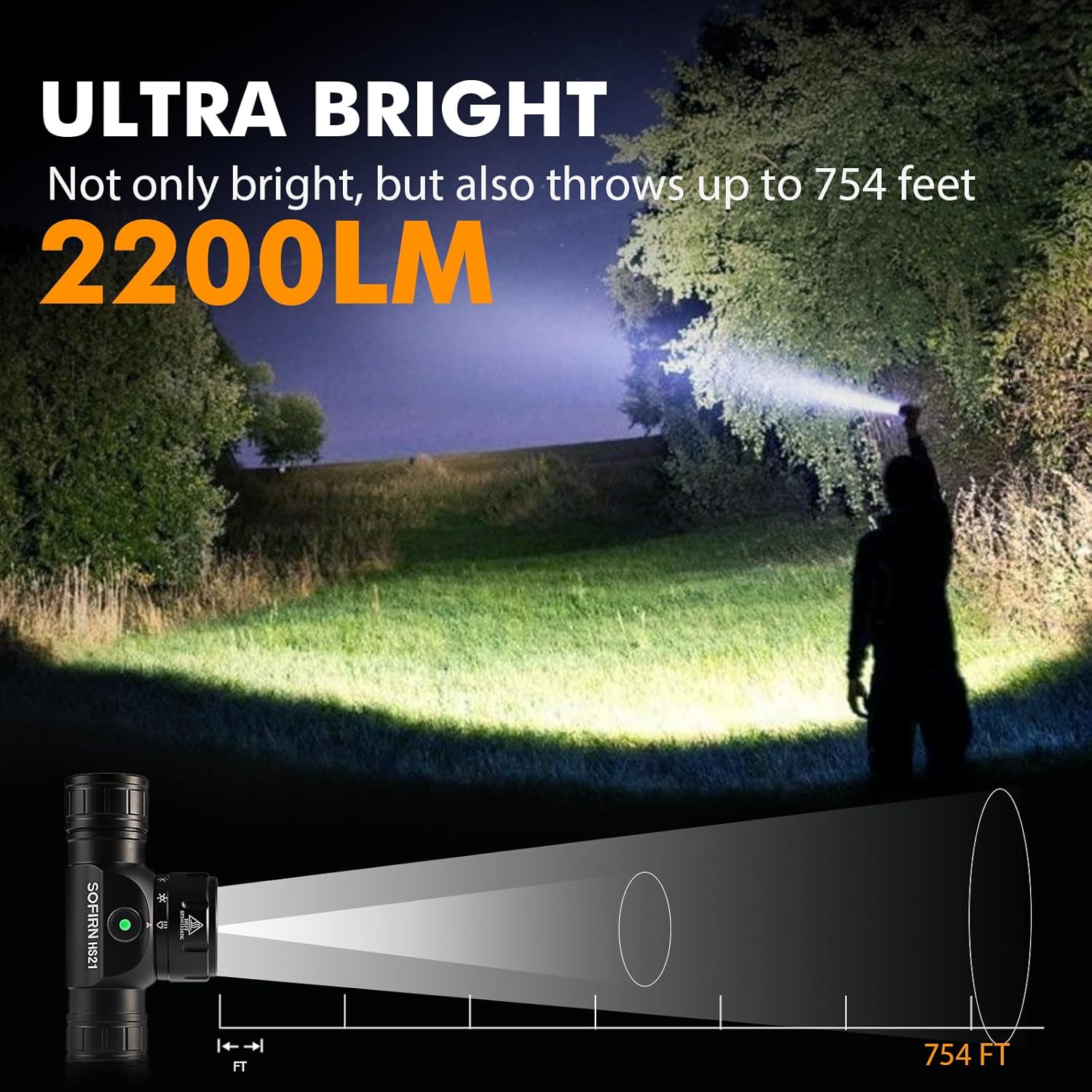
Image 9: The Sofirn HS21 headlamp demonstrating its ultra-bright output and beam distance of up to 754 feet.
9.2 Sofirn D25S Headlamp
| Асаблівасць | Дэталь |
|---|---|
| Крыніца святла | SST40 LED |
| Максімальны выхад | 1200 люмен |
| Рэжымы | Low, Medium 1, Medium 2, High, Turbo |
| Зарадка | Hidden USB-C Rechargeable |
| Асаблівасці | Рэжым памяці |
10. Гарантыя і падтрымка
Sofirn products are covered by a limited warranty. For specific warranty details, please refer to the warranty card included with your product or visit the official Sofirn website. For technical support, troubleshooting assistance, or warranty claims, please contact Sofirn customer service through the retailer where you purchased the product or via the contact information provided on the official Sofirn webсайт.