
1. Прадукт скончыўсяview
The Jzones Wireless CarPlay and Android Auto Adapter transforms your car's wired CarPlay system into a wireless experience. This compact device enables seamless connectivity for both Apple CarPlay and Android Auto, supporting 4K HD video playback and popular streaming applications. It features a robust design with efficient heat dissipation and broad compatibility with various vehicles and smartphones.

Image: Jzones Wireless CarPlay Adapter, highlighting its internal components and design for instant boot and seamless operation.
2. Змесціва ўпакоўкі
- Jzones Wireless CarPlay and Android Auto Adapter Unit
- Кабель USB-A да USB-C
- Кабель USB-C да USB-C
- Кіраўніцтва карыстальніка (гэты дакумент)
3. Інструкцыі па ўсталёўцы
3.1 Initial Connection (Plug and Play)
The Plug and Play design ensures a straightforward setup process without complex installation steps.
- Locate an available USB port (USB-A or USB-C) in your vehicle that supports wired CarPlay.
- Connect the Jzones adapter to your car's USB port using the appropriate cable.
- On your smartphone, enable both Bluetooth and Wi-Fi.
- Follow the on-screen instructions on your car's infotainment system to pair your smartphone with the Jzones adapter via Bluetooth.
- Once paired, the system will automatically establish the wireless CarPlay or Android Auto connection.

Image: Visual guide for the 3-step Plug and Play setup, including USB connection and smartphone pairing.
3.2 Аўтаматычнае паўторнае падключэнне
After the initial successful connection, the Jzones adapter will automatically remember your settings. Each time you start your vehicle, the adapter will automatically connect to your smartphone, providing a seamless experience without requiring repeated manual intervention. The device maintains a stable connection range of up to 10 meters.

Image: Illustration of the adapter's one-time setup and stable 10-meter connection range for enduring connectivity.
4. Эксплуатацыя адаптара
4.1 Бесправадное падключэнне
The adapter utilizes Bluetooth 5.0 for initial pairing and dual-band Wi-Fi (2.4 GHz and 5 GHz, including Wi-Fi 6 support) for high-speed data transfer. This ensures a stable, low-latency connection for all your CarPlay and Android Auto functions.
4.2 Мультымедыйныя функцыі
Enjoy enhanced in-car entertainment with support for 4K HD video playback. The adapter allows access to popular streaming applications such as YouTube and Netflix directly on your car's display. Additionally, it supports external storage via USB drives and TF cards (up to 128 GB) for offline media playback.

Image: The Jzones CarPlay Box demonstrating 4K Ultra-HD output with various streaming applications on the car's display.

Image: The adapter providing an immersive audio-visual experience by accessing a full spectrum of CarPlay apps on the car's screen.
4.3 Метады кантролю
The adapter integrates with your vehicle's existing control systems, allowing you to manage functions via:
- Кіраванне сэнсарным экранам: Непасрэдна ўзаемадзейнічайце з дысплеем аўтамабіля.
- OEM Rotary Controls: Utilize your car's original equipment manufacturer rotary knobs.
- Элементы кіравання на рулі: Access functions conveniently from your steering wheel.
- Галасавое кіраванне: Use voice commands (e.g., Siri) for hands-free operation.
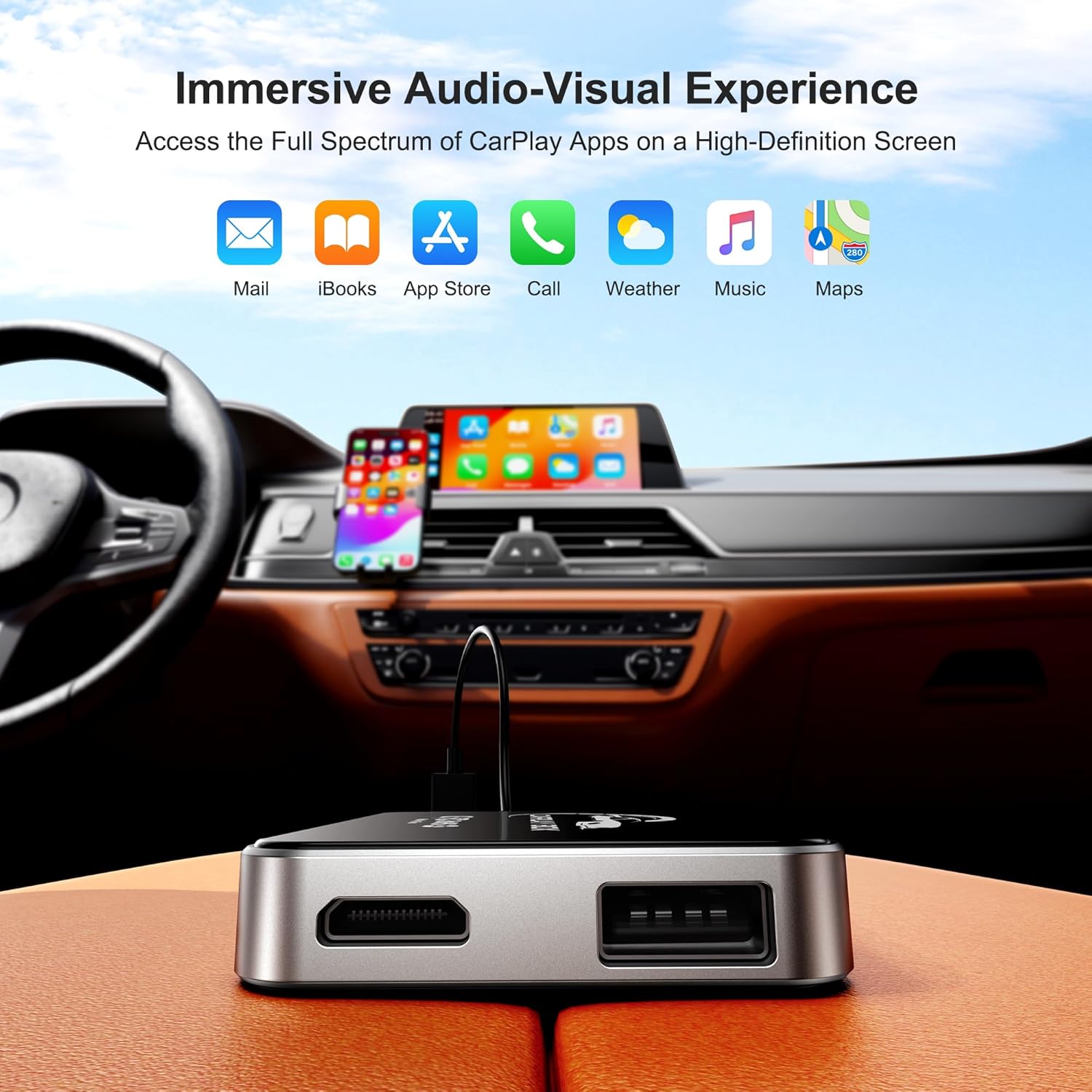
Image: Demonstrating ultimate convenience through Siri voice control, touch screen, OEM rotary, and steering wheel controls.
4.4 System and Performance
The adapter runs on an Android 12 system, equipped with 4GB RAM and 32GB ROM, ensuring smooth operation for multimedia and navigation applications. Its compact design features a metal frame for excellent heat dissipation, maintaining device stability during extended use.
5. Сумяшчальнасць
The Jzones Wireless CarPlay and Android Auto Adapter offers broad compatibility:
- Транспартныя сродкі: Compatible with all vehicle models from 2015 onwards that support factory-installed wired CarPlay.
- Прылады Apple: iPhone 7 and newer models running iOS 10.0 or higher.
- Прылады Android: Smartphones running Android 11.0 or higher.
6. Тэхнічнае абслугоўванне
To ensure optimal performance and longevity of your Jzones adapter, follow these maintenance guidelines:
- Уборка: Акуратна працярыце адаптар мяккай сухой тканінай. Пазбягайце выкарыстання вадкіх ачышчальнікаў або абразіўных матэрыялаў.
- тэмпература: Не падвяргайце прыладу ўздзеянню экстрэмальных тэмператур (высокіх або нізкіх) або прамых сонечных прамянёў на працягу доўгага часу.
- захоўванне: When not in use for an extended period, store the adapter in a cool, dry place.
- Апрацоўка: Не кідайце прыладу і не падвяргайце яе моцным ударам.
7. Выпраўленне непаладак
7.1 Праблемы з падключэннем
- Adapter not connecting: Ensure the adapter is securely plugged into the car's USB port. Verify that your car supports wired CarPlay. Restart your car's infotainment system and your smartphone.
- Unstable connection/Frequent disconnections: Ensure your smartphone's Bluetooth and Wi-Fi are enabled and functioning correctly. Move your phone closer to the adapter if possible. Check for any obstructions that might interfere with the wireless signal.
- First-time connection failure: Double-check that your smartphone meets the compatibility requirements (iOS 10+ for iPhone 7+, Android 11+). Ensure your car's wired CarPlay is active.
7.2 Performance Issues (Lag, Freezing, Overheating)
- Lag or slow response: Close unnecessary applications on your smartphone. Ensure your car's infotainment system is up to date. The adapter's performance can be affected by the car's system.
- Завісанне прылады: Disconnect and reconnect the adapter from the USB port. If the issue persists, perform a factory reset (if available, refer to online support for instructions).
- Перагрэў: While the adapter has a metal frame for heat dissipation, prolonged use in extreme heat can cause it to warm up. Ensure it is not covered or placed in an enclosed space. If it becomes excessively hot, disconnect it and allow it to cool down.
7.3 Online Updates
The Jzones adapter supports online firmware updates to improve performance and add new features. To update, connect the adapter to a Wi-Fi network (e.g., your phone's hotspot) and navigate to the update section within the adapter's interface on your car's screen. Follow the on-screen prompts to download and install any available updates.
8. Тэхнічныя характарыстыкі
| Асаблівасць | Спецыфікацыя |
|---|---|
| Марка | Jzones |
| Нумар мадэлі | B0F2YN9BW1 |
| Сумяшчальныя прылады | Mobile Phones (iPhone 7+/iOS 10+, Android 11+) |
| Канкрэтныя спосабы выкарыстання прадукту | Аўдыё і відэа аўтамабіля |
| Тып раздыма | USB тыпу A, USB тыпу C |
| Колер | Чорны |
| Колькасць партоў | 4 (Implied by USB-A and USB-C, plus internal connections) |
| Тып сілкавання | No Plug (USB Powered) |
| Аперацыйная сістэма | Android 12 |
| АЗП | 4 ГБ |
| ПЗУ | 32 ГБ |
| Wi-Fi | Dual-band (2.4 GHz & 5 GHz), Wi-Fi 6 |
| Bluetooth | Bluetooth 5.0 |
| Падтрымка знешніх назапашвальнікаў | TF Card & USB 2.0 (up to 128 GB) |
9. Гарантыя і падтрымка
Jzones offers a 12-месячная абмежаваная гарантыя for this Wireless CarPlay and Android Auto Adapter. Additionally, long-term technical support is provided to assist with any issues or questions you may encounter.
For technical assistance or warranty claims, please contact Jzones customer support through the retailer's platform or the contact information provided with your purchase. Please have your product model number (B0F2YN9BW1) and purchase date ready when contacting support.