
Ashfly inskam380B
Ashfly 500X Handheld Digital Microscope User Manual
Model: inskam380B
1. Уводзіны
This manual provides comprehensive instructions for the safe and effective use of your Ashfly 500X Handheld Digital Microscope. Please read this manual thoroughly before operating the device and retain it for future reference.
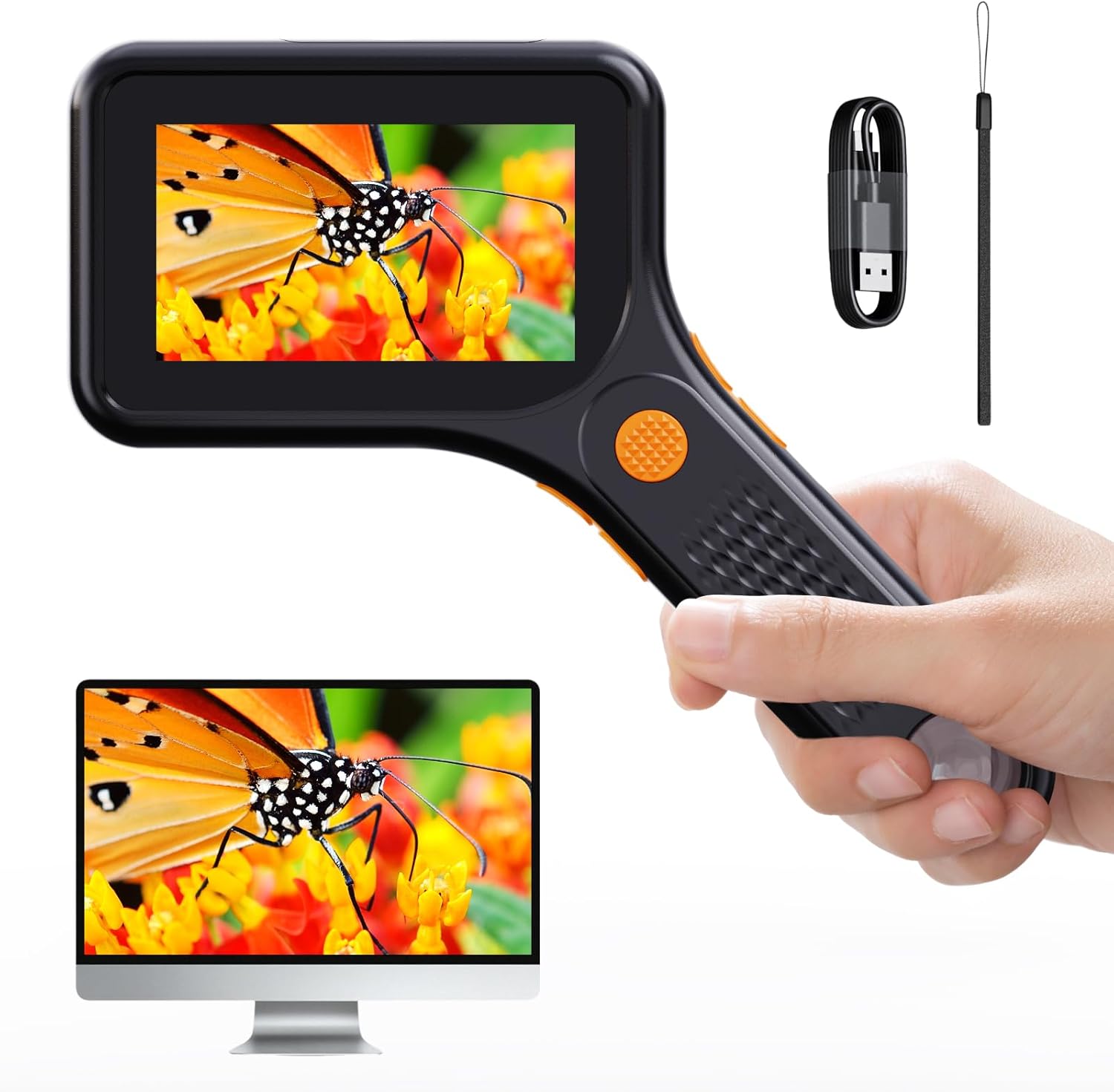
Figure 1: Ashfly 500X Handheld Digital Microscope. This image displays the microscope being held, with its integrated screen showing a magnified butterfly. A computer monitor below also shows the magnified image, illustrating PC compatibility.
2. Змесціва ўпакоўкі
Праверце, ці ёсць у вашай упакоўцы ўсе пералічаныя ніжэй прадметы:
- 1 x Ashfly Handheld Digital Microscope
- 1 х зарадны кабель тыпу C
- 1 х Кіраўніцтва карыстальніка
- 1 x Portable Strap

Figure 2: Package Contents. This image shows the Ashfly Digital Microscope, its retail box, a Type C charging cable, a portable strap, and the user manual, indicating all included accessories.
3. Тэхнічныя характарыстыкі
| Асаблівасць | Дэталь |
|---|---|
| Назва мадэлі | inskam380B |
| Павелічэнне | Да 500X |
| Экран | 3-цалевы HD LCD-дысплей |
| Ілюмінацыя | 8 рэгуляваныя святлодыёдныя лямпы |
| акумулятар | Літый-іённы акумулятар ёмістасцю 900 мАг (у камплекце) |
| Тэрмін службы батарэі | Да 150 хвілін (прыблізна 2.5 гадзіны) |
| Час зарадкі | Прыбл. 2 гадзіны |
| Сумяшчальнасць з ПК | Windows Vista/XP/7/8/10/11, MacOS X 11.0 or higher |
| Захоўванне | Internal (100 photos), supports up to 64GB TF card (not included) |
| Матэрыял | Пластыкавыя |
| Колер | Чорны |
| Памеры (Д х Ш х У) | 15.6 см х 13 см (прыблізна 6.14 х 5.12 цаляў) |
| Вага | Прыблізна 0.17 кг (0.25 фунта) |

Figure 3: Product Dimensions. This image illustrates the length and width of the microscope, providing a visual reference for its compact size.

Figure 4: Battery Performance. This diagram highlights the 2-hour charging time and approximately 2.5 hours of working time provided by the 900mAh battery.
4. Настройка
4.1 Зарадка прылады
Before first use, fully charge the microscope. Connect the supplied Type C charging cable to the microscope's charging port and a compatible USB power source (e.g., computer USB port, USB wall adapter). The charging indicator will show the charging status.
4.2 Inserting a TF Card (Optional)
The microscope has internal storage for approximately 100 photos. For extended storage of photos and videos, insert a TF (microSD) card (up to 64GB, not included) into the designated slot. Ensure the card is inserted correctly to avoid damage.
5. Інструкцыя па эксплуатацыі
5.1 Уключэнне/выключэнне сілкавання
- Каб уключыць: націсніце і ўтрымлівайце кнопку харчавання, пакуль не падсвяціцца экран.
- Каб выключыць прыладу: націсніце і ўтрымлівайце кнопку харчавання, пакуль экран не выключыцца.
5.2 Асноўныя назіранні
Place the microscope flat on the surface of the object you wish to observe. Ensure the object is stable. The microscope features a fixed magnification up to 500X. Avoid touching the lens with your hands during observation.

Figure 5: Optimal Imaging Distance. This image demonstrates the recommended 0.2-inch manual-focus imaging distance from the object for clear observation.
5.3 Рэгуляванне святлодыёдных лямпаў
The microscope is equipped with 8 adjustable LED lights to provide optimal illumination. Use the designated buttons (refer to device controls) to cycle through brightness levels (high, medium, low, off) to suit your observation needs and reduce glare.
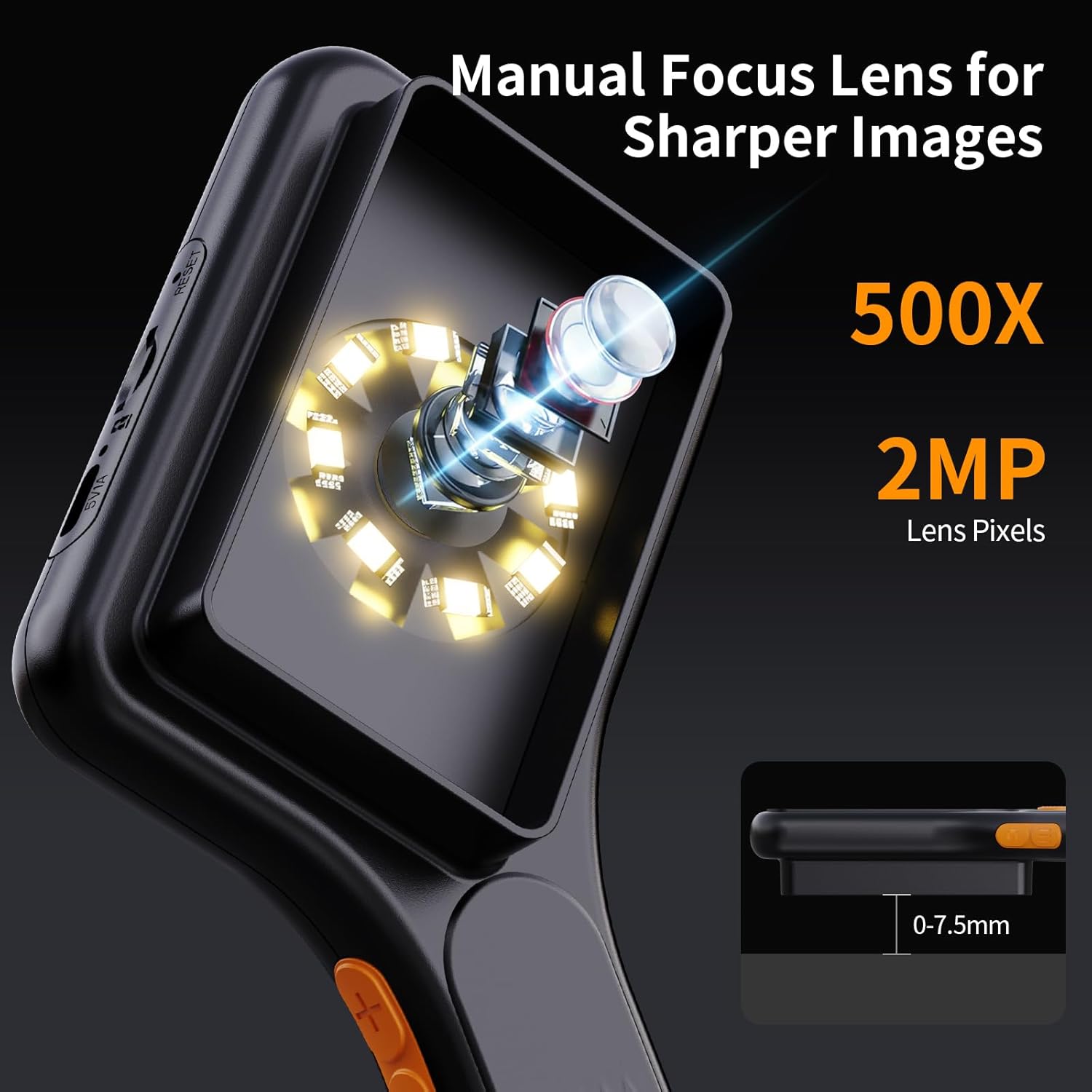
Figure 6: LED Illumination System. This image provides a detailed view of the microscope's lens and the surrounding 8 adjustable LED lights, crucial for illuminating specimens.
5.4 Здымка фота і відэа
Use the dedicated capture button on the device to take photos or record videos. Images and videos will be saved to the internal storage or the inserted TF card.
5.5 Падключэнне да ПК
каб view magnified images on a larger screen or transfer files, connect the microscope to your computer using the Type C USB cable. The device is compatible with Windows Vista/XP/7/8/10/11 and MacOS X 11.0 or higher. It will be recognized as a webcam or removable storage device, allowing you to access live feed or saved media.
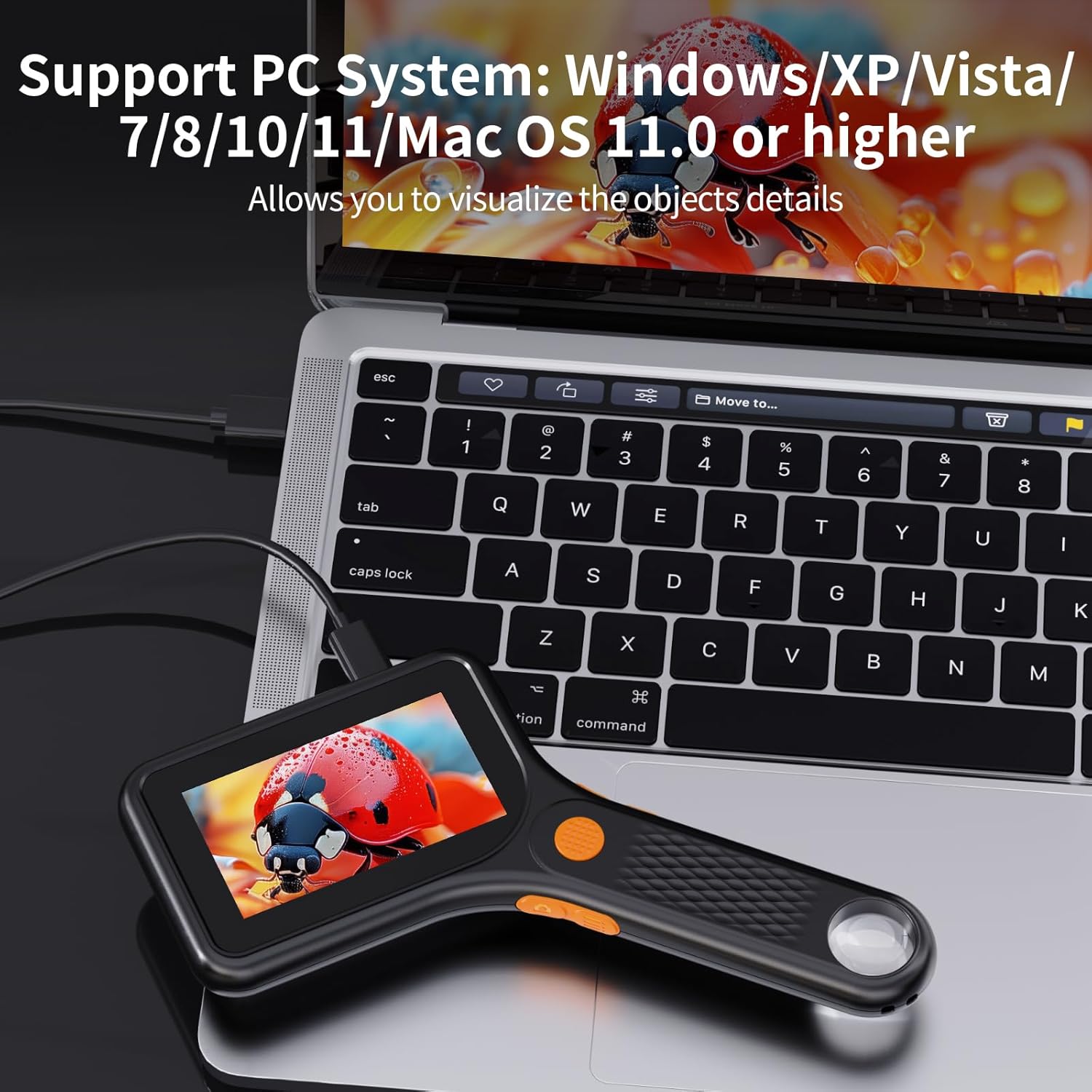
Figure 7: PC Connectivity. This image shows the microscope connected to a laptop via USB, demonstrating its capability to display magnified views on a larger computer screen.

Figure 8: Multi-Purpose Use. This image illustrates the microscope's versatility, showing its PC view capability, and examples of captured video (water droplets on a leaf) and photo (ladybug on a flower).
6. Сцэнарыі прымянення
The Ashfly Handheld Digital Microscope is suitable for a wide range of applications, including but not limited to:
- Circuit Board Inspection: Examine circuit board damage, soldering, and repairs.
- Coin and Stamp Калекцыя: Observe fine details on currency and philatelic items.
- Jewelry and Gemstone Appraisal: Inspect intricate designs and characteristics of precious items.
- Biological Observation: Study plant structures, insects, and other small organisms.
- Textile and Material Analysis: Examine fabric weaves and material integrity.
- Навучальныя мэты: Ideal for classroom use and fostering scientific curiosity.

Figure 9: Diverse Applications. This collage showcases the microscope's utility across various fields, from inspecting electronics and currency to observing natural specimens like plants and insects.

Figure 10: Circuit Board Inspection. This image demonstrates the microscope's use for detailed visual inspection of electronic circuit boards, useful for repair and analysis.
7. Тэхнічнае абслугоўванне
7.1 Cleaning the Lens and Screen
Gently wipe the lens and screen with a soft, lint-free cloth. For stubborn smudges, use a specialized lens cleaning solution. Avoid abrasive materials or harsh chemicals that could scratch the surfaces.
7.2 Захоўванне
Store the microscope in a cool, dry place away from direct sunlight and extreme temperatures. When not in use for extended periods, ensure the battery is partially charged (around 50%) to prolong its lifespan.
8. Выпраўленне непаладак
| праблема | Магчымая прычына | Рашэнне |
|---|---|---|
| Прылада не ўключаецца. | Нізкі акумулятар. | Charge the device fully using the provided Type C cable. |
| Выява размытая. | Incorrect distance from object; dirty lens. | Adjust the microscope's distance to the object (approx. 0.2 inches). Clean the lens with a soft cloth. |
| Немагчыма падключыцца да ПК. | Incorrect cable; driver issue; incompatible OS version. | Ensure you are using the correct Type C USB cable. Try a different USB port. Verify your operating system meets the minimum requirements (Windows Vista/XP/7/8/10/11, MacOS X 11.0 or higher). |
| Немагчыма захаваць фота/відэа. | TF card full or not inserted correctly; internal storage full. | Check TF card insertion. Delete old files or replace TF card. If no TF card, ensure internal storage is not full. |
| Святлодыёдныя лямпы не працуюць. | Lights turned off or low battery. | Adjust LED brightness settings. Charge the device. |
9. Гарантыя і падтрымка
Ashfly provides technical support for this product. For any issues not covered in this manual or for further assistance, please contact Ashfly customer service. Refer to your purchase documentation for specific warranty terms and contact information.
Апісанне гарантыі: Provide technical support.