
1. Уводзіны
This manual provides detailed instructions for the installation, operation, and maintenance of your JOYING Android 13 Double Din Car Radio. Please read this manual thoroughly before using the product to ensure proper function and safety.
2. Што ў скрынцы
У камплект вашага прадукту ўваходзяць наступныя прадметы:
- 10.1" radio x1
- Double Din Cage x1
- Left & Right Bracket x1
- Reinforced Shims x1
- Plastic Trim Out x1
- Кіраўніцтва па ўстаноўцы x1
- Антэна WiFi x1
- GPS антэна x1
- Антэна 4G x2
- Знешні мікрафон x1
- USB-кабель x2
- AR Cable x1
- Screen Ribbon Cable x1
- ISO Cable x1
- Кіраўніцтва карыстальніка x1
3. Усталёўка і налада
Proper installation is crucial for optimal performance. It is recommended to consult a professional for installation if you are unsure about any steps.
3.1 Агульныя заўвагі па ўстаноўцы
- An installation frame kit (inner size 178 x 102mm), special ISO harness, amplifier adapter, or CANbus decoder may be required depending on your car's specific situation. These are not included and may need to be purchased separately.
- This unit does not support factory car GPS antenna, backup rear camera, Bluetooth, USB, or microphone. Only JOYING accessories are supported.
3.2 Mounting the Head Unit
The fixing position of the left and right brackets can be extended or telescoped to achieve the best fixing position according to your car's center console, adapting to a wider range of vehicles. If your car is a Hyundai or Kia brand, please contact us to get a different bracket.

3.3 Правадныя злучэнні
Connect all necessary wiring harnesses, including power, speakers, and antennas, according to the provided wiring diagram in the Installation Manual. Ensure all connections are secure to prevent malfunctions.

3.4 Усталёўка камеры задняга віду
For connecting a backup camera, ensure the camera's power and video signals are correctly routed to the head unit. The red wire from the camera should connect to the reverse light's positive (+12V) wire, and the black wire to the reverse light's ground (GND). The reverse trigger wire from the camera should connect to the reverse trigger wire of the car stereo. The backup camera output connects to the backup camera input of the car stereo.
Video 1: Detailed guide on how to connect a backup camera to the car stereo system.
3.5 Дадатковыя аксэсуары
The following accessories are not included in the package but can be ordered additionally to enhance your driving experience:
- OBD2 Scanner (ASIN: B076CD78HT): Connects via Bluetooth to retrieve real-time data and trouble codes from your vehicle computer.
- AR Front Camera (ASIN: B0CBX4N6V8): Records the front road in the background automatically while driving.
- AR Rear Camera (ASIN: B0CBX39S8M): Switches to the reverse display automatically when reversing the car.

4. Інструкцыя па эксплуатацыі
4.1 Асноўныя аперацыі
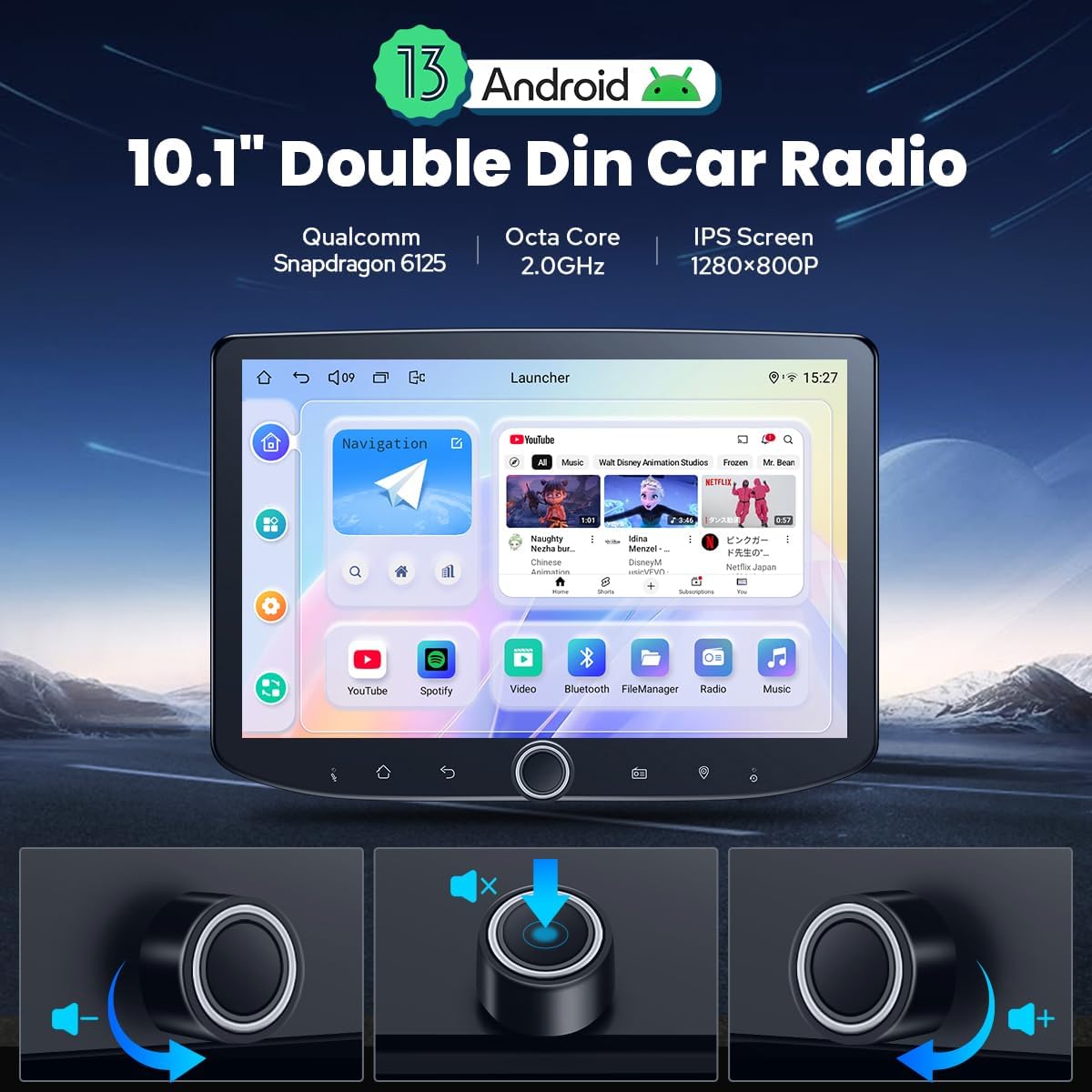
- Хуткая загрузка: Once the car key is inserted, the unit starts immediately and enters the user interface in approximately 2 seconds (first boot takes 30-40 seconds).
- Рэгулятар гучнасці: Use the physical volume knob for tactile control over audio levels.
- Сэнсарны экран: Navigate the interface using the responsive 10.1-inch 1280x800P touchscreen.
4.2 Падключэнне
- Bluetooth: Built-in Bluetooth for hands-free calls and audio streaming.
- Wi-Fi: Independent WiFi antenna ensures stable signal quality for fast and smooth internet access (802.11a/b/g/n/AC, 2.4GHz/5GHz).
- Модуль 4G: Insert a SIM card for internet access (supports FDD-LTE: B2/B4/B5/B7/B12/B13/B14/B17/B25/B26/B38/B66/B71; TDD-LTE: B41). Note: Does not support phone calls or SMS.
4.3 Navigation & Media
- GPS-навігацыя: Precise GPS engines with included GPS antenna for accurate positioning and real-time navigation. Supports offline maps and synchronization with mobile phone map data via CarPlay/Android Auto.
- AM/FM-радыё: Built-in AM/FM radio tuner.
- Аўдыявыхад: Optical Fiber and Coaxial Digital Output for high-quality sound with external ampасаднікі.
5. Асноўныя магчымасці
5.1 Убудаваныя CarPlay і Android Auto
Connect your mobile phone via USB cable or Bluetooth to share phone apps on the larger screen. This allows for easy access to navigation, phone calls, and music playback.

5.2 Кіраванне рулявым колам
Supports steering wheel control for easy switching of songs, radio channels, and volume adjustment. Note: Cars with a CAN system may require an extra CANbus cable.

5.3 Split-screen Multitasking
Run two applications simultaneously on the screen. Tap the recent apps icon, find the app you want to run in split-screen, click the split-screen button, and then select the second app.

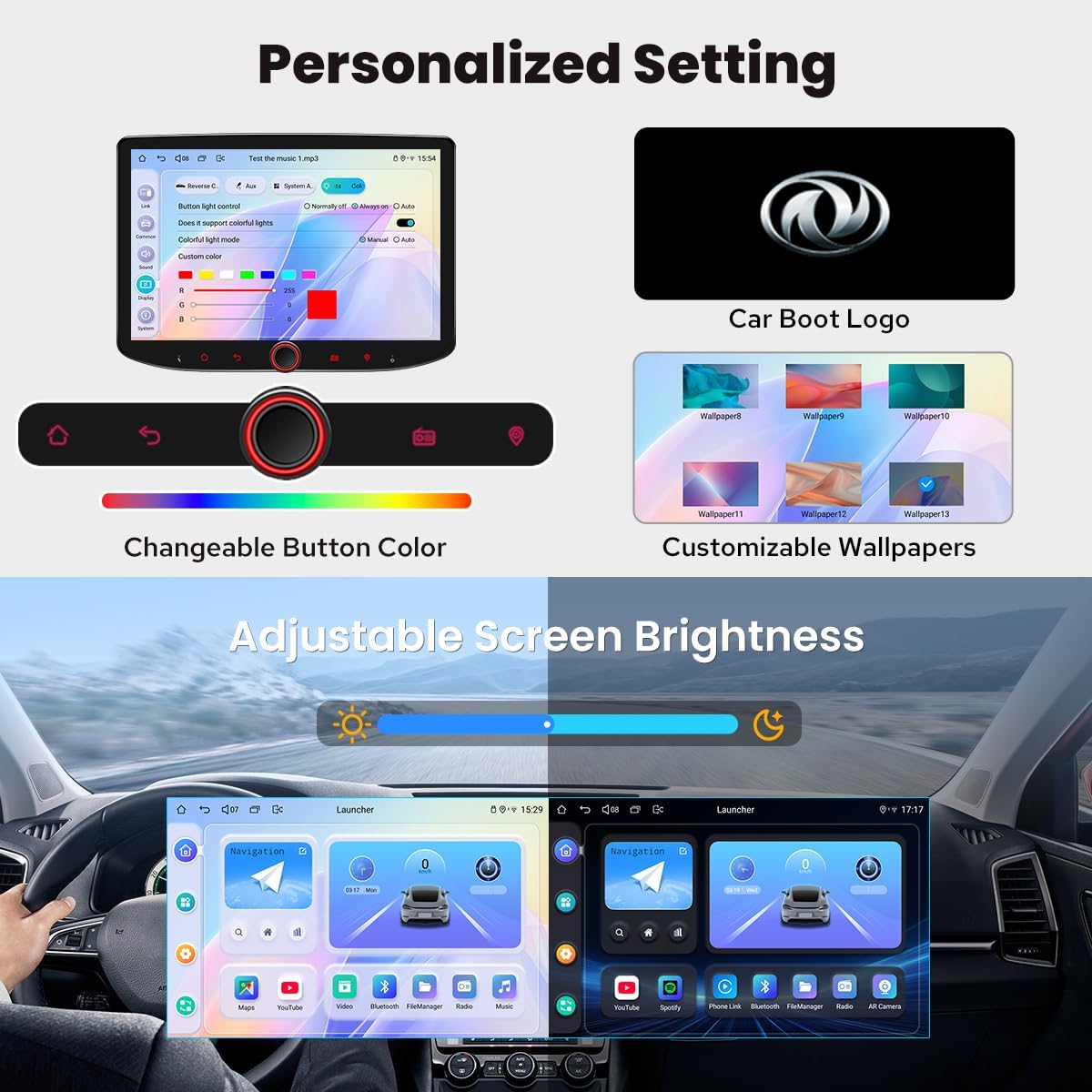
5.4 Personalized Settings
Customize your head unit with changeable button colors, customizable wallpapers, and adjustable screen brightness.
5.5 выхад HDMI
HDMI output supports projection screen display for passengers in the headrest and on-screen display for drivers on the main screen, providing 1080P clear picture without delays. Note: HDMI cable is not included.
6. Тэхнічнае абслугоўванне
6.1 Сістэма астуджэння
The unit features a dual heat sink design for superior heat dissipation and improved temperature control. You can set a warning value for CPU temperature or radio volume; if exceeded, the fan will automatically turn on to prevent overheating.

6.2 Агульны догляд
- Падтрымлівайце чысціню экрана мяккай сухой тканінай. Пазбягайце абразіўных ачышчальнікаў.
- Забяспечце належную вентыляцыю вакол прылады, каб прадухіліць перагрэў.
7. Выпраўленне непаладак
Калі ў вас узніклі праблемы, паспрабуйце выканаць наступныя асноўныя дзеянні па ліквідацыі непаладак:
- Няма харчавання: Check all power connections and fuses. Ensure the ignition is on.
- Няма гуку: Verify speaker connections and volume levels. Check external ampпадключэнні выратавальнага абсталявання, калі такія маюцца.
- Праблемы з сігналам GPS: Пераканайцеся, што антэна GPS правільна ўсталявана і мае выразны сігнал view неба.
- CarPlay/Android Auto не падключаецца: Check USB cable connection or Bluetooth pairing. Ensure your phone's software is up to date.
- Экран не рэагуе: Try restarting the unit. If the issue persists, consult the support section.
8. Тэхнічныя характарыстыкі
| Вага прадмета | 2.65 фунта |
| Памеры прадукту | 10.1 х 10.1 х 10.1 цалі |
| Нумар мадэлі тавару | JY-UTD10N8-B |
| Памер дысплея | 10.1 цалі |
| Галасавая каманда | Сэнсарны экран |
| Назва мадэлі | UTD10N8 |
| Памер экрана | 10.1 цалі |
| Асаблівасць | Android Auto, Apple CarPlay, Built-In Bluetooth, Built-In Wi-Fi, Equalizer |
| Тэхналогія падлучэння | Bluetooth, Ethernet, HDMI, USB, Wi-Fi |
| Тып карты | Паўночная Амерыка |
| Рэжым выхаду гуку | Стэрэа |
| Тып мацавання | Мацаванне прыборнай панэлі |
9. Гарантыя і падтрымка
9.1 Інфармацыя аб гарантыі
Your JOYING Android 13 Double Din Car Radio comes with a 2 гады гарантыі з даты пакупкі. Калі ласка, захавайце пацвярджэнне пакупкі для прэтэнзій па гарантыі.
9.2 Падтрымка кліентаў
For technical assistance, troubleshooting beyond this manual, or warranty inquiries, please contact JOYING customer support through their official webсайт або прадаўца, дзе быў набыты тавар.