
1. Уводзіны
Thank you for choosing the iKF T1 Max Wireless Bluetooth Over Ear Headphones. These headphones are designed to provide a high-fidelity audio experience with advanced features such as Active Noise Cancellation (ANC), extended battery life, and dual-device connectivity. This manual will guide you through the setup, operation, and maintenance of your new headphones.

Малюнак 1.1: У разабраным выглядзе view of the 40mm dynamic driver, illustrating the components responsible for HiFi sound quality.
2. Змесціва ўпакоўкі
Калі ласка, праверце ўпакоўку на наяўнасць наступных прадметаў:
- iKF T1 Max Wireless Bluetooth Over Ear Headphones
- Кіраўніцтва карыстальніка
- Зарадны кабель (USB-C)
- Аўдыёкабель 3.5 мм
3. Прадукт скончыўсяview
Familiarize yourself with the various parts of your iKF T1 Max headphones. A detailed diagram of button functions and port locations can typically be found in the printed manual included with your product.

Image 3.1: The iKF T1 Max headphones, showcasing their design and over-ear form factor.
Ключавыя кампаненты:
- Навушнікі: Padded for comfort, housing the drivers and controls.
- Павязка на галаву: Рэгуляваная для надзейнай фіксацыі.
- Кнопка харчавання: Выкарыстоўваецца для ўключэння/выключэння і спалучэння.
- Кнопкі гучнасці: Рэгулюе гучнасць гуку.
- Шматфункцыянальная кнопка: Controls playback, calls, and ANC modes.
- Порт для зарадкі USB-C: Для зарадкі навушнікаў.
- 3.5 мм аўдыяраз'ём: Для праваднога падключэння.
- Святлодыёдны індыкатар: Паказвае стан харчавання, спалучэння і зарадкі.
4. Настройка
4.1 Зарадка навушнікаў
- Падключыце зарадны кабель USB-C да порта зарадкі на навушніках.
- Падключыце другі канец кабеля да адаптара харчавання USB (не ўваходзіць у камплект) або да USB-порта кампутара.
- The LED indicator will show charging status (e.g., red for charging, blue for fully charged). A full charge typically takes approximately 2 hours.
4.2 Уключэнне/выключэнне сілкавання
- Каб уключыць: Націсніце і ўтрымлівайце кнопку харчавання прыблізна 3 секунды, пакуль не пачне міргаць святлодыёдны індыкатар.
- Каб выключыць: Націсніце і ўтрымлівайце кнопку харчавання прыблізна 5 секунды, пакуль не пагасне святлодыёдны індыкатар.
4.3 Спалучэнне па Bluetooth
- Пераканайцеся, што навушнікі адключаны.
- Press and hold the Power button for approximately 5-7 seconds until the LED indicator flashes rapidly (usually blue and red alternately), indicating pairing mode.
- На вашай прыладзе (смартфоне, планшэце, ноўтбуку) уключыце Bluetooth і знайдзіце даступныя прылады.
- Select "iKF T1 Max" from the list of found devices.
- Пасля падключэння святлодыёдны індыкатар звычайна будзе гарэць сінім святлом пастаянна або павольна міргаць.
4.4 iKF App Connection
For advanced customization, including ANC level adjustments and personalized sound profiles, download the official iKF app from your device's app store. Follow the in-app instructions to connect your headphones.

Image 4.1: The iKF T1 Max headphones connected to the iKF mobile application, demonstrating app-based control and customization.
5. Інструкцыя па эксплуатацыі
5.1 Актыўнае падаўленне шуму (ANC)
The iKF T1 Max features Active Noise Cancellation to reduce ambient noise. You can activate and adjust ANC levels:
- Актываваць/дэактываваць: Press the dedicated ANC button (refer to your product diagram for exact location).
- Адрэгулюйце ўзроўні: Use the iKF app to fine-tune ANC intensity to your preference.
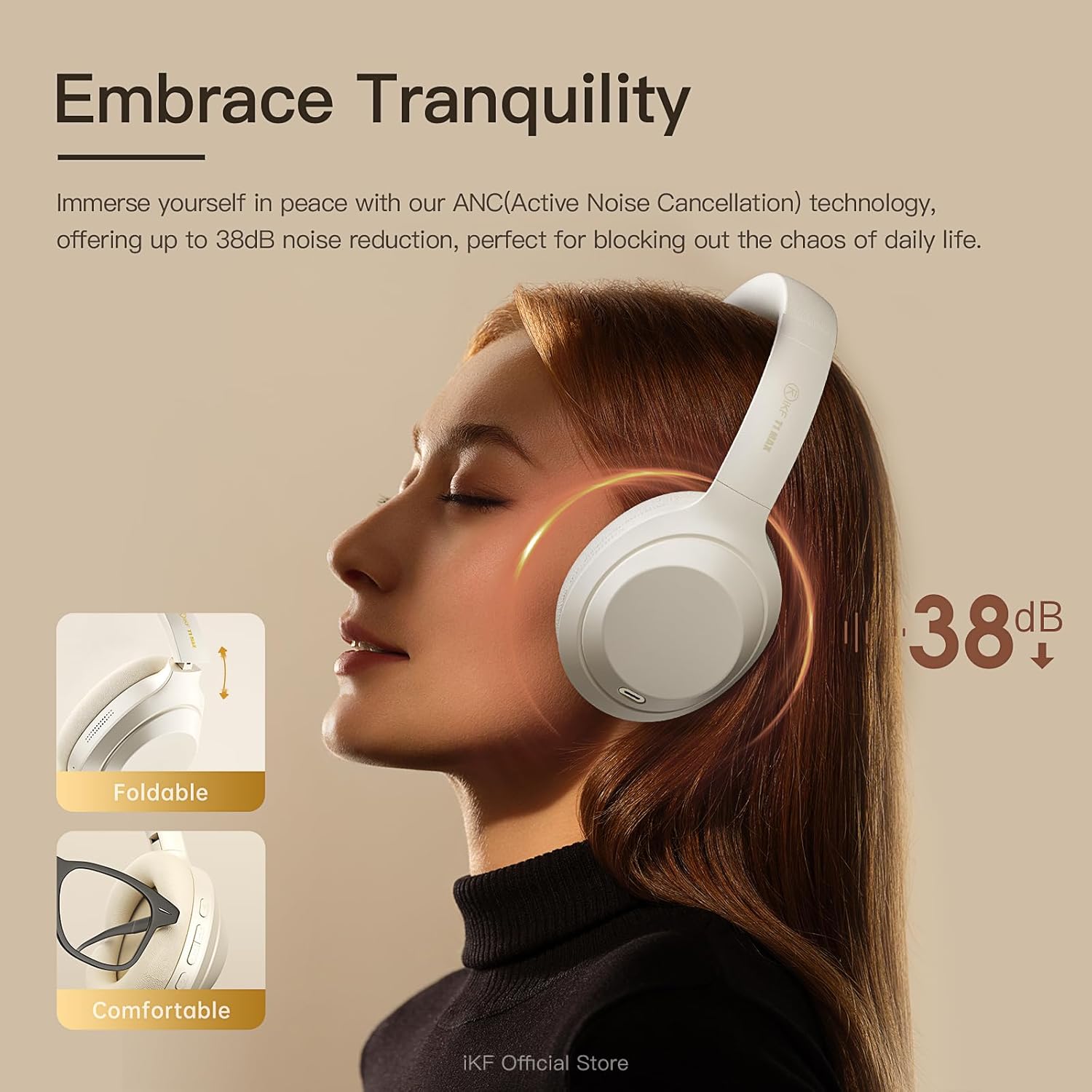
Image 5.1: A user experiencing the noise reduction capabilities of the iKF T1 Max headphones, highlighting up to 38dB noise cancellation.
5.2 Падключэнне двух прылад
The headphones can connect to two Bluetooth devices simultaneously, allowing for seamless switching between audio sources.
- Pair the headphones with your first device (e.g., smartphone) as described in Section 4.3.
- Часова адключыце Bluetooth на першай прыладзе.
- Падключыце навушнікі да другой прылады (напрыклад, ноўтбука).
- Зноў падключыце Bluetooth на першай прыладзе. Цяпер навушнікі павінны быць падключаны да абедзвюх прылад.
- Аўдыё аўтаматычна пераключыцца на прыладу, якая прайгравае кантэнт або прымае званок.

Image 5.2: The iKF T1 Max headphones demonstrating simultaneous connection to a smartphone and a laptop, enabling effortless switching between devices.
5.3 Правадны рэжым
For continuous listening or when battery is low, use the included 3.5mm audio cable.
- Падключыце адзін канец аўдыёкабеля 3.5 мм да аўдыёраздыма навушнікаў.
- Plug the other end into your audio source's 3.5mm port.
- Навушнікі аўтаматычна пераключацца ў правадны рэжым. Функцыі Bluetooth будуць адключаны.

Image 5.3: A visual comparison illustrating the flexibility of the iKF T1 Max headphones, supporting both wireless Bluetooth and wired 3.5mm audio connections.
5.4 Асноўныя элементы кіравання
- Прайграванне/Паўза: Аднаразова націсніце шматфункцыянальную кнопку.
- Павялічыць/паменшыць гучнасць: Press the Volume + / - buttons.
- Наступны трэк: Двойчы націсніце шматфункцыянальную кнопку.
- Папярэдні трэк: Тройчы націсніце шматфункцыянальную кнопку.
- Адказ/завяршэнне выкліку: Single press the Multi-function button during an incoming call or active call.
- Адхіліць выклік: Падчас уваходнага званка націсніце і ўтрымлівайце шматфункцыянальную кнопку.

Image 5.4: The iKF T1 Max headphones adapting to various audio experiences, including music listening, movie watching, and gaming, demonstrating seamless transition.
6. Тэхнічнае абслугоўванне
6.1 Ачыстка
- Працірайце навушнікі мяккай, сухой тканінай без ворса.
- Не выкарыстоўвайце абразіўныя ачышчальнікі, спірт або хімічныя растваральнікі.
- Пазбягайце траплення вільгаці ў любыя адтуліны.
6.2 Захоўванне
- Захоўвайце навушнікі ў прахалодным, сухім месцы, удалечыні ад экстрэмальных тэмператур і прамых сонечных прамянёў.
- When not in use for extended periods, fully charge the headphones at least once every three months to preserve battery life.
- The headphones are foldable for compact storage.
7. Выпраўленне непаладак
If you encounter issues with your iKF T1 Max headphones, refer to the following common problems and solutions:
| праблема | Рашэнне |
|---|---|
| Навушнікі не ўключаюцься. | Пераканайцеся, што навушнікі зараджаныя. Падключыце іх да крыніцы харчавання і паспрабуйце зноў праз некалькі хвілін. |
| Немагчыма спалучыць прыладу. | Ensure headphones are in pairing mode (LED flashing rapidly). Turn off and on Bluetooth on your device. Move headphones closer to the device. |
| Няма гуку або нізкі ўзровень гучнасці. | Check volume levels on both headphones and the connected device. Ensure headphones are properly paired. If in wired mode, check cable connection. |
| АНК неэфектыўны. | Ensure ANC is activated. Adjust ANC levels via the iKF app. Ensure earcups form a good seal around your ears. |
| Пераключэнне паміж двума прыладамі не працуе. | Ensure both devices are actively connected via Bluetooth. Play audio on one device to initiate the switch. |
8. Тэхнічныя характарыстыкі
Key technical specifications for the iKF T1 Max Wireless Bluetooth Over Ear Headphones:
- Марка: iKF
- мадэль: T1 Макс
- Размяшчэнне вушэй: Над вухам
- Кантроль шуму: Active Noise Cancellation, Environmental Noise Cancellation
- Тэхналогія падключэння: Bluetooth 5.4, правадны (раздым 3.5 мм)
- Памер драйвера: 40 мм
- Battery Life (ANC Off): Да 100 гадзін
- Battery Life (ANC On): Да 75 гадзін
- Час зарадкі: Прыкладна 2 гадзіны
- Сумяшчальныя прылады: Android Phone, Laptops, Smart Watch, Tablets, iPhone/iPad/Macbook
- матэрыял: Пластык, поліўрэтан (ПУ)

Image 8.1: The iKF T1 Max headphones highlighting their extended battery performance: up to 100 hours with ANC off and 75 hours with ANC on.
9. Гарантыя і падтрымка
9.1 Інфармацыя аб гарантыі
The iKF T1 Max Wireless Bluetooth Over Ear Headphones come with a 1-Year Store Warranty з даты пакупкі. Гэтая гарантыя распаўсюджваецца на вытворчыя дэфекты і дэфекты вырабу пры нармальным выкарыстанні. Яна не распаўсюджваецца на пашкоджанні, выкліканыя няправільным выкарыстаннем, аварыямі, несанкцыянаванымі мадыфікацыямі або нармальным зносам. Калі ласка, захавайце пацвярджэнне пакупкі для прэтэнзій па гарантыі.
9.2 Падтрымка кліентаў
For further assistance, technical support, or warranty inquiries, please contact iKF customer service through the retailer's platform or the official iKF webсайт. Калі ласка, падрыхтуйце мадэль прадукту і інфармацыю пра пакупку перад зваротам у службу падтрымкі.