
1. Уводзіны
This manual provides detailed instructions for the installation, operation, and maintenance of your Ctronics 2K 100% Wireless Battery Indoor Security Camera, model CTIPC-920. This camera is designed for indoor surveillance, offering 2K resolution, infrared night vision, and flexible storage options. Please read this manual thoroughly before using the product to ensure proper function and safety.
2. Змесціва ўпакоўкі
Праверце, ці ўсе пералічаныя ніжэй прадметы ўваходзяць у вашу ўпакоўку:
- Ctronics 2K Wireless Battery Indoor Security Camera (CTIPC-920)
- Зарадны кабель
- Кіраўніцтва па эксплуатацыі
3. Прадукт скончыўсяview
The Ctronics CTIPC-920 camera features a compact, dome-shaped design for discreet indoor placement. It includes a high-resolution lens, infrared LEDs for night vision, a PIR motion sensor, a microphone, and a speaker for two-way audio. A reset button and a Micro SD card slot are also integrated.

Малюнак 3.1: Фронт view of the Ctronics CTIPC-920 camera, showing the lens and status indicator.
4. Кіраўніцтва па наладцы
4.1 Зарадка камеры
Before initial use, fully charge the camera using the provided charging cable. The camera is 100% wire-free and battery-powered, allowing flexible placement without power outlets.

Малюнак 4.1: The camera is designed for 100% wire-free operation, powered by a rechargeable battery.
4.2 Усталёўка і спалучэнне праграм
- Спампаваць Ctronics Pro праграму з крамы праграм вашага смартфона (iOS або Android).
- Стварыце ўліковы запіс і ўвайдзіце.
- Follow the in-app instructions to add your camera. The camera supports Bluetooth setup for quick and easy pairing.
- Ensure your camera is within range of your 2.4GHz Wi-Fi network during setup.

Малюнак 4.2: Bluetooth setup facilitates fast and easy connection of the camera to your device.
4.3 Micro SD Card Installation (Optional)
For local storage, insert a Micro SD card (up to 128GB, not included) into the designated slot on the camera. Ensure the camera is powered off before inserting or removing the card.

Малюнак 4.3: The camera supports Micro SD cards up to 128GB for local video storage.
4.4 Размяшчэнне камеры
Place the camera on a flat surface or mount it on a wall using appropriate hardware (not included). Position it to cover the desired indoor area. The camera's compact size allows for versatile placement.

Малюнак 4.4: The camera can be placed in various indoor locations, ready for use in seconds.
5. Інструкцыя па эксплуатацыі
5.1 У прамым эфіры View і аддалены доступ
Access the live video feed from your camera via the Ctronics Pro app on your smartphone or tablet, or through the PC client (HiP2P Client). This allows you to monitor your indoor space from anywhere.

Малюнак 5.1: Remote access is available via the Ctronics Pro app for mobile devices and the HiP2P Client for PC.
5.2 Якасць відэа і начное бачанне
The camera provides clear 2K (2304x1296P) video resolution. It features infrared night vision with a range of up to 20 meters, ensuring visibility in low-light or dark conditions without disturbing white lights.

Малюнак 5.2: The camera offers smooth and sharp 2K video with infrared night vision up to 20m.
5.3 PIR Motion Detection and Alerts
The integrated Passive Infrared (PIR) sensor detects human movement, minimizing false alarms. When motion is detected, you will receive instant notifications on your connected device. Sensitivity settings can be adjusted in the app.

Малюнак 5.3: Smart PIR motion detection alerts you only when relevant movement is detected.
5.4 Двухбаковае аўдыё
Utilize the built-in microphone and speaker to communicate remotely with individuals near the camera. This feature is useful for checking on family members or pets.

Малюнак 5.4: The camera allows you to feel close and communicate with those at home, no matter the distance.
5.5 Video Storage Options
Recordings can be stored in multiple ways:
- Micro SD-карта: Падтрымлівае да 128 ГБ для лакальнага захоўвання.
- Воблачнае сховішча: Securely store footage in the cloud (subscription may be required).
- Сервер FTP: Upload recordings to an FTP server.

Малюнак 5.5: Трымайце сваю нагуtage safe with flexible storage options including TF card, FTP, or cloud.
5.6 Custom Alarm Sounds
The Ctronics Pro app allows you to customize alarm sounds, providing flexibility for different environments or preferences.
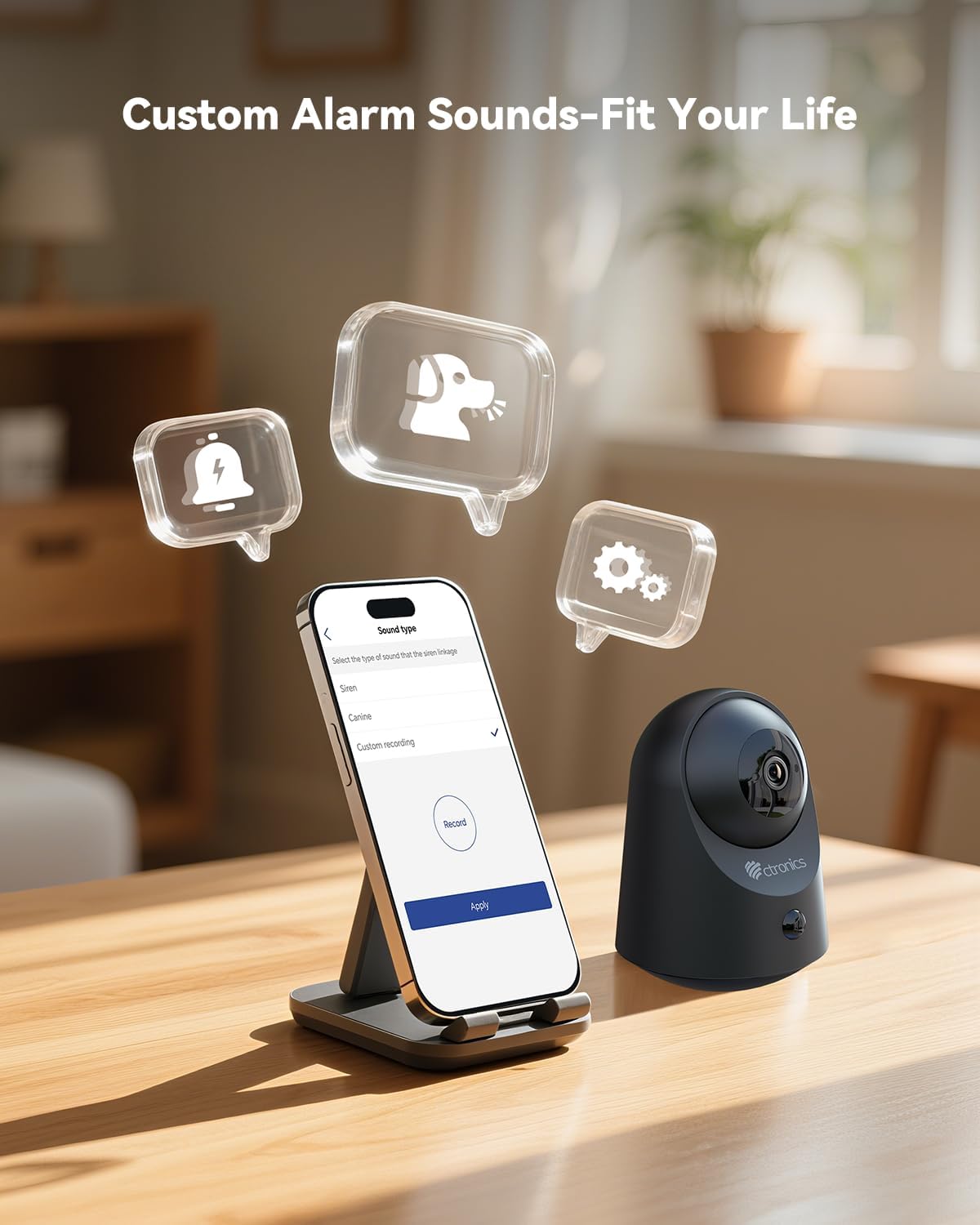
Малюнак 5.6: Customize alarm sounds to fit your specific needs and environment.
6. Тэхнічнае абслугоўванне
6.1 Кіраванне батарэяй
Regularly check the battery level via the app. Recharge the camera promptly when the battery is low to ensure continuous operation. Use only the provided charging cable or a compatible 5V power adapter.
6.2 Ачыстка
Wipe the camera lens and body with a soft, dry cloth. Avoid using liquid cleaners or abrasive materials that could damage the device.
6.3 Абнаўленне прашыўкі
Periodically check the Ctronics Pro app for available firmware updates. Keeping your camera's firmware up-to-date ensures optimal performance and access to new features.
7. Выпраўленне непаладак
| праблема | Магчымая прычына | Рашэнне |
|---|---|---|
| Камера не падключаецца да Wi-Fi | Incorrect Wi-Fi password, 5GHz network, camera too far from router. | Пераканайцеся, што пароль Wi-Fi 2.4 ГГц правільны. Перамясціце камеру бліжэй да маршрутызатара. Скіньце налады камеры і паспрабуйце зноў падключыць яе. |
| Няма абвестак аб выяўленні руху | PIR sensitivity too low, detection zone not set, app notifications disabled. | Adjust PIR sensitivity in the app. Check detection zone settings. Enable notifications for the Ctronics Pro app. |
| Дрэнная якасць відэа | Weak Wi-Fi signal, dirty lens. | Ensure strong Wi-Fi signal. Clean the camera lens with a soft cloth. |
| Двухбаковы аўдыё не працуе | Microphone/speaker muted in app, volume too low. | Check app settings to ensure microphone and speaker are enabled and volume is adequate. |
| Карта Micro SD не запісвае | Card full, corrupted, or not formatted correctly. | Format the SD card via the app. Replace with a new card if corrupted. Ensure recording settings are enabled. |
8. Тэхнічныя характарыстыкі
| Асаблівасць | Дэталь |
|---|---|
| Нумар мадэлі | CTIPC-920 |
| Выкарыстанне ў памяшканні/на вуліцы | У памяшканні |
| Дазвол відэазахопу | 2 тыс. (2304x1296 пікселяў) |
| Эфектыўнае рашэнне | 3 МП |
| Крыніца харчавання | Харчаванне ад батарэі |
| Пратакол злучэння | Wi-Fi (2.4 ГГц) |
| Тып кантролера | Ctronics APP |
| Дыяпазон начнога бачання | 20 Meters (Infrared) |
| PIR-дэтэктар руху | так |
| Двухбаковае аўдыё | так |
| Параметры захоўвання | Micro SD (up to 128GB), Cloud, FTP |
| Матэрыял | Акрыланітрылбутадыенстырол (АБС) |
| Памеры (Д х Ш х У) | 5.12 х 2.36 х 5.12 цалі |
| Вага прадмета | 15.8 унцыі |
| Колер | Чорны |
9. Афіцыйнае відэа прадукту
Watch the official product video for a visual guide on the Ctronics 2K 3MP Indoor Security Camera's features and usage.
Апісанне відэа: Гэта відэа забяспечвае завяршэннеview of the Ctronics 2K 3MP Indoor Security Camera, demonstrating its wire-free installation, night vision capabilities, two-way audio, and remote monitoring features. It shows the camera in various home settings, highlighting its use for monitoring children and pets, and its ease of setup and access via mobile app and PC.
10. Гарантыя і падтрымка
Каб атрымаць інфармацыю аб гарантыі, тэхнічнай падтрымцы або па любых пытаннях адносна вашага прадукту Ctronics, звярніцеся да афіцыйнага сайта Ctronics. website or contact their customer service directly. Contact details are typically found on the product packaging or the official Ctronics support page.