
Уводзіны
This manual provides instructions for the ZWP Replacement Remote Control, designed for use with various smart projectors. Please read this manual carefully before using the remote control to ensure proper operation and longevity.
Compatible Projector Models: WiMiUS K9, VOPLLS P1E M10, DBPOWER G01, YABER V12, TOPTRO X9, MECOOL KP2, Xiaomi, Wanbo TT, Blitzwolf BW-V6, Yaber U12, FUDONI S1 Smart Projector.
Настройка
1. Устаноўка батарэі
Для пульта дыстанцыйнага кіравання патрэбныя дзве батарэйкі тыпу AAA (не ўключаны ў камплект). Каб усталяваць іх, выканайце наступныя дзеянні:
- Знайдзіце крышку батарэйнага адсека на задняй частцы пульта дыстанцыйнага кіравання.
- Зрушыце вечка ўніз або націсніце на зашчапку, каб адкрыць яго.
- Устаўце дзве батарэйкі тыпу AAA, пераканаўшыся, што станоўчая (+) і адмоўная (-) клемы правільна сумяшчаюцца з пазнакамі ўнутры адсека.
- Надзейна зачыніце крышку батарэйнага адсека.

Малюнак 1: Battery installation diagram. Ensure correct polarity when inserting AAA batteries.
2. Спалучэнне пульта дыстанцыйнага кіравання
To establish a connection between the remote control and your projector, follow the pairing procedure:
- Ensure your projector is powered on and within range.
- Адначасова націсніце і ўтрымлівайце [ОК] кнопка і [Volume Down (-)] кнопку на пульце.
- Hold both buttons until the pairing indicator (if available on your specific remote model) flashes or your projector displays a confirmation message.
- Release the buttons once pairing is complete. The remote control should now be ready for use.

Малюнак 2: Скончанаview of the remote control's design and key features, emphasizing its build quality.
Кіраванне пультам дыстанцыйнага кіравання
This remote control features an ergonomic design for comfortable use and provides quick response times. It supports multi-angle induction for stable transmission.
Асноўныя функцыі:
- Кнопка харчавання: Уключае або выключае праектар.
- Navigation Pad (OK button and directional arrows): Выкарыстоўваецца для навігацыі па меню і выбару опцый.
- Кнопкі рэгулявання гучнасці (+/-): Adjusts the audio volume of the projector.
- Quick Access Buttons (Netflix, YouTube, Prime Video, Open): Provides direct access to popular streaming applications.
- Нумарная клавіятура: For direct input or channel selection, if supported by the projector.
- Кнопка вяртання/назад: Вяртанне да папярэдняга экрана або меню.
- Кнопка меню: Accesses the projector's main menu or settings.

Малюнак 3: Remote control responsiveness and signal strength indicators.
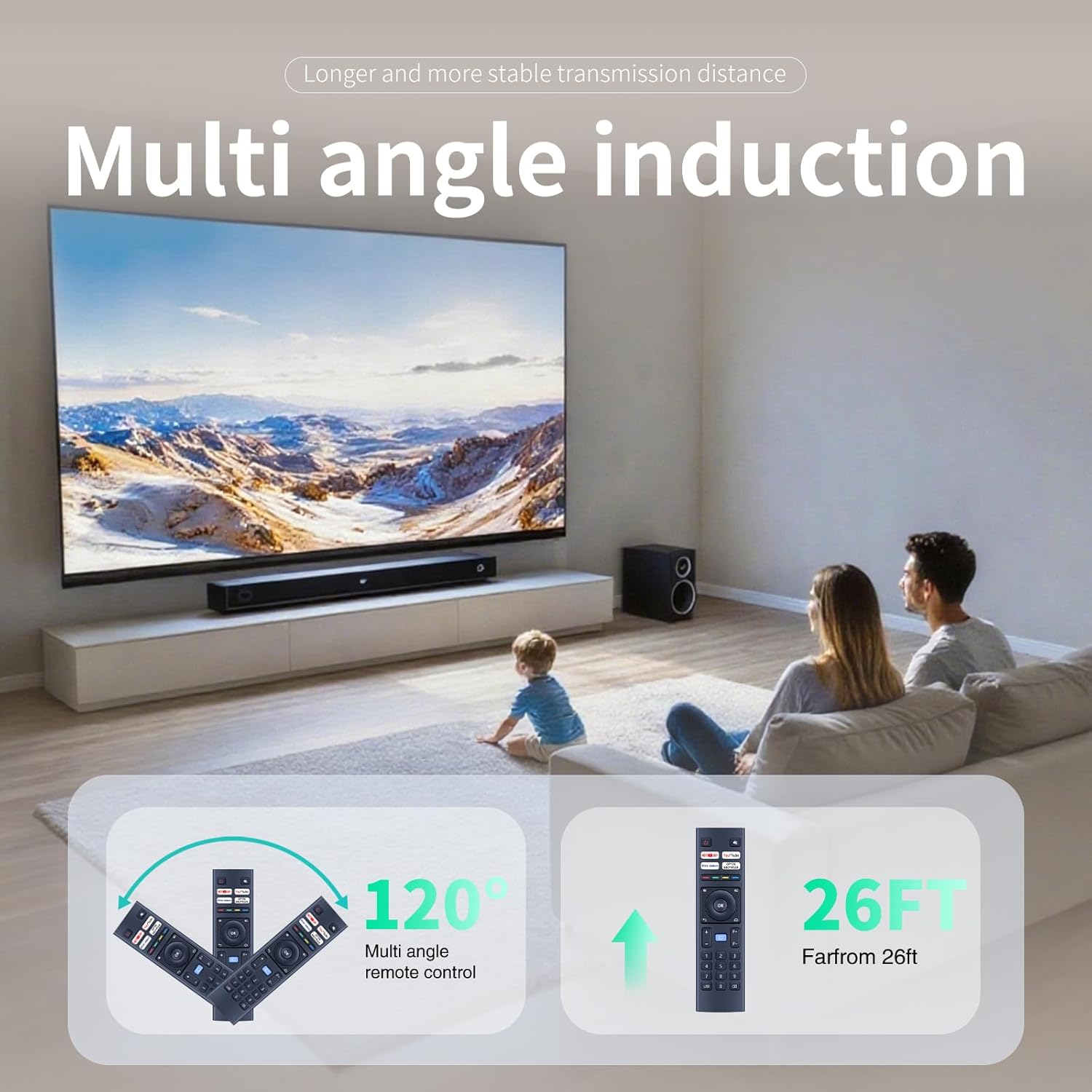
Малюнак 4: Multi-angle induction and effective operating range of the remote control.
Тэхнічнае абслугоўванне
Уборка
Каб захаваць знешні выгляд і функцыянальнасць пульта дыстанцыйнага кіравання:
- Працярыце паверхню мяккай сухой анучай.
- Не выкарыстоўвайце абразіўныя ачышчальнікі, растваральнікі або спірт, бо яны могуць пашкодзіць пакрыццё.
- Avoid getting liquids inside the remote control.
Замена батарэі
Replace batteries when the remote control becomes unresponsive or its range decreases significantly. Refer to the "Battery Installation" section for instructions.
Захоўванне
Калі пульт дыстанцыйнага кіравання не будзе выкарыстоўвацца працяглы час, выміце батарэйкі, каб прадухіліць уцечку і магчымыя пашкоджанні.
Ліквідацыю непаладак
- Пульт дыстанцыйнага кіравання не адказвае:
- Праверце, ці правільна ўсталяваныя батарэйкі і ці дастаткова яны зараджаныя. Пры неабходнасці заменіце іх.
- Пераканайцеся, што паміж пультам дыстанцыйнага кіравання і праектарам няма перашкод.
- Re-pair the remote control with the projector as described in the "Pairing the Remote Control" section.
- Кароткая працоўная далёкасць:
- Заменіце батарэі на новыя.
- Ensure you are within the effective operating range (approximately 26 feet).
- Мінімізуйце перашкоды ад іншых электронных прылад.
- Не працуюць пэўныя кнопкі:
- Ачысціце паверхню пульта дыстанцыйнага кіравання, асабліва вакол неадчувальных кнопак, каб выдаліць бруд або смецце.
- If only specific quick access buttons (e.g., Netflix) are not working, ensure your projector's software is up to date and supports these functions.
Тэхнічныя характарыстыкі
| Асаблівасць | Дэталь |
|---|---|
| Нумар мадэлі | B0F4KCQ2SD |
| Марка | ЗВП |
| Сумяшчальныя прылады | Projectors (WiMiUS K9, VOPLLS P1E M10, DBPOWER G01, YABER V12, TOPTRO X9, MECOOL KP2, Xiaomi, Wanbo TT, Blitzwolf BW-V6, Yaber U12, FUDONI S1) |
| Крыніца харчавання | 2 х ААА батарэі (не ўключаны) |
| Асаблівасць | Эрганамічны дызайн |
| Колер | Чорны |
| Вага прадмета | 2.08 унцыі (прыблізна 59 грамаў) |
| Памеры ўпакоўкі | 6.8 х 2.3 х 1 цалі (прыкладна 17.3 х 5.8 х 2.5 см) |
| Максімальная колькасць падтрымоўваных прылад | 1 |
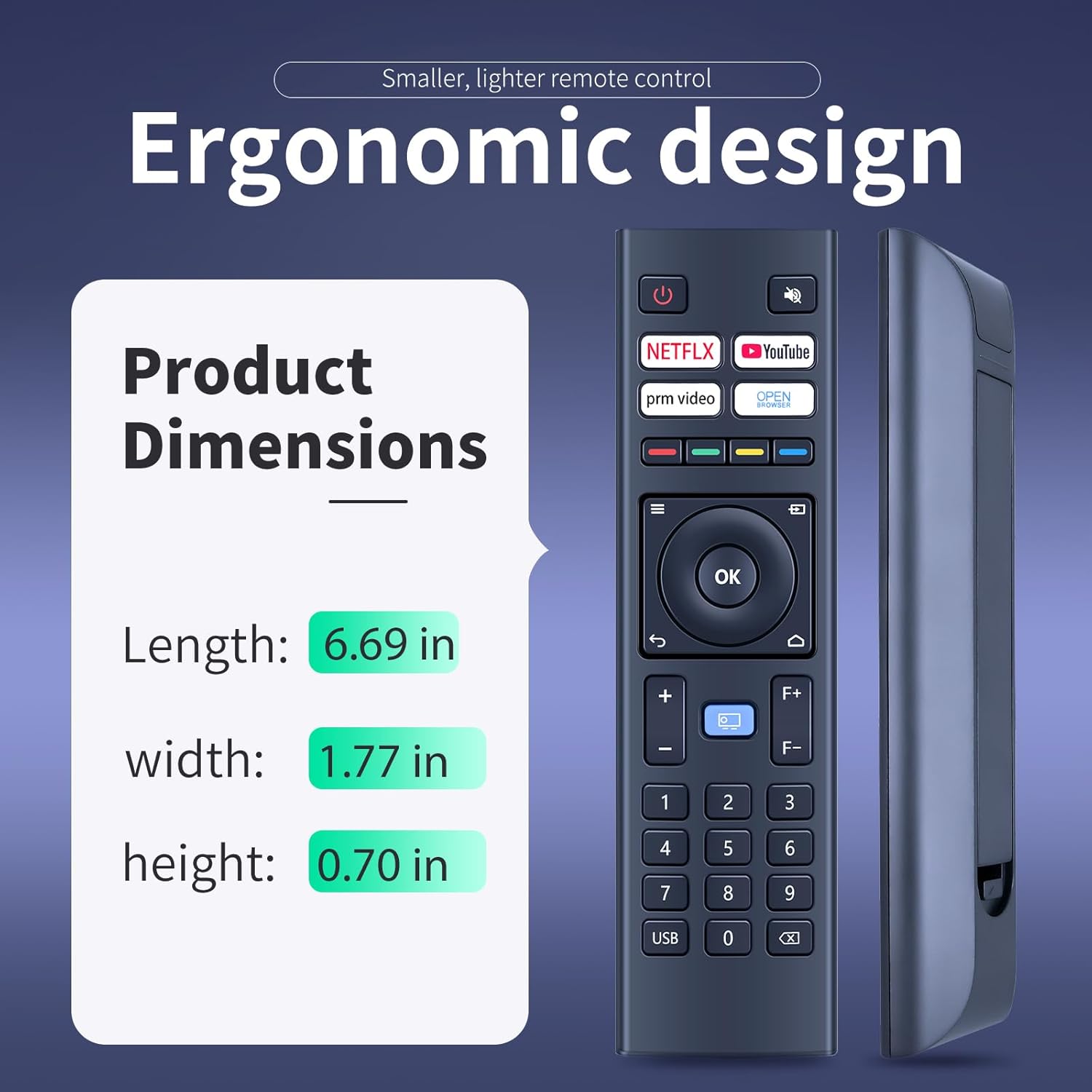
Малюнак 5: Ergonomic design and physical dimensions of the remote control.
Гарантыя і падтрымка
This product is designed for durability and reliable performance. While specific warranty details are not provided in this manual, ZWP is committed to customer satisfaction.
For any questions, concerns, or assistance with your ZWP Replacement Remote Control, please do not hesitate to contact us. We are dedicated to helping you resolve any issues you may encounter.
You can typically find contact information for ZWP through the retailer where you purchased the product or by visiting the ZWP brand store online.