
Уводзіны
This manual provides detailed instructions for the setup, operation, maintenance, and troubleshooting of your Dytole Wireless Headset Model DY-109. Please read this manual thoroughly before using the product to ensure optimal performance and longevity.
Што ў скрынцы
- Бесправадная гарнітура
- Зарадная база
- Зарадны кабель USB-C
- 2.4G USB-ключ
Прадукт скончаныview
The Dytole Wireless Headset DY-109 is designed for professional communication, featuring AI noise cancellation, flexible connectivity options, and a smart multi-function charging dock.

Figure 1: Dytole Wireless Headset with Smart Multi-Function Charging Dock.
Настройка
1. Зарадка гарнітуры
The headset can be charged using two methods: via the USB-C cable directly or by placing it on the included charging dock. The charging dock features an intuitive LED power display to indicate battery status.
- Зарадка USB-C: Connect the USB-C cable to the headset's charging port and to a power source.
- Док-станцыя для зарадкі: Place the headset onto the charging dock. Ensure proper alignment for charging to begin. The LED display on the dock will show the charging status.
A full charge provides up to 65 hours of use. A quick 5-minute charge can provide approximately 2 hours of talk time.

Figure 2: Headset charging on the smart dock with battery indicator.
2. Параметры падключэння
The Dytole Wireless Headset supports both Bluetooth 5.3 and a 2.4G USB dongle for versatile connection to various devices.
- Злучэнне Bluetooth:
- Пераканайцеся, што гарнітура ўключана.
- Activate Bluetooth on your device (laptop, mobile phone, tablet).
- Пошук "Dytole DY-109" in the list of available Bluetooth devices and select it to pair.
- 2.4G USB Dongle Connection:
- Падключыце USB-адаптар 2.4 Гбіт/с да даступнага USB-порта вашага кампутара.
- Уключыце гарнітуру. Яна аўтаматычна падключыцца да адаптара.
Note: Only one device can be connected at a time. The 2.4G USB dongle provides a stable connection, especially for computers without built-in Bluetooth.

Figure 3: Headset connected via 2.4G USB dongle to a laptop.
Інструкцыя па эксплуатацыі
1. Нашэнне гарнітуры
The headset features an ultra-lightweight single-ear design with memory foam ear cushions for comfort during extended use. The adjustable headband ensures a balanced fit.
- Рэгуляваны мікрафон: The microphone can be rotated 270 degrees, allowing you to wear the headset on either your left or right ear. Position the microphone close to your mouth for optimal voice pickup.
- Паваротныя амбушуры: The earcups are designed to rotate for a perfect fit and comfort.
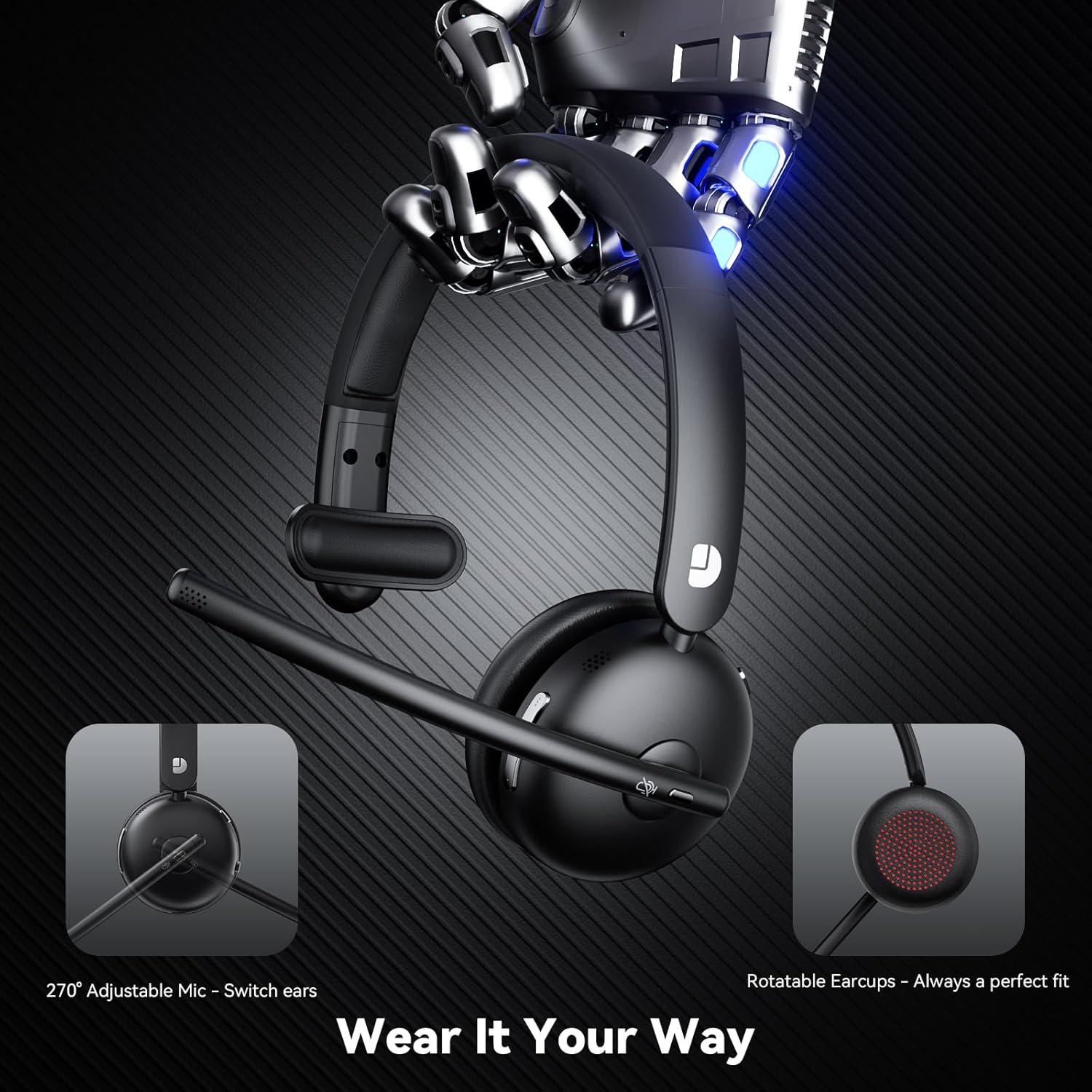
Figure 4: Adjustable microphone and rotatable earcups for personalized fit.
2. AI Noise Cancelling
The integrated AI noise-cancelling technology filters out background noise, ensuring clear voice transmission during calls and meetings. This feature is automatically active to enhance communication clarity in various environments.
3. Элементы кіравання
The headset includes easy-to-access controls:
- Шматфункцыянальная кнопка (МФК): Used for power on/off, play/pause audio, answer/end calls.
- Кнопка адключэння: Quickly mute or unmute your microphone during calls.
- Рэгулятары гучнасці: Рэгуляванне гучнасці гуку ўверх або ўніз.
4. Сумяшчальнасць
The Dytole Wireless Headset is compatible with a wide range of communication platforms and devices, including:
- маштабаванне
- Каманды Microsoft
- Google Meet
- Ноўтбукі
- Мабільныя тэлефоны
- Настольныя кампутары
- Таблеткі

Figure 5: Headset compatibility with major communication platforms.
Тэхнічнае абслугоўванне
1. Уборка
To maintain the headset's condition, wipe it regularly with a soft, dry cloth. Avoid using harsh chemicals or abrasive materials. Ensure no moisture enters the charging ports or speaker grilles.
2. Захоўванне
When not in use, store the headset on its charging dock. The 3-in-1 smart dock also functions as a phone/tablet stand and an organizer for the USB dongle, helping to keep your workspace tidy. The dock can fold flat for travel.
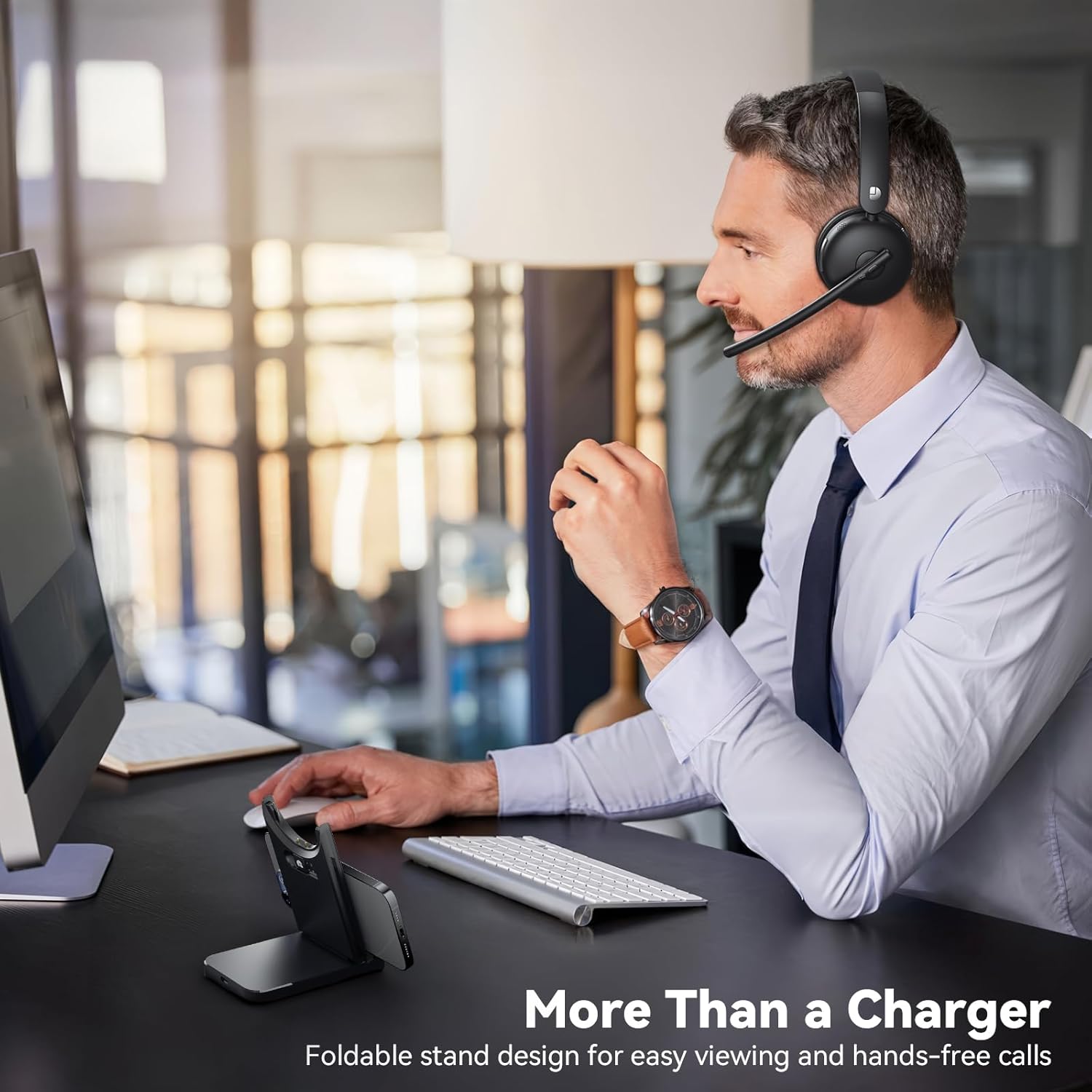
Figure 6: Smart dock used as a phone stand while the headset is in use.
Ліквідацыю непаладак
- Няма харчавання: Ensure the headset is fully charged. Connect it to the charging cable or dock and allow sufficient time to charge.
- Немагчыма спалучыць/падключыцца:
- Ensure the headset is in pairing mode (refer to device-specific instructions for entering pairing mode if needed).
- Праверце, ці ўключаны Bluetooth на вашай прыладзе.
- If using the USB dongle, ensure it is securely plugged in and the headset is powered on.
- Restart both the headset and the connecting device.
- Дрэнная якасць гуку:
- Check the connection range (up to 49 feet). Move closer to your connected device.
- Ensure there are no obstructions or strong interference sources between the headset and the device.
- Адрэгулюйце гучнасць як на гарнітуры, так і на падлучанай прыладзе.
- Мікрафон не працуе:
- Пераканайцеся, што мікрафон не адключаны.
- Check the microphone settings on your connected device to ensure the Dytole Headset is selected as the input device.
- Position the microphone correctly near your mouth.
Тэхнічныя характарыстыкі
| Асаблівасць | Апісанне |
|---|---|
| Назва мадэлі | ДЫ-109 |
| Тэхналогія падлучэння | Wireless (Bluetooth 5.3, 2.4G USB Dongle) |
| Функцыі кантролю шуму | Шумапрыглушэнне AI |
| Тэрмін службы батарэі | Да 65 гадзін |
| Час зарадкі | Approximately 1.5 days for full charge (5 min quick charge for 2 hours talk time) |
| Дыяпазон Bluetooth | Да 14.92 метраў (49 футаў) |
| Форма навушніка | On-Ear (Single-ear design) |
| Матэрыял | Memory Foam, Plastic/Aluminum |
| Вага прадмета | 0.46 кілаграма (1.01 фунта) |
| Сумяшчальныя прылады | Laptops, Mobile Phones, Desktops, Tablets, Telephones, Smart Speakers, Televisions |
Гарантыя і падтрымка
For warranty information and customer support, please refer to the product packaging or contact Dytole customer service through the official website or your retailer. Keep your purchase receipt for warranty claims.