
1. Уводзіны
This manual provides detailed instructions for the safe and efficient operation, installation, and maintenance of your CADPXS Remois XP70 Crawl Space Dehumidifier. Please read this manual thoroughly before using the appliance and retain it for future reference.
The CADPXS Remois XP70 is an 80-pint commercial-grade dehumidifier designed for effective moisture control in various environments, including crawl spaces, basements, and homes up to 1000 sq ft. It features a built-in pump for automatic drainage, auto-defrost, and memory start functions.
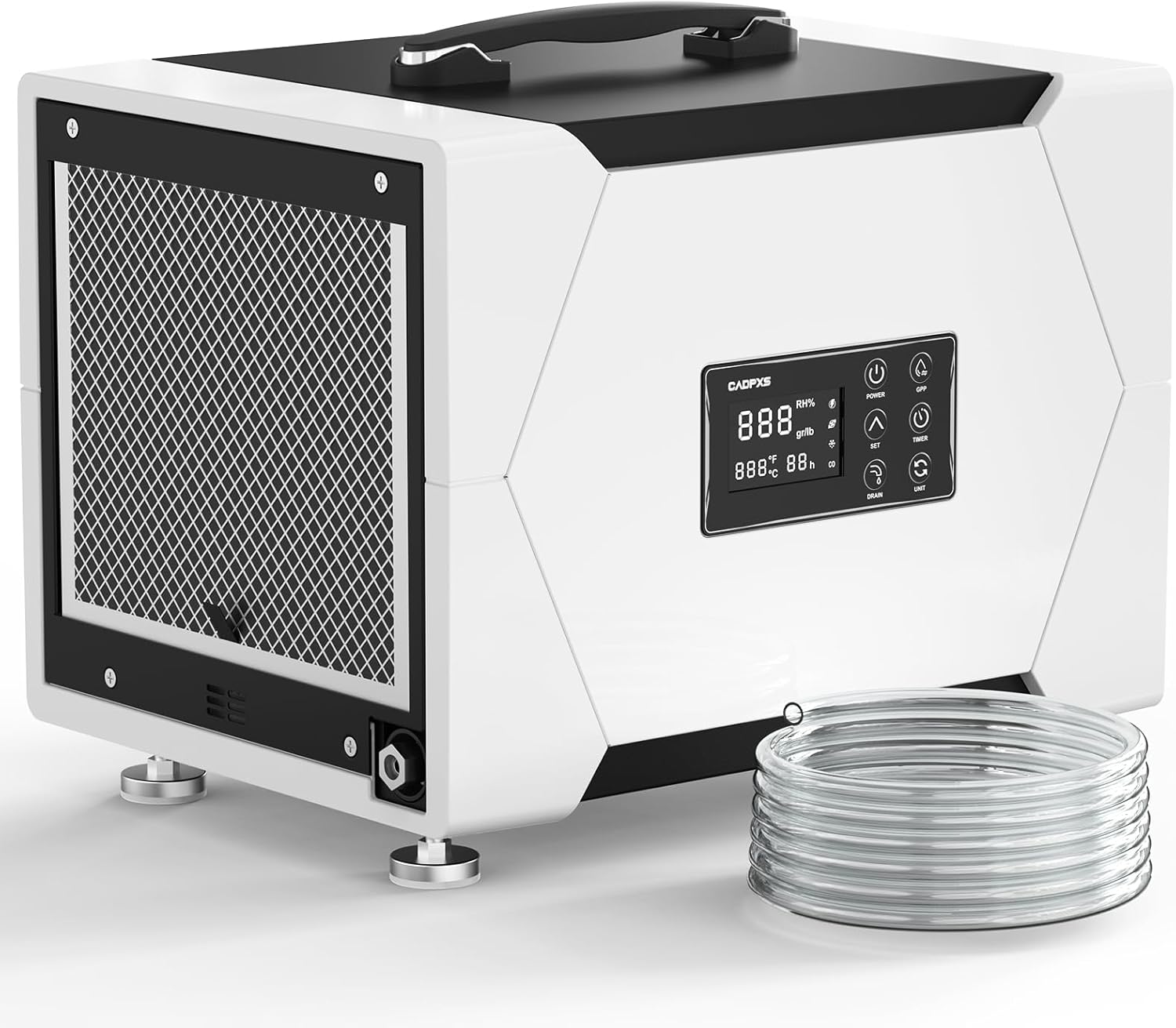
Image: The CADPXS Remois XP70 dehumidifier, showing its compact design and included drain hose.
2. Інфармацыя па бяспецы
Заўсёды выконвайце асноўныя меры бяспекі пры выкарыстанні гэтай электрычнай прылады, каб знізіць рызыку пажару, паражэння электрычным токам або траўмаў.
- Прачытайце ўсе інструкцыі перад выкарыстаннем.
- Не выкарыстоўвайце прыладу з пашкоджаным шнуром або вілкай.
- Пераканайцеся, што крыніца харчавання адпавядае аб'ёмуtage, указаны на этыкетцы з ацэнкай.
- Не закрывайце ўваходныя і выпускныя адтуліны для паветра.
- Трымайце дзяцей і хатніх жывёл далей ад прылады.
- Перад чысткай або абслугоўваннем прылады адключыце вілку ад сеткі.
- This appliance is cETL certified for safety.
3. Кампаненты і характарыстыкі прадукту
3.1 Асноўныя кампаненты
- Асушальнік паветра
- Drain Hose (19.6 ft for pump drainage)
- Air Filter (MERV-1, 2 included)
- Кіраўніцтва карыстальніка
3.2 Асаблівасці большview
- 80 Pint Capacity: Removes up to 80 pints of water per day at saturation (38 PDD per AHAM standards).
- Убудаваны помпа: Automatic drainage with 19.6 ft vertical lift and 19.6 ft drain hose.
- Кампактны і партатыўны: Dimensions 15.6"D x 12"W x 12.6"H, weighing 37 lbs, with built-in handle.
- Аўтаматычнае размарожванне: Ensures efficient operation in low temperatures.
- Перазагрузка памяці: Unit resumes previous settings after a power outage.
- 24-гадзінны таймер: Programmable on/off function.
- Рэжым GPP: Provides accurate humidity reading.
- Нізкі ўзровень шуму
- Мыйны фільтр: MERV-1 filter for air quality.
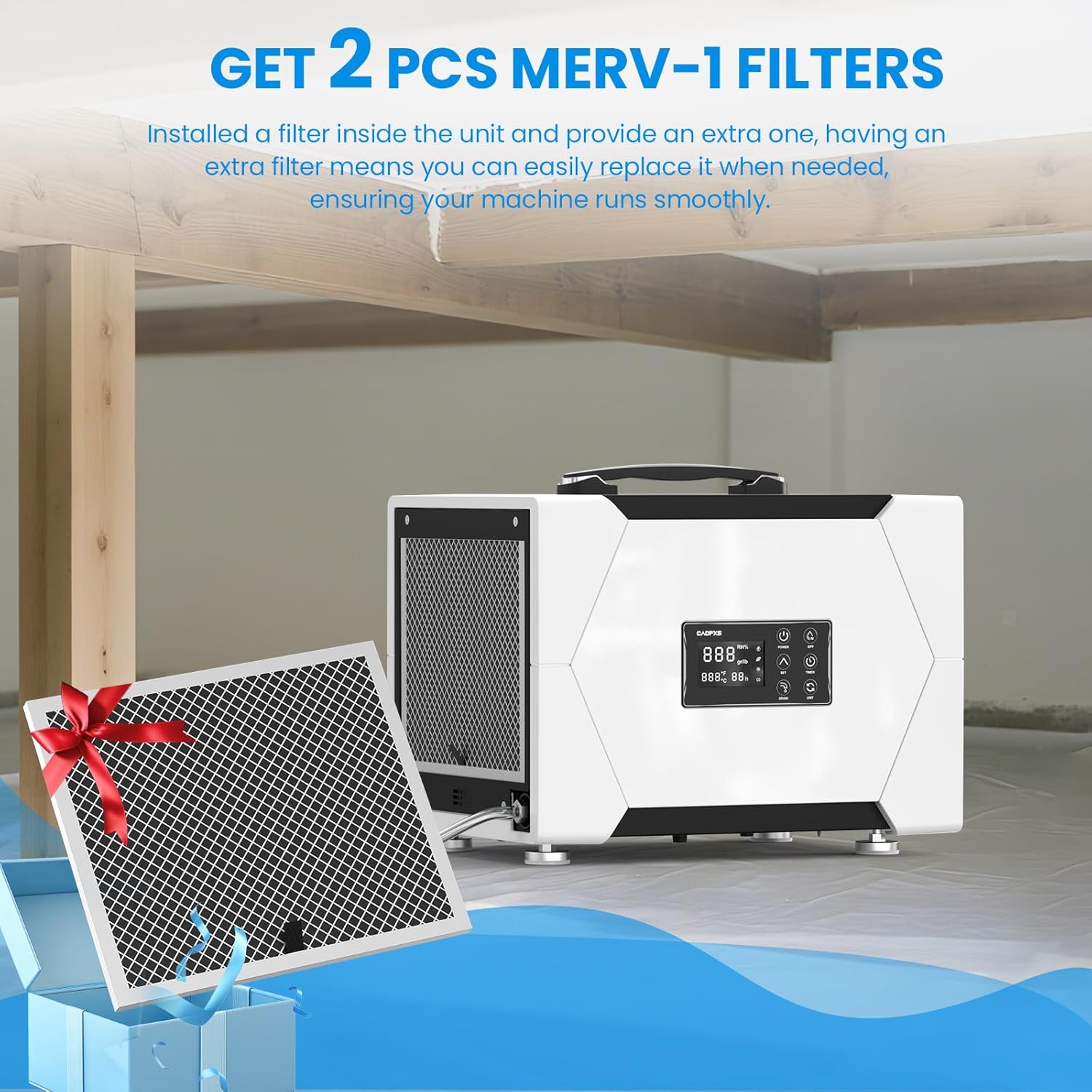
Image: The dehumidifier unit shown with two MERV-1 filters, highlighting that an extra filter is included.
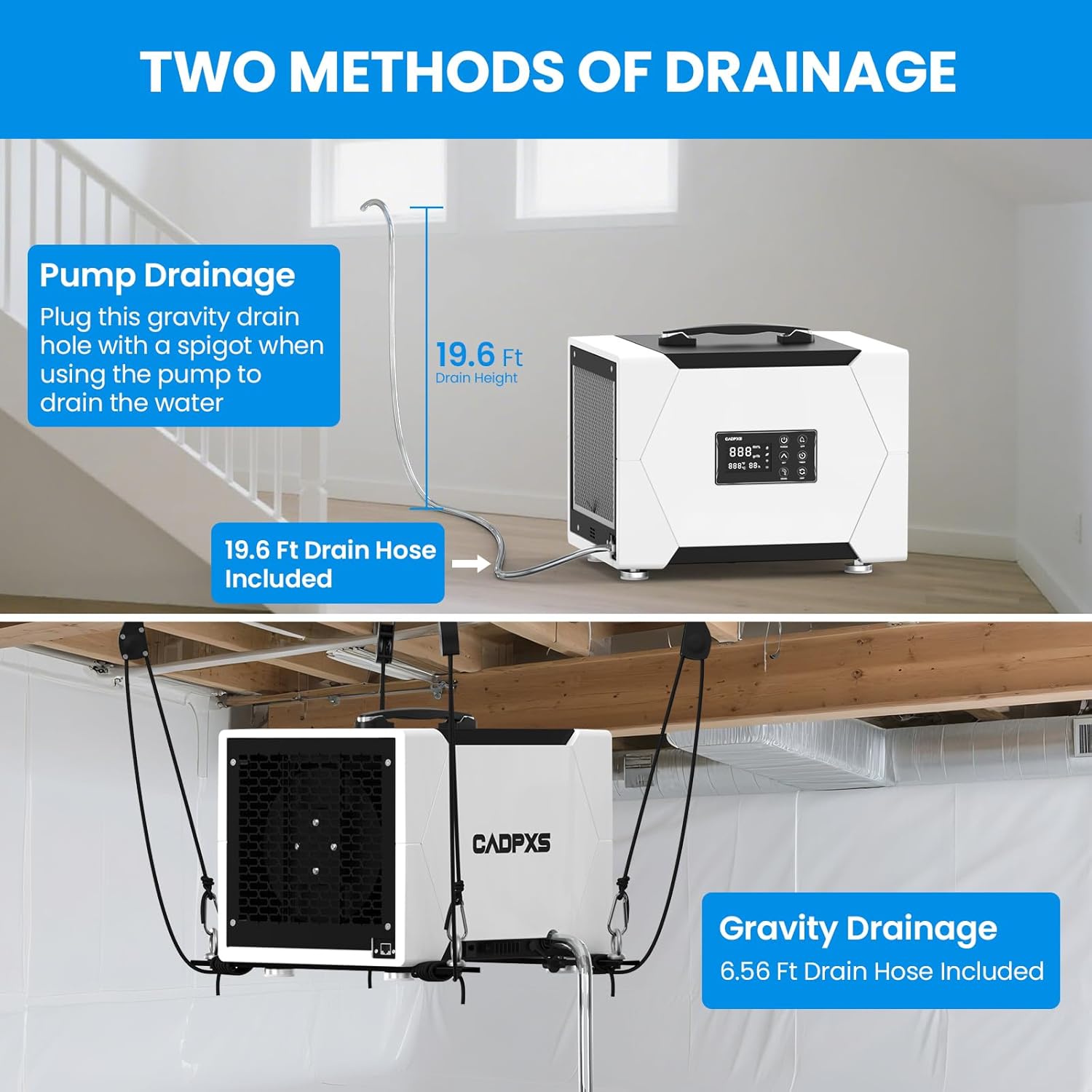
Image: A close-up of the dehumidifier's control panel, illustrating its various functions like GPP mode, auto defrost, memory restart, timer, and internal condensate pump.
4. Настройка і ўстаноўка
4.1 Распакаванне
Carefully remove the dehumidifier and all accessories from the packaging. Inspect for any shipping damage. Retain packaging for future transport or storage.
4.2 Размяшчэнне
Place the dehumidifier on a level, stable surface. Ensure there is at least 12 inches of space around the air inlets and outlets for proper airflow. The unit can be floor-mounted or ceiling-mounted (optional hanging kits sold separately).
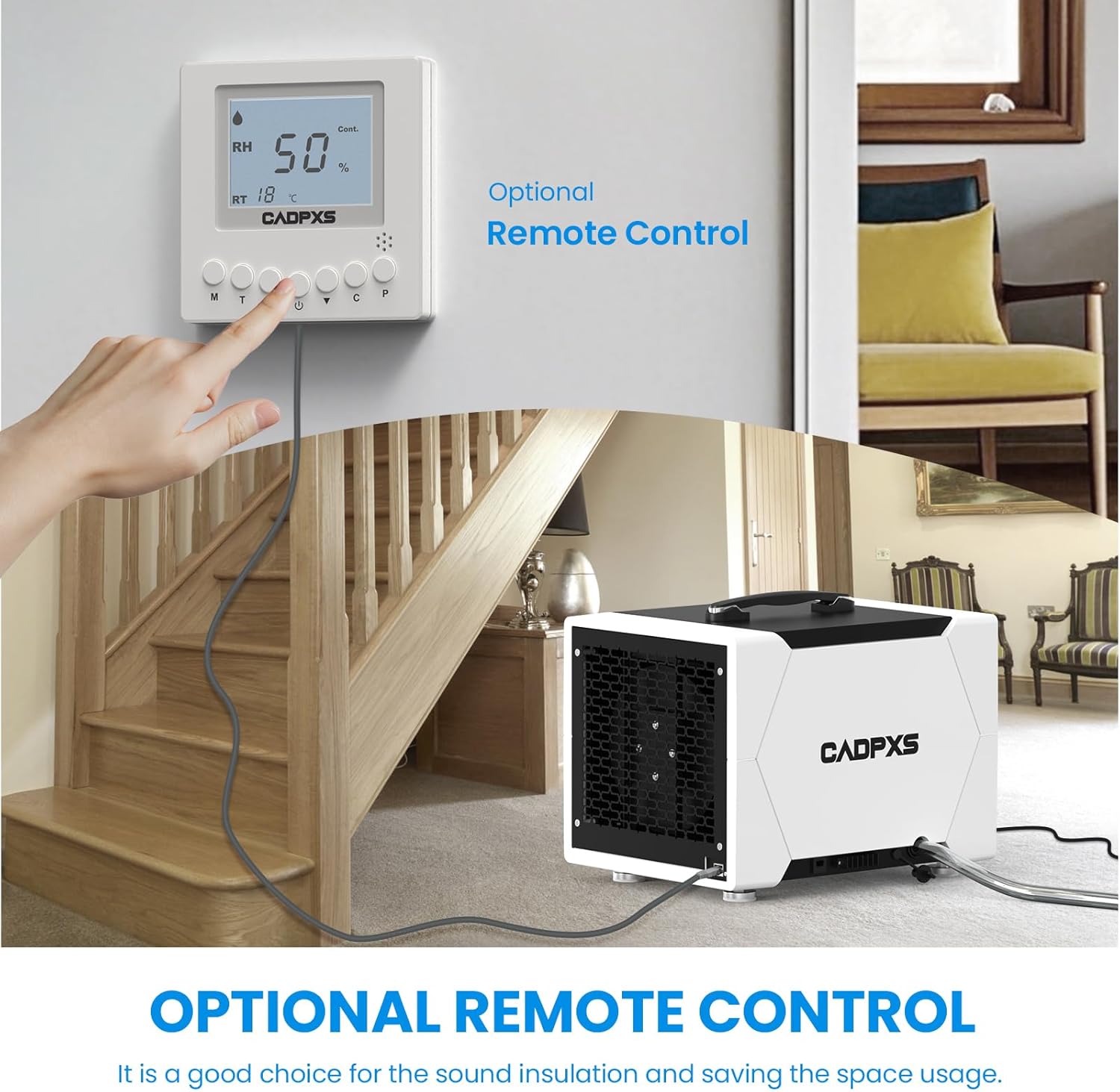
Image: The dehumidifier shown in different application environments, including a crawl space, basement, laundry room, general home use, and a commercial setting, demonstrating its versatility.
4.3 Падключэнне да дрэнажу
The Remois XP70 offers two drainage methods:
4.3.1 Pump Drainage (Recommended for continuous operation)
Connect the provided 19.6 ft drain hose to the pump drainage outlet. Ensure the hose is securely attached and routed to a suitable drain location. The built-in pump can lift water up to 19.6 ft vertically.

Image: A diagram illustrating the dehumidifier's 80-pint capacity and pump drainage system, showing how it removes moisture from the air and drains it away.
4.3.2 Gravity Drainage (Optional)
For gravity drainage, connect a drain hose (not included for gravity drainage) to the gravity drain hole. Ensure the unit is elevated and the hose slopes downwards to allow water to drain by gravity.

Image: A split image demonstrating both pump drainage (top, with 19.6 ft drain height) and gravity drainage (bottom, with ceiling-mounted installation) options for the dehumidifier.
4.4 Падключэнне харчавання
Падключыце шнур сілкавання да заземленай электрычнай разеткі. Пераканайцеся, што разетка адпавядае патрабаванням да магутнасці прылады.
5. Інструкцыя па эксплуатацыі
5.1 Панэль кіравання скончанаview
The digital display shows current humidity levels and settings. Buttons include Power, GPP, Up/Down arrows for setting humidity, Set, Timer, Drain, and Unit (for changing display units).
5.2 Уключэнне/выключэнне
Націсніце УЛАДА для ўключэння або выключэння прылады.
5.3 Устаноўка патрэбнай вільготнасці
Націсніце НАБОР кнопку, затым выкарыстоўвайце UP or УНІЗ arrows to adjust the desired humidity level (e.g., 50% RH). The unit will operate until the set humidity is reached.
5.4 Функцыя таймера
Націсніце ТАЙМЕР кнопку, каб усталяваць таймер ад 0 да 24 гадзін для аўтаматычнага ўключэння/выключэння.
5.5 GPP Mode
The GPP (Grains Per Pound) mode provides accurate humidity readings. Refer to the display for current GPP values.
5.6 Аўтаматычнае размарожванне
The unit automatically detects and defrosts ice buildup on the coils, ensuring continuous operation even in low-temperature environments.
5.7 Перазагрузка памяці
In case of a power interruption, the unit will automatically restart with the last saved settings once power is restored.
5.8 Дадатковы пульт дыстанцыйнага кіравання
An optional remote control system (sold separately) allows for convenient monitoring and adjustment of settings without direct access to the unit.

Image: The dehumidifier shown alongside an optional remote control unit, demonstrating how it can be used to monitor and adjust settings from a distance.
6. Тэхнічнае абслугоўванне
6.1 Ачыстка/замена фільтра
The MERV-1 filter should be cleaned regularly (e.g., every 2-4 weeks, depending on usage) to maintain efficiency. Washable and reusable, it is recommended to replace the filter after 2 washes or every 3 months.
- Адключыце асушальнік ад сеткі.
- Выміце фільтр з яго гнязда.
- Clean the filter with warm, soapy water or vacuum it.
- Дайце фільтру цалкам высахнуць, перш чым усталёўваць яго назад.
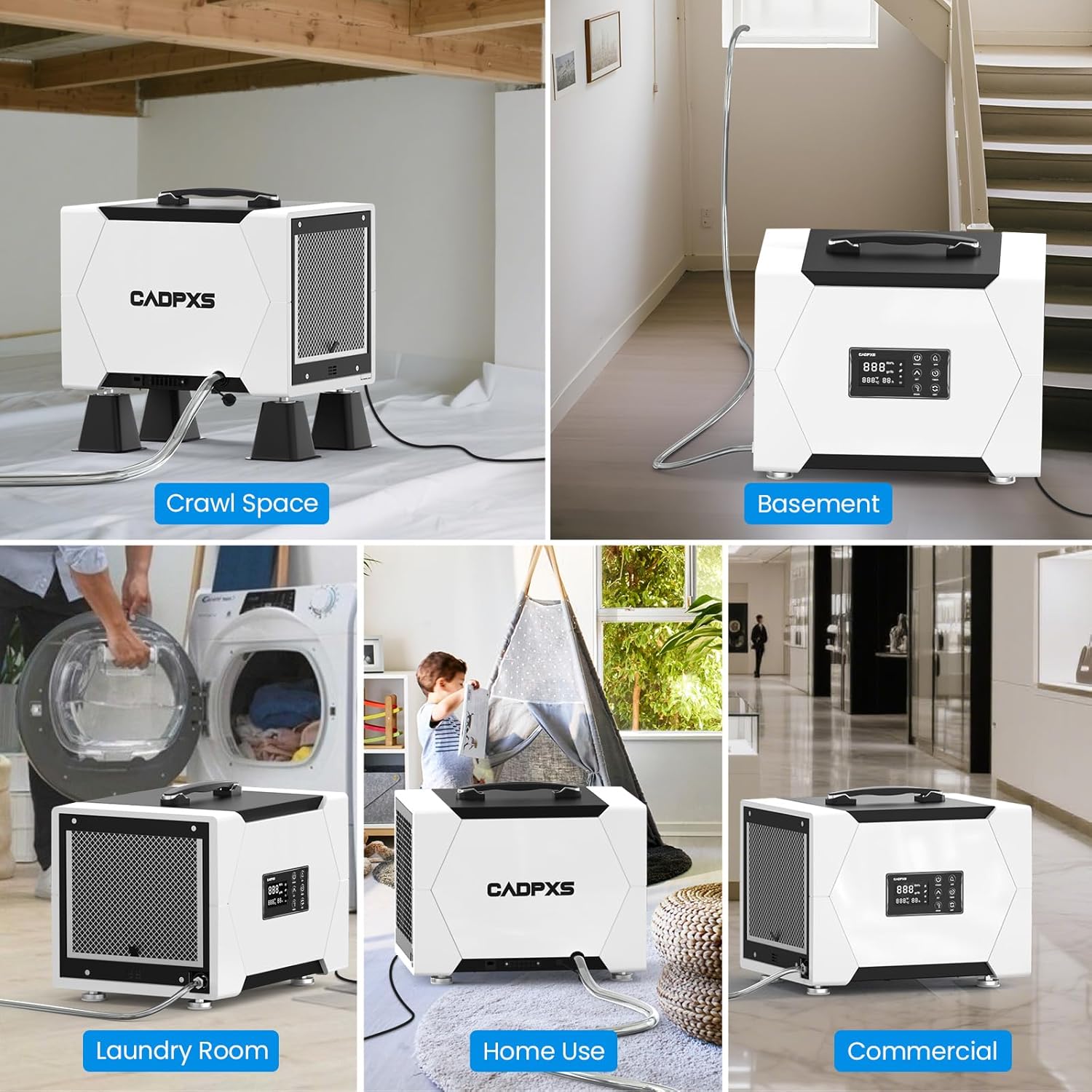
Image: The dehumidifier with its washable and reusable MERV-1 filter, indicating that it should be replaced every 3 months or after 2 washes.
6.2 Чыстка прылады
Працярыце вонкавую частку прылады мяккай, damp тканіна. Не выкарыстоўвайце агрэсіўныя хімікаты або абразіўныя ачышчальнікі.
7. Выпраўленне непаладак
| праблема | Магчымая прычына | Рашэнне |
|---|---|---|
| Прылада не ўключаецца | No power, power cord loose | Check power connection, ensure outlet is functional. |
| Няма збору вады | Humidity too low, filter clogged, unit in defrost mode | Check ambient humidity, clean filter, wait for defrost cycle to complete. |
| Блок шумны | Unit not level, filter clogged | Ensure unit is on a flat surface, clean filter. |
| Уцечка вады | Drain hose kinked or disconnected | Check drain hose for proper connection and kinks. |
8. Тэхнічныя характарыстыкі
| Атрыбут | Каштоўнасць |
|---|---|
| Назва мадэлі | Remois XP70 |
| Марка | CADPXS |
| Ёмістасць абязводжвання | 80 Pints per Day (at saturation), 38 PDD (AHAM) |
| Зона пакрыцця | Да 1000 квадратных футаў |
| Памеры прадукту (Д х Ш х У) | 15.6" x 12" x 12.6" |
| Вага прадмета | 37 фунта |
| Ватtage | 310 ват |
| Ёмістасць паветранага патоку | 131 кубічных футаў у хвіліну (CFM) |
| Асаблівасці | Automatic Defrost, Built-In Pump, Timer, Washable Filter, Memory Start |
| Drain Hose Length (Pump) | 19.6 футаў |
| Vertical Drainage Height (Pump) | Да 19.6 футаў |
| Сертыфікаты | Сертыфікавана cETL |
| UPC | 792671674153 |
| ASIN | B0F4RDNWS2 |
9. Гарантыя і падтрымка
The CADPXS Remois XP70 Dehumidifier comes with a 5-гадовая абмежаваная гарантыя. For detailed warranty information, please refer to the warranty card included with your product or contact CADPXS customer support.
For technical assistance, troubleshooting, or warranty claims, please contact CADPXS U.S. customer support. Contact information can be found on the official CADPXS webсайце або на ўпакоўцы прадукту.

Image: A banner indicating the 5-year limited warranty provided with the CADPXS dehumidifier.