
Dytole DY108
Dytole DY108 Wireless Headset User Manual
Мадэль: DY108
Уводзіны
This manual provides detailed instructions for the proper use, setup, and maintenance of your Dytole DY108 Wireless Headset. Please read this manual thoroughly before using the product to ensure optimal performance and longevity. The Dytole DY108 is designed for professional use, offering advanced features such as AI Noise Cancelling, Bluetooth 5.3 connectivity, and extended battery life for clear communication in various work environments.
Змест пакета
Upon unboxing your Dytole DY108 Wireless Headset, please verify that all components listed below are present:
- Wireless Headset with Mic x 1
- USB ключ x 1
- Зарадны кабель USB-C х 1
- Кіраўніцтва карыстальніка x 1

Image: Contents of the Dytole DY108 Wireless Headset package, including the headset, USB dongle, USB-C charging cable, and user manual.
Прадукт скончаныview
Familiarize yourself with the various components and controls of your Dytole DY108 Wireless Headset.
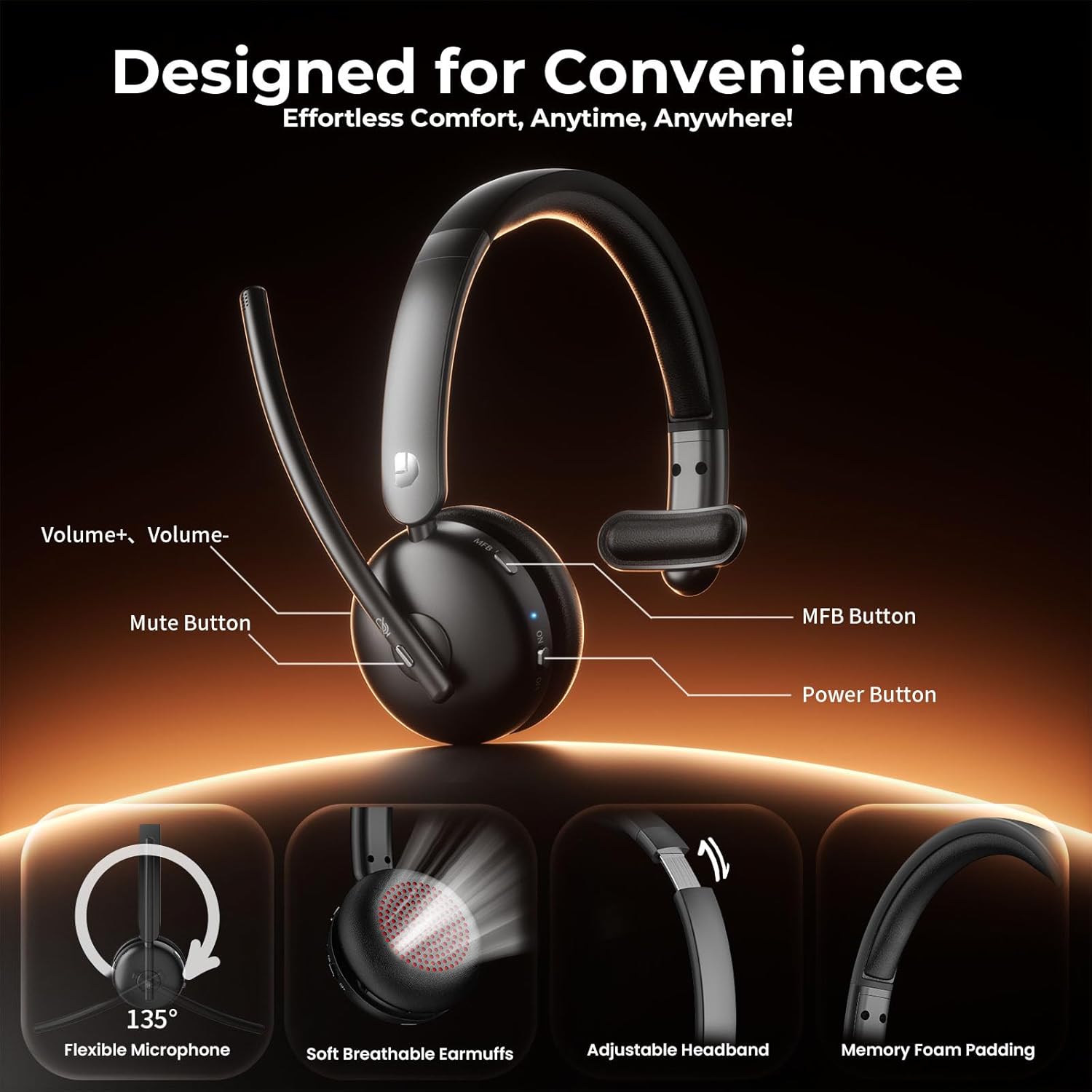
Image: Diagram illustrating the controls of the Dytole DY108 headset, including Volume+ / Volume-, Mute Button, MFB Button, Power Button, Flexible Microphone (135° adjustable), Soft Breathable Earmuffs, Adjustable Headband, and Memory Foam Padding.
- Стрэл мікрафона: 135° adjustable for optimal voice pickup.
- Кнопка адключэння: Націсніце, каб адключыць/уключыць мікрафон.
- Кнопкі гучнасці: Адрэгулюйце ўзровень выхаднога гуку.
- Шматфункцыянальная кнопка (МФК): Controls power, pairing, call management, and music playback.
- Кнопка харчавання: Уключае або выключае гарнітуру.
- Порт для зарадкі USB-C: Для зарадкі акумулятара гарнітуры.
- Святлодыёдны індыкатар: Displays status (power, pairing, charging).
- Рэгуляваная павязка на галаву: Для камфортнай і надзейнай пасадкі.
- Soft Earcup: Распрацаваны для камфортнага нашэння пры працяглым выкарыстанні.
Настройка
Зарадка гарнітуры
Before initial use, fully charge your headset. A full charge takes approximately 2 hours and provides up to 65 hours of talk time.
- Connect the provided USB-C charging cable to the charging port on the headset.
- Падключыце другі канец кабеля да крыніцы харчавання USB (напрыклад, USB-порт кампутара, насценны адаптар).
- The LED indicator will show charging status (e.g., solid red while charging, turns off or blue when fully charged).
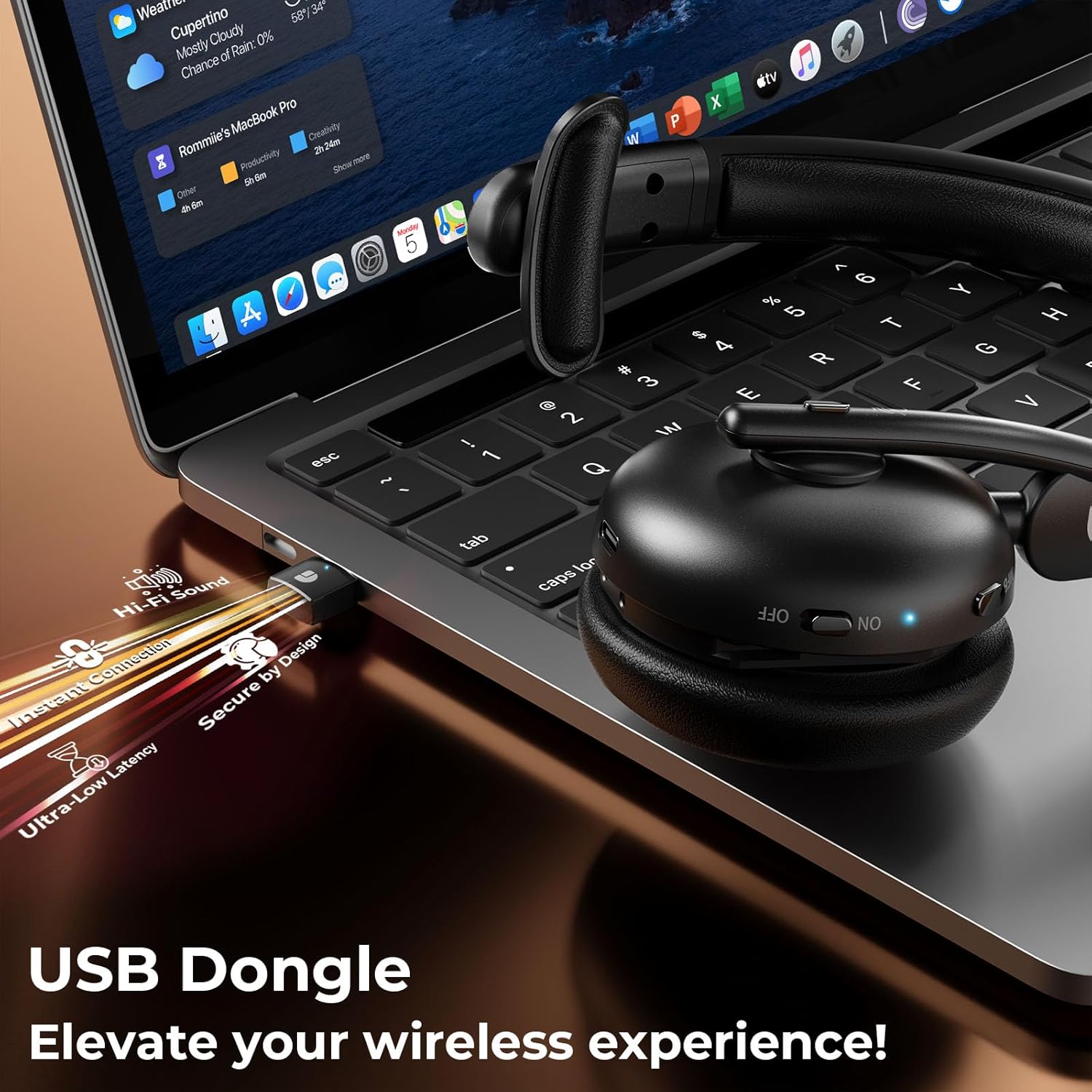
Image: The Dytole DY108 headset connected to a laptop via its USB-C charging cable, illustrating the charging process.

Выява: Унутраная view of the Dytole DY108 headset highlighting its long-lasting battery, indicating up to 65 hours of use on a single charge.
Падключэнне да прылад
The Dytole DY108 headset offers two primary connection methods: via Bluetooth 5.3 or the included USB Dongle.
Bluetooth Pairing (for Smartphones, Tablets, Laptops with Bluetooth)
- Пераканайцеся, што гарнітура зараджана і выключана.
- Press and hold the MFB button for approximately 5-7 seconds until the LED indicator flashes blue and red alternately, indicating pairing mode.
- На прыладзе ўключыце Bluetooth і пачніце пошук новых прылад.
- Select "DY108" from the list of available devices.
- Once connected, the LED indicator on the headset will flash blue slowly.
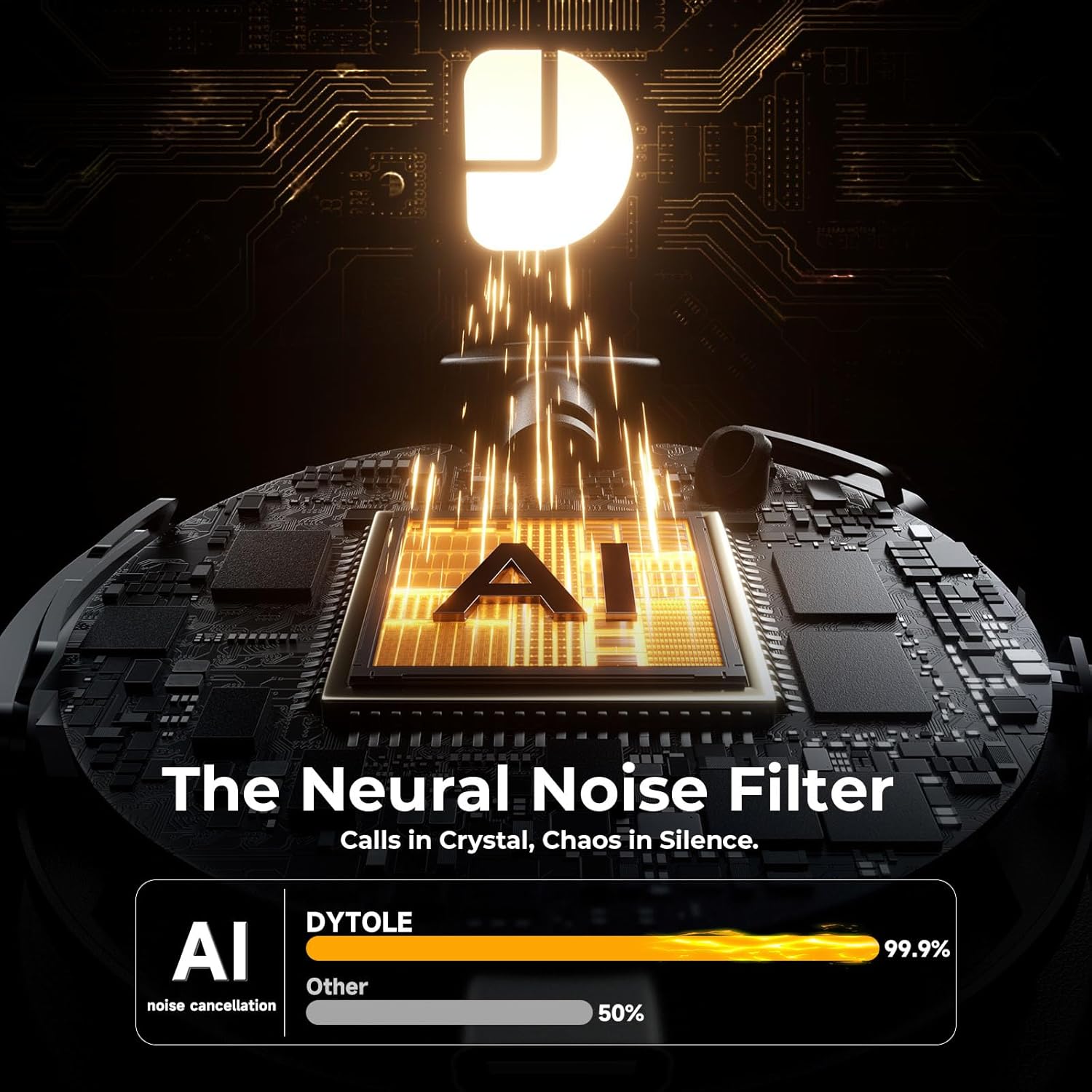
Image: The Dytole DY108 headset surrounded by various devices (smartphone, laptop, tablet), illustrating its universal compatibility and effortless Bluetooth 5.3 pairing.
USB Dongle Connection (for PC/Laptop)
The USB dongle provides a stable and low-latency connection, ideal for PC and laptop use, especially for applications like Teams, Skype, and call centers.
- Устаўце USB-адаптар у даступны USB-порт на вашым кампутары.
- Power on the Dytole DY108 headset. It will automatically attempt to connect to the dongle.
- The LED indicator on both the headset and the dongle will turn solid blue once connected.
- On your computer, ensure the Dytole DY108 is selected as the default audio input and output device in your sound settings.
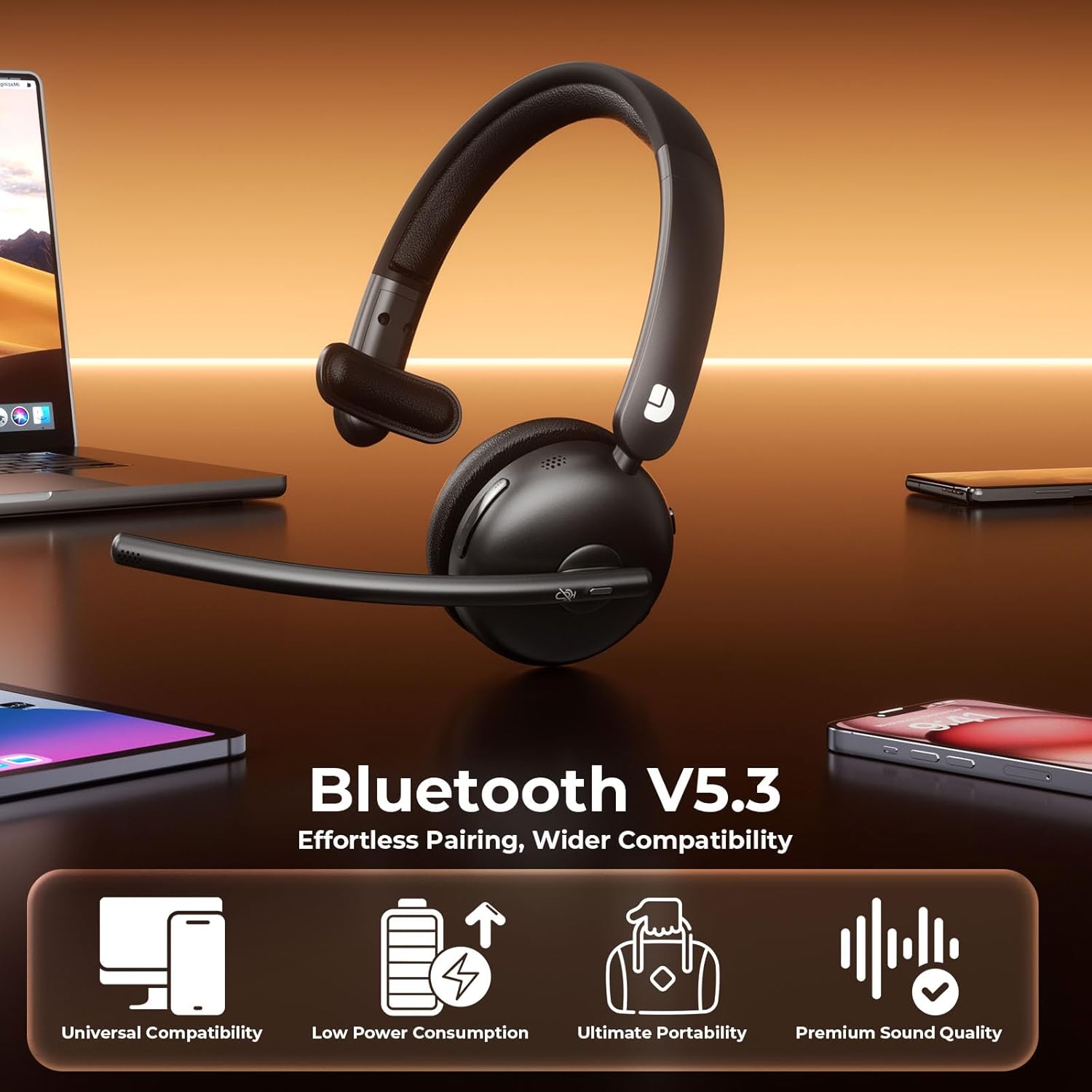
Image: The Dytole DY108 headset with its USB dongle inserted into a laptop, demonstrating the instant and secure connection for an enhanced wireless experience.
Інструкцыя па эксплуатацыі
Асноўныя функцыі
| Функцыя | Дзеянне | Indicator/Result |
|---|---|---|
| Уключэнне | Перасуньце пераключальнік харчавання ў становішча ON. | Святлодыёд міргае сінім. |
| Выключэнне | Перасуньце пераключальнік харчавання ў становішча ВЫКЛ. | Святлодыёд выключаецца. |
| Адказаць/завяршыць выклік | Націсніце кнопку MFB адзін раз. | Call connected/disconnected. |
| Адхіліць выклік | Націсніце і ўтрымлівайце кнопку MFB 2 секунды. | Call rejected. |
| Выключыць/уключыць мікрафон | Press the Mute button once. | Microphone muted/unmuted. |
| Павялічыць гучнасць | Press the Volume+ button. | Volume increases. |
| Памяншэнне гучнасці | Press the Volume- button. | Volume decreases. |
| Прайграванне/прыпыненне музыкі | Націсніце кнопку MFB адзін раз. | Music playback toggled. |
| Наступны трэк | Press and hold Volume+ button for 2 seconds. | Skips to next song. |
| Папярэдні трэк | Press and hold Volume- button for 2 seconds. | Skips to previous song. |
| Актывуйце галасавой памочнік | Двойчы націсніце кнопку MFB. | Voice assistant activated. |
AI Noise Cancelling Feature
The Dytole DY108 headset incorporates advanced AI Noise Cancelling technology to reduce up to 99% of background noise, ensuring crystal-clear voice transmission during calls.
- This feature is automatically active when the microphone is in use.
- Ensure the microphone boom is positioned correctly, approximately 1-2 inches from your mouth, for optimal noise cancellation performance.

Image: The Dytole DY108 headset, showcasing its sleek design and the integrated USB dongle, emphasizing its AI noise-cancelling capabilities for clear communication.
Image: A conceptual diagram illustrating the "Neural Noise Filter" technology of the Dytole DY108 headset, demonstrating its ability to filter out 99.9% of background noise for crystal-clear calls.
Тэхнічнае абслугоўванне і догляд
Proper maintenance ensures the longevity and optimal performance of your Dytole DY108 Wireless Headset.
- Уборка: Use a soft, dry cloth to wipe the headset. For stubborn dirt, a slightly damp можна выкарыстоўваць тканіну, але пераканайцеся, што вільгаць не трапляе ў парты або рашоткі дынамікаў. Не выкарыстоўвайце агрэсіўныя хімікаты або абразіўныя ачышчальнікі.
- захоўванне: Калі гарнітура не выкарыстоўваецца, захоўвайце яе ў прахалодным, сухім месцы, удалечыні ад прамых сонечных прамянёў і экстрэмальных тэмператур.
- Сыход за батарэяй: Каб падоўжыць тэрмін службы батарэі, не разраджайце гарнітуру цалкам часта. Рэгулярна зараджайце яе, нават калі яна не выкарыстоўваецца пастаянна.
- Апрацоўка: Avoid dropping the headset or subjecting it to strong impacts. Do not twist or bend the microphone boom excessively beyond its intended 135° adjustment range.
Ліквідацыю непаладак
If you encounter issues with your Dytole DY108 Wireless Headset, refer to the following common problems and solutions:
| праблема | Магчымая прычына | Рашэнне |
|---|---|---|
| Гарнітура не ўключаецца. | Нізкі акумулятар. | Цалкам зарадзіце гарнітуру. |
| Немагчыма падключыцца праз Bluetooth. | Гарнітура не ў рэжыме спалучэння; Bluetooth прылады выключаны; занадта далёка ад прылады. | Ensure headset is in pairing mode (flashing blue/red). Turn on device Bluetooth. Move headset closer to device (within 15 meters). |
| Няма гуку або дрэнная якасць гуку. | Volume too low; incorrect audio output selected; headset not connected. | Increase headset and device volume. Select "DY108" as default audio device. Reconnect headset. |
| Не працуе мікрафон. | Microphone muted; incorrect audio input selected; microphone boom not positioned correctly. | Unmute microphone. Select "DY108" as default microphone device. Adjust microphone boom closer to mouth. |
| USB Dongle not connecting. | Dongle not fully inserted; driver issue; headset not powered on. | Ensure dongle is fully inserted. Try a different USB port. Restart computer. Power on headset. |
| AI Noise Cancelling not effective. | Microphone position; extremely loud environment. | Adjust microphone closer to your mouth. While the AI NC is highly effective, extreme noise levels may still be audible. |
If the problem persists after trying these solutions, please contact Dytole customer support for further assistance.
Тэхнічныя характарыстыкі
| Асаблівасць | Дэталь |
|---|---|
| Назва мадэлі | DY108 |
| Тэхналогія падлучэння | Bluetooth 5.3, 2.4GHz USB Dongle |
| Далёкасць бесправадной сувязі | Да 15 метраў (49 футаў) |
| Кантроль шуму | AI Environmental Noise Cancellation (ENC) |
| Тэрмін службы батарэі | Up to 65 hours (talk time) |
| Час зарадкі | Прыблізна 2 гадзіны (USB-C) |
| Мікрафон | 135° Adjustable Boom Mic |
| Размяшчэнне вушэй | On Ear (Single-Ear) |
| Матэрыял | Faux Leather, Stainless Steel |
| Вага | 10.2 унцый (0.29 кг) |
| Сумяшчальныя прылады | PC, Laptops, Macbooks, Cellphones |
| Рэкамендуемае выкарыстанне | Business, Customer Service, Remote Work, Call Center, Online Meetings |
Гарантыя і падтрымка
Dytole products are designed for reliability and performance. This product comes with a standard manufacturer's warranty. Please refer to the warranty card included in your package for specific terms and conditions.
For technical support, warranty claims, or any inquiries regarding your Dytole DY108 Wireless Headset, please contact Dytole customer service through the contact information provided on the official Dytole webсайт або ваша платформа для пакупак.
Інтэрнэт-рэсурсы: For additional support, FAQs, and product updates, visit the official Dytole store or support page: Dytole Official Store
Ask a question about this manual
Ask about setup, troubleshooting, compatibility, parts, safety, or missing instructions. Manuals+ will review the question and use this page’s manual context to help answer it.