
Уводзіны
This manual provides essential information for the safe and effective use of your TCL TP300K Portable Bluetooth Party Speaker. Please read this guide thoroughly before operating the device and retain it for future reference. The TCL TP300K is designed to deliver powerful sound with dynamic RGB light shows, an 18-hour battery life, and an IPX4 splash-proof rating, making it suitable for various environments.
Што ў скрынцы
Carefully unpack all items from the box. Ensure all components are present before discarding packaging materials.
- TCL TP300K Portable Bluetooth Party Speaker
- Шнур харчавання
- Кароткае кіраўніцтва
- Інфармацыя аб гарантыі і бяспецы

Image: The TCL TP300K speaker shown with its dimensions and a list of included accessories.
Прадукт скончаныview
The TCL TP300K features a robust design with intuitive controls and versatile placement options. It can be positioned horizontally or vertically thanks to its integrated handles.
Кампаненты і элементы кіравання дынамікамі
Familiarize yourself with the speaker's main components and control panel.

Выява: Пад вуглом view of the TCL TP300K speaker, highlighting its overall design.
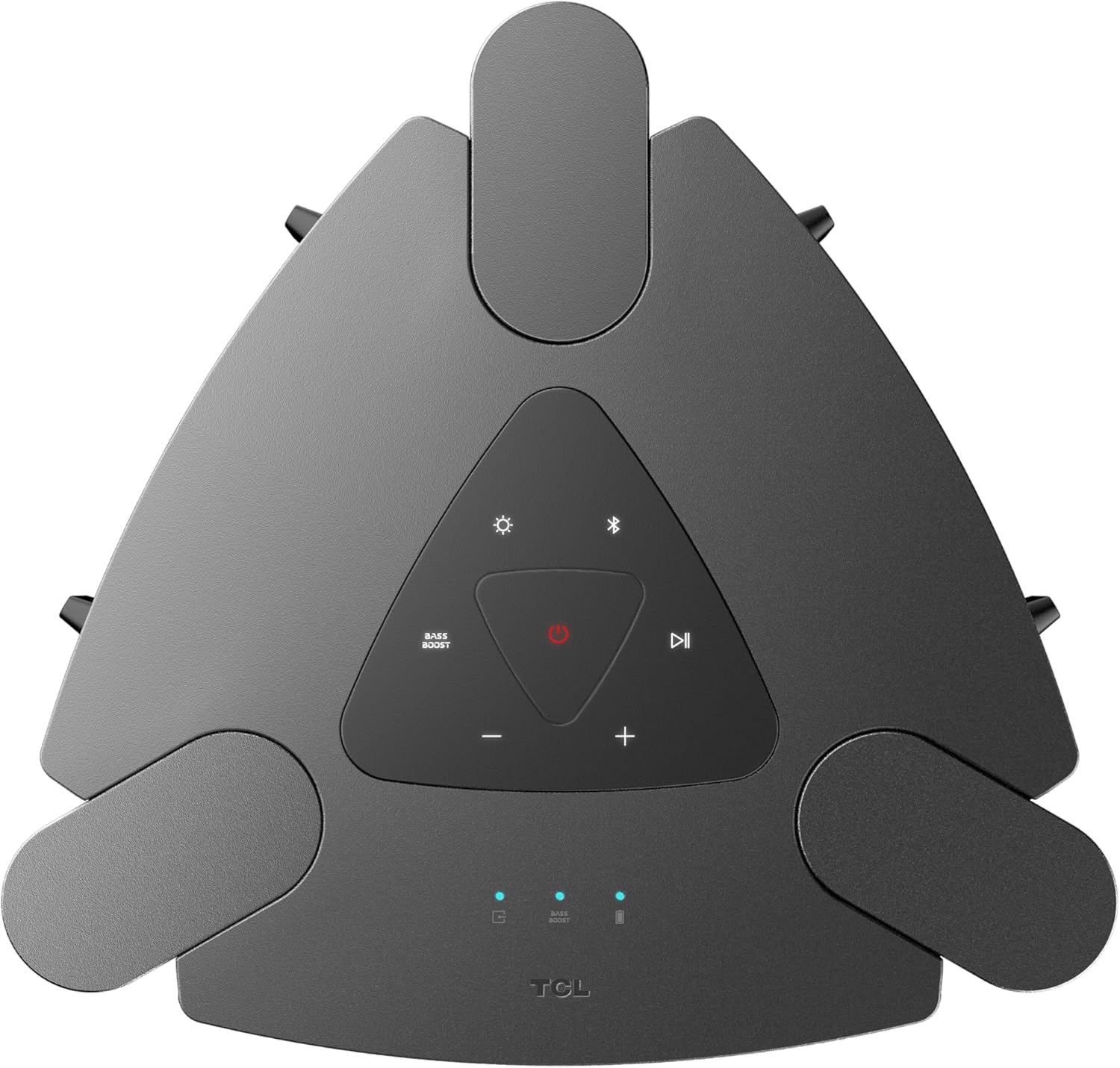
Выява: буйны план view of the top control panel, showing buttons for power, Bluetooth, light modes, volume, and bass boost.

Выява: Падрабязны view of the rear input panel, featuring ports for guitar, microphone, USB, and AUX connections.
Настройка
Зарадка дынаміка
- Connect the provided power cord to the speaker's power input.
- Падключыце іншы канец шнура сілкавання да адпаведнай разеткі.
- The charging indicator will illuminate. A full charge provides approximately 18 hours of playback (at 25% volume with static light effects).

Image: The speaker shown in a party setting, illustrating its 18-hour battery life.
Уключэнне/выключэнне
- Каб уключыць, націсніце і ўтрымлівайце Магутнасць кнопку на панэлі кіравання.
- Каб выключыць харчаванне, націсніце і ўтрымлівайце Магутнасць кнопку зноў.
Інструкцыя па эксплуатацыі
Злучэнне Bluetooth
- Пераканайцеся, што дынамік уключаны.
- Націсніце Bluetooth button on the control panel to enter pairing mode. The Bluetooth indicator will flash.
- On your mobile device, enable Bluetooth and search for "TCL TP300K".
- Select the speaker from the list to pair. Once connected, the Bluetooth indicator will glow solid.

Image: Two individuals wirelessly streaming music to the speaker from their mobile devices.
Прайграванне аўдыё USB
- Устаўце USB-назапашвальнік з аўдыё fileу порт USB на задняй панэлі.
- Дынамік аўтаматычна пераключыцца ў рэжым USB і пачне прайграваць музыку.
- Выкарыстоўвайце Прайграванне/Паўза і Прапусціць buttons on the control panel to manage playback.
Рэжым караоке
- Connect a microphone or guitar to the respective input jacks on the rear panel.
- Adjust the microphone/guitar volume and echo effect using the dedicated knobs.
- Play music via Bluetooth or USB and sing along.

Image: Individuals using the speaker for karaoke, demonstrating the microphone and guitar input functionality.
Wireless Party Link (Multi-Speaker Connection)
- Ensure both TCL TP300K speakers are powered on and not connected to any Bluetooth device.
- On one speaker (the primary speaker), press and hold the TWS/LINK button until you hear a confirmation tone.
- On the second speaker (the secondary speaker), press the TWS/LINK кнопку на кароткі час.
- The speakers will connect wirelessly. Once connected, pair your mobile device to the primary speaker via Bluetooth. Both speakers will play synchronized audio.

Image: A party scene with multiple TCL TP300K speakers linked together for a synchronized audio experience.
Сапраўднае спалучэнне бесправадной стэрэа (TWS)
For a stereo sound experience, you can pair two TP300K speakers.
- Follow the Wireless Party Link instructions to connect two speakers.
- Once linked, the speakers will automatically configure for left and right channel stereo playback.

Image: A visual representation of two speakers configured for True Wireless Stereo pairing, indicating left and right audio channels.
RGB Dynamic Light Shows
- Націсніце Светлавы рэжым button on the control panel to cycle through 8 different RGB dynamic light show presets.
- Націсніце і ўтрымлівайце Светлавы рэжым кнопку, каб выключыць святло.

Выява: Прэзентацыя дынамікаasing its vibrant RGB dynamic light shows, creating an energetic atmosphere.
Функцыя ўзмацнення басоў
- Націсніце Bass Boost button on the control panel to enhance low-frequency audio.
- Press the button again to deactivate the Bass Boost.

Выява: Над галавой view of the speaker in a social setting, illustrating the impact of the Bass Boost feature.
Тэхнічнае абслугоўванне
Уборка
- Ensure the speaker is powered off and unplugged before cleaning.
- Выкарыстоўвайце мяккую, сухую тканіну для працірання вонкавых паверхняў.
- Не выкарыстоўвайце абразіўныя ачышчальнікі, воск або растваральнікі.
Splash-Proof Rating (IPX4)
The speaker has an IPX4 splash-proof rating, meaning it is resistant to splashing water from any direction. This makes it suitable for outdoor use where light splashes may occur. However, it is not designed to be submerged in water or exposed to high-pressure water jets.
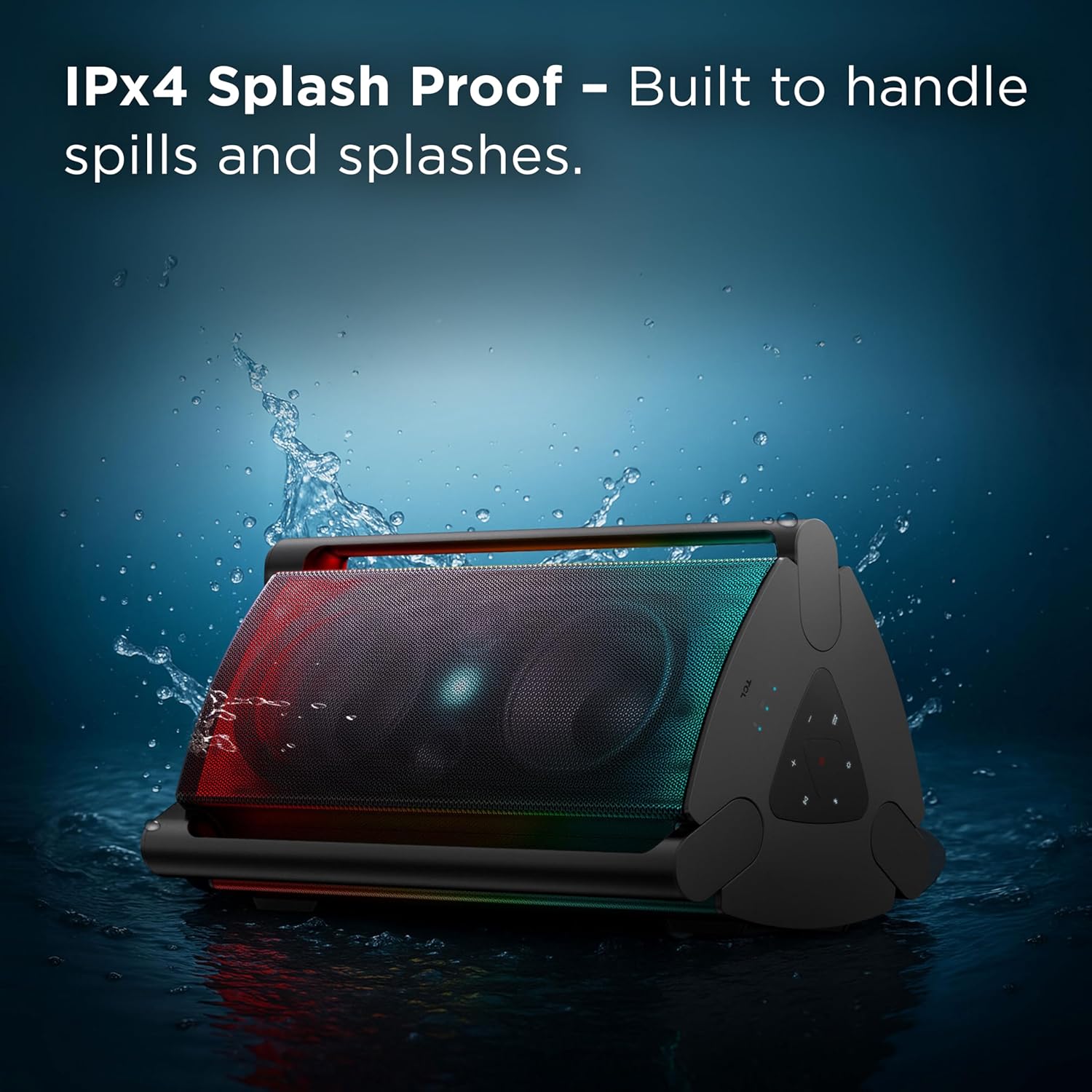
Image: The speaker shown with water splashing on it, illustrating its IPX4 anti-splash protection.
Ліквідацыю непаладак
| праблема | Магчымая прычына | Рашэнне |
|---|---|---|
| Дынамік не ўключаецца. | Нізкі зарад батарэі або адсутнасць падключэння да харчавання. | Charge the speaker using the provided power cord. Ensure the power outlet is functional. |
| Няма гуку з дынаміка. | Volume too low, incorrect source selected, or device not paired. | Increase volume on both the speaker and your connected device. Press the Крыніца button to select the correct input (Bluetooth, USB, AUX). Re-pair your Bluetooth device. |
| Нестабільнае або збойнае злучэнне Bluetooth. | Device too far from speaker, interference, or previous pairing issue. | Move your device closer to the speaker. Avoid obstacles between devices. Forget the speaker from your device's Bluetooth list and re-pair. |
| Уваход для мікрафона/гітары не працуе. | Cable not fully inserted, volume knob too low. | Ensure cables are securely connected. Adjust the microphone/guitar volume knob on the speaker. |
| Wireless Party Link not connecting. | Incorrect pairing procedure or speakers already connected to other devices. | Ensure both speakers are in pairing mode and not connected to any other Bluetooth device. Follow the Wireless Party Link instructions carefully. |
Тэхнічныя характарыстыкі
| Асаблівасць | Дэталь |
|---|---|
| Назва мадэлі | TP300K |
| Марка | TCL |
| Тып дынаміка | Партатыўны дынамік |
| Тэхналогія падлучэння | Bluetooth, USB, дапаможны |
| Максімальная выхадная магутнасць дынаміка | 340 ват |
| Тэрмін службы батарэі | Up to 18 hours (at 25% volume with static light effects) |
| Узровень воданепранікальнасці | Брызгозащищенность IPX4 |
| Светлавыя шоу | 8 RGB Dynamic Light Show Presets |
| Асаблівасці | Bass Boost, Portable, RGB Light Show, Waterproof (Splash-Proof) |
| Памеры прадукту (Д х Ш х У) | 15.07" x 15.63" x 26.68" |
| Вага прадмета | 34.4 фунта |
| Матэрыял | Пластыкавыя |
| Уключаныя кампаненты | Power Cord, Quick Start Guide |

Image: A diagram illustrating the physical dimensions of the TCL TP300K speaker.
Гарантыя і падтрымка
Your TCL TP300K Portable Bluetooth Party Speaker comes with a limited warranty. Please refer to the included Warranty and Safety Information document for details regarding warranty coverage, terms, and conditions.
For technical support, service, or further inquiries, please visit the official TCL support website or contact their customer service as provided in your warranty documentation.