
1. Уводзіны
Thank you for choosing the TECKNET TK-KB005 Bluetooth Keyboard. This full-size wireless keyboard is designed for multi-device connectivity, offering a seamless typing experience across various operating systems. Please read this manual carefully to ensure proper setup and optimal performance.
2. Змесціва ўпакоўкі
- 1 × TECKNET TK-KB005 Multi-device Bluetooth Keyboard
- 1 × кабель для зарадкі USB-C
- 1 × Кіраўніцтва карыстальніка
3. Асаблівасці прадукту
- 4 Modes Connection: Connects up to four devices (3 Bluetooth modes + 1 2.4G wireless mode) with easy switching.
- Акумулятарная батарэя: Built-in 500mAh battery provides up to 180 days of use on a 2-hour charge (based on 2 hours daily use). Features auto-sleep mode for power saving.
- Quiet & Fluid Typing: 110 upgraded scissor-switch keys offer 90% noise reduction and a comfortable 2mm key travel.
- Эрганамічны дызайн: Crafted for comfort with adjustable tilt angles (3° - 7°) and 5 non-slip pads for stability.
- Шырокая сумяшчальнасць: Compatible with Windows, iOS, macOS, and Android devices including PCs, laptops, tablets, smartphones, and smart TVs.
- 12 мультымедыйных клавіш: Enhances productivity with dedicated multimedia functions.
4. Налада і падключэнне
4.1 Пачатковая налада
- Перад першым выкарыстаннем пераканайцеся, што клавіятура цалкам зараджана.
- Turn on the keyboard using the ON/OFF switch located on the back.
4.2 Connecting via Bluetooth (BT1/BT2/BT3)
- On the keyboard, press and hold one of the Bluetooth channel buttons (BT1, BT2, or BT3) for 3-5 seconds until the corresponding LED indicator flashes quickly. This indicates pairing mode.
- На вашай прыладзе (ПК, ноўтбуку, планшэце, смартфоне) перайдзіце ў налады Bluetooth і ўключыце Bluetooth.
- Пошук "TK-KB005" in the list of available devices and select it to pair.
- Once connected, the LED indicator on the keyboard will stop flashing and remain solid for 2 seconds before turning off.
4.3 Падключэнне праз USB-прыёмнік 2.4G
- Locate the 2.4G USB receiver stored in the slot on the back of the keyboard.
- Падключыце USB-прыёмнік да даступнага порта USB-A на вашым кампутары.
- On the keyboard, press the 2.4G channel button (indicated by a lightning bolt icon). The LED indicator will light up.
- Клавіятура павінна аўтаматычна падключыцца да вашай прылады.
4.4 Пераключэнне паміж прыладамі
To switch between connected devices, simply press the corresponding channel button (BT1, BT2, BT3, or 2.4G) on the keyboard. The keyboard will connect to the selected device within seconds.

Image: Diagram illustrating the 4 modes of connection (3 Bluetooth, 1 2.4G USB) and how to switch between devices like a tablet, phone, laptop, and desktop computer.
Video: Official TECKNET video demonstrating the Bluetooth Wireless Keyboard's rechargeable feature and general overview.
5. Інструкцыя па эксплуатацыі
5.1 System Compatibility and Switching
The keyboard is designed to automatically detect and adapt to different operating systems. However, if certain keys do not function as expected, you can manually switch the system mode:
- Для прылад Android: Націсніце Fn + Q
- Для прылад Windows: Націсніце Fn + W
- For iOS/macOS devices: Press Fn + E
Note: Due to differences in systems, key functions may vary. Generally, the system will automatically switch in Bluetooth mode, but use the shortcut keys if needed.

Image: Visual guide for switching keyboard layouts between Android, Windows, and iOS/macOS using Fn key combinations.
5.2 мультымедыйных клавіш
The keyboard features 12 multimedia keys (F1-F12) that provide quick access to various functions such as volume control, media playback, and more. These functions are typically accessed by pressing the Fn key in combination with the desired F-key.
Video: Official TECKNET video showcasing the 4-Device Switch Bluetooth Keyboard's features and multi-device connectivity.
6. Зарадка
The TECKNET TK-KB005 keyboard is equipped with a built-in 500mAh rechargeable battery. To charge the keyboard:
- Connect the provided USB-C charging cable to the USB-C port on the back of the keyboard.
- Plug the other end of the USB-C cable into a USB power source (e.g., computer USB port, USB wall adapter).
- The charging indicator light will illuminate during charging and turn off once fully charged. A full charge typically takes 2 hours.
The keyboard automatically enters sleep mode after 30 minutes of inactivity to conserve battery. Press any key to wake it up instantly.

Image: Close-up of the keyboard's USB-C charging port with a cable connected, highlighting the quick charge feature.
7. Тэхнічнае абслугоўванне
- Рэгулярна працірайце клавіятуру мяккай сухой тканінай.
- Пазбягайце выкарыстання агрэсіўных хімікатаў або абразіўных матэрыялаў.
- Трымайце клавіятуру далей ад вадкасцей і экстрэмальных тэмператур.
- Store the 2.4G USB receiver in its designated slot on the back of the keyboard when not in use to prevent loss.
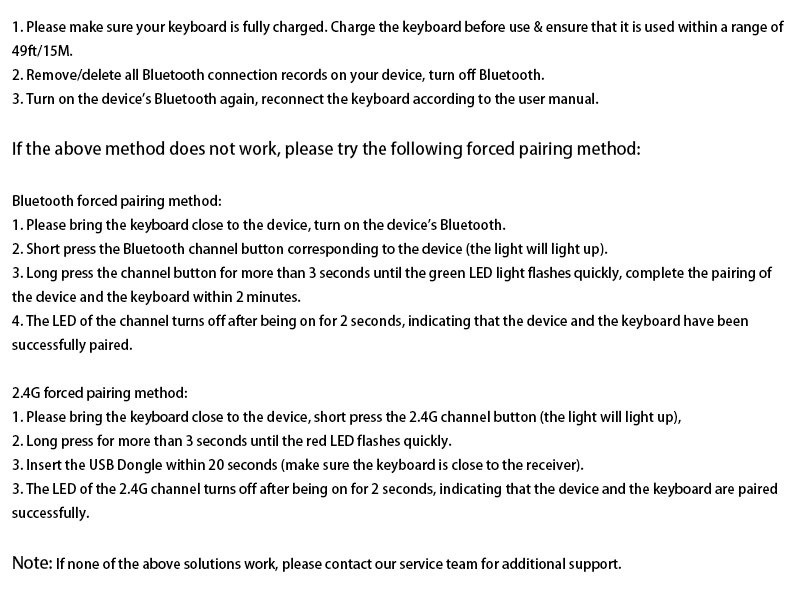
Image: Diagram of the keyboard's back panel, showing the adjustable support buckles, power switch, USB-C charging port, USB receiver storage, and anti-slip pads.
8. Выпраўленне непаладак
If you encounter any issues with your keyboard, please try the following solutions:
- Ensure full charge: Make sure your keyboard is fully charged. Charge the keyboard before use and ensure it is used within a range of 15 meters (49 feet).
- Паўторна падключыць Bluetooth: Remove/delete all Bluetooth connection records on your device, turn off Bluetooth, then turn it back on and reconnect the keyboard according to the user manual.
- Computer Lag: If the issue is caused by computer lag, please restart your computer and reconnect the keyboard.
- Перашкоды сігналу: The keyboard signal may be interfered with. Try to stay away from metal obstacles or other radio signals.
- 2.4G Connection Issue: If you are using 2.4G to connect, unplug the USB receiver and re-insert it into the device.
Калі ні адно з вышэйпералічаных рашэнняў не працуе, звярніцеся па дадатковую падтрымку да нашай прафесійнай службы падтрымкі кліентаў.
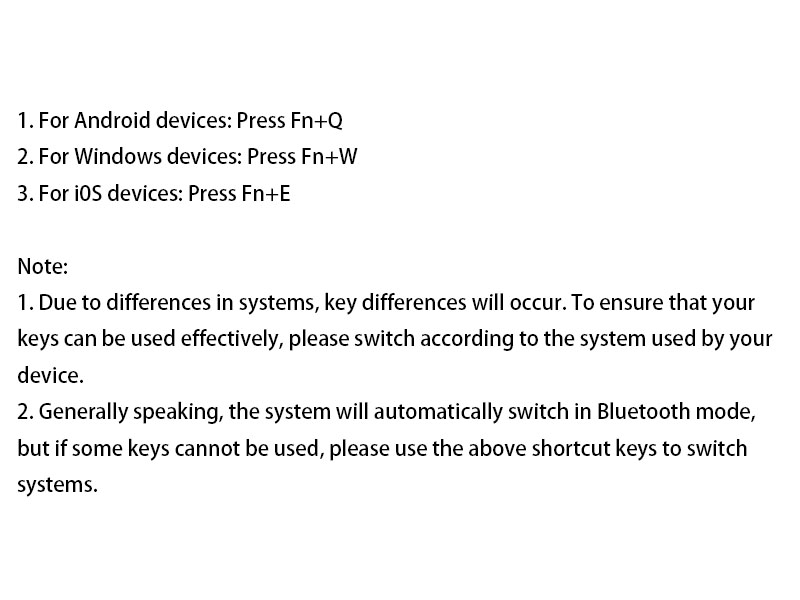
Image: Text-based troubleshooting guide for common keyboard issues, including battery, connection, and signal problems.
9. Тэхнічныя характарыстыкі
| Асаблівасць | Дэталь |
|---|---|
| Марка | ТЭКНЕТ |
| Нумар мадэлі | ТК-КВ005 |
| Тэхналогія падлучэння | Bluetooth, 2.4G USB-A |
| Сумяшчальныя прылады | Laptop, PC, Smart TV, Smartphone, Tablet, iPad |
| Раскладка клавіятуры | QWERTY, Full Size (110 keys) |
| Асаблівасці | 12 Multimedia Keys, 90% Noise Reduction, Ergonomic, Low-Profile Key, Rechargeable |
| Ёмістасць батарэі | 500 мАг |
| Памеры прадукту | 17.13 см Д х 5.12 см Ш х 0.57 см В |
| Вага прадмета | 568 грам |
| Матэрыял | Пластыкавыя |
10. Гарантыя і падтрымка
TECKNET offers up to 36-month support for this product (registration may be required). If you encounter any problems or have questions regarding your TK-KB005 keyboard, please do not hesitate to contact our customer service team. We are committed to providing friendly and helpful assistance.
For customer service inquiries, please refer to the contact information provided in your product packaging or visit the official TECKNET webсайт.