
1. Прадукт скончыўсяview
The Baseus Mini MagSafe Powerbank 5000 mAh is a compact, Qi2 certified portable charger designed for convenience and efficiency. It features a 5000 mAh capacity, 20W Power Delivery (PD) via USB-C, and 15W wireless charging. The integrated foldable stand allows for hands-free viewing while charging. Its strong magnetic attachment ensures secure connection to compatible devices.
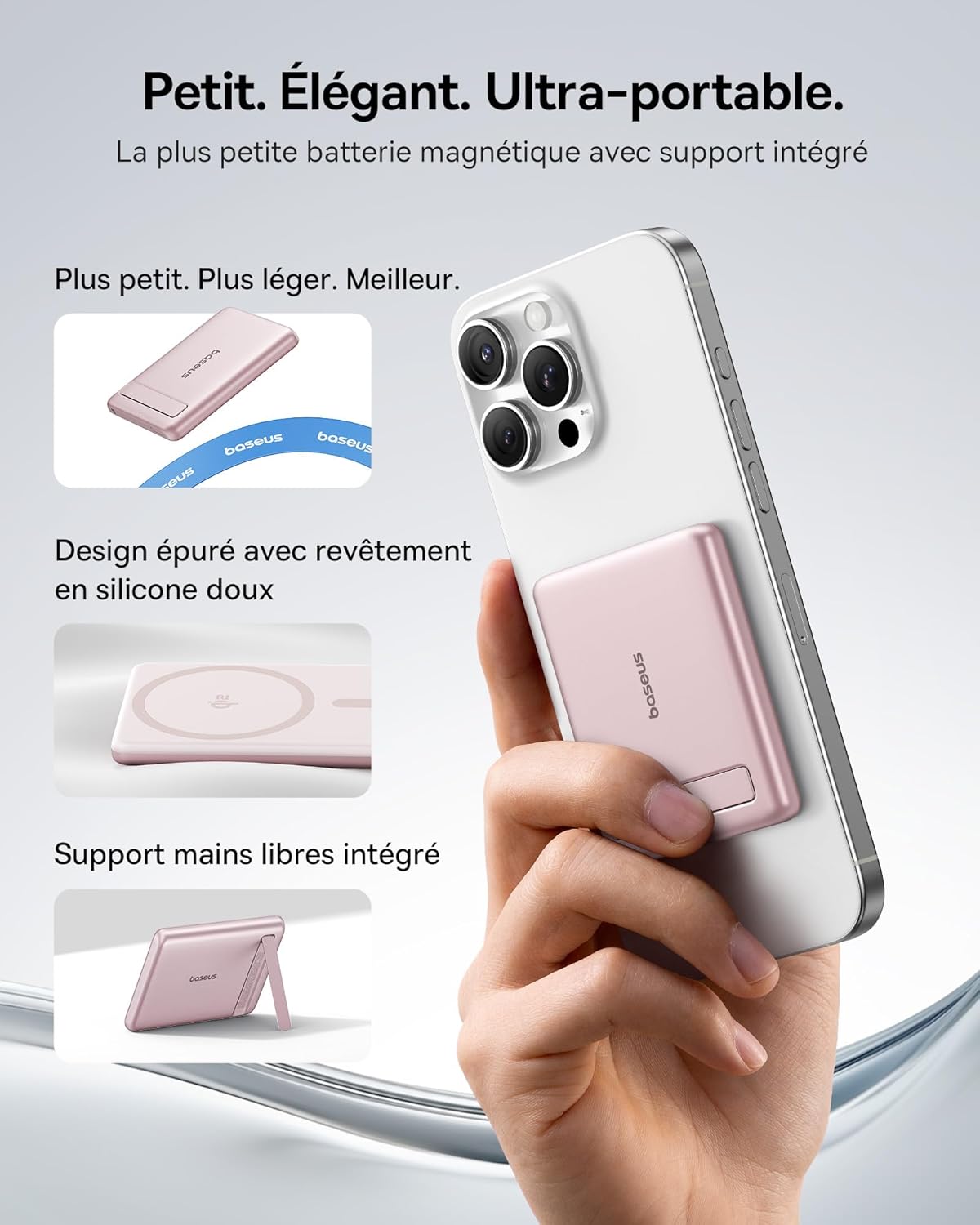
Image: The Baseus Mini MagSafe Powerbank securely attached to an iPhone, demonstrating its compact form factor and the convenience of the integrated kickstand for hands-free use.
2. Змесціва ўпакоўкі
- Baseus Mini MagSafe Powerbank (Model: PPKPC-0520S)
- USB-C to USB-C Charging Cable (30 cm)
- Кіраўніцтва карыстальніка

Image: The Baseus Mini MagSafe Powerbank and its accompanying USB-C charging cable, highlighting the included accessories.
3. Асаблівасці прадукту
- Compact and Premium Design: Smaller than a credit card with a 5000 mAh capacity, featuring a thin aluminum casing and soft-touch silicone finish. Ergonomic curved edges enhance grip, and an LED display indicates battery status.
- Qi2 Fast Charging: Provides up to 15W wireless fast charging for iPhones and other Qi2-compatible devices. Qi2 technology ensures secure magnetic alignment for faster and more reliable power delivery.
- Integrated Foldable Stand: The built-in aluminum kickstand allows for hands-free viewing in both portrait and landscape modes while your phone charges wirelessly.
- Моцнае магнітнае мацаванне: Equipped with N52 rubidium magnets offering 3500 GS magnetic power, ensuring a secure lock for instant charging without obstructing the camera lens.
- Wired and Wireless Charging with Advanced Cooling: Charge two devices simultaneously via wireless and USB-C. A three-layer cooling system maintains optimal temperature during extended use.

Image: An iPhone receiving 15W wireless fast charging from the Baseus MagSafe Powerbank, demonstrating the Qi2 certification and efficient power transfer.
4. Настройка
- Першапачатковая плата: Before first use, fully charge the power bank using the included USB-C cable and a compatible power adapter (not included). The LED indicators will show the charging progress.
- Уключэнне: The power bank typically activates automatically when a device is attached or connected. Some models may have a power button to initiate charging.
5. Інструкцыя па эксплуатацыі
5.1 Зарадка знешніх акумулятараў
- Connect the included USB-C cable to the power bank's USB-C port.
- Connect the other end of the cable to a USB-C power adapter (e.g., 20W PD charger) or a computer's USB-C port.
- The LED indicators will illuminate to show the current battery level and charging status.
5.2 Wireless Charging (MagSafe/Qi2)
- Ensure your device is compatible with MagSafe or Qi2 wireless charging (e.g., iPhone 12 series and newer).
- Align the back of your compatible device with the magnetic surface of the power bank. The magnets will snap into place, ensuring proper alignment.
- Wireless charging will begin automatically. The LED indicators may show charging activity.
5.3 Правадная зарадка (USB-C)
- Connect your device to the power bank's USB-C port using a compatible USB-C to USB-C cable (or your device's charging cable).
- Wired charging will begin automatically, supporting up to 20W Power Delivery.
5.4 Using the Foldable Stand
- Gently pull out the integrated kickstand from the back of the power bank.
- Place your wirelessly charging device onto the power bank.
- Адрэгулюйце падстаўку па жаданні viewing angle for portrait or landscape orientation.

Image: The Baseus MagSafe Powerbank simultaneously charging two iPhones, one via USB-C cable and another wirelessly, demonstrating its dual-charging capability.
6. Тэхнічнае абслугоўванне
- Уборка: Працірайце знешні акумулятар мяккай сухой тканінай. Пазбягайце выкарыстання агрэсіўных хімічных рэчываў або абразіўных матэрыялаў.
- захоўванне: Захоўвайце знешні акумулятар у прахалодным, сухім месцы, удалечыні ад прамых сонечных прамянёў і экстрэмальных тэмператур.
- Сыход за батарэяй: Для аптымальнага тэрміну службы батарэі цалкам зараджайце і разраджайце знешні акумулятар не радзей за адзін раз на тры месяцы, калі ён не выкарыстоўваецца рэгулярна.
- Пазбягайце кропель: Абараняйце прыладу ад падзенняў і ўдараў, якія могуць пашкодзіць унутраныя кампаненты.
7. Выпраўленне непаладак
- Прылада не зараджаецца:
- Пераканайцеся, што знешні акумулятар дастаткова зараджаны.
- Check cable connections for wired charging.
- For wireless charging, ensure proper alignment and that your device is Qi2/MagSafe compatible. Remove any thick phone cases that might interfere.
- Павольная зарадка:
- Ensure you are using a compatible cable and power adapter for optimal charging speeds (e.g., PD 20W for wired, Qi2 for wireless).
- Адначасовая зарадка некалькіх прылад можа знізіць хуткасць зарадкі кожнага з іх.
- Magnetic attachment is weak:
- Ensure your phone or case has MagSafe compatibility.
- Remove any non-MagSafe compatible cases or accessories that might block the magnetic connection.
- Перагрэў знешніх акумулятараў:
- While the power bank has advanced cooling, prolonged high-power usage can generate heat. If it becomes excessively hot, disconnect it and allow it to cool down.
- Пазбягайце зарадкі пад прамымі сонечнымі прамянямі або ў закрытых памяшканнях.
8. Тэхнічныя характарыстыкі
| Нумар мадэлі | PPKPC-0520S |
| Тып батарэі | Літый-палімерны |
| Ёмістасць | 5000 мАг |
| Правадны выхад (USB-C) | Магутнасць харчавання да 20 Вт (PD) |
| Бесправадны выхад | Да 15 Вт (сертыфікавана Qi2) |
| Уваходны кнtage | 20 вольт (макс.) |
| Памеры (Д х Ш х У) | 10 х 6.7 х 0.9 см |
| Вага | 180 грамаў |
| Сумяшчальныя прылады | Smartphones (iPhone 12-17 Pro/Pro Max, Android compatible) |
| Wireless Charging Standard | Qi |

Image: The Baseus Mini MagSafe Powerbank positioned next to an iPhone and a soda can, illustrating its ultra-compact and portable size.
9. Інфармацыя па бяспецы
Калі ласка, прачытайце і выконвайце гэтыя рэкамендацыі па бяспецы, каб пазбегнуць пашкоджання вырабу або траўмаў:
- Не падвяргайце знешні акумулятар уздзеянню вады, вільгаці або экстрэмальных тэмператур.
- Avoid disassembling, puncturing, or modifying the device.
- Захоўваць у месцах, недаступных дзецям.
- Do not use if the power bank is visibly damaged or swollen.
- Утылізуйце прадукт адказна ў адпаведнасці з мясцовымі правіламі.
10. Гарантыя і падтрымка
This Baseus Mini MagSafe Powerbank comes with a Гарантыя 2 год з даты пакупкі. Гэтая гарантыя распаўсюджваецца на вытворчыя дэфекты і дэфекты вырабу пры нармальным выкарыстанні.
For technical support, warranty claims, or any product-related inquiries, please contact Baseus customer service through the retailer where you purchased the product or visit the official Baseus webсайт для кантактнай інфармацыі.

Image: A display of various iPhone models and Android devices, all compatible with the Baseus MagSafe Powerbank, highlighting its broad device compatibility.