
1. Уводзіны
This manual provides essential information for setting up, operating, and maintaining your NIMO 17.3-inch Business Laptop, Model N171. Please read this guide thoroughly to ensure proper use and to maximize the performance and longevity of your device. Keep this manual for future reference.

Image 1.1: NIMO 17.3-inch Business Laptop overview.
2. Змесціва ўпакоўкі
Праверце наяўнасць усіх прадметаў у камплекце:
- 1 x Nimo N171 Laptop
- 1 x Type-C 65W PD Fast Charger
- 1 х Кіраўніцтва карыстальніка (гэты дакумент)
- Windows 11 Home Operating System (pre-installed)
3. Настройка
3.1 Першапачатковая зарадка
Before first use, connect the provided 65W Type-C PD Fast Charger to the laptop and a power outlet. Allow the battery to charge fully. The charging indicator light will confirm the charging status.

Image 3.1: The 65W Type-C PD Fast Charger.
3.2 Уключэнне і пачатковая налада Windows
- Адкрыйце крышку ноўтбука.
- Націсніце кнопку харчавання, размешчаную на клавіятуры.
- Follow the on-screen instructions to complete the Windows 11 Home initial setup, including language selection, network connection, and user account creation.
4. Інструкцыя па эксплуатацыі
4.1 Кіраванне харчаваннем
- Уключэнне: Націсніце кнопку харчавання.
- Рэжым сну: Зачыніце вечка або коратка націсніце кнопку харчавання.
- Выключыць: Націсніце кнопку «Пуск», затым «Харчаванне» > «Выключыць сістэму».
4.2 Счытвальнік адбіткаў пальцаў
The laptop features a fingerprint reader integrated into the touchpad for secure login. To set up:
- Перайдзіце ў раздзел «Налады Windows» > «Уліковыя запісы» > «Параметры ўваходу».
- Select 'Fingerprint recognition (Windows Hello)' and follow the prompts to register your fingerprints.

Image 4.1: Fingerprint reader location on the touchpad.
4.3 Клавіятура з падсветкай
The keyboard features backlighting for improved visibility in low-light conditions. Use the dedicated function key (usually Fn + Fx) to toggle the backlight on/off or adjust its brightness levels.

Image 4.2: The backlit keyboard illuminated for use in dim lighting.
4.4 Падключэнне
The NIMO N171 laptop offers various connectivity options:
- Wi-Fi 6: Для доступу да бесправаднога інтэрнэту з высокай хуткасцю.
- Bluetooth 5.2: Для падключэння бесправадных перыферыйных прылад, такіх як навушнікі або мышы.
- Парты USB: Includes USB 3.2 Gen1, USB 2.0, and USB Type-C ports for connecting external devices.
- Порт HDMI 2.1: Для падлучэння да знешніх дысплеяў або праектараў.
- Слот для карты Micro SD: Для пашырэння сховішча або пераносу files.
- Аўдыёраз'ём: Для навушнікаў або знешніх дынамікаў.

Image 4.3: Diagram illustrating the various ports on the NIMO N171 laptop.
4.5 Дысплей
The laptop features a 17.3-inch Full HD (1920x1080) IPS anti-glare display, providing clear visuals and wide viewing angles. The narrow bezels contribute to an immersive viewвопыту.

Image 4.4: The 17.3-inch FHD IPS display with narrow bezels.
4.6 180-degree Lay-Flat Hinge
The laptop is equipped with a 180-degree lay-flat hinge, allowing the screen to be opened completely flat. This feature is useful for sharing content with others or adjusting the viewing angle for various scenarios.

Image 4.5: Illustration of the laptop's 180-degree lay-flat hinge capability.
5. Тэхнічнае абслугоўванне
5.1 Ачыстка
- Выкарыстоўвайце мяккую безворсовую тканіну, злёгку dampпрамыйце вадой або сродкам для чысткі экранаў, каб ачысціць дысплей.
- Для клавіятуры і корпуса выкарыстоўвайце мяккую сухую тканіну. Пазбягайце выкарыстання агрэсіўных хімічных рэчываў або абразіўных матэрыялаў.
- Перад чысткай пераканайцеся, што ноўтбук выключаны і адключаны ад сеткі.
5.2 Захоўванне
Store the laptop in a cool, dry environment away from direct sunlight and extreme temperatures. If storing for an extended period, ensure the battery is charged to approximately 50% to preserve its lifespan.
6. Выпраўленне непаладак
У гэтым раздзеле разглядаюцца распаўсюджаныя праблемы, з якімі вы можаце сутыкнуцца.
6.1 Ноўтбук не ўключаецца
- Ensure the charger is properly connected to both the laptop and a working power outlet.
- Праверце, ці правільна працуе адаптар харчавання.
- Калі акумулятар цалкам разраджаны, можа спатрэбіцца некалькі хвілін зарадкі, перш чым ноўтбук зможа ўключыцца.
6.2 Праблемы з падключэннем да Wi-Fi
- Праверце, ці ўключаны Wi-Fi у наладах Windows.
- Перазагрузіце маршрутызатар і мадэм.
- Ensure you are within range of a Wi-Fi network and have entered the correct password.
6.3 Keyboard Backlight Not Working
- Press the dedicated function key combination (e.g., Fn + Fx) to toggle or adjust the backlight.
- Check power settings, as some configurations may disable backlighting to conserve battery.
Каб атрымаць дадатковую дапамогу, звярніцеся да раздзела «Гарантыя і падтрымка».
7. Тэхнічныя характарыстыкі
Key technical specifications for the NIMO N171 laptop:
| Асаблівасць | Дэталь |
|---|---|
| Марка | NIMO |
| Назва мадэлі | Nimo N171S |
| Памер экрана | 17.3 цалі |
| Дазвол экрана | 1920 x 1080 пікселяў (FHD) |
| Працэсар | Intel Core i3-1215U (6 ядраў, да 4.4 ГГц) |
| АЗП | 16 ГБ DDR4 (3200 МГц) |
| Жорсткі дыск | 1 ТБ PCIe SSD |
| Графічны супрацэсар | Інтэграваная графіка Intel |
| Аперацыйная сістэма | Windows 11 хатняя |
| Бесправадны тып | 802.11a/b/g/n/ac (Wi-Fi 6), Bluetooth 5.2 |
| Парты | USB 3.0 (x2), USB 2.0 (x1), USB Type-C (x2, one charge only), HDMI 2.1, Micro SD, Audio Jack |
| Асаблівасці | Backlit Keyboard, Fingerprint Reader, HD Audio, Memory Card Slot, Numeric Keypad |
| Сярэдні тэрмін службы батарэі | 5 Hours (53.58 Wh Capacity) |
| Вага прадмета | 3.8 фунта |
| Памеры прадукту | 15.61 х 9.84 х 0.78 цалі |
| Колер | Натуральнае срэбра |

Image 7.1: Details of the 12th Gen Intel Core i3-1215U Processor.
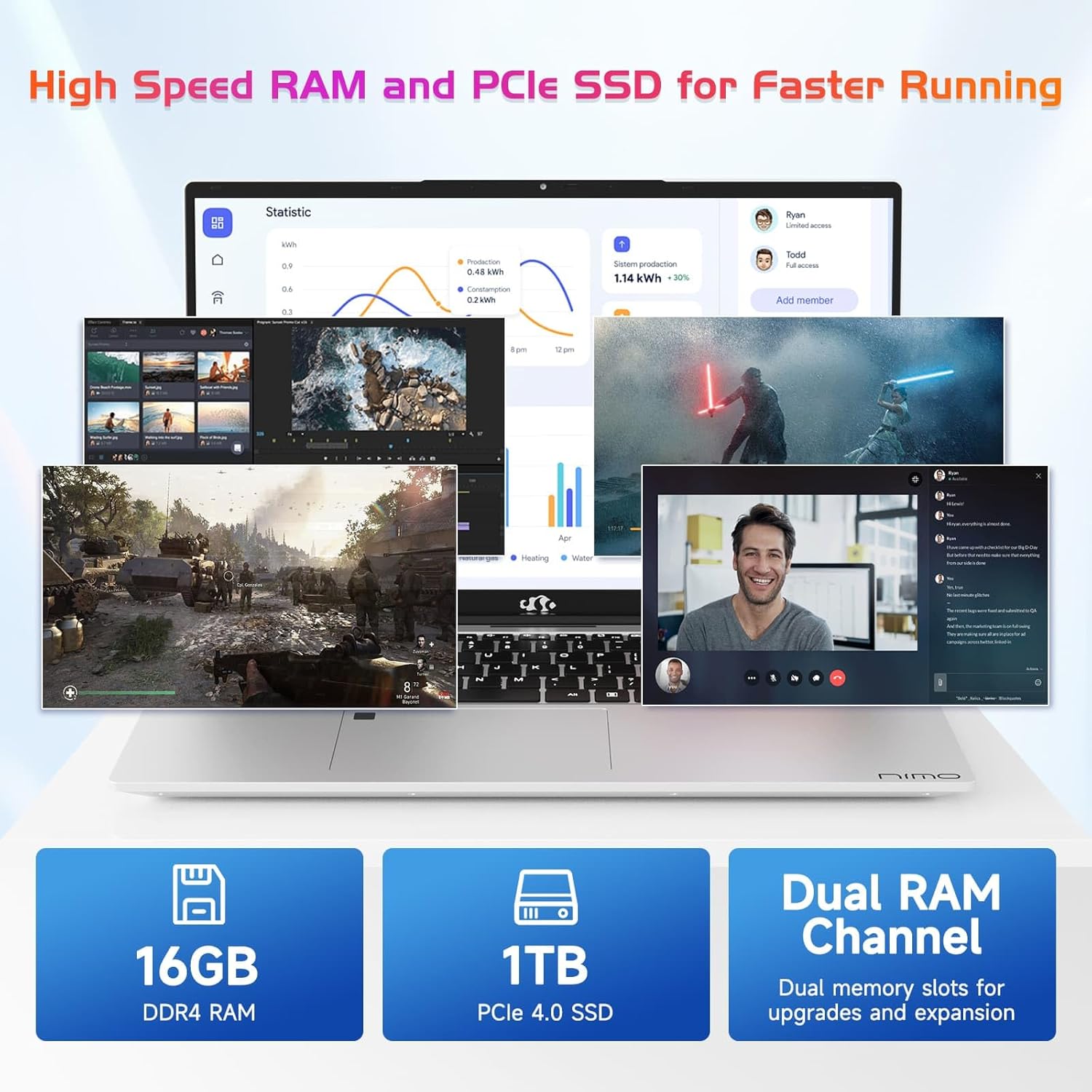
Image 7.2: Information on the 16GB DDR4 RAM and 1TB PCIe SSD.
8. Гарантыя і падтрымка
NIMO provides comprehensive support for your laptop:
- 2-Year Manufacturer's Warranty: Пакрывае дэфекты матэрыялаў і вырабу пры нармальным выкарыстанні.
- 90-дзённая палітыка вяртання: Allows for returns within 90 days of purchase.
- 24/7 Customer Service Support: Contact NIMO customer service for technical assistance or warranty claims. Refer to the contact information provided with your purchase or on the official NIMO webсайт.

Выява 8.1: Канецview of NIMO's after-sales support services.
9. Інфармацыя па бяспецы
To prevent injury or damage to your device, observe the following safety precautions:
- Не падвяргайце ноўтбук уздзеянню экстрэмальных тэмператур, прамых сонечных прамянёў або высокай вільготнасці.
- Не кладзіце цяжкія прадметы на ноўтбук.
- Use only the provided charger or a NIMO-approved replacement.
- Не спрабуйце разбіраць або рамантаваць ноўтбук самастойна. Звярніцеся да кваліфікаванага спецыяліста па абслугоўванні.
- Трымайце вадкасці далей ад прылады.
10. Адмова ад адказнасці
This product is subject to Proposition 65 warning. The information in this manual is subject to change without notice. NIMO assumes no responsibility for any errors or omissions that may appear in this document. All trademarks and registered trademarks are the property of their respective owners.