
1. Уводзіны
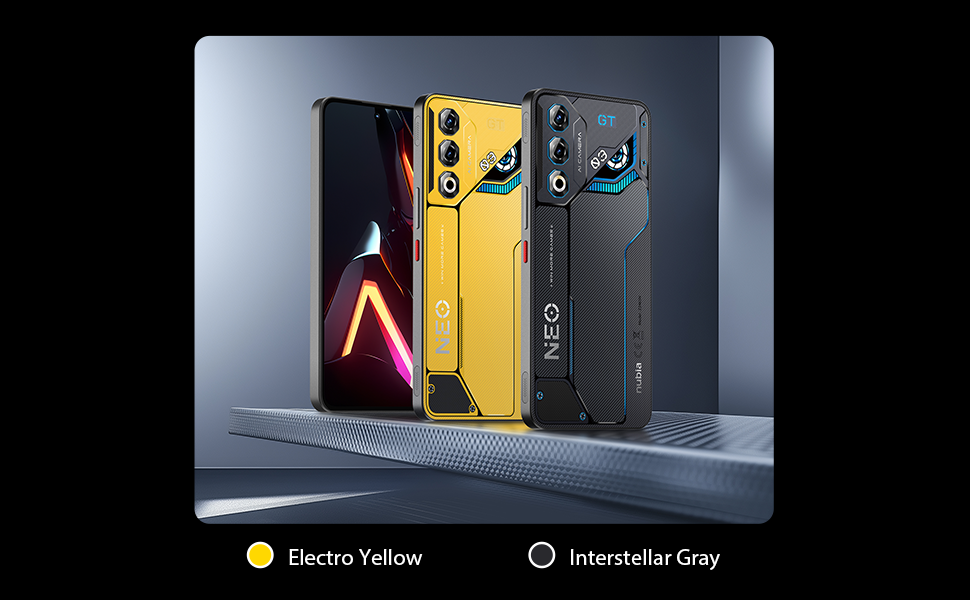
This manual provides essential information for setting up, operating, and maintaining your ZTE Nubia Neo 3 GT 5G smartphone. Designed for an ultimate gaming experience, this device combines powerful performance with advanced features. Please read this manual thoroughly to ensure proper use and to maximize your device's capabilities.
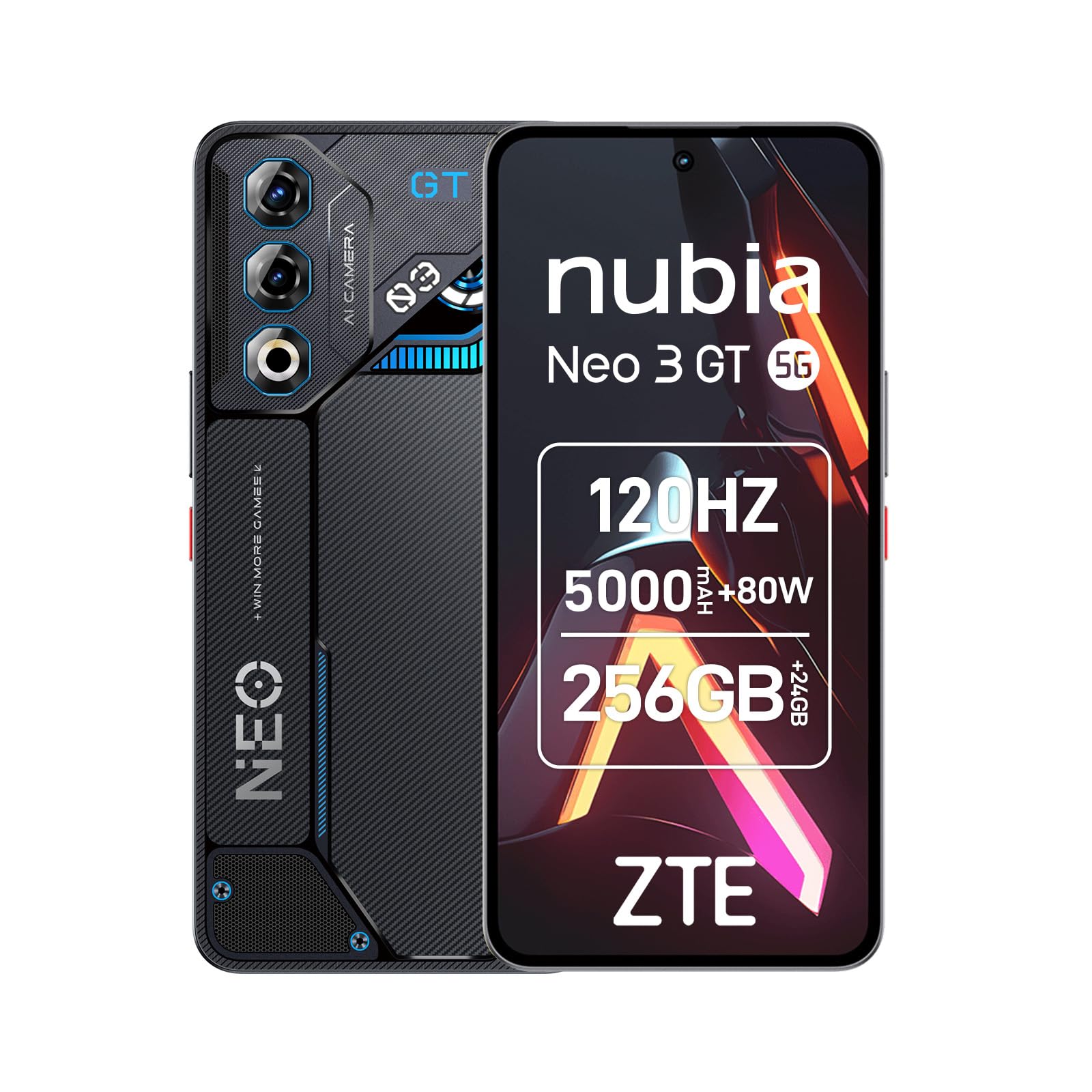
Image 1: ZTE Nubia Neo 3 GT 5G smartphone, showcasinг яго дызайн.
2. Настройка
2.1 Змест пакета
Пераканайцеся, што ваш пакет змяшчае наступныя элементы:
- ZTE Nubia Neo 3 GT 5G Smartphone
- Кабель USB
- Чахол для тэлефона
- Пратэктар экрана
- Інструмент выцягвання SIM-карты
2.2 Устаўка SIM-карт
The Nubia Neo 3 GT supports Dual SIM functionality.
- Знайдзіце латок для SIM-карты на бакавой панэлі прылады.
- Устаўце інструмент для выцягвання SIM-карты ў невялікую адтуліну побач з латком і акуратна націсніце, пакуль латок не выскочыць.
- Устаўце карту (карты) Nano SIM у прызначаныя слоты на латку. Пераканайцеся, што залатыя кантакты накіраваны ўніз.
- Акуратна ўстаўце латок назад у тэлефон.

Image 2: Illustrative image of the phone's side, where the SIM tray is typically located.
2.3 Пачатковае ўключэнне і базавая канфігурацыя
- Press and hold the Power button until the device vibrates and the screen lights up.
- Выконвайце падказкі на экране, каб выбраць мову, падключыцца да сеткі Wi-Fi і наладзіць свой уліковы запіс Google.
- Configure security features such as fingerprint recognition (in-display sensor) and facial recognition for enhanced device security.
3. Кіраванне прыладай
3.1 Дысплей і навігацыя
Your device features a 6.8-inch FHD+ OLED display with a 120Hz refresh rate, offering a smooth and immersive visual experience. Navigate using touch gestures and on-screen buttons.

Image 3: The 120Hz OLED Gaming Display, highlighting its vibrant visuals and smooth performance.
3.2 Гульнявыя функцыі
The Nubia Neo 3 GT is optimized for gaming with several dedicated features:
- Dual Gaming Shoulder Triggers: Customizable, ultra-sensitive side triggers for enhanced control in games.
- Rear LED Lights: Personalizable LED lights on the back for a gaming aesthetic.
- Z-axis Linear Motor: Provides precise and immersive haptic feedback during gameplay.
- Game Space Application: A dedicated app to centralize your games and customize settings like touch area and CPU/GPU performance.
- In-game Gaming Menu: Access quick settings by swiping down twice from the top to record screen, adjust refresh rate, or boost performance without pausing your game.
Выява 4: Канецview of key gaming features including the NeoTurbo Performance Engine, Dual Gaming Shoulder Triggers, Z-axis Linear Motor for haptic feedback, and DTS:X Ultra stereo speakers for immersive sound.
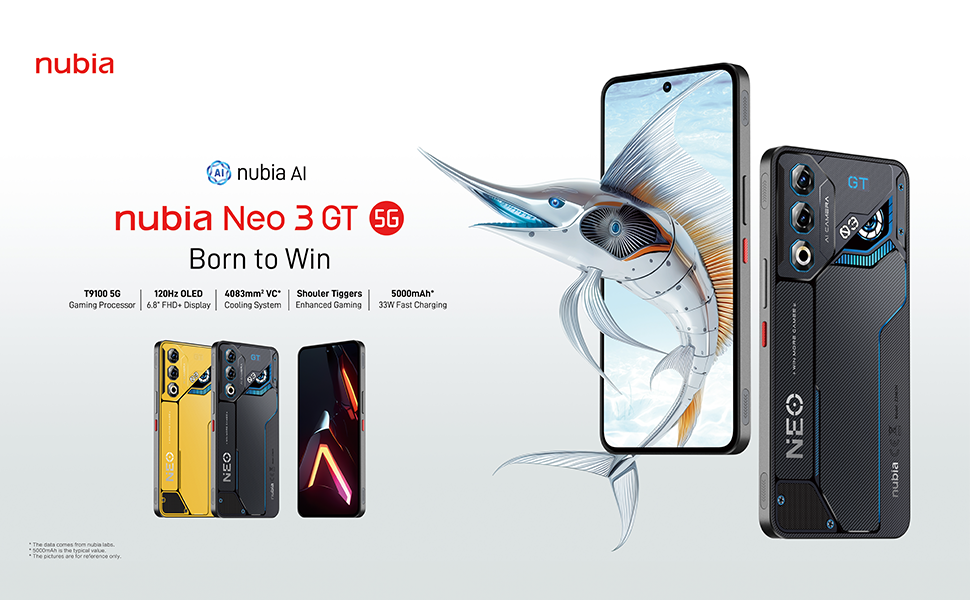
Image 5: Additional gaming functions such as highly sensitive controls, screen recording, data display, key mapping, and peripheral control.
3.3 Камера
Capture moments with the device's camera system:
- Задняя камера: 50 Megapixels with AI enhancements.
- Пярэдняя камера: 8 Megapixels.
Access the camera app from the home screen or lock screen to take photos and videos. Explore various modes and settings for optimal results.
3.4 Акумулятар і зарадка
Прылада абсталявана батарэяй ёмістасцю 5000 мАг.
- Хуткая зарадка: Supports 33W fast charging. Use the provided USB cable and a compatible charger for best results.
- Bypass Charging: This technology allows power to be supplied directly to the device from the charger, bypassing the battery during intense gaming sessions to reduce heat and prolong battery life.

Image 6: Illustration of the 5000 mAh high-capacity battery and the Bypass Charging feature, which directs power directly to the device from the charger.
3.5 Падключэнне
Ваша прылада падтрымлівае розныя варыянты падключэння:
- Сетка 5G: Для хуткаснай мабільнай перадачы дадзеных.
- Wi-Fi: Падключайцеся да бесправадных сетак.
- Bluetooth: Для падлучэння да бесправадных аксесуараў.
- NFC: Для бескантактавых плацяжоў і хуткага спалучэння.
- USB Type-C: Для зарадкі і перадачы дадзеных.
- GPS: Інтэграваны GPS для навігацыі.
4. Тэхнічнае абслугоўванне
4.1 Сыход за акумулятарам
- Пазбягайце ўздзеяння на прыладу экстрэмальных тэмператур.
- Не варта часта цалкам разраджаць акумулятар.
- Use the original charger and cable for optimal charging and to preserve battery health.
- The average battery lifespan is estimated at 5 years.
4.2 Ачыстка прылады
- Для чысткі экрана і корпуса выкарыстоўвайце мяккую тканіну без ворса.
- Пазбягайце выкарыстання агрэсіўных хімікатаў або абразіўных матэрыялаў.
- Do not expose the device to water as it is not waterproof.
4.3 Абнаўленне праграмнага забеспячэння
Regularly check for software updates to ensure your device has the latest features, security patches, and performance improvements. You can usually find this option in the device settings under "System" or "About phone".
5. Выпраўленне непаладак
5.1 Агульныя праблемы і рашэнні
- Прылада не ўключаецца: Пераканайцеся, што акумулятар зараджаны. Падключыце зарадную прыладу і пачакайце некалькі хвілін, перш чым зноў уключыць прыладу.
- Завісанне або збой праграм: Закрыйце праблемную праграму і зноў адкрыйце яе. Калі праблема не знікне, перазагрузіце прыладу.
- Слабае падключэнне да сеткі: Check your SIM card insertion. Try toggling Airplane Mode on and off. If issues persist, contact your network provider.
- Павольная прадукцыйнасць: Close unnecessary background apps. Clear cache for frequently used apps. Consider a factory reset as a last resort (back up your data first).
6. Тэхнічныя характарыстыкі
| Асаблівасць | Спецыфікацыя |
|---|---|
| Назва мадэлі | ZTE Nubia Neo 3 GT |
| Аперацыйная сістэма | Android 15 |
| Хуткасць працэсара | 2.7 ГГц |
| АЗП | 12 GB (expandable up to 24 GB dynamic RAM) |
| Ёмістасць захоўвання | 256 GB (Maximum flash memory supported) |
| Памер дысплея | 6.8 цалі |
| Тып дысплея | FHD+ OLED |
| дазвол | 2392 x 1080 пікселяў |
| Частата абнаўлення | 120 Гц |
| Раздзяленне задняй камеры | 50 мегапікселяў |
| Раздзяленне франтальнай камеры | 8 мегапікселяў |
| Ёмістасць батарэі | 5000 мАг |
| Зарадка | 33W Fast Charging, Bypass Charging |
| Сотавая тэхналогія | 5G |
| Сувязь | Bluetooth, NFC, USB Type-C, Wi-Fi |
| Слоты для SIM-карт | Dual SIM (Nano) |
| Біяметрычная бяспека | Адбіткі пальцаў і распазнаванне твараў |
| Вага | 203 грам |
| Воданепранікальнасць | Не воданепранікальны |
| Год мадэлі | 2025 |
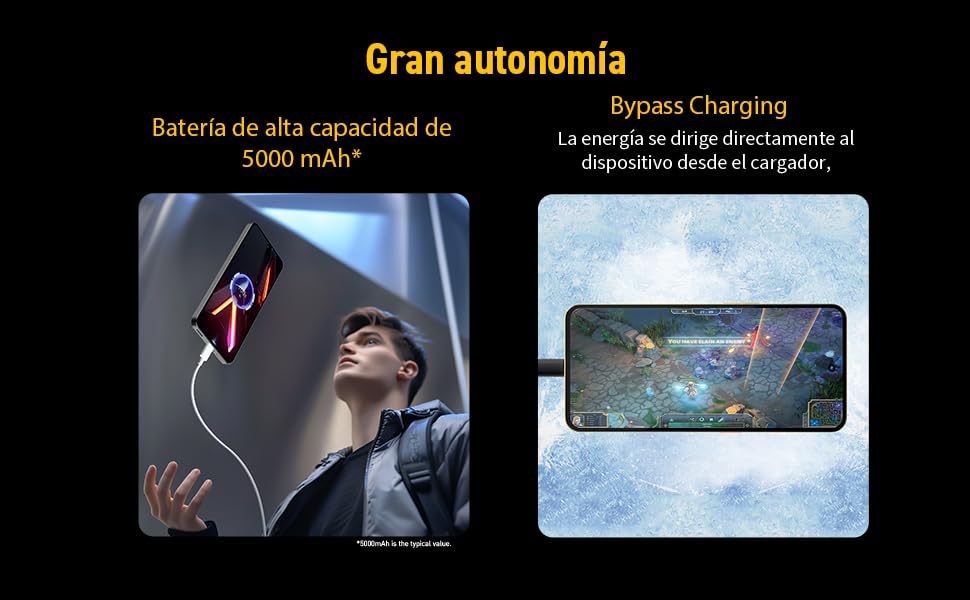
Image 7: Illustration of the T9100 5G-SoC processor, highlighting its powerful performance up to 2.7 GHz.

Image 8: Visual representation of the device's dynamic RAM, indicating up to 24 GB (12GB + 12GB).
7. Гарантыя і падтрымка
For detailed warranty information, please refer to the warranty card included with your product or visit the official nubia webсайт.
- Наяўнасць запасных частак: 10 гадоў.
- Average battery lifespan: 5 Years.
For technical support or service inquiries, please contact nubia customer service through their official channels.