
Уводзіны
Thank you for choosing the Ledwood ACCESS130 Portable HiFi Speaker. This manual provides essential information for the safe and efficient operation of your device. The ACCESS130 is a versatile portable speaker featuring dynamic RGB LED effects, Bluetooth 5.3 connectivity, USB input, and a karaoke function with an included wireless microphone. It is designed to deliver a powerful audio experience for various occasions.
Інфармацыя па бяспецы
- Перад выкарыстаннем прадукту ўважліва прачытайце ўсе інструкцыі.
- Не падвяргайце дынамік уздзеянню вады або празмернай вільгаці. Гэты выраб не з'яўляецца воданепранікальным.
- Трымайце дынамік далей ад крыніц цяпла, прамых сонечных прамянёў і лёгкаўзгаральных матэрыялаў.
- Не спрабуйце разбіраць, рамантаваць або мадыфікаваць прыладу. Звяртайцеся да кваліфікаванага персаналу па любыя паслугі па абслугоўванні.
- Выкарыстоўвайце толькі кабель для зарадкі USB-C, які ўваходзіць у камплект.
- Пазбягайце праслухоўвання на высокім узроўні гучнасці на працягу доўгага часу, каб прадухіліць пашкоджанне слыху.
- Захоўваць у месцах, недаступных дзецям.
Змест пакета
Калі ласка, праверце ўпакоўку на наяўнасць наступных прадметаў:
- Ledwood ACCESS130 Portable HiFi Speaker
- Зарадны кабель USB-C
- Бесправадны мікрафон
- Рэмень для пераноскі
Прадукт скончаныview
Familiarize yourself with the components and controls of your Ledwood ACCESS130 speaker.
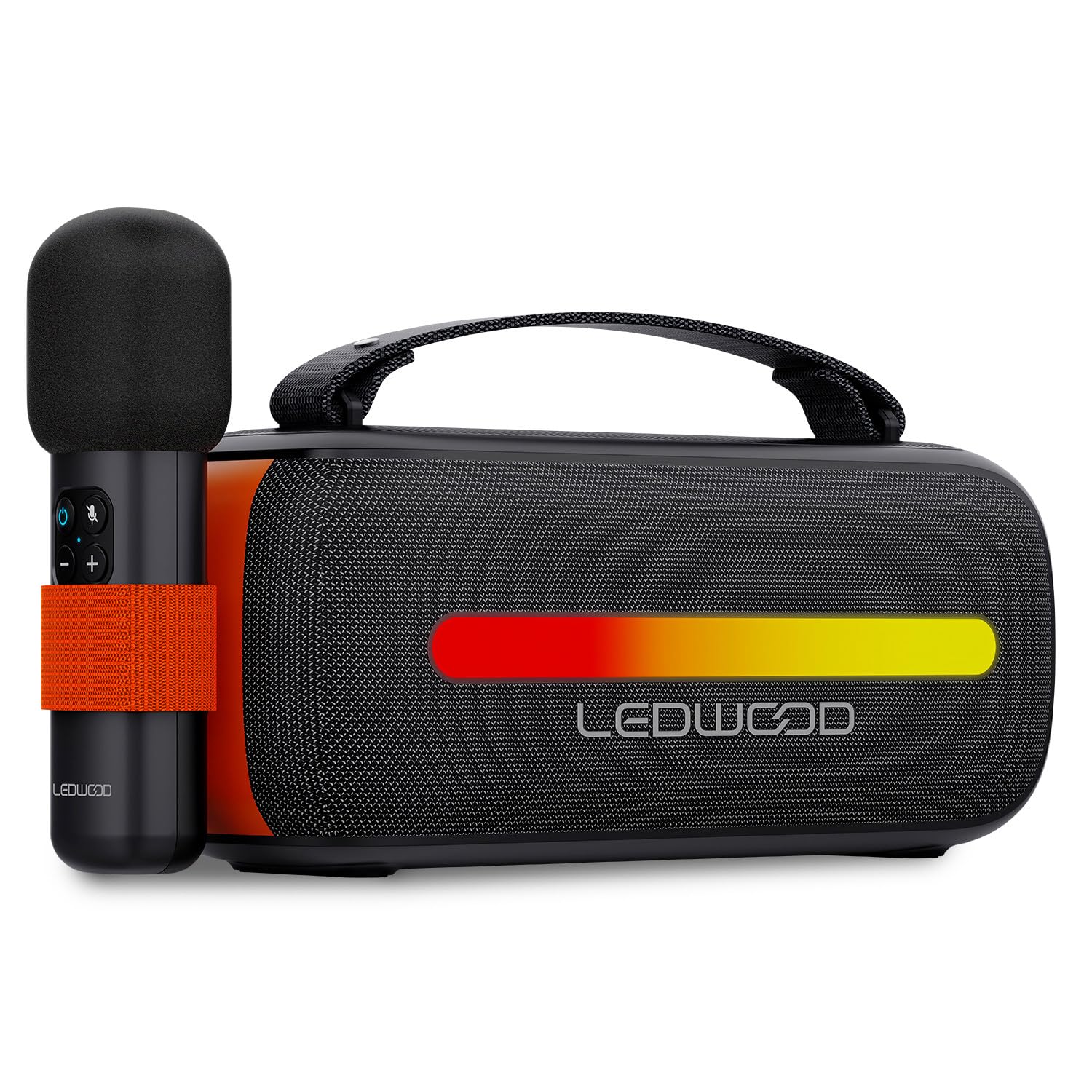
Image: The Ledwood ACCESS130 portable speaker shown with its wireless microphone attached to the side. The speaker features a black mesh grille and an illuminated LED strip on the front.
Элементы кіравання і парты

Выява: зверху ўніз view of the Ledwood ACCESS130 speaker, highlighting the control panel with buttons for power, volume, mode, and LED effects. Icons for LED colors, microphone, karaoke function, USB-C, and wireless connection are also visible.
- Кнопка харчавання: Націсніце і ўтрымлівайце, каб уключыць/выключыць дынамік.
- Кнопка рэжыму (M): Press to switch between Bluetooth, USB, and other input modes.
- Павялічыць гучнасць (+): Павялічыць гучнасць.
- Памяншэнне гучнасці (-): Паменшыць гучнасць.
- Кнопка прайгравання/паўзы: Прайграць або прыпыніць прайграванне аўдыё.
- LED Effect Button: Cycle through different LED lighting modes or turn them off.
- Порт USB-C: Для зарадкі калонкі.
- Порт USB-A: For USB audio playback.
Настройка
1. Зарадка дынаміка
- Падключыце зарадны кабель USB-C з камплекта да порта USB-C дынаміка.
- Падключыце другі канец кабеля да сумяшчальнага адаптара харчавання USB (не ўваходзіць у камплект) або да USB-порта кампутара.
- The LED indicator will show charging status. A full charge takes approximately [Charging Time - not specified in input, omit if not available].
2. Уключэнне / выключэнне харчавання
- Каб уключыць, націсніце і ўтрымлівайце кнопку харчавання, пакуль не актывуецца дынамік.
- Каб выключыць дынамік, зноў націсніце і ўтрымлівайце кнопку харчавання, пакуль ён не выключыцца.
3. Спарванне Bluetooth
- Ensure the speaker is powered on and in Bluetooth mode (indicated by a flashing Bluetooth LED). If not, press the 'M' (Mode) button to switch to Bluetooth mode.
- На смартфоне, планшэце або камп'ютары ўключыце Bluetooth і знайдзіце даступныя прылады.
- Select "Ledwood ACCESS130" from the list of devices.
- Once paired, the Bluetooth LED will stop flashing and remain solid, indicating a successful connection.
4. Падключэнне бесправаднога мікрафона
- Пераканайцеся, што бесправадны мікрафон зараджаны і ўключаны.
- The microphone should automatically connect to the speaker when both are powered on and within range.
- Test the microphone by speaking into it to confirm audio output from the speaker.
Аперацыйная
1. Прайграванне праз Bluetooth
- Пасля паспяховага спалучэння праз Bluetooth адкрыйце музычную праграму на падлучанай прыладзе.
- Start playing audio. The sound will be transmitted wirelessly to the ACCESS130 speaker.
- Use the volume buttons on the speaker or your connected device to adjust the audio level.
- Press the Play/Pause button on the speaker to control playback.
2. Прайграванне з USB
- Устаўце USB-назапашвальнік з аўдыя files (e.g., MP3) into the speaker's USB-A port.
- Націсніце кнопку «M» (Рэжым), каб пераключыцца ў рэжым USB.
- The speaker will automatically begin playing audio from the USB drive.
- Use the speaker's controls to adjust volume and navigate tracks.
3. Функцыя караоке
- Ensure the wireless microphone is connected to the speaker as described in the Setup section.
- Play your desired instrumental track via Bluetooth or USB.
- Гаварыце або спявайце ў мікрафон. Ваш голас будзе amplified through the speaker, mixing with the music.
4. Святлодыёдныя светлавыя эфекты
- Press the LED Effect button to cycle through various dynamic RGB lighting modes.
- Continue pressing the button to select your preferred lighting effect or to turn the LEDs off.
Тэхнічнае абслугоўванне
- Уборка: Выкарыстоўвайце мяккую сухую тканіну для чысткі паверхні дынаміка. Не выкарыстоўвайце абразіўныя ачышчальнікі або растваральнікі.
- захоўванне: Захоўвайце дынамік у прахалодным, сухім месцы, удалечыні ад прамых сонечных прамянёў і экстрэмальных тэмператур, калі ён не выкарыстоўваецца працяглы час.
- Сыход за батарэяй: To prolong battery life, fully charge the speaker before first use and recharge it at least once every three months if not used regularly. Avoid completely draining the battery.
Ліквідацыю непаладак
| праблема | Магчымая прычына | Рашэнне |
|---|---|---|
| Дынамік не ўключаецца. | Нізкі акумулятар. | Зарадзіце дынамік з дапамогай кабеля USB-C, які ўваходзіць у камплект. |
| Няма злучэння Bluetooth. | Speaker not in pairing mode; device out of range; previously connected device. | Ensure speaker is in Bluetooth pairing mode. Move device closer. Disconnect from other devices. |
| Няма гуку з мікрафона. | Microphone not powered on; microphone not paired. | Ensure microphone is charged and powered on. Check if it automatically connects. |
| Прайграванне з USB не працуе. | Няправільны рэжым; не падтрымліваецца file format; corrupted USB drive. | Press 'M' button to select USB mode. Ensure file— гэта MP3. Паспрабуйце іншы USB-назапашвальнік. |
| Святлодыёдныя лямпы не працуюць. | LED effects turned off. | Press the LED Effect button to cycle through modes. |
Тэхнічныя характарыстыкі
| Назва мадэлі: | ДОСТУП130 |
| Марка: | Ледвуд |
| Тып дынаміка: | Партатыўны дынамік |
| Максімальная выхадная магутнасць дынамікаў: | 130 Watts (12W RMS) |
| Рэжым вываду гуку: | Стэрэа |
| Тэхналогія бесправадной сувязі: | Bluetooth 5.3 |
| Максімальная магутнасць Bluetooth: | -6 да 4 дБм |
| Каэфіцыент сігнал-шум: | ≥80 дБ |
| Крыніца харчавання: | Харчаванне ад батарэі |
| акумулятар: | 3.7V - 3600mAh |
| Total Playtime (50% volume): | 6 гадзіны 30 хвілін |
| Метад кантролю: | Application, Touch |
| Сувязі: | Bluetooth 5.3, USB-A |
| Dimensions (H x D x L): | 12.04 см х 9.9 см х 26.1 см |
| Вага: | 1 кг |
| Воданепранікальны: | няма |
| Уключаныя кампаненты: | USB-C charging cable, Wireless microphone, Carrying strap |
Гарантыя і падтрымка
For warranty information or technical support, please refer to the documentation provided at the time of purchase or contact your retailer. You may also visit the official Ledwood webсайт для далейшай дапамогі.