
1. Уводзіны
This manual provides essential information for the safe and efficient operation of your Optoma GT4000UHD Ultra-Short Throw 4K UHD Home Cinema Laser Projector. Please read it thoroughly before using the product and retain it for future reference.
The Optoma GT4000UHD is designed to deliver high-quality 4K UHD visuals for various entertainment purposes, including console gaming, PC gaming, and streaming video content. Its ultra-short throw capability allows for large images from a minimal distance.
2. Інфармацыя па бяспецы
Выконвайце наступныя меры бяспекі, каб прадухіліць пашкоджанне праектара і забяспечыць бяспеку карыстальніка:
- Не блакуйце вентыляцыйныя адтуліны. Забяспечце дастатковую цыркуляцыю паветра вакол праектара.
- Не глядзіце непасрэдна ў аб'ектыў праектара, калі ён уключаны.amp уключаны. Яркае святло можа пашкодзіць вочы.
- Пазбягайце размяшчэння праектара пад прамымі сонечнымі прамянямі, побач з крыніцамі цяпла або ў месцах з высокай вільготнасцю або пылам.
- Выкарыстоўвайце толькі адаптар сілкавання, які пастаўляецца з праектарам.
- Адключайце шнур сілкавання падчас навальніцы або калі прылада не выкарыстоўваецца працяглы час.
- Do not attempt to open or service the projector yourself. Refer all servicing to qualified personnel.
3. Змесціва ўпакоўкі
Праверце наяўнасць усіх прадметаў у камплекце:
- Optoma GT4000UHD Projector
- Шнур харчавання
- Пульт дыстанцыйнага кіравання
- Кіраўніцтва карыстальніка (гэты дакумент)
4. Прадукт скончыўсяview
4.1 Праектар (пярэдняя і верхняя часткі) View
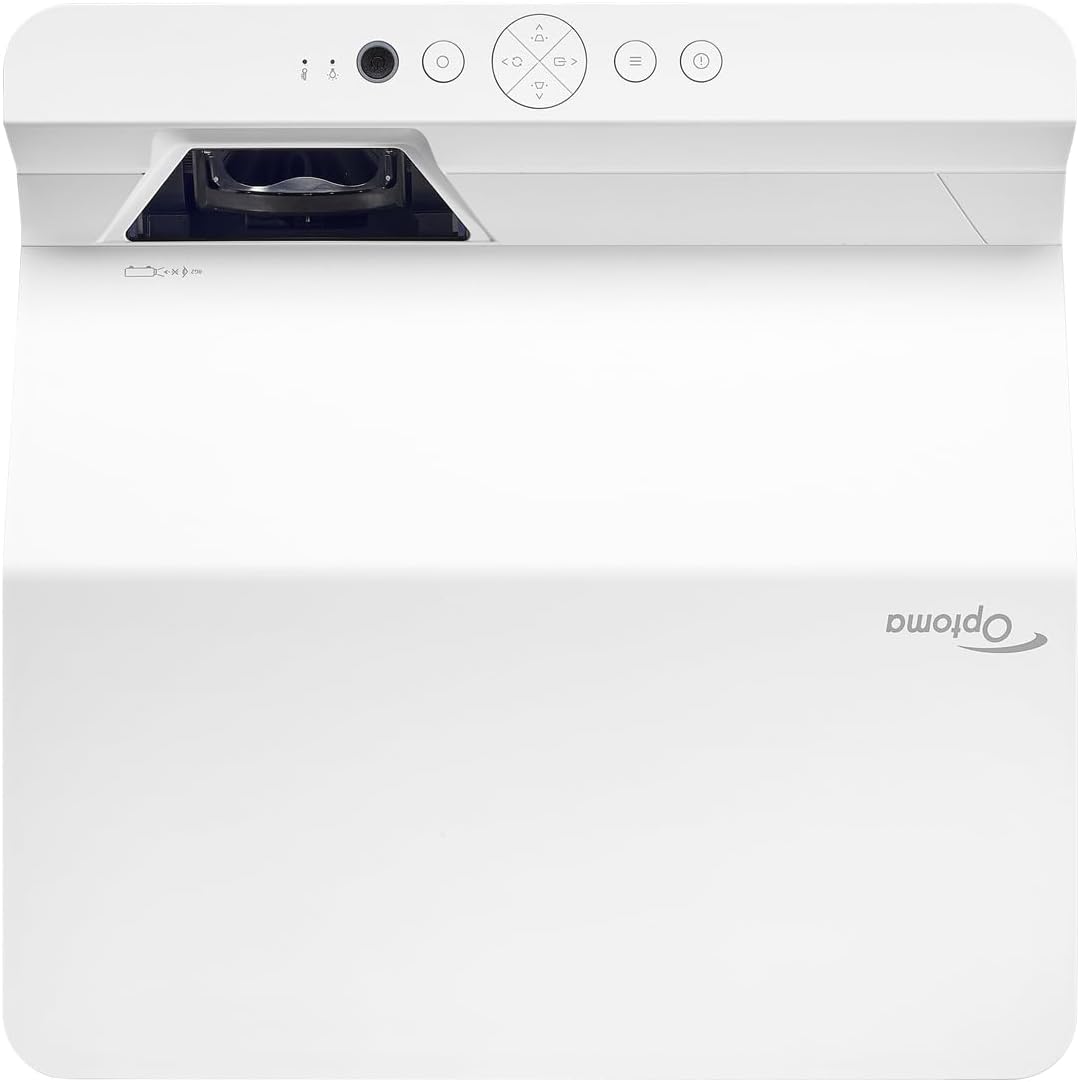
Апісанне: This image displays the top and front view of the Optoma GT4000UHD projector. The ultra-short throw lens is visible at the front, along with basic control buttons on the top panel. The Optoma logo is prominently displayed.
4.2 Задняя панэль і падключэнне
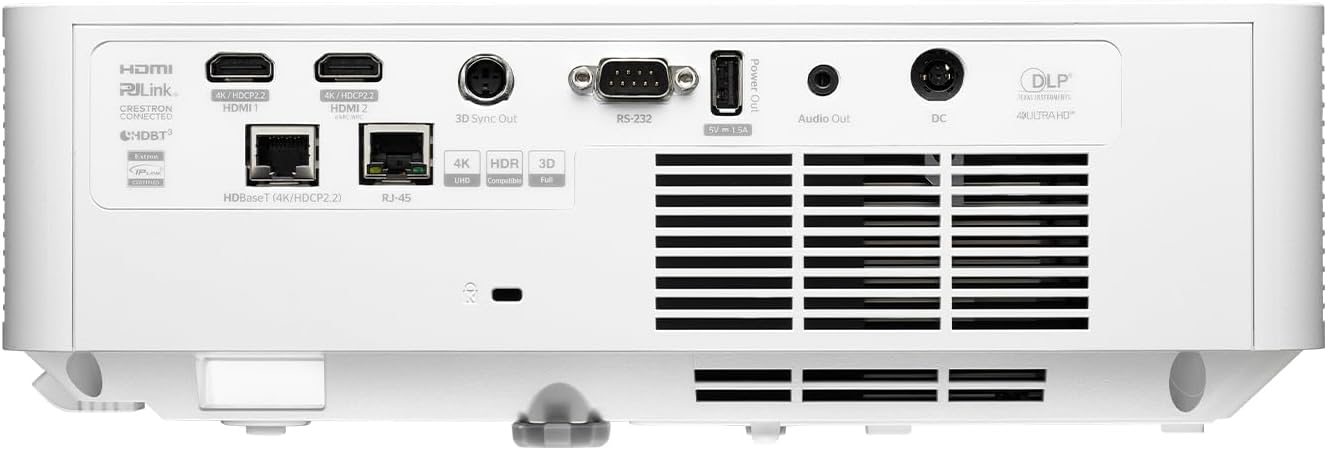
Апісанне: This image shows the rear panel of the Optoma GT4000UHD projector, highlighting its connectivity options. Ports include HDMI, HDBaseT, RJ-45, 3D Sync Out, RS232, Audio Out, and DC power input.
4.3 Пульт дыстанцыйнага кіравання
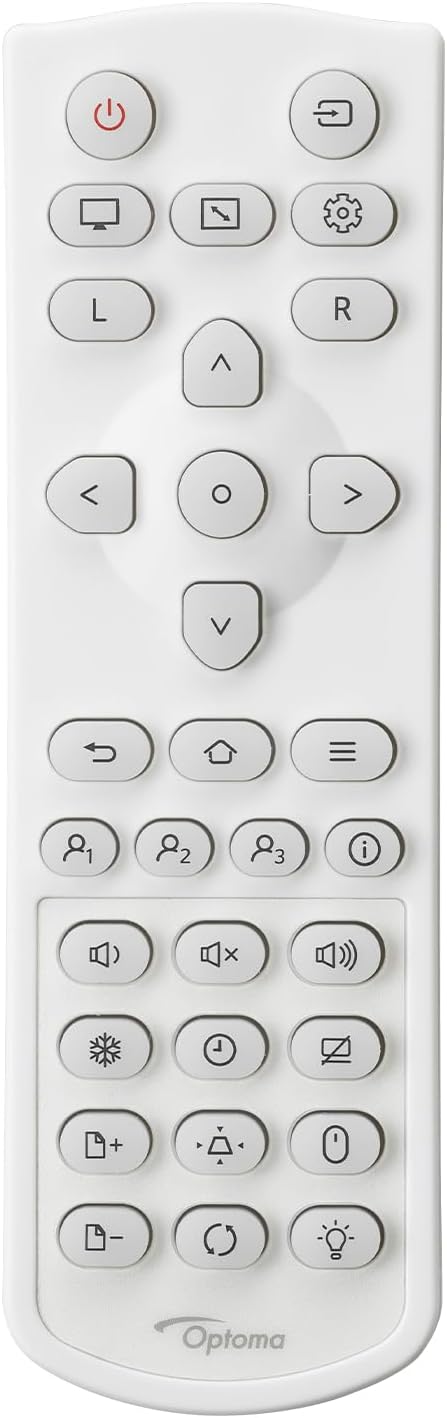
Апісанне: This image displays the remote control for the Optoma GT4000UHD projector. It features buttons for power, source selection, menu navigation, volume control, and other functions.
5. Настройка
5.1 Размяшчэнне праектара
The GT4000UHD is an ultra-short throw projector, capable of producing large images from a very short distance. Place the projector on a stable, flat surface directly in front of your screen or wall.
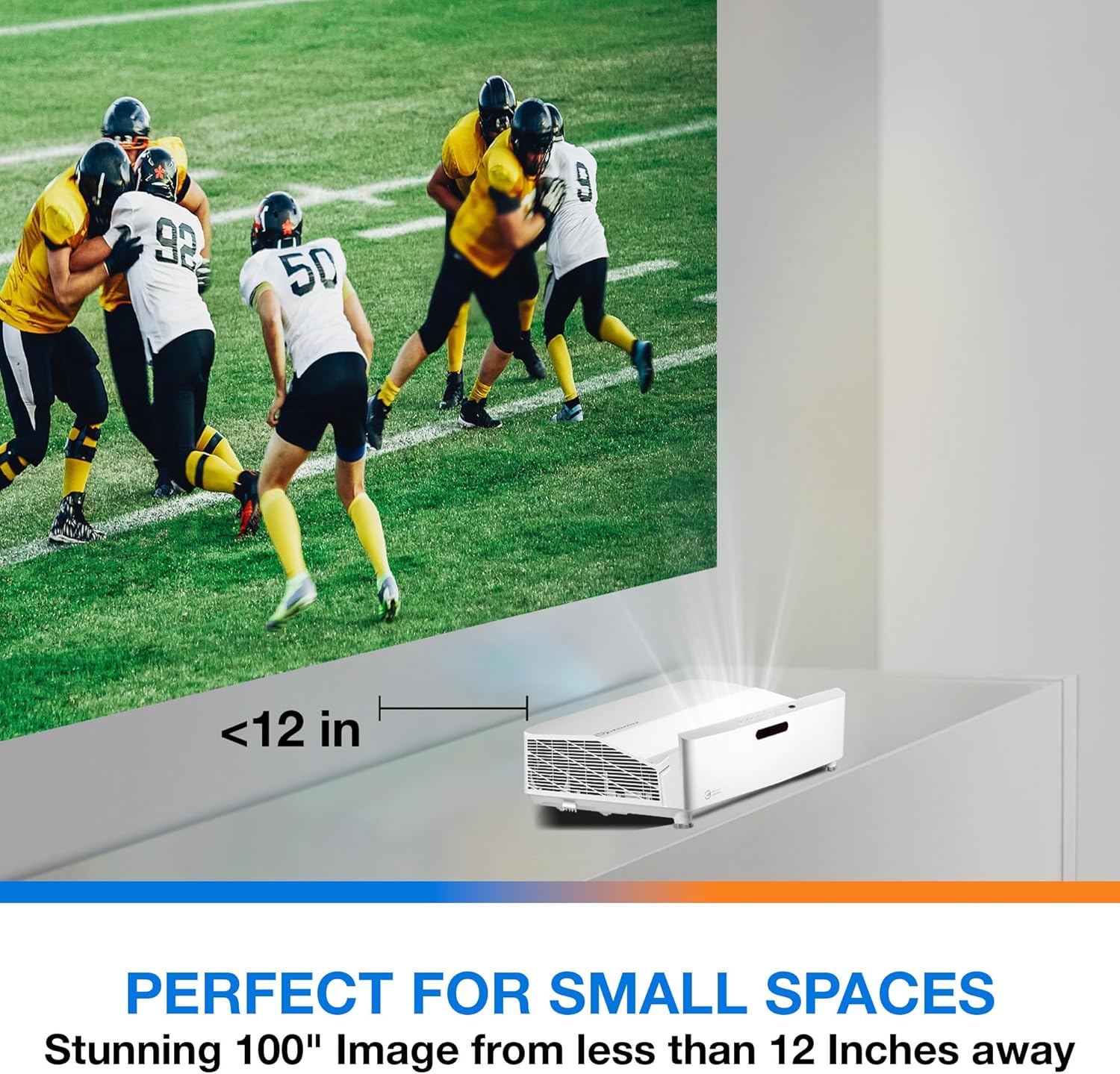
Апісанне: This image illustrates the ultra-short throw capability of the GT4000UHD, showing it projecting a 100-inch image from less than 12 inches away from the projection surface. This allows for flexible placement in small spaces.
- For a 100-inch image, position the projector approximately 10-12 inches (25-30 cm) from the projection surface.
- Ensure the projector is level to avoid image distortion. Use the adjustable feet if necessary.
5.2 Падключэнне прылад
Connect your video sources (e.g., gaming console, Blu-ray player, streaming device) to the projector's HDMI ports. For network control or HDBaseT connectivity, use the respective ports on the rear panel.
- HDMI: Connect HDMI cables from your source devices to the HDMI 1 or HDMI 2 ports.
- Аўдыёвыхад: For external audio systems, connect an audio cable from the Audio Out port to your sound system.
- Магутнасць: Connect the power cord to the DC input on the projector and then to a power outlet.
5.3 Уключэнне/выключэнне сілкавання
- Уключэнне: Press the power button on the projector or the remote control. The power indicator light will turn on.
- Выключэнне: Націсніце кнопку харчавання яшчэ раз. Можа з'явіцца паведамленне з пацвярджэннем; пацвердзіце, каб выключыць праектар.
6. Інструкцыя па эксплуатацыі
6.1 Асноўныя аперацыі
- Выбар крыніцы: Use the 'Source' button on the remote control to cycle through available input sources (HDMI 1, HDMI 2, etc.).
- Навігацыя па меню: Use the 'Menu' button to access settings. Use the arrow keys and 'OK' button to navigate and select options.
- Рэгулятар гучнасці: Адрэгулюйце гучнасць з дапамогай спецыяльных кнопак гучнасці на пульце дыстанцыйнага кіравання.
6.2 Image Adjustment (4-Corner Geometric Correction)
The GT4000UHD features 4-Corner Adjustment for precise image alignment, especially useful when the projector is not perfectly perpendicular to the screen.
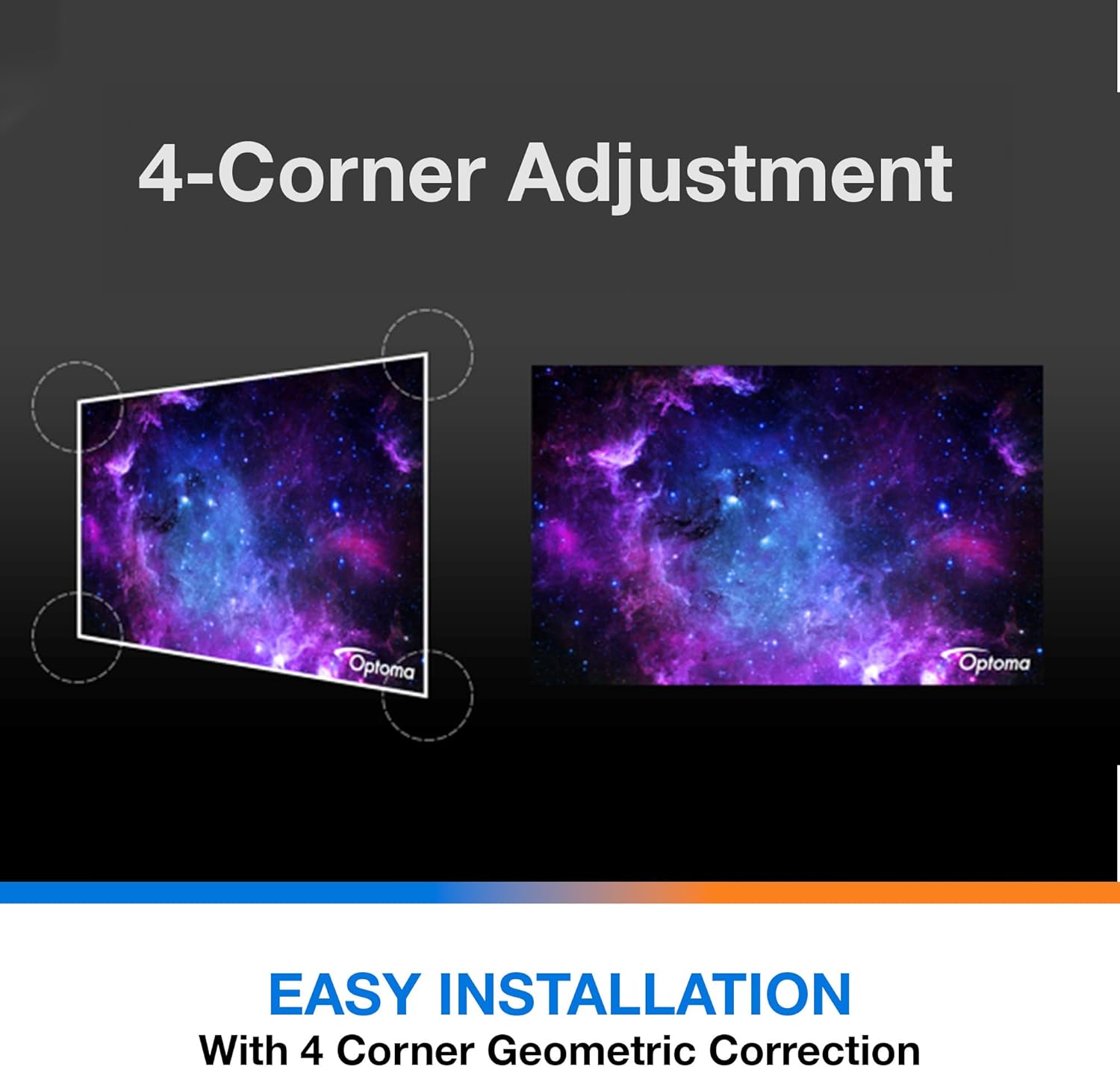
Апісанне: This diagram illustrates the function of 4-Corner Adjustment. It shows a trapezoidal, distorted image being geometrically corrected to form a perfect rectangular projection, ensuring easy installation and optimal viewінж.
- Access the 'Image' or 'Geometric Correction' menu.
- Select '4-Corner Adjustment' and use the arrow keys to individually adjust each corner of the projected image until it forms a perfect rectangle.
6.3 Enhanced Gaming Mode
The projector includes an Enhanced Gaming Mode to minimize input lag, providing a more responsive gaming experience.
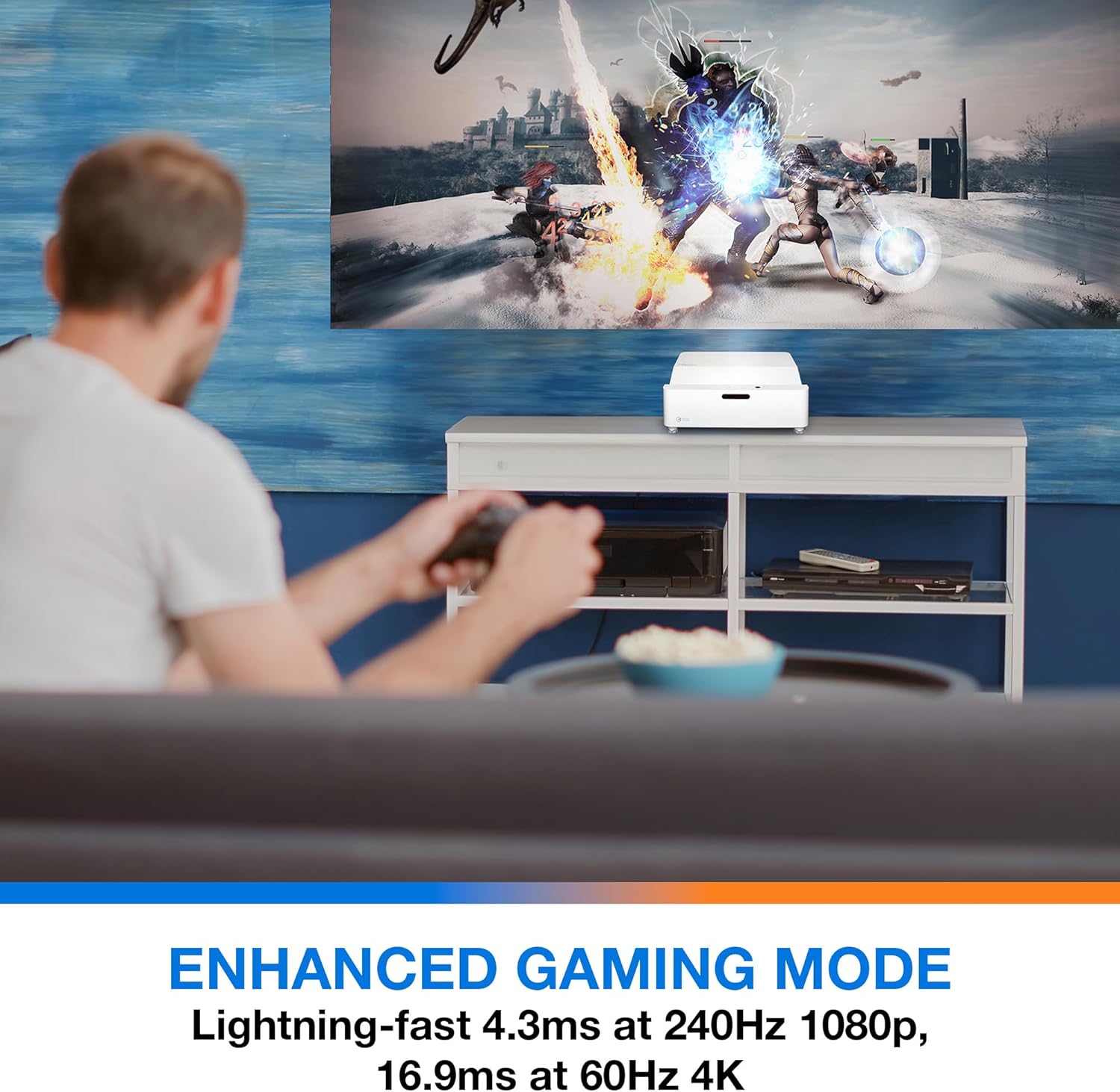
Апісанне: This image shows a user engaged in gaming with the Optoma GT4000UHD projector, highlighting the Enhanced Gaming Mode. This mode offers low input lag for a responsive gaming experience.
- To activate, navigate to the 'Display' or 'Picture Mode' settings in the menu and select 'Gaming Mode'.
- This mode optimizes the projector for fast-paced action, reducing input latency to as low as 4.3ms at 240Hz 1080p, or 16.9ms at 60Hz 4K.
6.4 Firmware Updates (FOTA Integration)
The projector supports Firmware Over-The-Air (FOTA) updates, allowing for convenient software enhancements.
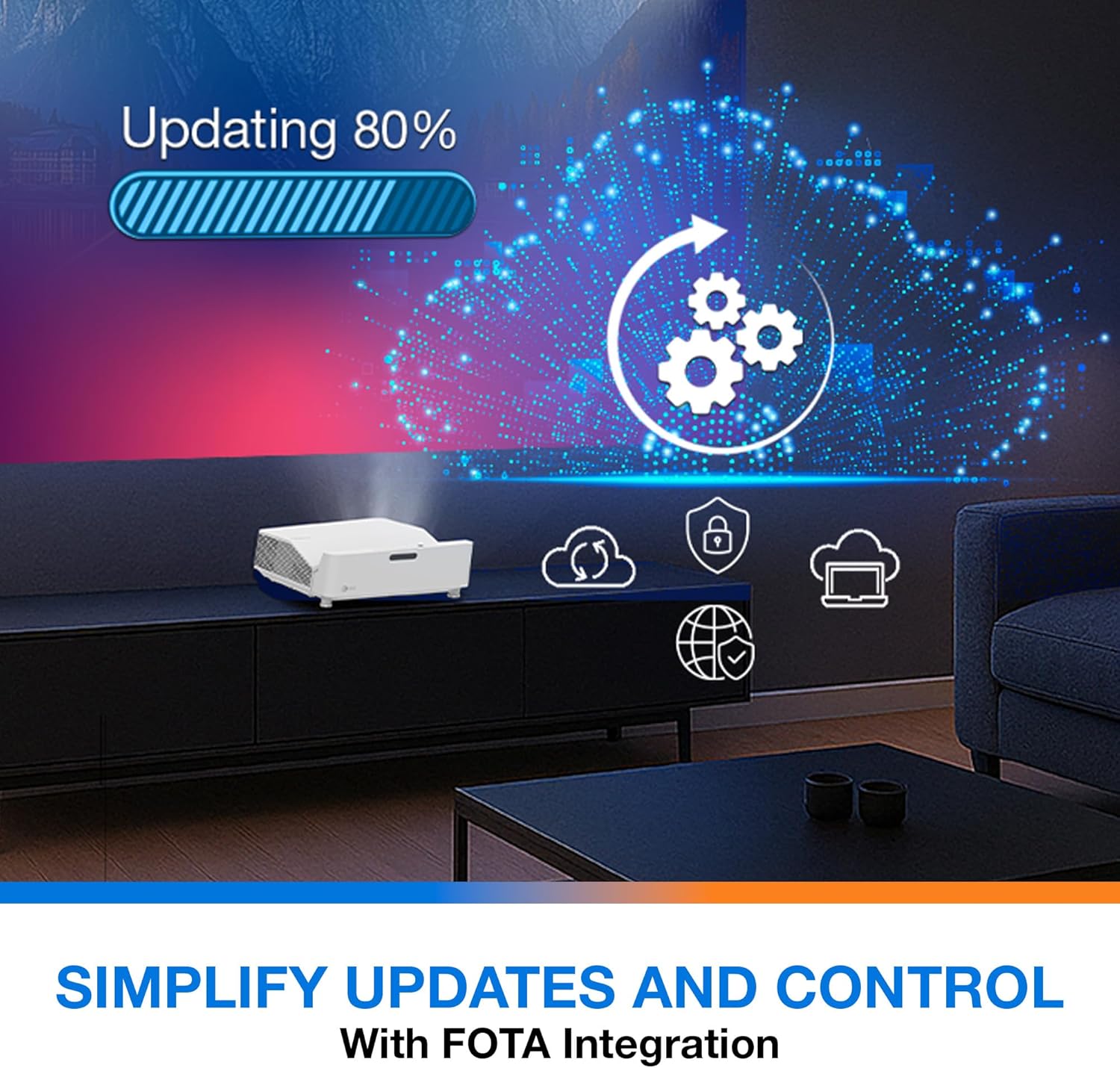
Апісанне: This image depicts the FOTA (Firmware Over-The-Air) integration feature, showing a progress bar for an update and cloud icons representing simplified updates and control for the projector.
- Ensure the projector is connected to the internet via its network port.
- Check for updates in the 'System' or 'About' menu. Follow on-screen prompts to download and install any available firmware updates.
7. Тэхнічнае абслугоўванне
- Ачыстка аб'ектыва: Gently wipe the lens with a soft, lint-free cloth specifically designed for optical surfaces. Do not use abrasive cleaners.
- Вентыляцыя: Regularly check and clean the air vents to prevent dust buildup, which can affect performance and lifespan.
- захоўванне: Калі праектар не выкарыстоўваецца працяглы час, захоўвайце яго ў прахалодным, сухім месцы, абароненым ад пылу.
8. Выпраўленне непаладак
Калі ў вас узнікнуць праблемы, звярніцеся да наступных распаўсюджаных рашэнняў:
| праблема | Магчымая прычына | Рашэнне |
|---|---|---|
| Не адлюстроўваецца выява | Power cable loose, incorrect input source, source device off | Check power connections, select correct input source, ensure source device is on. |
| Image distorted/not rectangular | Projector not level, keystone/corner adjustment needed | Adjust projector position, use 4-Corner Adjustment feature. |
| Няма гуку | Volume too low, external audio system not connected/selected | Increase volume, check external audio connections and settings. |
| Пульт дыстанцыйнага кіравання не працуе | Батарэі разраджаныя, ёсць перашкода паміж пультам дыстанцыйнага кіравання і праектарам | Replace batteries, remove obstructions, ensure line of sight. |
If the problem persists, contact Optoma customer support.
9. Тэхнічныя характарыстыкі
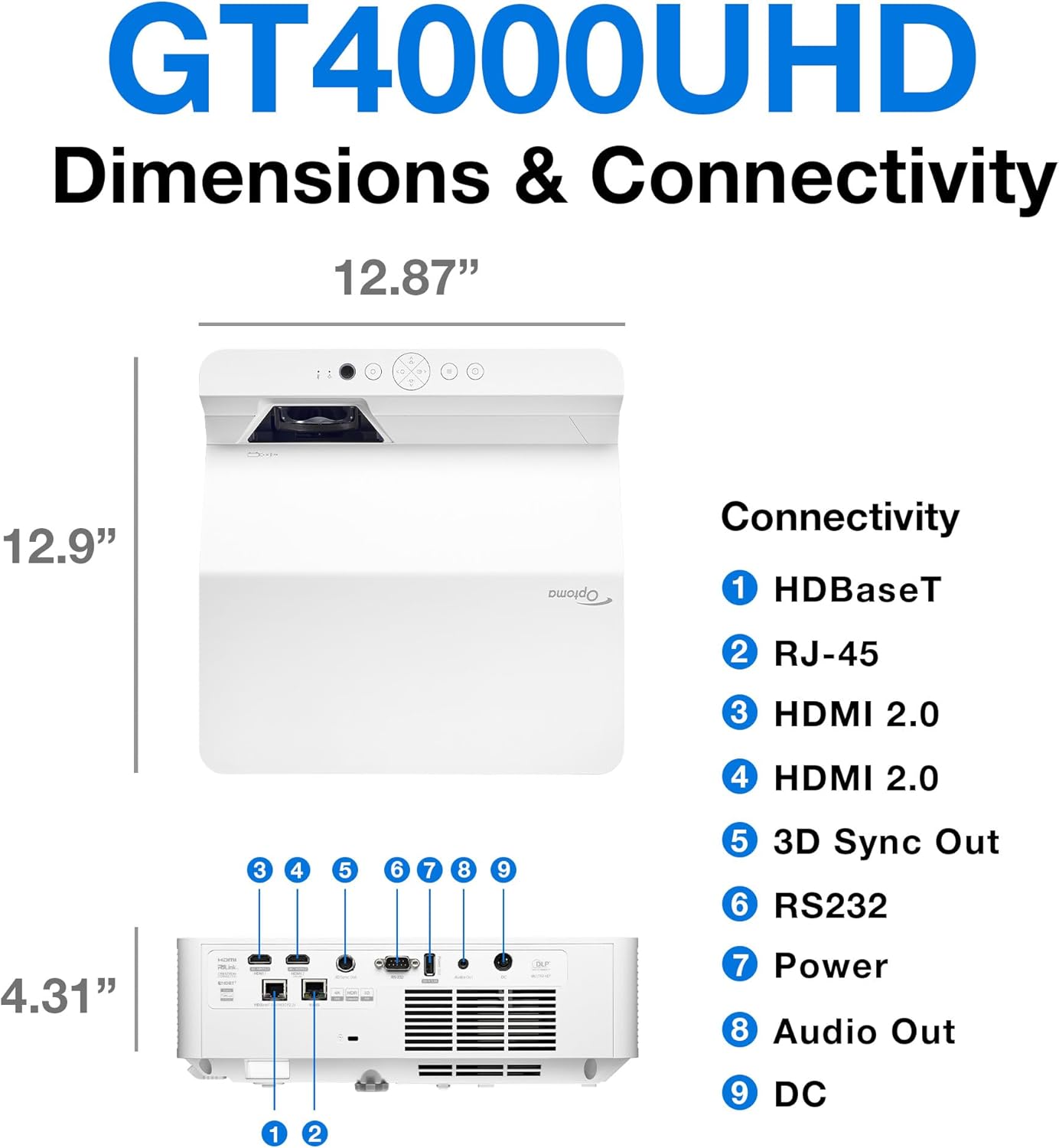
Апісанне: This image provides a detailed diagram of the Optoma GT4000UHD projector, including its dimensions (12.87" x 12.9" x 4.31") and a labeled overview of its connectivity ports such as HDBaseT, RJ-45, HDMI 2.0, 3D Sync Out, RS232, Power, Audio Out, and DC.
| Асаблівасць | Спецыфікацыя |
|---|---|
| Назва мадэлі | GT4000UHD |
| Марка | Оптома |
| Дазвол дысплея | 3840 x 2160 (4K UHD) |
| Яркасць | 4,000 люмен |
| Тэхналогія падлучэння | HDMI, RCA |
| Асаблівасць | Ультракароткае кіданне |
| Рэкамендуемае выкарыстанне | Gaming, Home Cinema |
| Максімальны памер выявы | 100 цалі |
| Мінімальная адлегласць кідка | 0.28 метраў |
| Максімальная адлегласць кідка | 0.56 метраў |
| Вага прадмета | 9.8 фунта |
| Тып мацавання | Настольнае мацаванне |
10. Гарантыя і падтрымка
10.1 Інфармацыя аб гарантыі
The Optoma GT4000UHD projector comes with a 1 Year Projector Parts and Labor Manufacturer’s WarrantyКалі ласка, захавайце пацвярджэнне пакупкі для прэтэнзій па гарантыі.
10.2 Падтрымка кліентаў
For technical assistance, troubleshooting beyond this manual, or warranty inquiries, please visit the official Optoma support website or contact their customer service department. Contact information can typically be found on the Optoma webсайце або ва ўпакоўцы прадукту.