
DigiLand 10.1-inch Tablet PC
DigiLand 10.1-inch Android 14 Tablet User Manual
Model: 10.1-inch Tablet PC
Уводзіны
This user manual provides comprehensive instructions for the operation, maintenance, and troubleshooting of your DigiLand 10.1-inch Android 14 Tablet. Please read this manual thoroughly before using your device to ensure proper functionality and to maximize your user experience. This tablet is designed for versatile use, offering high performance for various applications, from entertainment to productivity.
Што ў скрынцы
Upon opening the package, please verify that all listed items are present and in good condition:
- (1) Leather case *1
- (2) USB cable *1
- (3) 5V/2A Adaptor *1; US standard
- (4) Manual *1 (This document)
- (5) Warranty card *1

For a visual guide to unboxing your tablet, please refer to the official unboxing video below.
Video 1: Android 14 Tablet Unboxing Video. This video demonstrates the unboxing process and shows the tablet and its included components.
Прадукт скончаныview
The DigiLand 10.1-inch Android 14 Tablet is engineered for high performance and user convenience. Key features include:
- Аперацыйная сістэма: Android 14 with upgraded personal privacy protection and security.
- Памяць і захоўванне: 12GB RAM + 128GB ROM, with support for TF card expansion for additional storage.
- Працэсар: New generation Octa-Core CPU (Max 2.0 GHz) for faster and more stable performance.
- Дысплей: 10.1-inch 1280x800 HD IPS screen with Widevine L1 support for high-fidelity streaming on platforms like Netflix, YouTube, and Disney+.
- Падключэнне: Ultra-fast WiFi 6 and energy-efficient Bluetooth 5.0.
- Камеры: 8-megapixel front camera and 13-megapixel rear camera.
- дызайн: Lightweight (485g) and slim (9mm thin body) for portability.
- акумулятар: 6000 mAh battery for extended usage.
- Шматфункцыянальнасць: Supports split-screen function for enhanced multitasking.
Кампаненты і асаблівасці

The tablet features a headset jack, power button, volume up/down buttons, front camera, reset pinhole, memory card slot, and a Type-C charging port. The rear of the tablet houses the main camera module.

This image provides a visual summary of the tablet's core specifications, including its operating system, display size, memory, processor, battery capacity, camera resolution, and physical dimensions.

The tablet offers ample storage for your applications, photos, videos, and documents, with expandable memory options.
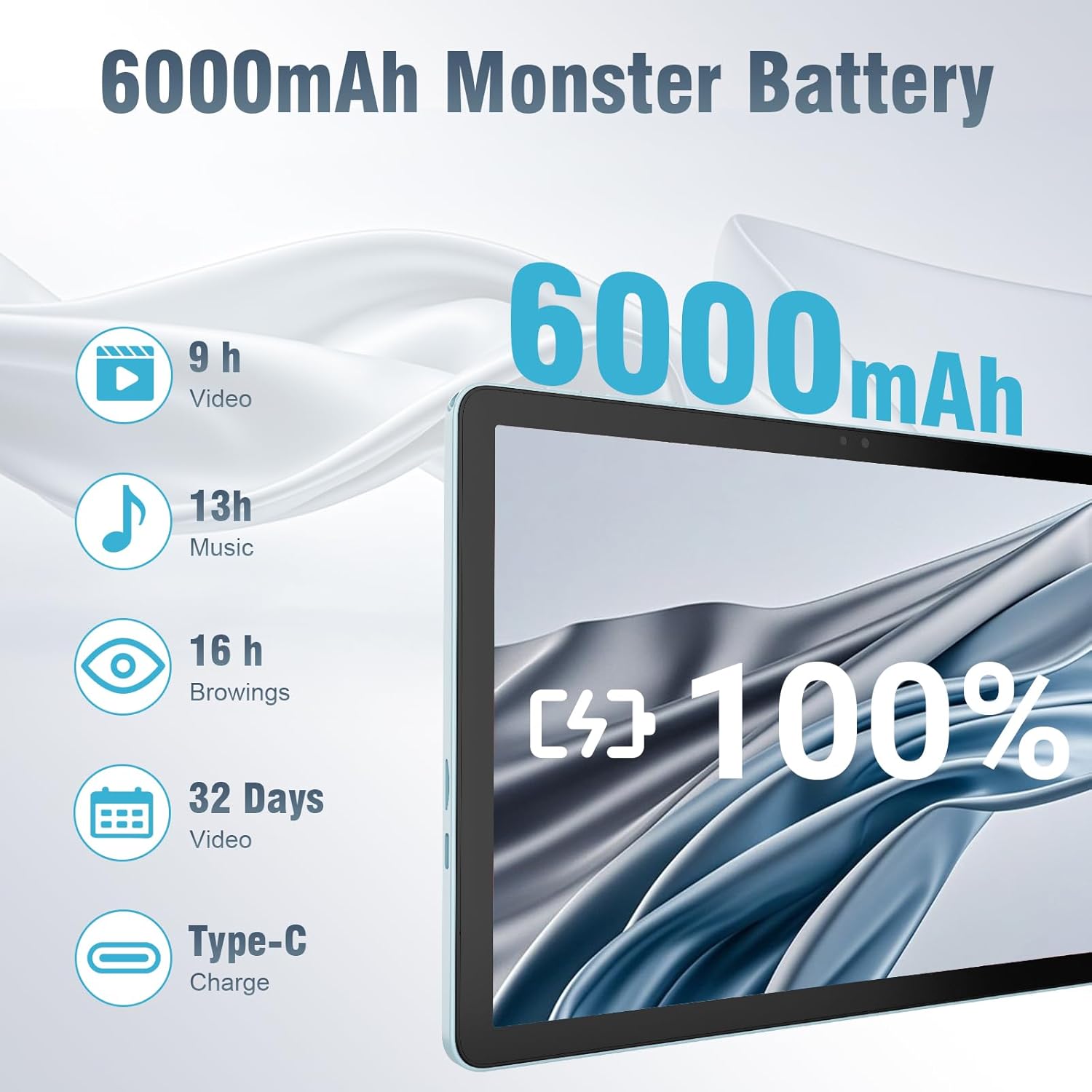
The 6000mAh battery provides extended usage times for various activities, and it supports convenient Type-C charging.
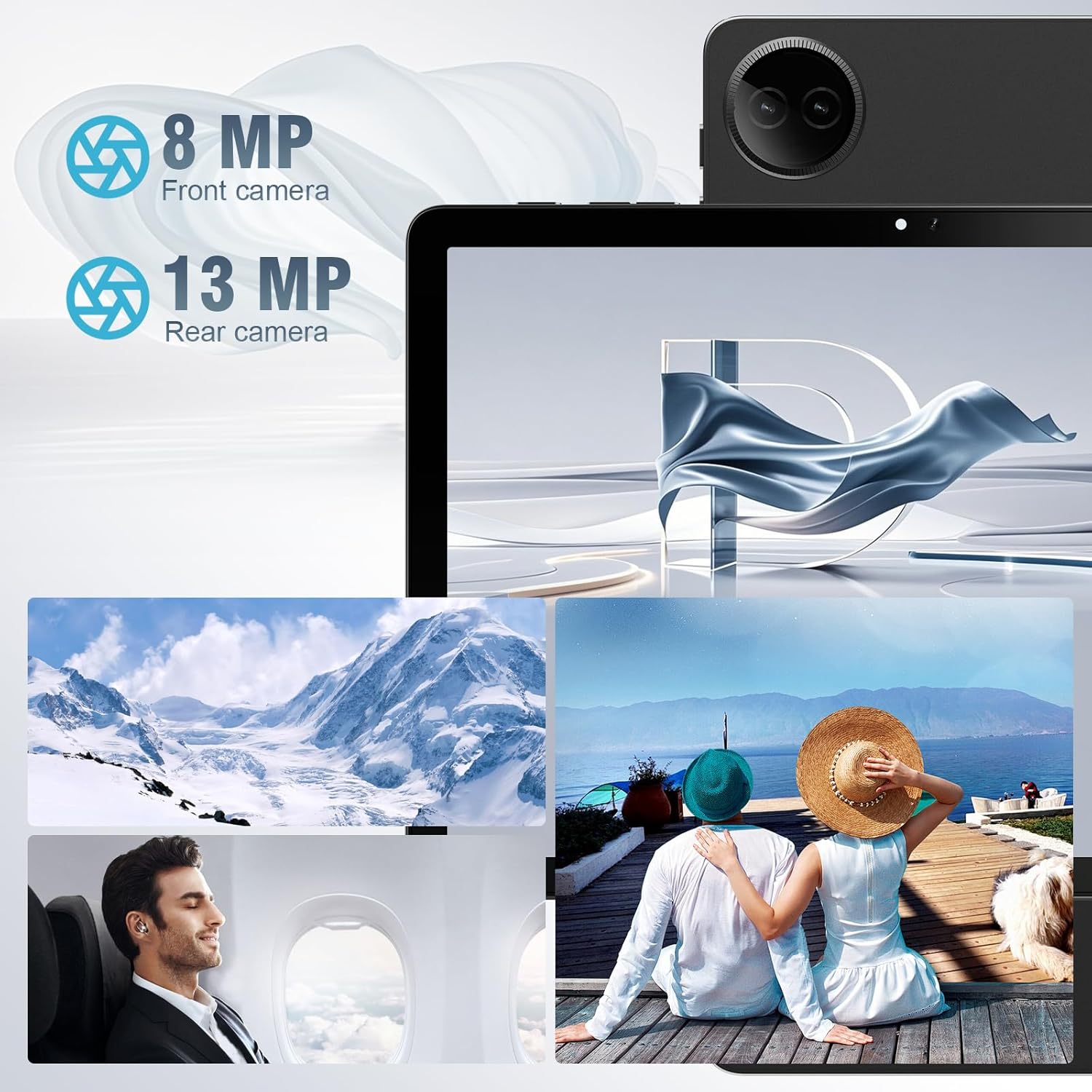
Equipped with both front and rear cameras, the tablet is suitable for capturing moments and engaging in video communication.

The 10.1-inch HD display provides a clear and immersive visual experience with wide viewныя вуглы.

The split-screen function allows for efficient multitasking, enabling you to use two applications simultaneously.
Настройка
Пачатковае ўключэнне і налада
- Зарадзіць планшэт: Before first use, fully charge the tablet using the provided USB cable and power adapter. Connect the Type-C end of the cable to the tablet's charging port and the USB end to the power adapter, then plug the adapter into a wall outlet.
- Уключэнне: Press and hold the Power button located on the side of the tablet until the DigiLand logo appears on the screen.
- Першапачатковая канфігурацыя: Follow the on-screen prompts to complete the initial setup. This typically includes selecting your language, connecting to a Wi-Fi network, setting up your Google account, and configuring basic security settings.
- Устаўце карту TF (неабавязкова): If you wish to expand storage, carefully insert a TF (microSD) card into the designated memory card slot. Ensure the tablet is powered off before inserting or removing the card.
For a visual demonstration of the power-on sequence and initial interaction, refer to the unboxing video in the "What's in the Box" section.
Інструкцыя па эксплуатацыі
Базавая навігацыя
- Жэсты на сэнсарным экране: Navigate the tablet using standard Android gestures: tap to select, swipe to scroll, pinch to zoom, and long-press for contextual menus.
- Галоўны экран: Асноўны інтэрфейс, дзе вы можаце атрымаць доступ да праграм, віджэтаў і апавяшчэнняў.
- Панэль апавяшчэнняў: Правядзіце пальцам уніз ад верхняй часткі экрана, каб атрымаць доступ да хуткіх налад і апавяшчэнняў.
- Скрыня праграм: Правядзіце пальцам уверх ад ніжняга краю экрана, каб view усе ўсталяваныя прыкладання.
Падключэнне да Wi-Fi і Bluetooth
- Wi-Fi: Перайсці да Налады > Сетка і інтэрнэт > Wi-Fi. Turn on Wi-Fi, select your desired network, and enter the password if required. The tablet supports ultra-fast WiFi 6.
- Bluetooth: Перайсці да Налады > Падключаныя прылады > Параметры злучэння > Bluetooth. Turn on Bluetooth, then select "Pair new device" to connect to Bluetooth headphones, speakers, or other compatible devices. The tablet features energy-efficient Bluetooth 5.0.
Выкарыстанне камер
Access the Camera app from your home screen or app drawer. You can switch between the 8MP front camera and the 13MP rear camera within the app. Tap the screen to focus and press the shutter button to capture photos or start/stop video recording.
Multitasking with Split Screen
To use the split-screen feature, open an application, then swipe up from the bottom of the screen and hold to reveal the recent apps overview. Tap the app icon at the top of the app's card and select "Split screen." Choose a second app from the recent apps or app drawer to open it alongside the first. Adjust the size of each app by dragging the divider in the middle of the screen.
Тэхнічнае абслугоўванне
- Уборка: Use a soft, lint-free cloth to clean the screen and body of the tablet. Avoid using abrasive cleaners or solvents.
- Сыход за батарэяй: To prolong battery life, avoid exposing the tablet to extreme temperatures. It is recommended to keep the battery charge between 20% and 80% for optimal longevity.
- Абнаўленні праграмнага забеспячэння: Regularly check for and install system updates to ensure your tablet has the latest security patches and performance improvements. Go to Налады > Сістэма > Абнаўленне сістэмы.
- Кіраванне сховішчам: Перыядычна чысціце непатрэбнае files and uninstall unused apps to free up storage space and maintain optimal performance.
- Абарона: Use the provided leather case to protect your tablet from scratches and minor impacts.
Ліквідацыю непаладак
This section addresses common issues you might encounter with your tablet. If you experience problems not covered here, please contact customer support.
| праблема | Магчымая прычына | Рашэнне |
|---|---|---|
| Планшэт не ўключаецца. | Нізкі зарад батарэі; збой сістэмы. | Зараджайце планшэт не менш за 30 хвілін. Калі ён усё яшчэ не рэагуе, націсніце і ўтрымлівайце кнопку харчавання 10-15 секунд, каб прымусова перазагрузіць яго. |
| Праблемы з падключэннем да Wi-Fi. | Няправільны пароль; па-за зонай дзеяння; праблема з маршрутызатарам. | Verify Wi-Fi password. Move closer to the router. Restart your Wi-Fi router. Forget the network and reconnect. |
| Праграмы працуюць павольна або выходзяць з ладу. | Запушчана занадта шмат праграм; мала месца ў памяці; састарэлае прыкладанне. | Закрыйце фонавыя праграмы. Ачысціце кэш праграм (Налады > Праграмы > [Назва праграмы] > Памяць і кэш > Ачысціць кэш). Free up storage space. Update the app from Google Play Store. |
| Экран не рэагуе. | Часовы збой праграмнага забеспячэння. | Force restart the tablet by holding the power button. |
| Планшэт не зараджаецца. | Няспраўны кабель/адаптар; брудны порт зарадкі. | Ensure cable and adapter are securely connected. Try a different compatible cable and adapter. Clean the charging port gently with a dry, soft brush. |
Тэхнічныя характарыстыкі
| Асаблівасць | Дэталь |
|---|---|
| Марка | ДыгітЛэнд |
| Назва мадэлі | 10.1-inch Tablet PC |
| Аперацыйная сістэма | Android 14 |
| Памер экрана | 10.1 цаляў |
| Максімальны дазвол экрана | 800x1280 |
| Марка працэсара | MK G80 (Octa-core) |
| Ёмістасць памяці | 128 GB (expandable via TF card) |
| АЗП | 12 ГБ |
| Пярэдняя камера | 8 МП |
| Задняя камера | 13 МП |
| Сувязь | WiFi 6, Bluetooth 5.0 |
| Ёмістасць батарэі | 6000 мАг |
| Вага прадмета | 2.82 фунта (прыблізна 485 г) |
| Памеры прадукту (ДxШxВ) | 9.53 x 6.34 x 0.3 inches (approx. 9mm thin) |
| Колер | Сіні |
Гарантыя і падтрымка
DigiLand is committed to product quality and customer satisfaction.
- Гарантыя: This Android 14 tablet comes with a one-year warranty from the date of purchase.
- Падтрымка кліентаў: If you encounter any quality problems or require assistance, please contact us via your Amazon Purchase Record. Our team will endeavor to provide the best service and ensure your satisfaction.
- Планы абароны: Additional protection plans may be available for purchase, such as a 2-Year Protection Plan or Complete Protect, which covers eligible past and future purchases. Please refer to your purchase details for more information on these options.