
1. Уводзіны
This manual provides essential information for setting up, operating, and maintaining your ASUS AiO V470 Series All-in-One PC. Please read this guide thoroughly before using your device to ensure proper function and longevity.

Image: ASUS V470 AiO PC showcasing its minimalist design and thoughtful functionality.
2. Што ў скрынцы
Праверце наяўнасць усіх прадметаў ва ўпакоўцы:
- ASUS AiO V470 All-in-One PC
- Бесправадная клавіятура
- Бесправадная мыш
- Адаптар сілкавання
- Дакументацыя (Кіраўніцтва па хуткім запуску, гарантыйны талон)
3. Настройка
3.1 Распакоўка і размяшчэнне
- Carefully remove the All-in-One PC and accessories from the packaging.
- Размясціце камп'ютар на ўстойлівай, роўнай паверхні з належнай вентыляцыяй вакол прылады.
- Ensure the area is free from direct sunlight, heat sources, and excessive dust.
3.2 Падключэнне перыферыйных прылад
- Падключэнне сілкавання: Падключыце адаптар сілкавання да порта пастаяннага току на задняй панэлі кампутара, а затым падключыце шнур сілкавання да разеткі.
- Бесправадная клавіятура і мыш: Insert batteries into the wireless keyboard and mouse. The devices are pre-paired; if not, follow the instructions provided with the peripherals for pairing.
- Знешнія прылады: Connect any external devices such as printers, external hard drives, or additional monitors to the appropriate ports.
4. Кампаненты і парты
Familiarize yourself with the various ports and components of your ASUS AiO V470 PC.

Выява: Падрабязная view of the I/O ports for connectivity.
4.1 Side I/O Ports
- Слот замка Kensington: For securing your device with a compatible lock.
- Камбінаваны аўдыёраздым 3.5 мм: Для падключэння навушнікаў або гарнітуры з мікрафонам.
- Порт USB 2.0 тыпу A: Для падлучэння прылад, сумяшчальных з USB 2.0.
4.2 Back I/O Ports
- Порт пастаяннага току: Для падлучэння адаптара сілкавання.
- Гігабітны Ethernet-порт RJ45: Для падлучэння да правадной сеткі.
- HDMI In 1.4 Port: For connecting external video sources to use the AiO as a monitor.
- HDMI Out 1.4 Port: Для падключэння знешняга дысплея.
- Порт USB 3.2 Gen 1 Type-C: Для хуткаснай перадачы дадзеных і падключэння сумяшчальных прылад Type-C.
- 3x USB 3.2 Gen 1 Type-A Ports: Для падлучэння прылад, сумяшчальных з высакахуткасным портам USB 3.2.
5. Інструкцыя па эксплуатацыі
5.1 Уключэнне/выключэнне
- Уключэнне: Press the power button located on the bottom right side of the display.
- Выключэнне: In Windows, click Start > Power > Shut down. Alternatively, press and hold the power button for 4 seconds to force a shutdown (use only when necessary).
5.2 Функцыі дысплея
Your ASUS AiO V470 features a high-quality display designed for clarity and comfort.
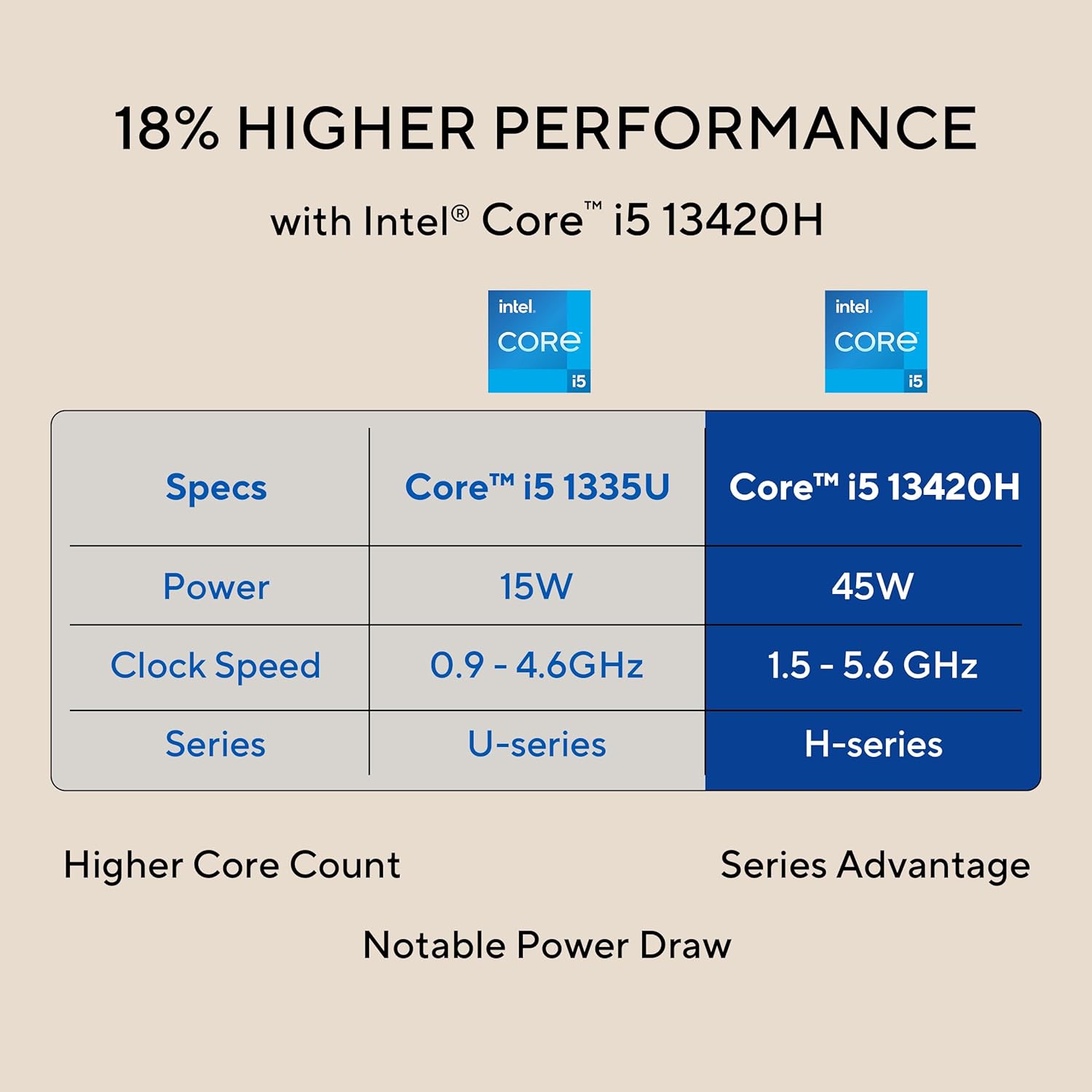
Image: The 27-inch FHD NanoEdge display with TÜV Rheinland-certified eye care.
- 27.0-inch FHD (1920 x 1080) Display: Provides clear and vibrant visuals.
- Anti-glare: Зніжае адлюстраванні для камфорту viewінж.
- 100 Гц частата абнаўлення: Offers smoother motion for an enhanced visual experience.
- TÜV Rheinland-certified Eye Care: Designed to reduce blue light emissions and flicker for eye comfort during extended use.
5.3 Функцыі камеры і аўдыё
The integrated camera and audio system enhance your communication and multimedia experience.

Image: Retractable camera for privacy and security features.
- Retractable 1080p HD Camera: Push to hide the camera for instant privacy.
- Шумапрыглушэнне з дапамогай штучнага інтэлекту: Reduces background noise during video calls and recordings for clearer audio.
- 5W x 2 Speakers with Dolby Atmos: Delivers immersive and high-quality sound.

Image: Advanced and immersive sound experience with integrated speakers.
5.4 Падключэнне
Your AiO PC offers robust connectivity options.
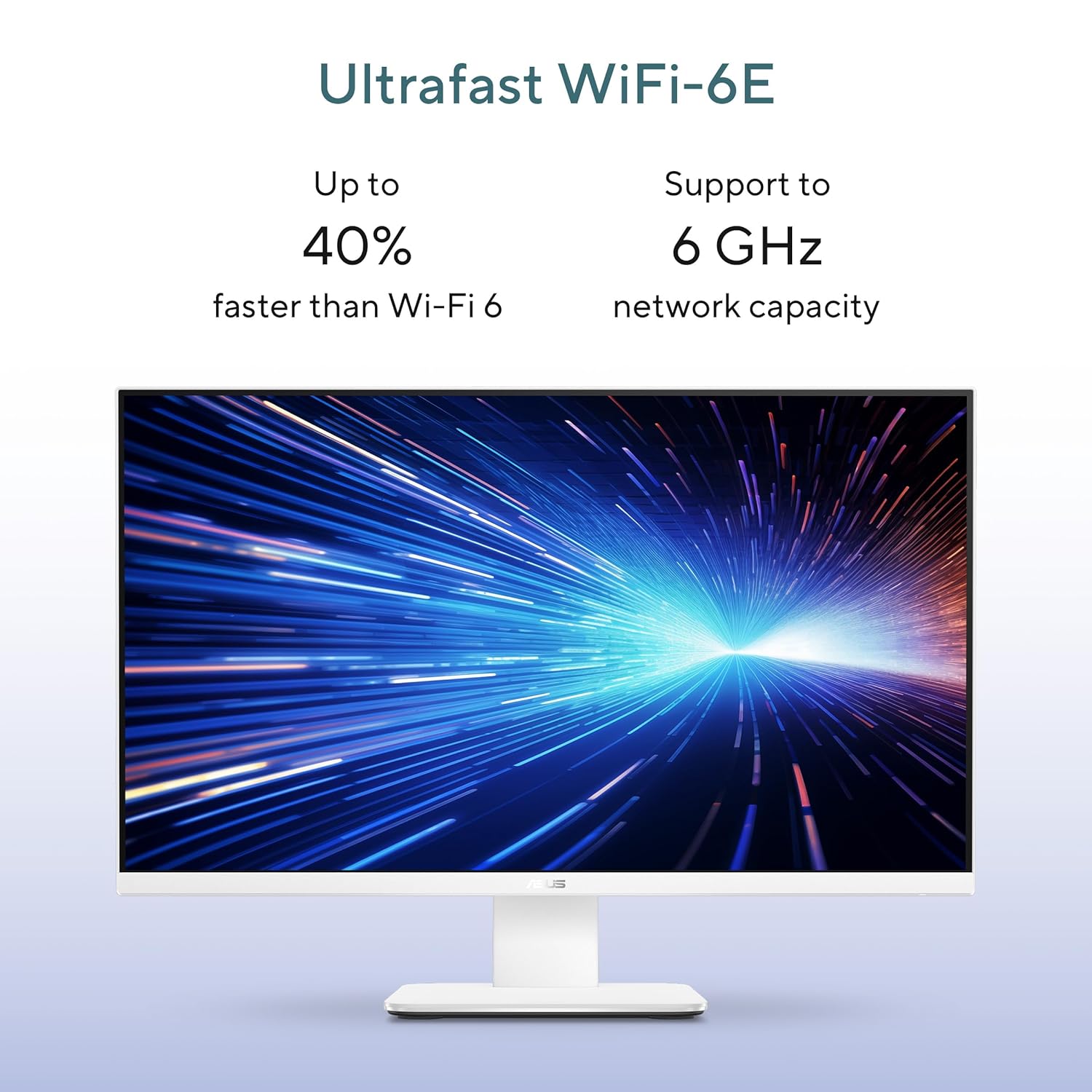
Image: Ultrafast Wi-Fi 6E for high-speed wireless connectivity.
- Wi-Fi 7: Для доступу да бесправаднога інтэрнэту з высокай хуткасцю.
- Гігабітны Ethernet: Для стабільнага і хуткага падключэння да правадной сеткі.
- Bluetooth: For connecting wireless peripherals like headphones and speakers.
6. Тэхнічнае абслугоўванне
Proper maintenance ensures the longevity and optimal performance of your ASUS AiO V470 PC.
- Чыстка дысплея: Выкарыстоўвайце мяккую тканіну без ворса, спецыяльна прызначаную для электронікі. DampЗлёгку прамакніце тканіну вадой або сродкам для чысткі экранаў, а затым акуратна працярыце экран. Пазбягайце выкарыстання агрэсіўных хімічных рэчываў.
- Ачыстка корпуса: Use a soft, dry cloth to wipe down the exterior. For stubborn marks, a slightly damp можна выкарыстоўваць тканіну, а затым сухую.
- Вентыляцыя: Каб пазбегнуць перагрэву, пераканайцеся, што вентыляцыйныя адтуліны не заблакаваныя. Рэгулярна правярайце наяўнасць пылу і пры неабходнасці акуратна чысціце сціснутым паветрам.
- Абнаўленні праграмнага забеспячэння: Абнаўляйце аперацыйную сістэму і драйверы, каб забяспечыць бяспеку і прадукцыйнасць.
- Рэзервовае капіраванне даных: Рэгулярна рабіце рэзервовыя копіі важных дадзеных на знешні дыск або ў воблачнае сховішча.
7. Выпраўленне непаладак
У гэтым раздзеле разглядаюцца распаўсюджаныя праблемы, з якімі вы можаце сутыкнуцца.
7.1 Няма харчавання
- Ensure the power adapter is securely connected to the PC and the wall outlet.
- Праверце працаздольнасць разеткі, падключыўшы да яе іншую прыладу.
- Праверце адаптар сілкавання на наяўнасць бачных пашкоджанняў.
7.2 Праблемы з адлюстраваннем
- Калі экран пусты, пераканайцеся, што камп'ютар уключаны і не знаходзіцца ў рэжыме сну.
- If using an external video source via HDMI In, ensure the correct input is selected (refer to your PC's on-screen display settings).
- Adjust brightness settings in Windows.
7.3 Перыферыйная прылада не рэагуе
- For wireless keyboard/mouse, check battery levels and ensure they are within range.
- For wired devices, ensure they are properly connected to the correct USB ports.
- Паспрабуйце падключыць перыферыйную прыладу да іншага порта USB.
8. Тэхнічныя характарыстыкі
Detailed technical specifications for your ASUS AiO V470 PC.

Image: Key performance specifications including processor, memory, and storage.
| Асаблівасць | Спецыфікацыя |
|---|---|
| Працэсар | Intel Core i5-13420H (2.1 GHz, up to 4.6 GHz, 8 cores, 12 threads, 12MB Cache) |
| Аперацыйная сістэма | Windows 11 хатняя |
| Дысплей | 27.0-inch FHD (1920 x 1080), 16:9, 300nits, 100Hz, Anti-glare, TÜV Rheinland-certified Eye Care |
| Графіка | Убудаваная Intel UHD Graphics |
| Памяць | 16 ГБ аператыўнай памяці DDR5 |
| Захоўванне | 1TB M.2 NVMe PCIe 4.0 SSD |
| Камера | Retractable 1080p HD Camera |
| Аўдыё | 5W x 2 Speakers, AI Noise Cancellation, Dolby Atmos |
| Бесправоднае падключэнне | Wi-Fi 7, Bluetooth |
| Правадное падключэнне | Гігабітная Ethernet RJ45 |
| Парты ўводу-вываду | 1x USB 2.0 Type-A, 3x USB 3.2 Gen 1 Type-A, 1x USB 3.2 Gen 1 Type-C, 1x HDMI In 1.4, 1x HDMI Out 1.4, 1x 3.5mm Combo Audio Jack, 1x DC-in, 1x Kensington Lock Slot |
| Памеры (Ш х Г х У) | 61.3 х 1.7 х 44.7 см |
| Вага | 9 кілаграма |
| У камплекце перыферыйныя прылады | Бесправадная клавіятура, бесправадная мыш |
9. Гарантыя і падтрымка
Your ASUS AiO V470 PC comes with comprehensive warranty and support services.

Image: ASUS 4A Guarantee and support contact details.
9.1 Інфармацыя аб гарантыі
This genuine ASUS AiO PC includes a 1-year Global Warranty і ан Onsite Domestic Warranty from ASUS. The warranty covers manufacturing defects and does not cover physical damage. To activate your warranty, please register your product on the official ASUS webсайт.
9.2 Падтрымка кліентаў
For product-related queries or immediate assistance, please contact ASUS support:
- Бясплатны нумар: 1800-2090365 (Monday - Saturday, 09:00 AM - 06:00 PM)
- электронная пошта: rc_india@asus.com
- Service Center Information: Звярніцеся ў службу падтрымкі ASUS website for an extensive network of over 180 service centers across India: https://www.asus.com/in/support/Service-Center/India