
Уводзіны
The Portronics Sound Slick X is a powerful 250W soundbar system designed to enhance your home audio experience. Featuring a 2.1 channel setup with a wired subwoofer, it delivers deep bass and clear sound for movies, music, and gaming. This manual provides detailed instructions for setting up, operating, and maintaining your Sound Slick X soundbar.
Што ў скрынцы
- Wireless Soundbar (1 unit)
- Wired Subwoofer (1 unit)
- Пульт дыстанцыйнага кіравання (1 адзінка)
- Дакументацыя (кіраўніцтва карыстальніка, гарантыйны талон)
Прадукт скончаныview
Гукавая панэль і сабвуфер
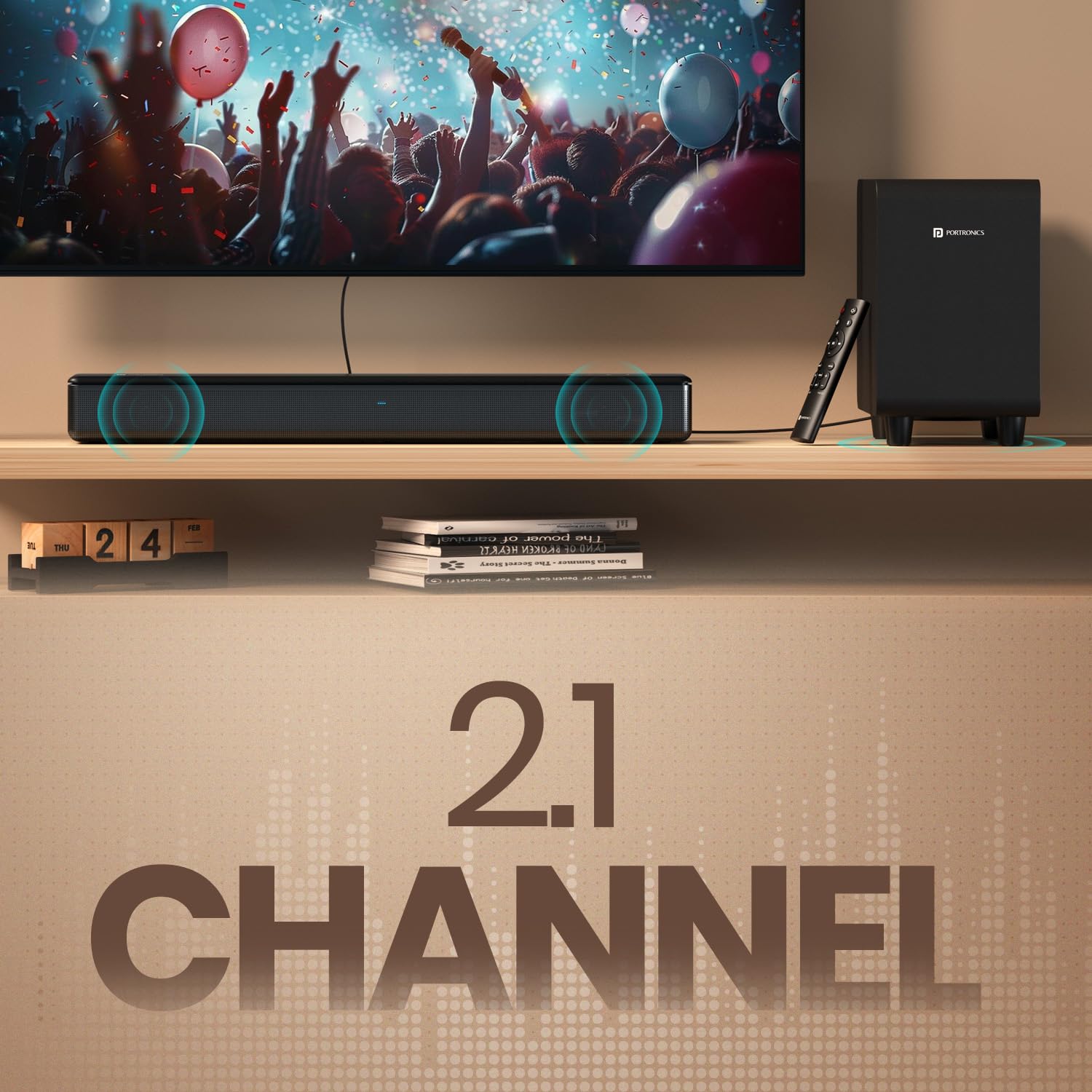
Image: The Portronics Sound Slick X soundbar and its wired subwoofer, showcasing the 2.1 channel setup.
The Sound Slick X system includes a main soundbar unit and a separate wired subwoofer. The soundbar houses the main speakers, while the subwoofer is dedicated to producing deep bass frequencies, enhancing the overall audio impact.
Wired Subwoofer for Deep Bass

Image: Close-up of the wired subwoofer, highlighting its design for deep bass delivery.
The dedicated wired subwoofer ensures powerful, room-filling bass. Connect it to the soundbar using the provided cable for optimal performance.
Панэль кіравання і пульт

Image: The touch control panel on the soundbar, showing power, volume, and mode selection buttons.

Image: The sleek remote control for the Sound Slick X, featuring dedicated buttons for EQ modes, volume, and input selection.
The soundbar features an intuitive touch control panel on its top surface for basic operations. A comprehensive remote control is also included, allowing for easy adjustment of volume, input modes, and EQ presets from a distance.
Multiport Connectivity

Выява: Задняя частка view of the soundbar showing the various input ports: AUX In, USB Drive In, HDMI (ARC), Optical In, and Subwoofer output.
The Sound Slick X offers multiple connectivity options including HDMI (ARC), Optical, AUX, and USB, ensuring compatibility with a wide range of devices.
Інструкцыя па наладзе
- Размяшчэнне: Place the soundbar on a stable, flat surface directly in front of your TV. Position the wired subwoofer on the floor near the soundbar, ensuring it has adequate ventilation.
- Падключыць сабвуфер: Падключыце правадны сабвуфер да саўндбару з дапамогай спецыяльнага кабеля для сабвуфера.
- Падключэнне сілкавання: Connect the power adapter to the soundbar and then plug it into a wall outlet.
- Першапачатковае ўключэнне: Press the power button on the soundbar or remote control to turn on the device. The LED indicator will light up.
Параметры падлучэння
Падключэнне Bluetooth 5.3
- Уключыце гукавую панэль.
- Press the 'Mode' button on the soundbar or the 'Bluetooth' button on the remote control to select Bluetooth mode. The LED indicator will flash blue.
- На вашай прыладзе (смартфоне, планшэце, ноўтбуку) уключыце Bluetooth і знайдзіце даступныя прылады.
- Select "Portronics Sound Slick X" from the list. Once paired, the LED indicator will turn solid blue.
Падключэнне HDMI (ARC)
- Падключыце кабель HDMI ад порта HDMI (ARC) на гукавой панэлі да порта HDMI (ARC) на тэлевізары.
- Select the HDMI (ARC) input on the soundbar using the 'Mode' button or remote.
- Ensure your TV's audio output is set to HDMI ARC.
Аптычнае злучэнне
- Connect an optical cable from the OPTICAL IN port on the soundbar to the optical output port on your TV or audio source.
- Select the Optical input on the soundbar using the 'Mode' button or remote.
Падключэнне AUX
- Connect a 3.5mm audio cable from the AUX IN port on the soundbar to the audio output port on your device.
- Select the AUX input on the soundbar using the 'Mode' button or remote.
Прайграванне з USB
- Устаўце USB-назапашвальнік з аўдыё files у порт USB на гукавой панэлі.
- Select the USB input on the soundbar using the 'Mode' button or remote. The soundbar will automatically begin playing audio files.
Інструкцыя па эксплуатацыі
Уключэнне/выключэнне харчавання
- Націсніце Магутнасць button on the soundbar's touch panel or the remote control to turn the unit on or off.
Рэгулятар гучнасці
- Націсніце Аб'ём + or гучнасць - кнопкі на саўндбары або пульце дыстанцыйнага кіравання для рэгулявання ўзроўню гучнасці.
Выбар рэжыму ўводу
- Націсніце Рэжым button on the soundbar or the dedicated input buttons (BT, HDMI, OPT, AUX, USB) on the remote control to switch between input sources.
Рэжымы эквалайзера (EQ)

Image: Display showing different EQ modes: Music Mode, Movie Mode, and News Mode, available on the Sound Slick X.
The Sound Slick X offers multiple EQ presets to optimize audio for different content types:
- Рэжым музыкі: Enhanced for musical playback.
- Рэжым фільма: Optimized for cinematic sound effects and dialogue.
- Рэжым навін: Clearer vocal reproduction for news and talk shows.
Press the corresponding EQ mode buttons on the remote control to select your desired audio profile.
Ліквідацыю непаладак
| праблема | Магчымая прычына | Рашэнне |
|---|---|---|
| Няма ўлады | Сеткавы кабель не падключаны; разетка няспраўная. | Пераканайцеся, што кабель харчавання надзейна падключаны. Паспрабуйце іншую разетку. |
| Няма гуку | Няправільны выбар крыніцы ўваходнага сігналу; занадта нізкі ўзровень гучнасці; кабелі падключаны няправільна. | Выберыце правільную крыніцу ўваходнага сігналу. Павялічце гучнасць. Праверце, ці ўсе аўдыёкабелі надзейна падключаны. |
| Праблемы спалучэння Bluetooth | Саўндбар не ў рэжыме спалучэння; прылада занадта далёка; перашкоды. | Ensure soundbar is in Bluetooth pairing mode (flashing blue LED). Move device closer. Avoid strong interference sources. |
| Пульт дыстанцыйнага кіравання не працуе | Батарэі разраджаныя; Перашкода паміж пультам і саўндбарам. | Замяніце батарэйкі ў пульце дыстанцыйнага кіравання. Выдаліце ўсе перашкоды. |
Тэхнічныя характарыстыкі
| Асаблівасць | Дэталь |
|---|---|
| Марка | Портроніка |
| Назва мадэлі | Sound Slick X |
| Нумар мадэлі | ПОР-2929 |
| Максімальная выхадная магутнасць дынаміка | 250 ват |
| Тэхналогія падлучэння | Bluetooth, HDMI, Optical, AUX, USB |
| Версія Bluetooth | 5.3 |
| Рэжым выхаду гуку | Акружаць |
| Тып мацавання | Настольнае мацаванне |
| Матэрыял корпуса | АБС-пластык |
| Тып дынаміка | Гукавая панэль з правадным сабвуферам |
| Колькасць аўдыёканалаў | 2.1 |
| Метад кантролю | Remote, Touch Control |
| Памеры прадмета (Д х Ш х У) | 60 Г х 45 Ш х 13.5 В сантыметраў |
| Вага прадмета | 5850 грам |
| Сумяшчальныя прылады | Television, Laptop, Smartphone, Projector |
Гарантыя і падтрымка
The Portronics Sound Slick X comes with a Гарантыя 1 год from the date of purchase. For any support or warranty claims, please contact Portronics customer service:
- электронная пошта: help@portronics.com
- тэлефон: +91 9555-245-245
Калі ласка, захавайце чэк аб куплі для пацверджання гарантыі.
Відэа аб прадуктах
Sound Slick X in Action
Video: A demonstration of the Portronics Sound Slick X soundbar and subwoofer playing music, showcasing its audio performance and visual integration with a television setup. This video highlights the sound quality and the physical presence of the system.