
Уводзіны
This manual provides essential information for the assembly, operation, maintenance, and troubleshooting of your Deli Gaming Table E91511. Please read these instructions carefully before assembly and use to ensure proper function and longevity of your product.
Папярэджанні аб бяспецы
- Заўсёды збірайце стол у адпаведнасці з прыкладзенай інструкцыяй.
- Ensure the desk is properly anchored to the floor to prevent tipping, especially when using heavy setups.
- Be cautious when moving the desk, as it may require two people due to its size and weight.
- Do not overload the desk beyond its specified weight capacity.
- Трымайце дробныя дэталі далей ад дзяцей падчас зборкі.
Змест пакета
Before beginning assembly, verify that all components are present and undamaged. Refer to the included assembly instructions for a detailed list of parts and hardware. Typically, the package includes:
- Desktop surface (Metal and Composite)
- Desk legs (K-type carbon steel frame)
- Crossbars and support beams
- Assembly hardware (screws, bolts, washers)
- Assembly tools (if included, otherwise standard tools like a screwdriver may be required)
- Кіраўніцтва па эксплуатацыі
Ўстаноўка і зборка
The Deli Gaming Table E91511 is designed for quick assembly with minimal tools. Follow the step-by-step instructions provided in the separate assembly guide included with your product. Ensure you have adequate space for assembly and consider having a second person assist with lifting and positioning larger components.
Этапы агульнай зборкі:
- Распакуйце ўсе кампаненты і раскладзеце іх на чыстай мяккай паверхні, каб пазбегнуць драпін.
- Attach the K-shaped table legs to the main support frame using the provided hardware. Ensure all connections are secure.
- Carefully place the desktop surface onto the assembled leg frame. Align the pre-drilled holes.
- Secure the desktop to the frame using the remaining hardware. Do not overtighten.
- Verify all screws and bolts are tightened and the desk is stable before placing any equipment on it.

Image: Close-up of the K-shaped table legs, demonstrating the stable structure.
Інструкцыя па эксплуатацыі
The Deli Gaming Table E91511 offers a spacious and stable surface for various uses, including gaming, streaming, home office work, and student workstations.
- Wider Gaming Surface: The 120 cm width accommodates dual monitors or extra peripherals, providing ampмесца для вашай налады.
- Эрганамічны дызайн: The desk is designed for comfortable use, allowing for extended periods of activity without discomfort.
- Кабельнае кіраванне: Utilize the integrated 3D cable management box (if applicable) to keep your cables organized and your workspace tidy.
- Грузападымальнасць: The desk is engineered for heavy setups and consistent use. Ensure weight is distributed evenly.
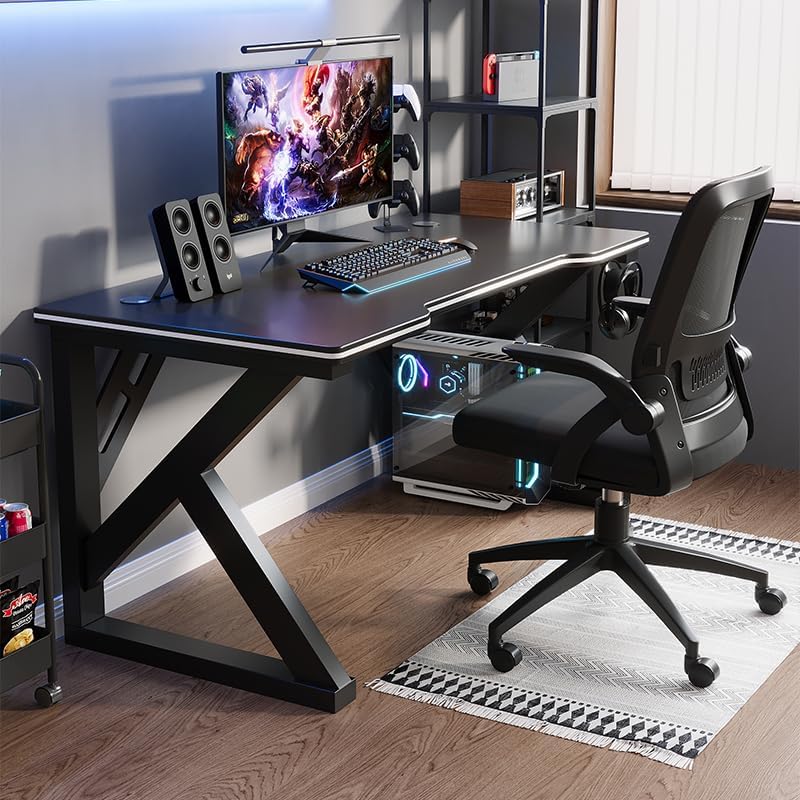
Image: A gaming setup on the Deli Gaming Table, illustrating its spacious surface.

Выява: зверху ўніз view of a user at the Deli Gaming Table, highlighting ergonomic design.
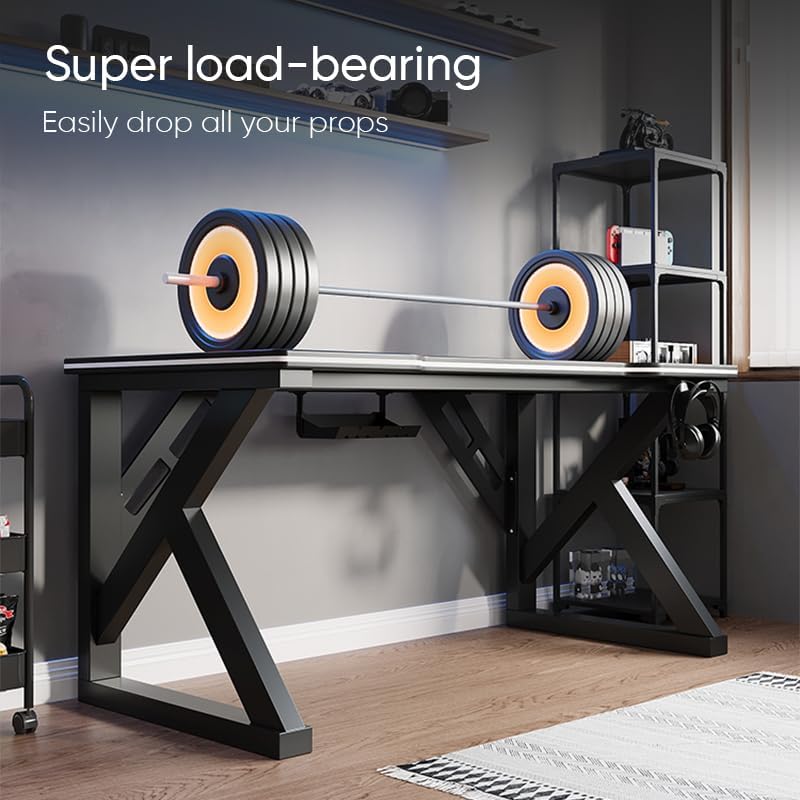
Image: The Deli Gaming Table demonstrating its load-bearing capability.
Тэхнічнае абслугоўванне
Regular maintenance will help preserve the appearance and functionality of your Deli Gaming Table.
- Уборка: Працярыце паверхню працоўнага стала і ножкі мяккай губкайamp cloth. Avoid abrasive cleaners or harsh chemicals that could damage the painted finish or material.
- Разлівы: Clean up spills immediately to prevent staining or damage to the surface.
- Праверка абсталявання: Перыядычна правярайце ўсе шрубы і балты, каб пераканацца, што яны зацягнуты. Пры неабходнасці падцягвайце іх для падтрымання ўстойлівасці.
- Прадухіленне іржы: While the desk is made of metal, prolonged exposure to moisture can lead to rust. Keep the desk in a dry environment and wipe away any moisture promptly.
Ліквідацыю непаладак
Desk is unstable or wobbly:
- Пераканайцеся, што ўсе зборачныя шрубы і балты цалкам зацягнуты.
- Check that the desk is on a level surface. Adjust floor glides if present.
- Verify that all parts are correctly assembled according to the instruction manual.
Parts are missing or damaged:
- Review the package contents list in your assembly manual.
- Contact customer support with your model number and a description of the missing or damaged part.
Складанасці са зборкай:
- Re-read the assembly instructions carefully, paying attention to diagrams.
- Пераканайцеся, што вы выкарыстоўваеце правільнае абсталяванне для кожнага кроку.
- If issues persist, consider seeking assistance from another person.
Тэхнічныя характарыстыкі

Image: Dimensions of the Deli Gaming Table.
| Асаблівасць | Дэталь |
|---|---|
| Нумар мадэлі | E91511 |
| Памеры (Ш х Г х У) | 120 см х 60 см х 75 см |
| Колер | Чорны |
| Тып матэрыялу | Metal and Composite (E1 grade material) |
| Матэрыял каркаса | K-type Carbon Steel Frame |
| Тып аздаблення | Пафарбаваны |
| Вага прадмета | 13000 грам |
| Патрабуецца зборка | так |
| Рэкамендуемае выкарыстанне | Gaming, Streaming, Home Office, Student Workstation |
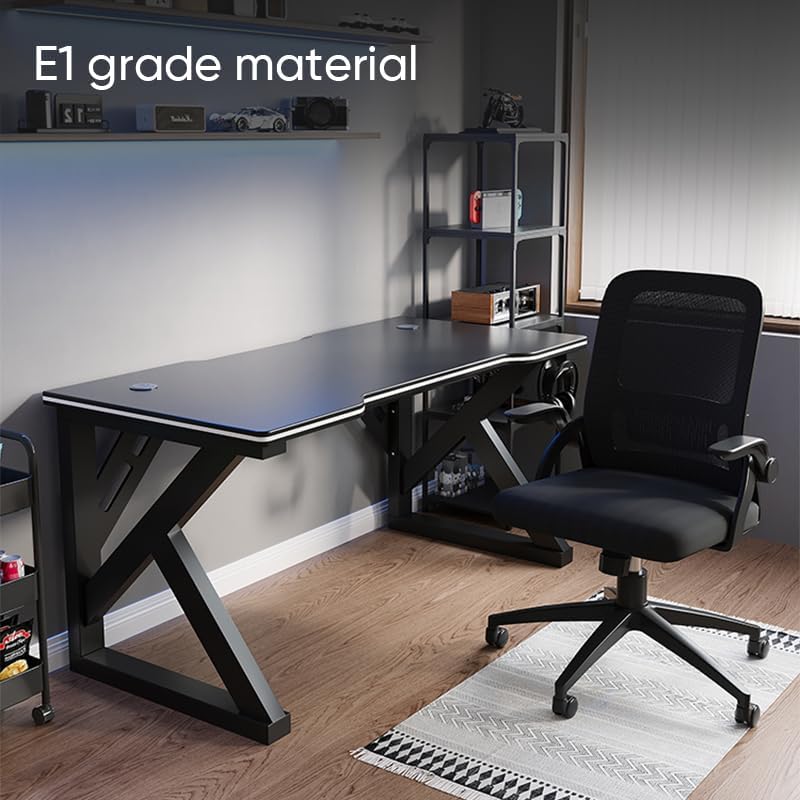
Image: The Deli Gaming Table highlighting E1 grade material.
Інфармацыя аб гарантыі
For specific warranty details regarding your Deli Gaming Table E91511, please refer to the warranty card included with your purchase or visit the official Deli webсайт. Гарантыйныя ўмовы звычайна распаўсюджваюцца на вытворчыя дэфекты пры нармальных умовах выкарыстання.
Падтрымка кліентаў
If you have any questions, require assistance with assembly, or need to report a missing/damaged part, please contact Deli customer support through the following channels:
- Webсайт: Visit the official Deli webсайт з рэсурсамі падтрымкі і кантактнымі формамі.
- электронная пошта: Refer to your purchase documentation for customer service email addresses.
- тэлефон: Праверце ўпакоўку прадукту або афіцыйныя webсайт з нумарамі тэлефонаў службы падтрымкі кліентаў.
Please have your model number (E91511) and proof of purchase ready when contacting support.