
Уводзіны
The NGS Singer Star is a dynamic wireless microphone designed for clear, high-quality audio, perfect for singing, public speaking, or various events. It offers professional-grade performance without the constraints of cables, featuring versatile connectivity and long-lasting battery life.
Асноўныя функцыі ўключаюць у сябе:
- Powerful and Clear Sound: Dynamic wireless microphone with crisp, high-quality audio.
- Універсальнае падключэнне: Includes 3.5mm jack input and a 6.3mm jack adapter, compatible with speakers, ampLifiers і гукавыя сістэмы.
- Бесправадная тэхналогія 2.4 ГГц: Enjoy stable, interference-free connection with a range of up to 15 meters.
- Працяглая батарэя: 1500mAh battery in the microphone and 650mAh in the receiver, providing up to 30 hours of continuous use. Integrated screen displays real-time battery level.
- Ideal for All Types of Events: Simple ON/OFF button for quick setup. Perfect for karaoke, gyms, parties, tourist buses, social events, and more.
Змест пакета
Your NGS Singer Star package includes the following items:
- 1 бесправадных мікрафона
- 1x бесправадной прыёмнік
- 1x зарадны кабель USB-A да USB-C
- 1x 3.5mm to 6.3mm Jack Adapter
- 2x Anti-roll rings (color may vary)
- 1x Кіраўніцтва карыстальніка

Figure 1: The complete package contents of the NGS Singer Star wireless microphone.
Настройка
1. Зарадка прылад
Before first use, ensure both the microphone and the receiver are fully charged. The microphone has a 1500mAh battery, and the receiver has a 650mAh battery. A full charge typically takes 3 to 4 hours.
- Connect the USB-C end of the charging cable to the charging port on the microphone (located at the bottom).
- Connect the USB-A end of the charging cable to a standard USB power adapter (not included) or a USB port on a computer.
- For the receiver, connect the USB-C end of the charging cable to its charging port.
- A red indicator light will typically show charging status, turning off or changing color when fully charged.
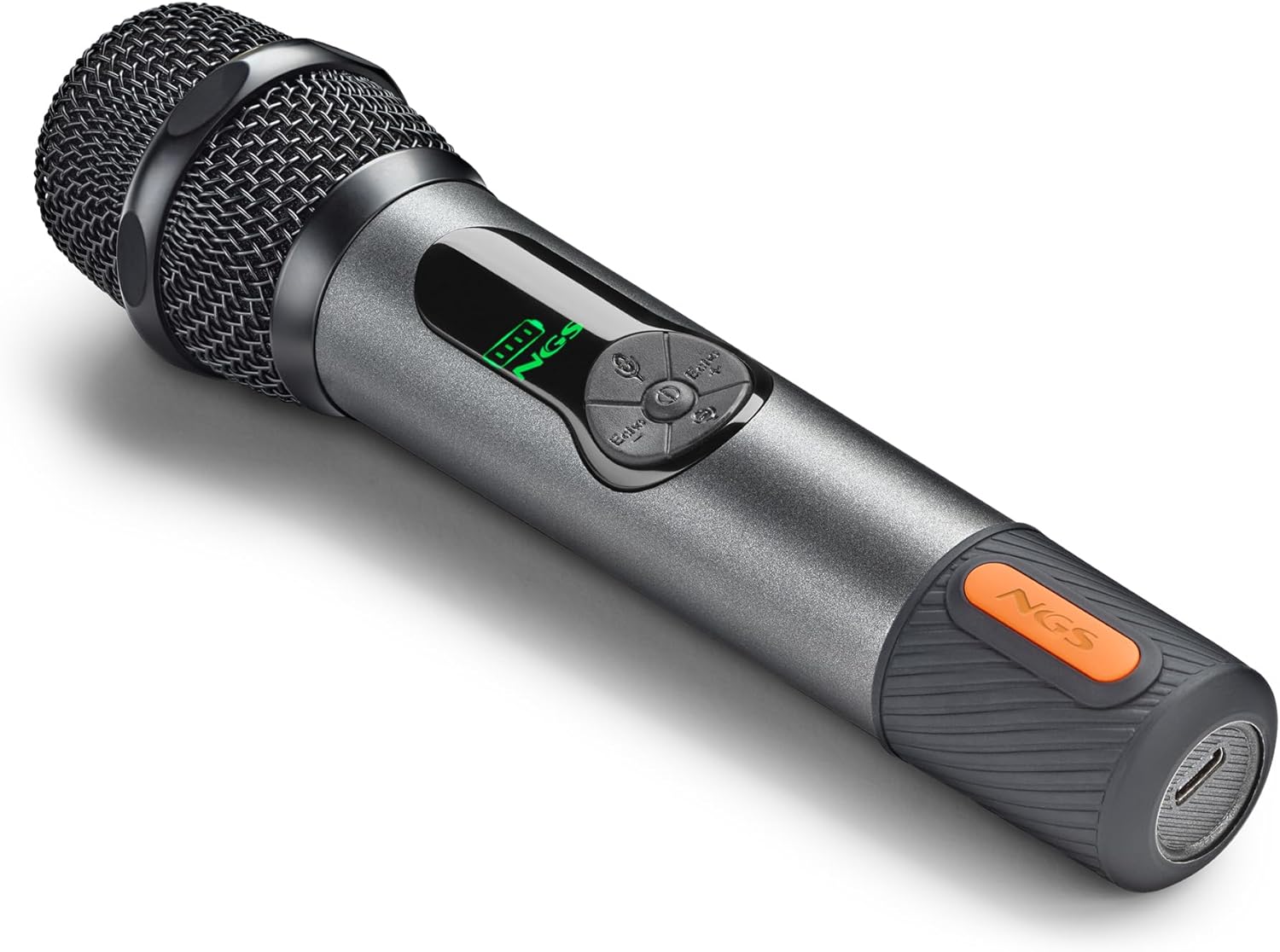
Figure 2: The USB-C charging port located at the base of the microphone.
2. Падключэнне рэсівера
The receiver can be connected to various audio devices such as speakers, amplifiers, or PA systems.
- Identify the appropriate audio input port on your sound system (typically a 3.5mm or 6.3mm jack).
- If your sound system has a 6.3mm input, attach the provided 6.3mm adapter to the receiver's 3.5mm jack.
- Plug the receiver (with or without adapter) into the audio input port of your sound system.
- Turn on your sound system.
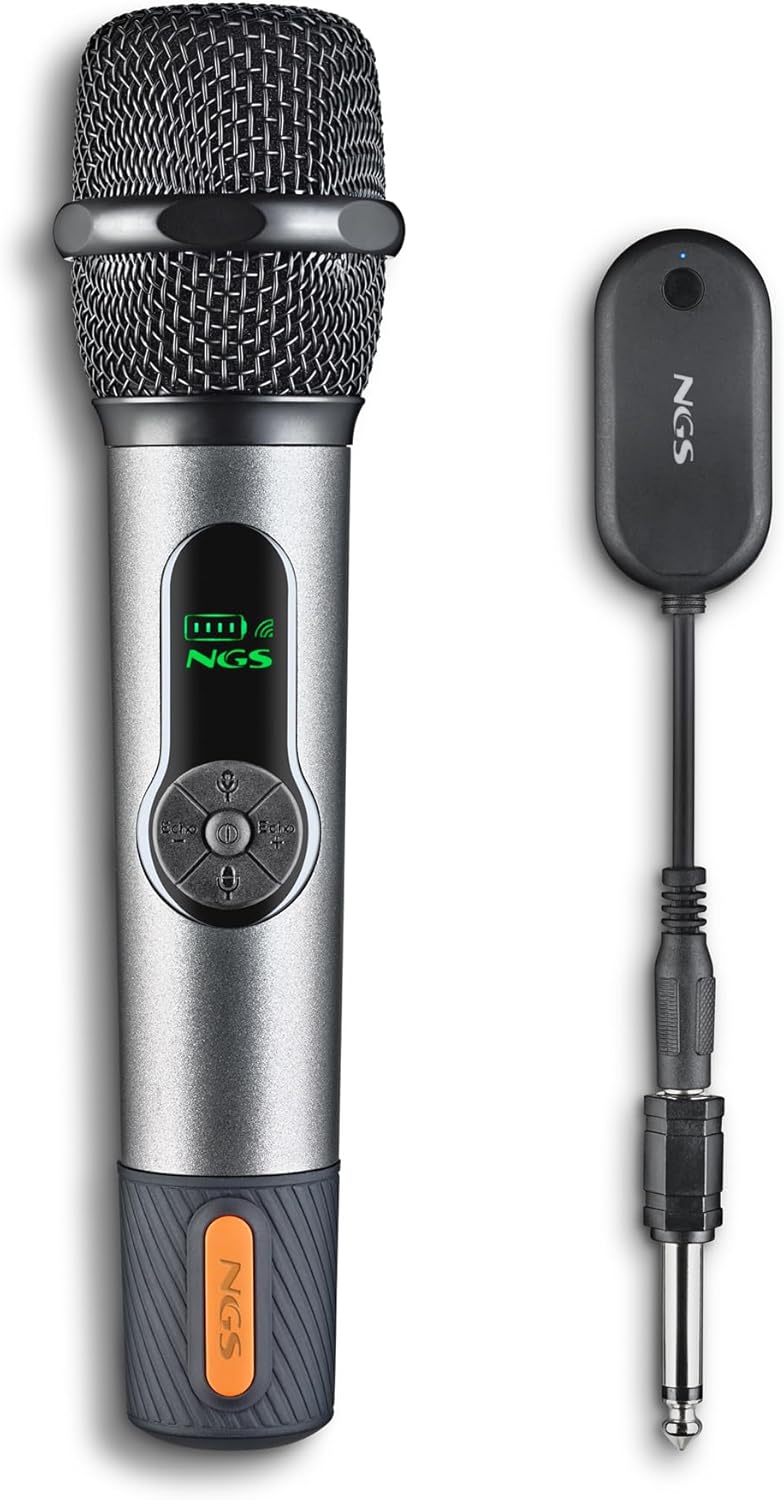
Figure 3: The wireless receiver with its 6.3mm jack adapter, allowing connection to various audio systems.
3. Pairing the Microphone and Receiver
The microphone and receiver should automatically pair upon powering on. If they do not connect, follow these steps for manual synchronization:
- Ensure both the microphone and receiver are powered off.
- Press the power button on the microphone three separate times.
- Press the power button on the receiver three separate times.
- The LED on the microphone should turn solid green, and the LED on the receiver should turn solid blue, indicating a successful connection.
Video 1: This video demonstrates the unboxing, battery installation, charging, and connection process for a similar wireless microphone system. It illustrates how to power on the devices and connect them to an audio output.
Інструкцыя па эксплуатацыі
1. Уключэнне / выключэнне харчавання
Press and hold the ON/OFF button on the microphone to power it on or off. The display will illuminate when powered on.
2. Volume and Echo Adjustment
The microphone features dedicated controls for adjusting volume and echo effects directly on the unit. Use the '+' and '-' buttons to increase or decrease the volume and echo levels to your preference.

Малюнак 4: падрабязна view of the microphone's display, indicating battery level and wireless connection status, along with control buttons.
3. Сцэнарыі выкарыстання
The NGS Singer Star is highly versatile and suitable for a wide range of applications:
- Караоке: Sing along to your favorite tunes with clear audio and adjustable echo.
- Публічнае выступленне: Deliver presentations or speeches with confidence, ensuring your voice is heard clearly.
- падзеі: Ideal for parties, social gatherings, and other events requiring a reliable wireless microphone.
- Прафесійнае выкарыстанне: Suitable for gyms, tourist buses, and other professional settings where mobility and sound quality are essential.

Figure 5: Friends enjoying a karaoke session, demonstrating the microphone's use in social settings.
Video 2: This video demonstrates connecting a wireless microphone to a professional sound system, highlighting its use for karaoke and other events.
Тэхнічнае абслугоўванне
1. Уборка
To maintain optimal performance and hygiene, regularly clean your microphone and receiver:
- Use a soft, dry cloth to wipe down the exterior of the microphone and receiver.
- For the microphone grille, gently use a soft brush to remove any dust or debris.
- Do not use harsh chemicals, abrasive cleaners, or allow moisture to enter any openings.
2. Сыход за батарэяй
Каб падоўжыць тэрмін службы батарэі:
- Пазбягайце частай поўнай разрадкі акумулятараў.
- Charge the devices regularly, even if not in use for extended periods (e.g., once every 3 months).
- Store the devices in a cool, dry place.
3. Захоўванне
When not in use, store the microphone and receiver in a protective case or a safe, dry environment away from extreme temperatures and direct sunlight.
Ліквідацыю непаладак
| праблема | Магчымая прычына | Рашэнне |
|---|---|---|
| Microphone does not connect/pair. | Incorrect pairing procedure or low battery. | Ensure both devices are charged. Follow the manual pairing steps: power off both, then press the power button 3 times on the microphone, and 3 times on the receiver. |
| Няма гуку з мікрафона. | Microphone or receiver off, low battery, incorrect connection, or sound system volume too low. | Check if both devices are powered on and charged. Verify the receiver is correctly plugged into the sound system. Increase the volume on both the microphone and the sound system. |
| Sound delay or poor quality. | Interference, distance from receiver, or specific sound system limitations. | Ensure the microphone is within the 15-meter operating range. Minimize obstacles between the microphone and receiver. Test with a different sound system if possible. |
| Microphone display not working. | Нізкі зарад батарэі або няспраўнасць прылады. | Charge the microphone fully. If the issue persists, contact customer support. |
Тэхнічныя характарыстыкі
| Асаблівасць | Дэталь |
|---|---|
| Марка | NGS |
| Назва мадэлі | Singer Star |
| Нумар мадэлі | ELEC-MIC-0043 |
| Тэхналогія падлучэння | РЧ (бесправадная сувязь 2.4 ГГц) |
| Тып раздыма | Jack 3.5 mm (with 6.3mm adapter) |
| Асаблівасці | Volume Control, Echo Control, Battery Indicator |
| Сумяшчальныя прылады | спікер, Amplifier, PA System |
| Колер | Чорны |
| Акумулятар мікрафона | 1500 мАг (акумулятарная) |
| Акумулятар рэсівера | 650 мАг (акумулятарная) |
| Працоўны дыяпазон | Да 15 метраў |
| Памеры прадукту | 10 х 150 х 15 см; 230 г |
| Крыніца харчавання | акумулятар |
| Колькасць каналаў | 1 |
Гарантыя і падтрымка
Інфармацыя аб гарантыі
The NGS Singer Star Wireless Dynamic Microphone comes with a Гарантыя 2 год from the date of purchase. This warranty covers manufacturing defects and ensures the product meets quality standards. Please retain your proof of purchase for any warranty claims.
Падтрымка кліентаў
For further assistance, technical support, or warranty inquiries, please visit the official NGS brand store or contact their customer service. You can find more information and support resources at the NGS Brand Store.