
1. Уводзіны
The AstroAI P8 4000A Jump Starter is a versatile and powerful device designed to provide reliable jump-starting for vehicles, act as a portable power bank, and offer emergency lighting. This manual provides essential information for safe and effective use of your device.
2. Інфармацыя па бяспецы
УВАГА: Перад выкарыстаннем гэтага вырабу прачытайце ўсе папярэджанні і інструкцыі па бяспецы. Невыкананне папярэджанняў і інструкцый можа прывесці да паражэння электрычным токам, пажару і/або сур'ёзных траўмаў.
- This car starter includes 10 built-in comprehensive protections for enhanced safety. These safety features include reverse polarity, overcurrent, overcharge, overdischarge, high & low temperature protection, reverse connection, over voltage, overload, short circuit, and spark-proof clamps.
- Do not attempt to jump start any engine that exceeds the maximum displacement supported by the jump starter (10L Gas or 8L Diesel).
- Do not crank the engine for more than 3 seconds at a time. Allow the jump starter to cool down for at least 1 minute between each start attempt.
- Ensure the device has at least 50% charge before use.
- Захоўваць у месцах, недаступных дзецям.
- Не падвяргайце выраб уздзеянню дажджу і вільготнасці.
- Не разбірайце прадукт.

Image: AstroAI P8 Jump Starter highlighting its 10 safety protections including reverse polarity, overcurrent, overcharge, overdischarge, high & low temperature protection, reverse connection, over voltage, overload, short circuit, and spark-proof clamps.
3. Змесціва ўпакоўкі
- AstroAI P8 Jump Starter Unit
- Разумныя перамычкі
- Зарадны кабель USB-C
- Кіраўніцтва карыстальніка
- Сумка для захоўвання

Image: The AstroAI P8 Jump Starter, smart jumper cables, USB-C charging cable, user manual, and a storage bag, laid out on a dark background.
4. Асаблівасці прадукту
- Powerful Jump Starting: 4000A peak current for 10L gas and 8L diesel engines. Compatible with motorbikes, cars, SUVs, lawnmowers, tractors, and motorboats.
- Multifunctional Power Bank: USB-A output Port works with 5V⎓3A, 9V⎓2A, 12V⎓1.5A (QC 3.0). Serves as a reliable backup power source for electronic devices.
- Кампактны і партатыўны: Size 7.20in*3.45in*1.53in (183mm*88mm*39mm) for easy carrying and storage in glove boxes and door pockets.
- Multi-Mode LED Flashlight: Provides 3 modes: illumination, SOS, and strobe for convenient lighting in various scenarios.
- Усебаковая бяспека: 10 built-in protections for enhanced safety, including reverse polarity, overcurrent, overcharge, overdischarge, high & low temperature protection, reverse connection, over voltage, overload, short circuit, and spark-proof clamps.

Image: The AstroAI P8 Jump Starter demonstrating its three main functions: jump starter, power bank, and LED flashlight.
5. Прадукт скончыўсяview (Кампаненты)
The AstroAI P8 features a robust design with clearly marked ports and indicators for ease of use.
- Кнопка харчавання: Актывуе прыладу і правярае ўзровень зарада батарэі.
- Індыкатар ўзроўню батарэі: Displays the remaining charge.
- Порт для падключэння пускавога кабеля: Для падключэння разумных пускавых кабеляў.
- USB-A Output Ports (QC 3.0): Для зарадкі знешніх прылад.
- Уваходны/выхадны порт USB-C: For charging the jump starter and external devices.
- Святлодыёдны ліхтарык: Multi-mode light for illumination, SOS, and strobe.
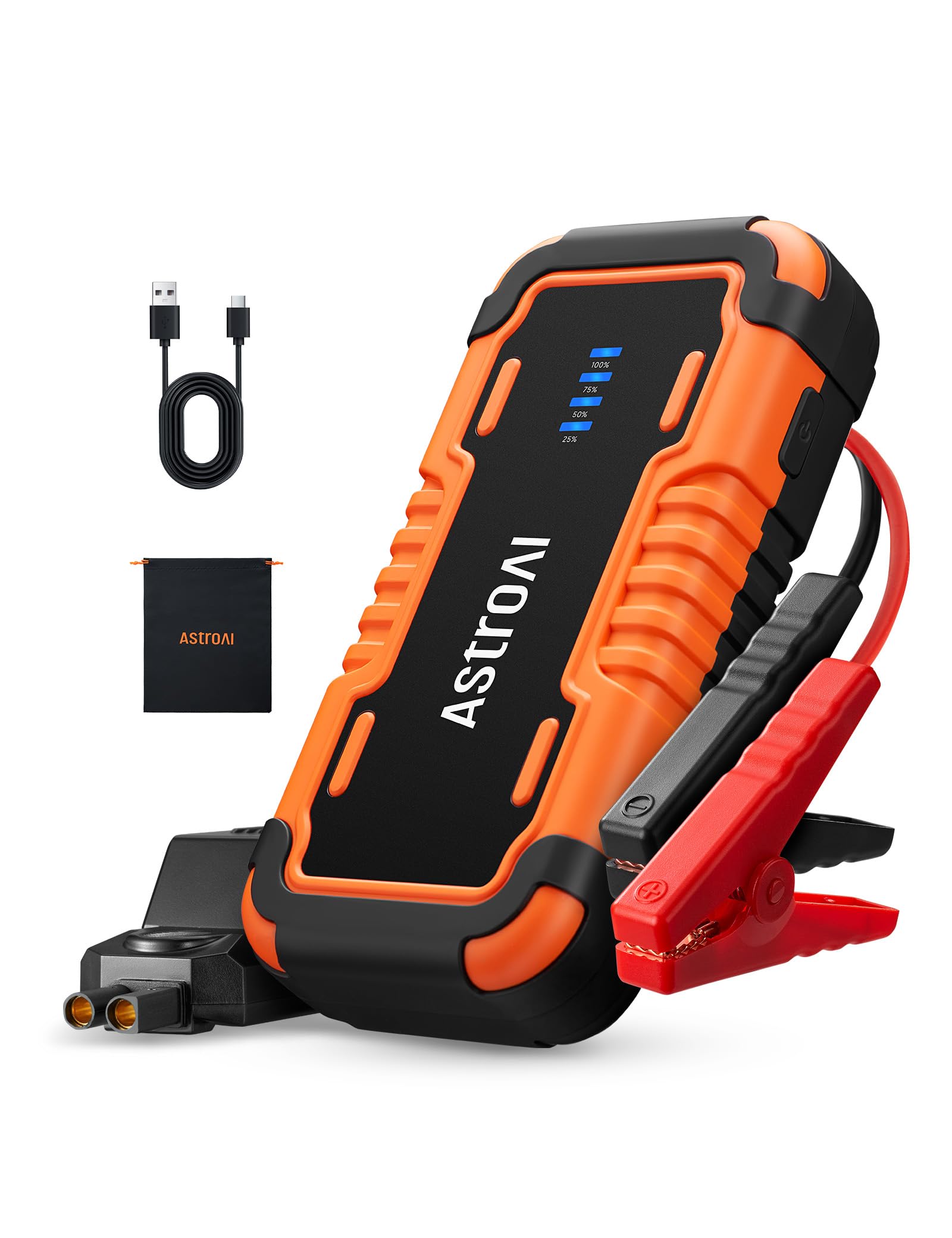
Image: The AstroAI P8 Jump Starter with its smart jumper cables connected, ready for use.
6. Зарадка стартара
Before first use, fully charge the AstroAI P8. It is recommended to recharge the unit after each use to maintain battery health.
- Connect the provided USB-C charging cable to the USB-C input/output port on the jump starter.
- Plug the other end of the USB-C cable into a compatible USB wall adapter (not included) or car charger.
- The battery level indicator lights will illuminate and flash, indicating the charging progress. All lights will be solid when fully charged.

Image: The AstroAI P8 Jump Starter connected via USB-C to charge a smartphone and a tablet, demonstrating its power bank functionality.
7. Інструкцыя па эксплуатацыі
7.1. Запуск аўтамабіля ад дажджу
- Пераканайцеся, што стартар дастаткова зараджаны (не менш за 50%).
- Connect the smart jumper cables to the jump starter's port. Ensure a secure connection.
- Прымацаваць чырвоны клamp да станоўчага (+) вываду акумулятара аўтамабіля.
- Прымацаваць чорны клamp да адмоўнага (-) вываду акумулятара аўтамабіля.
- Check the indicator light on the smart jumper cable. A solid green light indicates a correct connection and readiness to jump start. If it's flashing or red, check connections or refer to troubleshooting.
- Start the vehicle's engine. If it doesn't start immediately, wait at least 1 minute before trying again. Do not crank for more than 3 seconds per attempt.
- Once the vehicle starts, immediately remove the black clamp from the negative terminal, then the red clamp from the positive terminal.
- Disconnect the smart jumper cables from the jump starter.

Image: A person connecting the AstroAI P8 Jump Starter to a car battery, illustrating the process of jump starting a vehicle.
7.2. Выкарыстанне ў якасці паўэрбанка
The AstroAI P8 can charge various electronic devices.
- Connect your device's USB charging cable to one of the USB-A output ports or the USB-C port on the jump starter.
- Пускавая прылада аўтаматычна пачне зараджаць вашу прыладу.
7.3. Выкарыстанне святлодыёднага ліхтарыка
The built-in LED flashlight offers multiple modes for different situations.
- Press and hold the power button for 3 seconds to turn on the flashlight (illumination mode).
- Press the power button once to switch to SOS mode.
- Press the power button again to switch to strobe mode.
- Press the power button once more to turn off the flashlight.

Image: A person using the AstroAI P8 Jump Starter's multi-mode LED flashlight under the hood of a car at night.
8. Тэхнічнае абслугоўванне
- Захоўвайце стартар у прахалодным, сухім месцы, удалечыні ад прамых сонечных прамянёў і экстрэмальных тэмператур.
- Зараджайце прыладу кожныя 3-6 месяцаў, нават калі яна не выкарыстоўваецца, каб падтрымліваць яе ў працоўным стане.
- Ачысціце знешні выгляд мяккім, damp тканіна. Не выкарыстоўвайце агрэсіўныя хімікаты або абразіўныя ачышчальнікі.
- Праверце кабелі іamps for any damage before each use.
9. Выпраўленне непаладак
| праблема | Магчымая прычына | Рашэнне |
|---|---|---|
| Транспартны сродак не заводзіцца. | Low charge on jump starter, incorrect connection, or vehicle battery completely dead. | Ensure jump starter is at least 50% charged. Recheck clamp connections. If battery is extremely dead, allow jump starter to connect for a few minutes before attempting to start. |
| Smart jumper cable indicator is red or flashing. | Reverse polarity, short circuit, or other safety protection activated. | Адключыце склamps and re-attach them correctly (red to positive, black to negative). If issue persists, check for short circuits or other battery issues. |
| Пускавая прылада не зараджаецца. | Няспраўны кабель або адаптар зарадкі. | Try a different USB-C cable and wall adapter. Ensure connections are secure. |
10. Тэхнічныя характарыстыкі
- мадэль: P8
- Пік току: 4000 Amps
- Сумяшчальнасць рухавікоў: Up to 10L Gas or 8L Diesel
- тtage: 12 вольт
- Тып батарэі: Літый-палімер (у камплекце)
- Выхад USB-A (QC 3.0): 5V⎓3A, 9V⎓2A, 12V⎓1.5A
- Уваход/выхад USB-C: 5V⎓3A, 9V⎓2A
- Памеры: 183 мм х 88 мм х 39 мм (7.20 цалі х 3.45 цалі х 1.53 цалі)
- Вага прадмета: 710 г
- Краіна паходжання: Кітай
11. Гарантыя і падтрымка
AstroAI products come with a manufacturer's warranty. For detailed warranty information, product support, or to register your product, please visit the official AstroAI webсайт або звярніцеся непасрэдна ў службу падтрымкі кліентаў. Захоўвайце чэк аб куплі для прэтэнзій па гарантыі.
вытворца: AstroAI
Кантакты: Support@astroai.com