
TOOLTOP TT-TSNTC125
TOOLTOP NTC125 Autofocus Inspection Camera User Manual
Model: TT-TSNTC125
1. Уводзіны
This manual provides comprehensive instructions for the safe and effective use of your TOOLTOP NTC125 Autofocus Inspection Camera. Please read this manual thoroughly before operating the device and retain it for future reference. This inspection camera is designed for visual inspection in hard-to-reach areas, featuring autofocus capabilities and high-resolution imaging.
2. Прадукт скончыўсяview
The TOOLTOP NTC125 is a 5.0-megapixel micro inspection camera equipped with an autofocus lens, allowing for clear imaging from 1 inch to infinity. Its semi-rigid waterproof cable provides flexibility and durability for various inspection tasks.
2.1 Змест пакета

Figure 2.1: Complete package contents of the TOOLTOP NTC125 inspection camera. Includes the camera probe, USB cable, various accessory hooks, and a protective carrying case.
Праверце, ці ёсць у вашай упакоўцы ўсе пералічаныя ніжэй прадметы:
- TOOLTOP NTC125 Autofocus Inspection Camera Probe (with integrated USB/Micro USB cable)
- USB-C Adapter (if applicable, for modern Android devices)
- Accessory Hooks (e.g., hook, magnet, side-view люстэрка)
- Ахоўны футляр для пераноскі
- Кіраўніцтва карыстальніка (гэты дакумент)
2.2 Асноўныя магчымасці
- Аб'ектыў з аўтафокусам: Automatically adjusts focus for clear images from 1 inch (30mm) to infinity, similar to a smartphone camera.
- Высокая раздзяляльнасць: 5.0 Megapixel camera sensor, providing resolutions up to 2594x1944 pixels.
- Flexible & Waterproof Cable: 16-ft (5-meter) semi-rigid cable, IP67 waterproof, ideal for navigating tight and wet environments.
- Рэгуляваныя святлодыёдныя ліхтары: Six high-intensity LEDs with 3 adjustable brightness levels for optimal illumination in dark areas.
- Шырокая сумяшчальнасць: Connects via USB to Android phones with OTG function, MacBook, and Windows PC.

Малюнак 2.2: падрабязна view of the camera head, highlighting the six adjustable LED lights surrounding the lens.

Figure 2.3: Exploded diagram illustrating the internal components of the camera lens, including the sensor and optical elements.
3. Настройка і ўстаноўка
Follow these steps to set up your TOOLTOP NTC125 inspection camera:
- Спампаваць праграмнае забеспячэнне:
- Для Android: Пошук "USB Camera", "OTG View", or "AN98" in the Google Play Store and install a compatible application. Ensure your Android device supports OTG (On-The-Go) function.
- Для ПК з Windows: Download the "ViewPlayCap" software or similar camera viewing software from the manufacturer's webсайта або надзейнай крыніцы.
- Для MacBook: Use the built-in "Photo Booth" application or download a third-party camera application.
- Падключыце камеру:
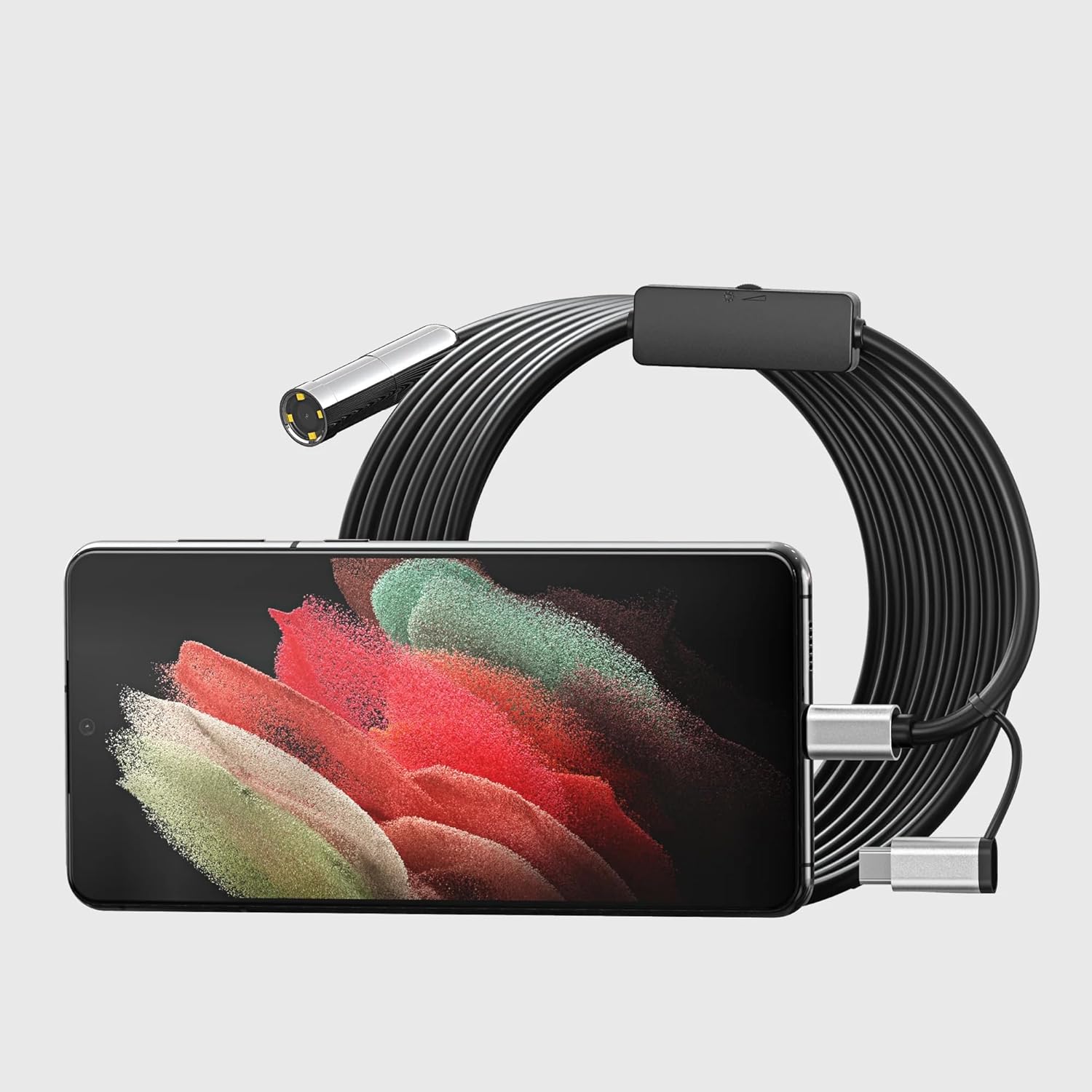
Figure 3.1: The endoscope's USB connector plugged into a smartphone, ready for use.
- Plug the USB connector of the inspection camera into your device's USB port. If using an Android phone, you may need to use the included Micro USB or USB-C adapter.
- Запуск праграмнага забеспячэння: Open the downloaded camera application on your device. The camera feed should appear automatically. If not, select the external USB camera from the application's settings.
- Рэгуляванне яркасці святлодыёда: Use the brightness control wheel located on the USB cable to adjust the intensity of the LED lights on the camera head for optimal visibility.
4. Інструкцыя па эксплуатацыі
Once set up, the TOOLTOP NTC125 is ready for inspection.
- Устаўце камеру: Carefully guide the semi-rigid cable and camera head into the area you wish to inspect. The cable's flexibility allows it to navigate bends and tight spaces.
- View the Feed: Observe the live video feed on your connected device's screen. The autofocus feature will automatically adjust for clear images at varying distances.
- Адрэгуляваць асвятленне: Rotate the LED brightness control wheel on the cable to illuminate dark areas effectively.
- Захоп малюнкаў/відэа: Most compatible applications will have options to capture still images or record video. Refer to your specific application's instructions for these functions.
- Выкарыстоўвайце аксэсуары: Attach the included hook, magnet, or side-view mirror accessories to the camera head as needed for retrieving objects or viewпад рознымі вугламі.

Figure 4.1: Practical application of the endoscope, demonstrating its use for inspecting hard-to-reach areas like under a vehicle.
5. Тэхнічнае абслугоўванне і догляд
To ensure the longevity and optimal performance of your inspection camera, follow these maintenance guidelines:
- Уборка: After each use, especially in dirty or wet environments, gently wipe the camera head and cable with a soft, damp тканіна. Не выкарыстоўвайце агрэсіўныя хімікаты або абразіўныя ачышчальнікі.
- Сушка: Ensure the camera head and cable are completely dry before storing.
- захоўванне: Store the camera and accessories in the provided protective carrying case in a cool, dry place, away from direct sunlight and extreme temperatures. Avoid kinking or sharply bending the cable.
- Пазбягайце сілы: Do not force the camera into tight spaces. If resistance is met, try to find an alternative path or remove obstructions.
6. Выпраўленне непаладак
If you encounter issues with your TOOLTOP NTC125, refer to the following common problems and solutions:
| праблема | Магчымая прычына | Рашэнне |
|---|---|---|
| No image on screen / Camera not detected. |
|
|
| Выява размытая або цёмная. |
|
|
| Праграмнае забеспячэнне завісае або дае збой. |
|
|
7. Тэхнічныя характарыстыкі
| Асаблівасць | Дэталь |
|---|---|
| Нумар мадэлі | TT-TSNTC125 (NTC125) |
| Тып камеры | Autofocus Single Lens, Straight-viewінж |
| Дыяметр камеры | 0.49 цалі (12.5 мм) |
| Даўжыня кабеля | 16-ft (5 Meters) |
| Мегапіксэль | 5.0 мегапікселяў |
| дазвол | 2594x1944 pixels / 1920x1080 pixels |
| Viewing кут | 70° |
| Глыбіня рэзкасці | 1.18-inch to infinity (30mm to infinity) |
| Святлодыёдны святло | 6 Adjustable High-intensity LEDs |
| Сувязь | USB (compatible with Android OTG, Windows PC, MacBook) |
| Вытворца | Teslong Technology |
8. Гарантыя і падтрымка
For warranty information and technical support, please contact TOOLTOP Official or the manufacturer, Teslong Technology. Refer to your purchase documentation for specific warranty terms and contact details.
- Тэрмін наяўнасці запасных частак у ЕС: 1 год
For further assistance, visit the official TOOLTOP webсайт або звярніцеся ў службу падтрымкі кліентаў.
Ask a question about this manual
Ask about setup, troubleshooting, compatibility, parts, safety, or missing instructions. Manuals+ will review the question and use this page’s manual context to help answer it.