
Уводзіны
Thank you for choosing the AOSU Solar Wall Light Camera System. This system integrates a security camera with a solar-powered wall light, offering comprehensive surveillance and illumination for your property. This manual provides detailed instructions for installation, operation, maintenance, and troubleshooting to ensure optimal performance of your device.
Змест пакета
Please check the package for the following items. If any items are missing or damaged, please contact AOSU customer support.
- AOSU Solar Wall Light Camera Unit
- Detachable Solar Panel
- Мантажны кранштэйн
- Mounting Screw Kit (screws, wall anchors)
- USB-кабель для зарадкі
- Кароткае кіраўніцтва
- Свердзел Шаблон
Прадукт скончаныview
Familiarize yourself with the components of your AOSU Solar Wall Light Camera System.
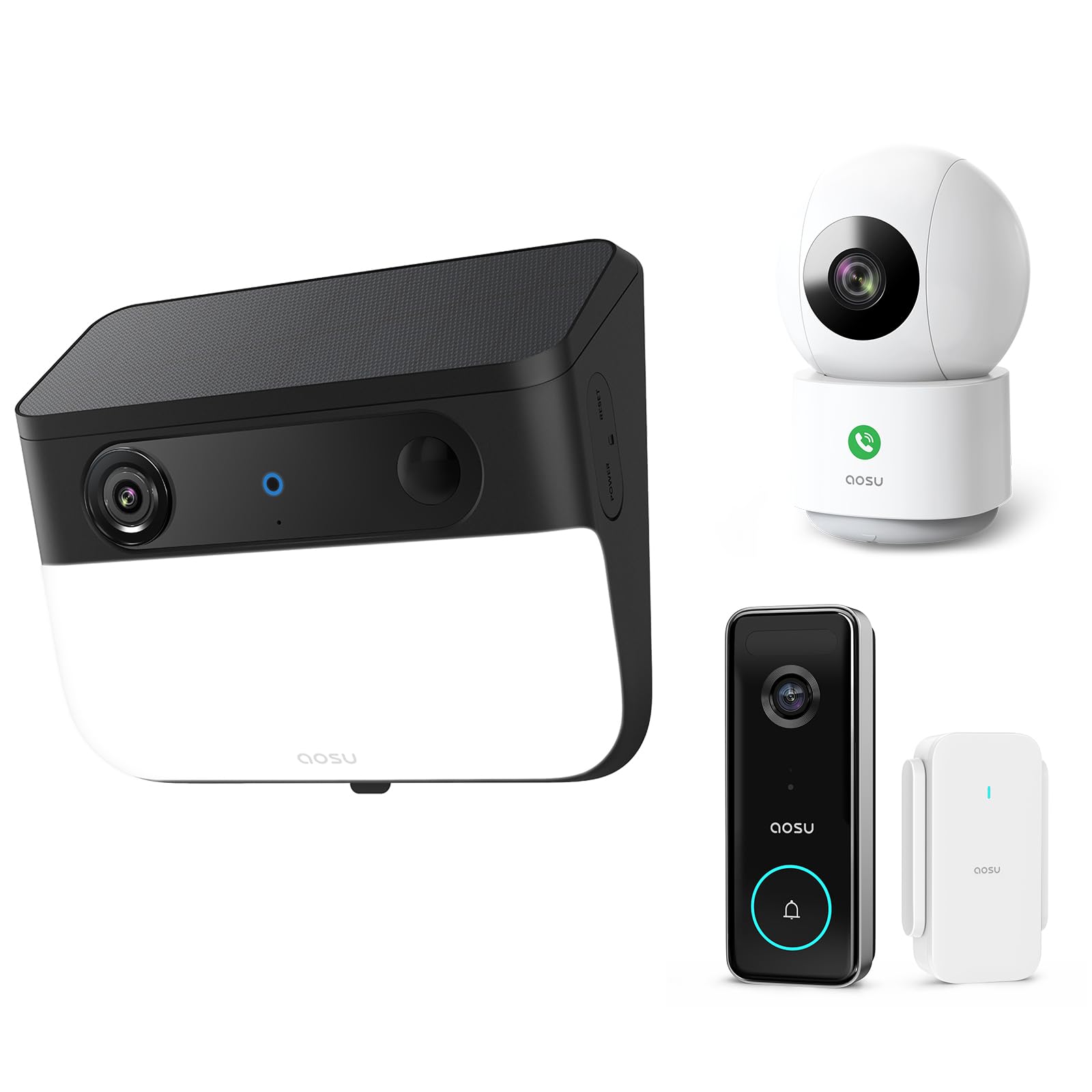
Image 1: AOSU Solar Wall Light Camera System. This image displays the main camera unit integrated with a wall light, alongside its detachable solar panel.
- Аб'ектыў камеры: Захоплівае відэа footage.
- Святлодыёдная светлавая панэль: Provides 400-lumen illumination.
- Датчык PIR: Detects passive infrared motion.
- Радарны датчык: Enhances motion detection accuracy.
- Мікрафон: Запісвае аўдыё.
- Дакладчык: Enables two-way audio communication and siren.
- Solar Panel Port: Connects the detachable solar panel for charging.
- Кнопка скіду: Used for factory reset (typically located under a cover).
- Светлавы індыкатар стану: Shows device status (e.g., charging, connected, recording).
Настройка
1. Пачатковая зарадка
Before installation, fully charge the camera unit using the provided USB cable. Connect the USB cable to the charging port on the camera and a standard 5V/2A USB power adapter (not included). The status indicator light will show charging progress.
2. Усталёўка праграмы і стварэнне ўліковага запісу
- Download the "AOSU Security" app from the Apple App Store or Google Play Store.
- Адкрыйце праграму і стварыце новы ўліковы запіс або ўвайдзіце ў сістэму, калі ён у вас ужо ёсць.
3. Спалучэнне прылады
- In the AOSU Security app, tap the "+" icon to add a new device.
- Select "Solar Wall Light Camera" from the list of devices.
- Follow the on-screen instructions to power on the camera and scan the QR code displayed in the app using the camera's lens.
- Connect the camera to your 2.4GHz Wi-Fi network. Ensure your Wi-Fi signal is strong at the installation location.
- Once connected, name your device and complete the pairing process.
4. Мантаж камеры і сонечнай панэлі
Выберыце месца мантажу, якое забяспечвае выразны агляд view вобласці, якую вы хочаце кантраляваць і атрымліваеце ampпрамых сонечных прамянёў для сонечнай панэлі.
- Маркіроўка: Use the drill template to mark the screw positions on the wall.
- Бурэнне: Drill holes at the marked positions. Insert wall anchors if mounting on masonry or stucco.
- Мантажны кранштэйн: Замацуйце мантажны кранштэйн да сцяны з дапамогай прадугледжаных шруб.
- Прымацаваць камеру: Slide the camera unit onto the mounting bracket until it clicks into place. Adjust the camera angle as needed.
- Устаноўка панэлі сонечных батарэй:
- Mount the detachable solar panel in a location that receives maximum direct sunlight throughout the day.
- Connect the solar panel cable to the solar panel port on the camera unit. Ensure a secure connection.
Інструкцыя па эксплуатацыі
жыць View і запіс
- Open the AOSU Security app and select your camera to access the live view.
- З прамога эфіру view, you can manually record video, take screenshots, and use two-way audio.
- Recorded events are stored in the cloud or on a local storage card (if installed).
Выяўленне руху і абвесткі
- The camera utilizes advanced radar and PIR motion sensors for accurate detection.
- Configure motion detection sensitivity and activity zones within the app settings.
- Enable push notifications to receive alerts on your smartphone when motion is detected.
- Інтэлектуальнае адсочванне руху: Activate this feature in the app to allow the camera to automatically follow detected objects within its field of view.
Wall Light Operation
- The 400-lumen wall light automatically activates at night when motion is detected.
- Adjust light duration and brightness settings via the AOSU Security app.
Каляровы начны бачанне
The camera provides vivid, full-color images even in low-light conditions or complete darkness, thanks to its advanced color night vision technology. This feature activates automatically.
Doorbell Camera Functionality (if applicable)
If your model includes doorbell functionality, visitors can press the doorbell button. This will trigger a notification on your phone, allowing you to see and speak to the visitor via the app.
Тэхнічнае абслугоўванне
- Уборка: Regularly wipe the camera lens, light panel, and solar panel with a soft, damp cloth to remove dust and dirt. Do not use harsh chemicals.
- Эфектыўнасць панэлі сонечных батарэй: Ensure the solar panel remains free from obstructions (e.g., leaves, snow) to maximize charging efficiency.
- Абнаўленні прашыўкі: Periodically check the AOSU Security app for available firmware updates. Keeping your device's firmware up-to-date ensures optimal performance and security. Follow the in-app instructions for updates.
- Сыход за батарэяй: While solar-powered, extreme cold or prolonged periods without sunlight may reduce battery performance. Ensure the solar panel receives adequate sunlight.
Ліквідацыю непаладак
Камера не падключаецца да Wi-Fi
- Пераканайцеся, што ваша сетка Wi-Fi працуе на частаце 2.4 ГГц. Камера не падтрымлівае Wi-Fi на частаце 5 ГГц.
- Check Wi-Fi signal strength at the camera's location. Move the router closer or use a Wi-Fi extender if necessary.
- Праверце правільны пароль Wi-Fi, уведзены ў дадатку.
- Try resetting the camera by pressing the reset button for 5 seconds until you hear a prompt.
Дрэнная якасць выявы
- Ачысціце аб'ектыў камеры, каб выдаліць любыя плямы або бруд.
- Ensure there is adequate lighting in the monitored area, especially for color night vision.
- Check your internet connection speed. A slow connection can affect live view якасць.
Motion Detection Not Working or Too Many False Alerts
- Наладзьце налады адчувальнасці выяўлення руху ў дадатку.
- Define specific activity zones to focus detection on critical areas and ignore irrelevant movements.
- Пераканайцеся, што камера view is not obstructed by moving objects like tree branches.
Панэль сонечных батарэй не зараджаецца
- Verify the solar panel cable is securely connected to the camera.
- Ensure the solar panel is positioned to receive direct sunlight for several hours daily, free from shade.
- Clean the surface of the solar panel to remove any dirt or debris.
Тэхнічныя характарыстыкі
| дазвол | 5MP Ultra HD (3K) |
| Начное бачанне | Advanced Color Night Vision |
| Святлоаддача | 400 люмен |
| Дэтэктар руху | Triple Motion Detection (Radar + PIR + Human Detection) |
| Адсочванне | Разумнае адсочванне руху |
| Сувязь | 2.4 ГГц Wi-Fi |
| Крыніца харчавання | Акумулятарная батарэя, сонечная панэль |
| Аптычная лінза | 7-piece ultra-clear optical glass lens |
| ASIN | B0F7Y1PRVT |
| Першы даступны | 25 сакавіка 2025 г |
Гарантыя і падтрымка
AOSU provides a limited warranty for this product. For detailed warranty information, please refer to the warranty card included in your package or visit the official AOSU website. For technical support, product inquiries, or warranty claims, please contact AOSU customer service through the contact information provided on the official website or within the AOSU Security app.
Афіцыйны Webсайт: www.aosu.com (Заўвага: Гэта запаўняльнік URL, please refer to your product documentation for the correct webсайт.)