
ILEBYGO B0F83Q1HHT
ILEBYGO Mini Projector B0F83Q1HHT User Manual
Model: B0F83Q1HHT
1. Уводзіны
Thank you for choosing the ILEBYGO Mini Projector B0F83Q1HHT. This portable projector is designed to provide a versatile entertainment experience with its Android 13 operating system, WiFi 6, Bluetooth 5.0, 1080P Full HD resolution with 4K support, 320 ANSI lumens brightness, 270-degree rotation, auto keystone correction, and autofocus. This manual provides essential information for setting up, operating, and maintaining your projector.
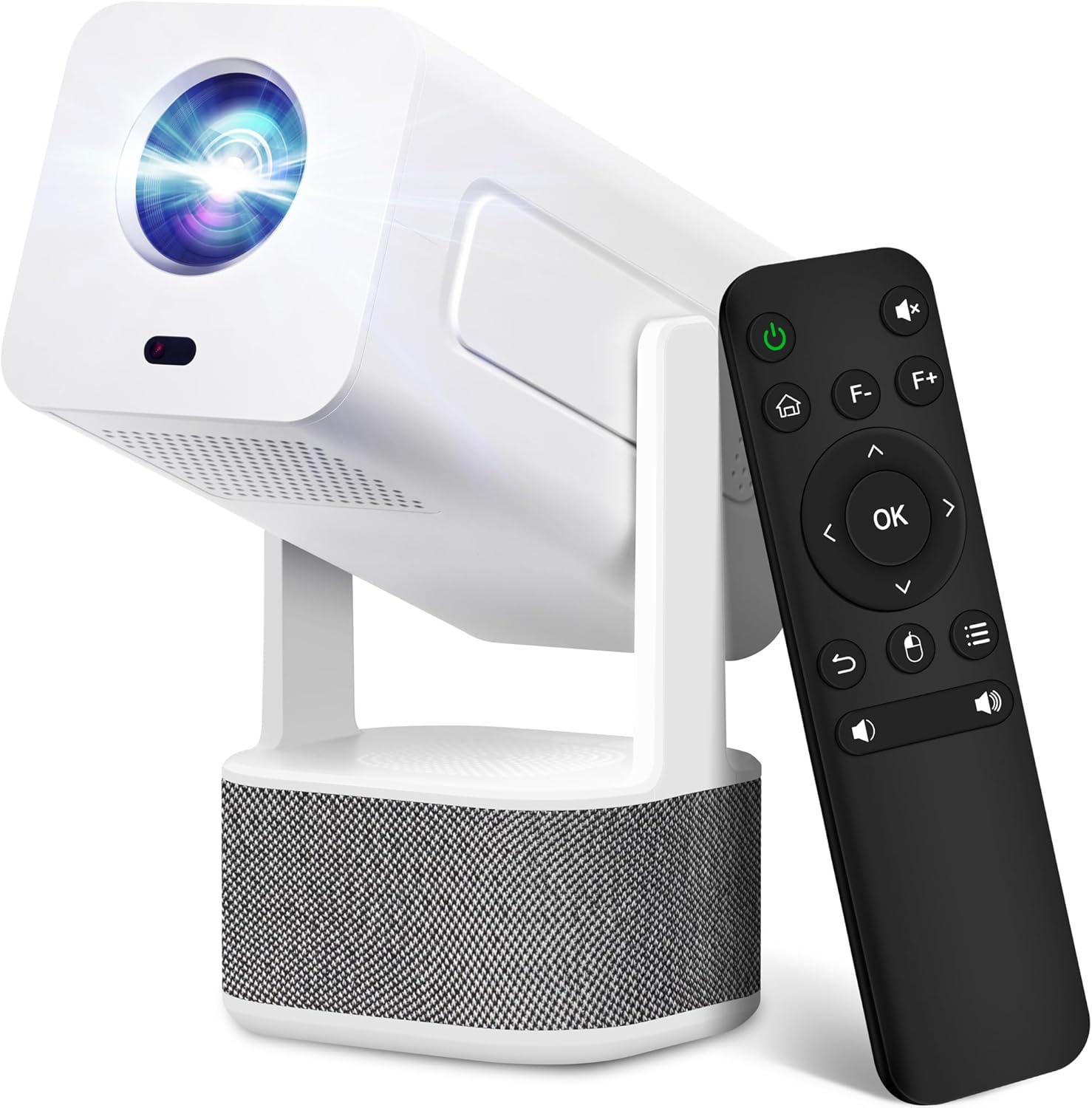
Image 1.1: ILEBYGO Mini Projector and Remote Control
The ILEBYGO Mini Projector B0F83Q1HHT offers a projection size ranging from 30 to 200 inches, making it suitable for various environments from small rooms to outdoor settings. Its dual 5W speakers deliver integrated audio, and multiple connectivity options ensure compatibility with a wide range of devices.
2. Што ў скрынцы
Калі ласка, праверце змесціва вашай упакоўкі. Калі якія-небудзь прадметы адсутнічаюць або пашкоджаныя, звярніцеся ў службу падтрымкі кліентаў.
- 1x ILEBYGO Mini Projector
- 1x Кіраўніцтва карыстальніка
- 1x адаптар сілкавання
- 1x Пульт дыстанцыйнага кіравання
3. Кіраўніцтва па наладцы
3.1. Уключэнне
- Падключыце адаптар сілкавання да ўваходнага порта пастаяннага току на праектары.
- Падключыце адаптар сілкавання да насценнай разеткі.
- Націсніце кнопку харчавання на праектары або пульце дыстанцыйнага кіравання, каб уключыць прыладу.

Image 3.1: Projector Connectivity Ports (DC, HDMI, USB, Audio)
3.2. Initial Placement and Adjustment
The projector features a 270-degree rotatable design, allowing flexible placement.
- Пастаўце праектар на ўстойлівую паверхню.
- Adjust the projector's angle to direct the image onto your desired projection surface (wall, screen, ceiling).
- The projector will automatically perform keystone correction and autofocus to optimize the image clarity and shape.
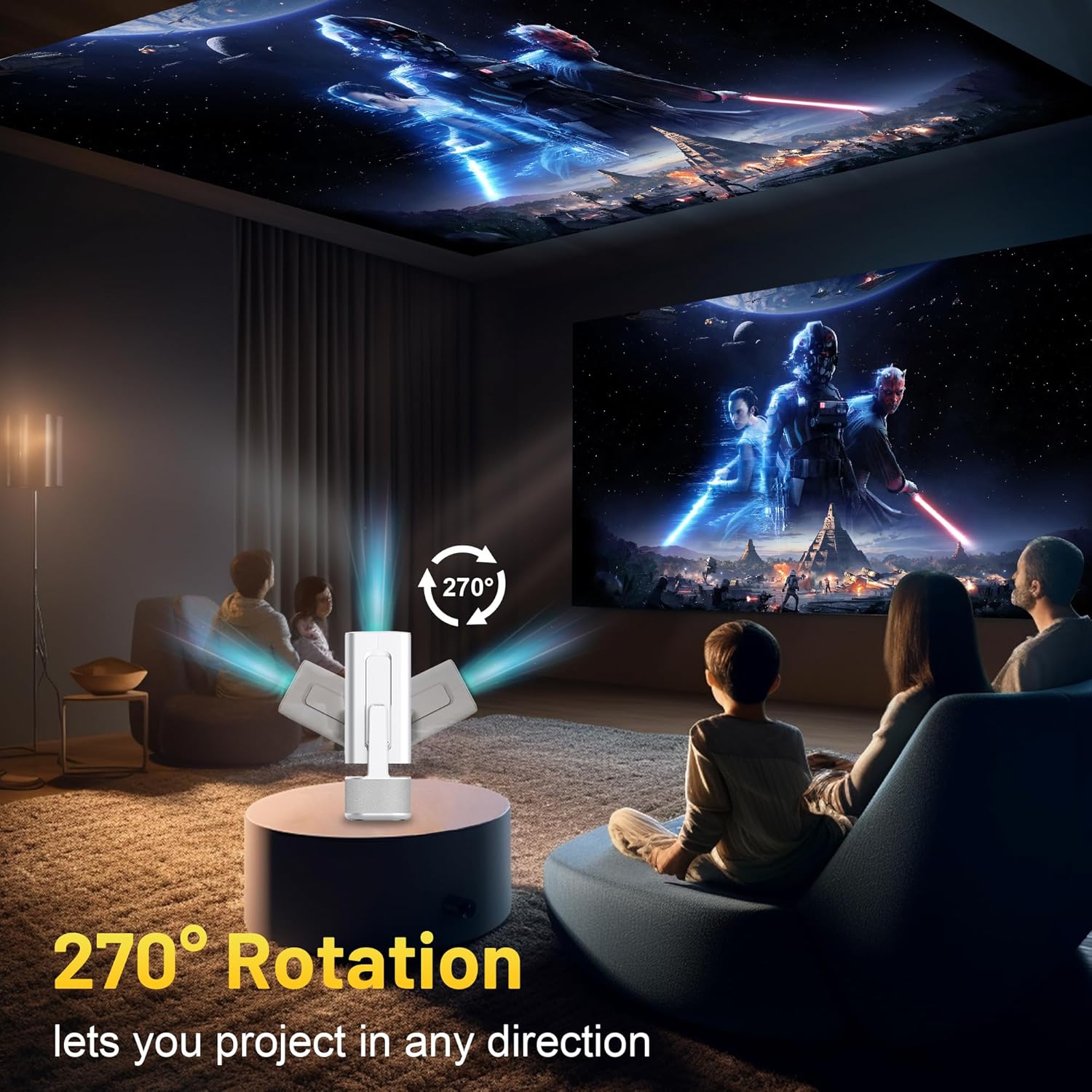
Image 3.2: 270-Degree Rotation Capability
3.3. Падключэнне да сеткі (Wi-Fi)
To access online content and streaming services, connect the projector to a Wi-Fi network.
- На галоўным экране перайдзіце ў раздзел «Налады».
- Выберыце «Сетка і Інтэрнэт».
- Уключыце Wi-Fi і абярыце патрэбную сетку са спісу.
- Enter the Wi-Fi password if prompted and connect.

Image 3.3: Dual Band WiFi 6 and Bluetooth 5.0
3.4. Спарванне Bluetooth
Pair Bluetooth devices like external speakers or headphones for enhanced audio.
- На галоўным экране перайдзіце ў раздзел «Налады».
- Select 'Connected Devices' or 'Bluetooth'.
- Уключыце Bluetooth.
- Перавядзіце прыладу Bluetooth у рэжым спалучэння.
- Select your device from the list of available devices on the projector screen to pair.
4. Інструкцыя па эксплуатацыі
4.1. Навігацыя
Use the included remote control to navigate the projector's interface. The directional buttons, 'OK' button, 'Back' button, and 'Home' button are primary controls.
4.2. App Usage (Android 13)
The projector runs on Android 13 and comes with pre-installed streaming applications.
- From the home screen, select the desired application (e.g., Netflix, YouTube, Prime Video).
- Пры неабходнасці ўвайдзіце ў сістэму, выкарыстоўваючы ўліковыя дадзеныя вашага ўліковага запісу.
- Browse and play content as you would on any Android smart device.
- Additional apps can be downloaded from the Google Play Store.

Image 4.1: Built-in Android 13 System with Apps
4.3. Адлюстраванне/трансляцыя экрана
Mirror content from your smartphone, tablet, or computer wirelessly.
- Пераканайцеся, што і праектар, і прылада падключаны да адной сеткі Wi-Fi.
- On the projector, select the screen mirroring/casting application (e.g., Miracast, AirPlay).
- On your mobile device, enable screen mirroring or casting and select the projector from the list of available devices.
4.4. External Device Connection (HDMI, USB)
Connect external devices such as laptops, gaming consoles, or USB drives.
- HDMI: Connect an HDMI cable from your device to the HDMI port on the projector. Select the HDMI input source from the projector's input menu.
- USB: Insert a USB drive into the USB port. The projector's file manager will typically open automatically, allowing you to browse and play media files.

Image 4.2: Multi-Device Compatibility
4.5. Карэкціроўка выявы
The projector features automatic adjustments for convenience.
- Аўтаматычная карэкцыя трапецеідальных скажэнняў: The projector automatically corrects vertical image distortion. If manual adjustment is needed, navigate to 'Settings' > 'Projection Settings' > 'Keystone Correction'.
- Аўтафокус: The image will automatically focus when the projector is moved or powered on. Manual focus adjustment can be found in 'Settings' > 'Projection Settings' > 'Focus'.
- Маштаб: Adjust the projection size from 50% to 100% without moving the projector. This setting is typically found in 'Settings' > 'Projection Settings' > 'Zoom'.

Image 4.3: Auto Keystone Correction and Autofocus
5. Тэхнічнае абслугоўванне
5.1. Уборка
- Аб'ектыў: Выкарыстоўвайце мяккую тканіну без ворса, спецыяльна прызначаную для аптычных лінзаў. Пазбягайце абразіўных матэрыялаў або агрэсіўных хімічных рэчываў.
- Знешні выгляд: Працірайце знешнія паверхні праектара мяккай сухой тканінай. Не выкарыстоўвайце вадкія ачышчальнікі непасрэдна на прыладзе.
- Вентыляцыя: Пераканайцеся, што вентыляцыйныя адтуліны чыстыя ад пылу і перашкод, каб прадухіліць перагрэў.
5.2. Захоўванне
When not in use, store the projector in a cool, dry place away from direct sunlight and extreme temperatures. Use the original packaging or a protective case to prevent dust accumulation and physical damage.
6. Выпраўленне непаладак
Звярніцеся да табліцы ніжэй, каб азнаёміцца з распаўсюджанымі праблемамі і іх рашэннямі.
| выпуск | Магчымая прычына | Рашэнне |
|---|---|---|
| Няма сілы | Power cable not connected; Power outlet malfunction | Пераканайцеся, што кабель харчавання надзейна падключаны. Паспрабуйце іншую разетку. |
| Няма выявы | Incorrect input source; Device not connected; Projector in standby mode | Select correct input source (HDMI, USB). Ensure external device is powered on and connected. Press power button to wake projector. |
| Размытая выява | Out of focus; Keystone not corrected | Allow autofocus to adjust. Manually adjust focus in settings if needed. Check keystone correction settings. |
| Без гуку | Volume too low; Muted; External audio device not connected/paired | Increase volume. Unmute projector. Ensure Bluetooth audio device is paired and connected, or external speakers are properly connected via audio jack. |
| Праблемы з падключэннем да Wi-Fi | Incorrect password; Network interference; Router issues | Праверце пароль Wi-Fi. Перамясціце праектар бліжэй да маршрутызатара. Перазапусціце маршрутызатар. |
| Памылка спалучэння Bluetooth | Device not in pairing mode; Interference; Device too far | Ensure Bluetooth device is in pairing mode. Keep devices close. Turn off other Bluetooth devices to reduce interference. |
7. Тэхнічныя характарыстыкі
| Асаблівасць | Дэталь |
|---|---|
| Марка | ІЛЕБЫГА |
| мадэль | B0F83Q1HHT |
| Дазвол дысплея | 1920 x 1080 (Full HD), падтрымка 4K |
| Яркасць | 320 прасветаў ANSI |
| Тэхналогія падлучэння | Bluetooth 5.0, HDMI, USB, Wi-Fi 6 (2.4G+5G) |
| Аперацыйная сістэма | Android 13 |
| Асаблівасці | Auto Keystone Correction, Autofocus, 270° Rotation, Built-in Dual 5W Speakers |
| Памер праекцыі | 30''-200'' |
| Суадносіны бакоў | 16:9 / 4:3 |
| Вага прадмета | 2.72 фунта |
| Памеры ўпакоўкі | 13.54 х 5.39 х 5.2 цалі |
8. Гарантыя і падтрымка
The ILEBYGO Mini Projector B0F83Q1HHT comes with a standard manufacturer's warranty. Please refer to the warranty card included in your package for specific terms and conditions.
For technical support, troubleshooting assistance, or warranty claims, please contact ILEBYGO customer service through the retailer's platform or the contact information provided in your product documentation.