
1. Змесціва ўпакоўкі
Перад пачаткам працы пераканайцеся, што ўсе кампаненты прысутнічаюць у камплекце:
- Heater Unit (Host)
- Пульт дыстанцыйнага кіравання
- Кіраўніцтва карыстальніка
- Installation Accessories (Exhaust pipe, muffler, air hose, clamps, power cables)
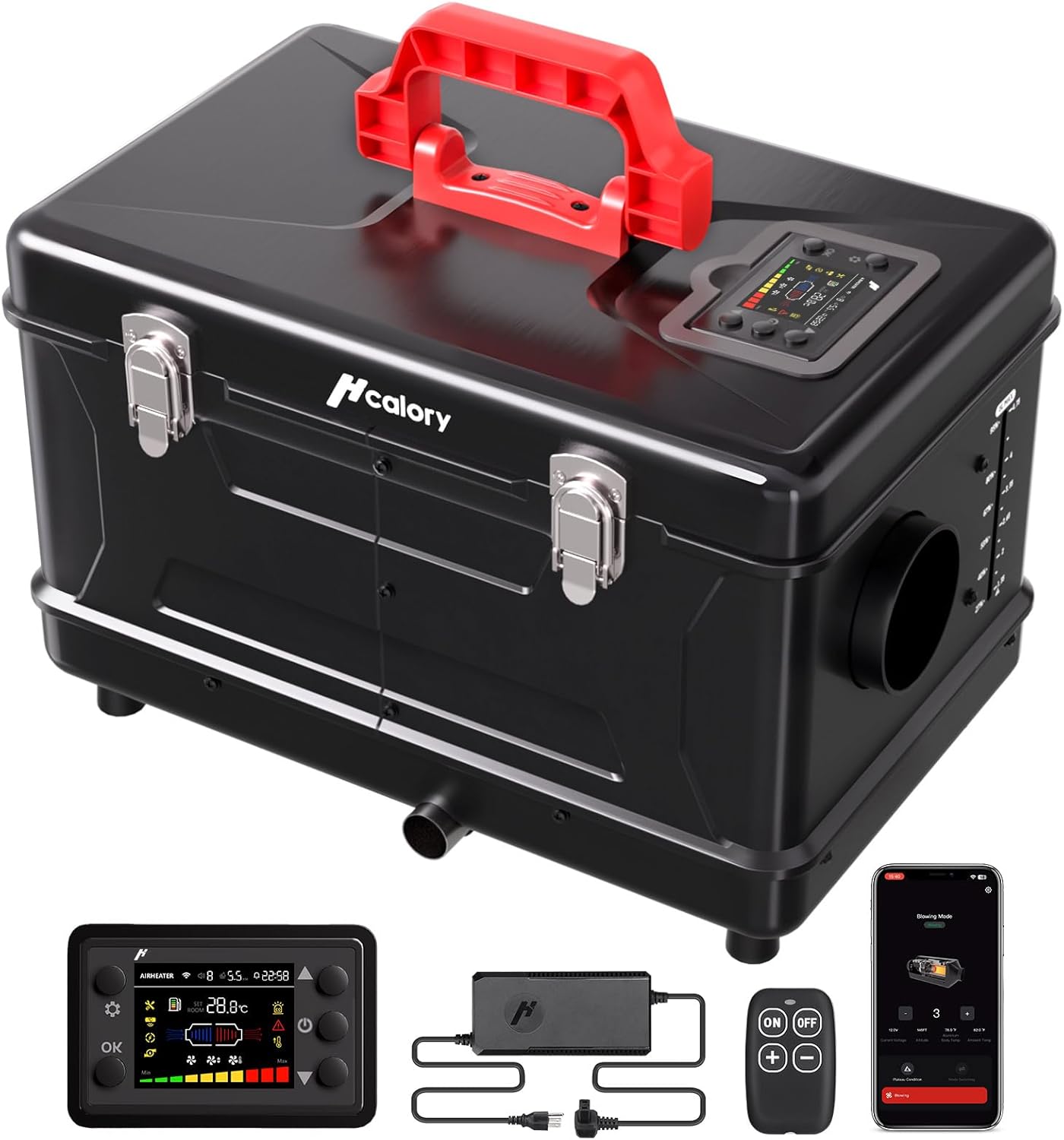
The complete HCALORY 8KW Diesel Heater package, including the main unit, remote control, user manual, and various installation accessories.
2. Настройка і ўстаноўка
2.1 Connecting Exhaust and Air Hoses
- Connect the exhaust hose to the exhaust port on the heater unit. Secure it firmly with the provided locking collar and screwdriver.
- Attach the muffler to the other end of the exhaust hose and secure it with a locking collar. Ensure the exhaust system is directed outside to prevent carbon monoxide buildup.
- Connect the warm air hose to the heat discharge outlet on the heater unit. Secure it with a locking collar.
- Attach the vent outlet to the other end of the warm air hose and secure it with a locking collar. Adjust the vent direction as needed.
Connecting the exhaust hose to the heater unit and securing it with a locking collar.

Connecting the warm air hose to the heater unit and securing it with a locking collar.
This video demonstrates the proper installation of the exhaust and warm air hoses for the HCALORY Toolbox Compact 2S Diesel Heater.
2.2 Запраўка абагравальніка палівам
- Open the heater unit's lid by unlatching the clasps.
- Unscrew the fuel tank cap. A pre-filter is installed inside the cap; do not remove it.
- Carefully pour diesel fuel into the tank. The tank has a 5-liter capacity.
- Шчыльна закруціце вечка паліўнага бака.

Opening the heater unit and filling the integrated 5-liter diesel fuel tank.
2.3 Падключэнне харчавання
The heater supports both AC (110V) and DC (12V/24V) power sources:
- For AC power, connect the provided AC/DC adapter to the heater's power inlet and then plug it into a standard household outlet.
- For DC power, use the included 12V/24V power cable to connect directly to a vehicle battery or other compatible DC power source.

Connecting the heater to an electrical power source using the provided adapter.
2.4 Control Panel Extension (Optional)
If you need to operate the heater from a distance, you can use an extension cable for the control panel:
- Carefully disconnect the screen's attached wire from its port inside the unit.
- Connect the extension cable to both the screen's wire and the corresponding port inside the unit.
- Route the extension cable as needed.

Connecting an extension cable to the control panel for remote operation.
3. Эксплуатацыя абагравальніка
3.1 Панэль кіравання скончанаview
The heater features an intuitive control panel for easy operation:
- Уключэнне/выключэнне харчавання: Націсніце і ўтрымлівайце кнопку харчавання на працягу 2 секунд, каб уключыць або выключыць прыладу.
- Temperature/Gear Adjustment: Use the up/down arrows to adjust the desired temperature or heating gear (H1-H10).
- Выбар рэжыму: Cycle through various modes like Constant Temperature, Auto Start-Stop, and Fan Mode.
- Паказ дадзеных: Націсніце кнопку OK, каб view real-time data such as voltage, altitude, internal temperature, and ambient temperature.

The digital control panel allows for easy adjustment of settings and monitoring of heater status.
This video provides a detailed guide on how to use the heater's control panel to adjust settings and monitor performance.
3.2 Кіраванне праграмамі
Manage your heater conveniently via Bluetooth using the dedicated HCALORY app:
- Download the HCALORY app from your device's app store.
- Enable Bluetooth on your device and pair it with the heater.
- Through the app, you can adjust temperature, set multiple timing groups, change heating gear, activate Altitude Mode, and enable Auto Start-Stop.

The HCALORY app provides comprehensive control over the heater's functions from your smartphone.
This video demonstrates the various features and controls available through the HCALORY app for the 8KW diesel heater.
3.3 Altitude Mode
The heater automatically adjusts its performance for elevations up to 18,000 ft. The intelligent control panel detects altitude in real-time and optimizes the air-to-diesel mixing ratio for efficient operation.

The automatic altitude mode ensures optimal performance at various elevations.
3.4 Auto Start-Stop
This feature allows the heater to automatically start and stop based on the set temperature, optimizing fuel consumption and maintaining a consistent environment.
3.5 Рэжым вентылятара
The heater can also operate in a fan-only mode, circulating air without engaging the heating element.
4. Тэхнічнае абслугоўванне
- Regularly check for any fuel leaks, especially after refueling or initial setup.
- Ensure the pre-filter in the fuel tank cap is clean and free of debris.
- Keep the air intake and exhaust ducts clear of any obstructions.
- Periodically inspect all connections and hoses for wear or damage.
5. Выпраўленне непаладак
The control panel displays error codes if a fault occurs. Refer to the tables below for common error codes and suggested solutions:
Error Codes: Power Supply & Ignition

Table detailing error codes for power supply and ignition issues, along with troubleshooting steps.
Error Codes: Temperature & Motor

Table detailing error codes for high temperature alarms and motor malfunctions, along with troubleshooting steps.
Error Codes: Flame & Sensors

Table detailing error codes for flame extinction and sensor issues, along with troubleshooting steps.
6. Тэхнічныя характарыстыкі
| Асаблівасць | Спецыфікацыя |
|---|---|
| Марка | HCALORY |
| мадэль | TC2S |
| Магутнасць ацяплення | 8 кВт |
| Ёмістасць паліўнага бака | 5 літра |
| тtage | 110V/12V/24V (Multi-source compatibility) |
| Altitude Adaptation | Up to 18,000 ft (Automatic adjustment) |
| Кантроль | App Control (Bluetooth), Digital Control Panel, Remote Control |
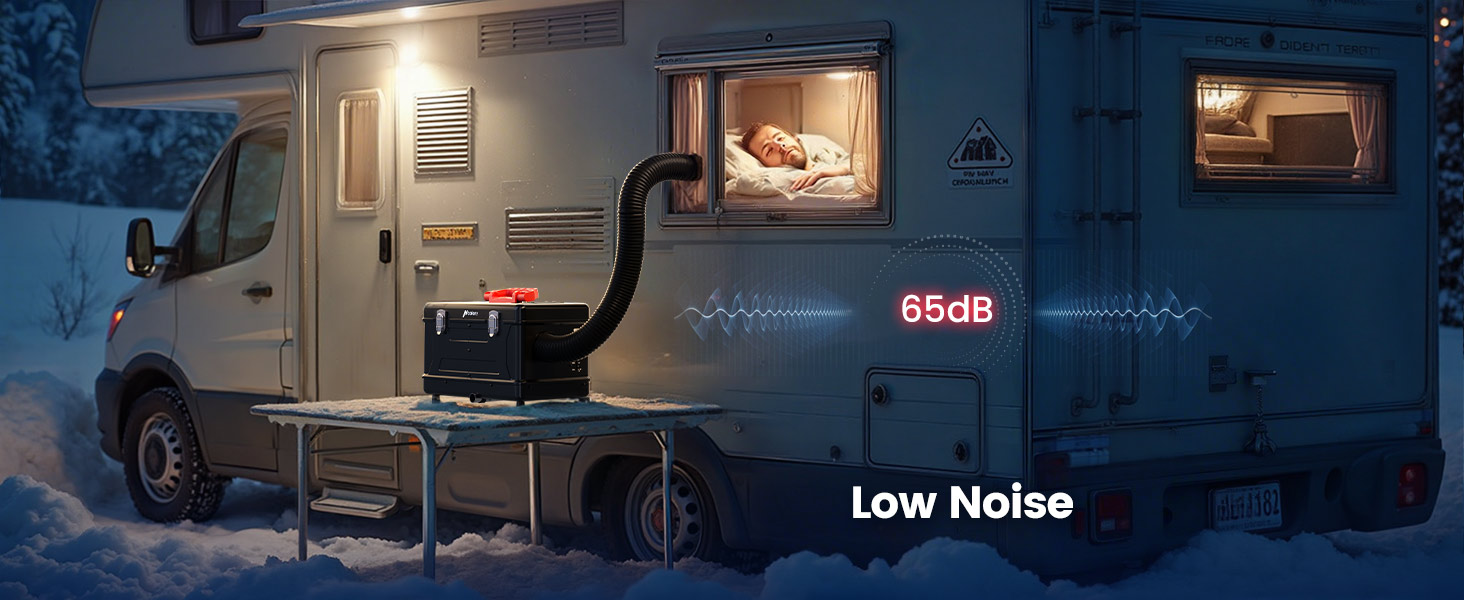
| Асаблівасці | Quiet Operation (Silent Fuel Pump), Efficient & Economical, Multiple Security Protection |
| Вага прадмета | 25.5 фунта |
| Памеры ўпакоўкі | 18.9 х 16.14 х 12.6 цалі |
7. Гарантыя і падтрымка
For detailed warranty information and customer support, please refer to the official user manual included in your package or visit the HCALORY webсайт. Абавязкова захавайце пацвярджэнне пакупкі для прэтэнзій па гарантыі.