
1. Уводзіны
This manual provides detailed instructions for the installation, operation, and maintenance of your Ulecoce Keyless Entry Door Lock Deadbolt with Handle Set. This smart lock offers multiple access methods and enhanced security features for your home or office.

Image 1.1: The Ulecoce Keyless Entry Door Lock Deadbolt with Handle Set in satin nickel finish, installed on a dark door.
2. Асаблівасці прадукту
- Уваход без ключа: Supports 100 user codes (97 user, 3 admin), one-time codes, and 2 backup physical keys.
- Smart Access Management: Generate and share temporary or permanent codes for family, house sitters, or guests.
- Палепшаная бяспека: Features auto-lock, one-touch locking, anti-peeping code input, and low battery alerts.
- Трываласць: Designed to withstand extreme temperatures (-4℉ to 140℉) and is IP54 waterproof.
- Магутнасць: Operates on 4 AA batteries (not included) with an approximate 180-day lifespan.

Выява 2.1: Канецview of the Ulecoce Keyless Entry Door Lock Set highlighting its main features.
3. Тэхнічныя характарыстыкі
| Атрыбут | Дэталь |
|---|---|
| Марка | Улечочэ |
| Назва мадэлі | WZ-U18L-S-0513-TP |
| Тып замка | Тупік |
| Матэрыял | Метал |
| Колер | матавы нікель |
| Памеры прадмета (Д х Ш х У) | 1 х 1 х 1 цалі |
| Вага прадмета | 3.36 фунта |
| Асаблівасці | Anti-Peeping Password, Auto-Lock, Keyless Entry, One-Touch Lock |
| Рэкамендуемае выкарыстанне | Уваходныя дзверы |
| Крыніца харчавання | 4 батарэйкі АА (не ўключаны) |
| Працоўная тэмпература | -4℉ да 140℉ (-20℃ да 60℃) |
| Працоўная вільготнасць | ад 0% да 95% |
| Рэйтынг воданепранікальнасці | IP54 |
| Атэстацыя | Сертыфікаваны ANSI 3-га класа |
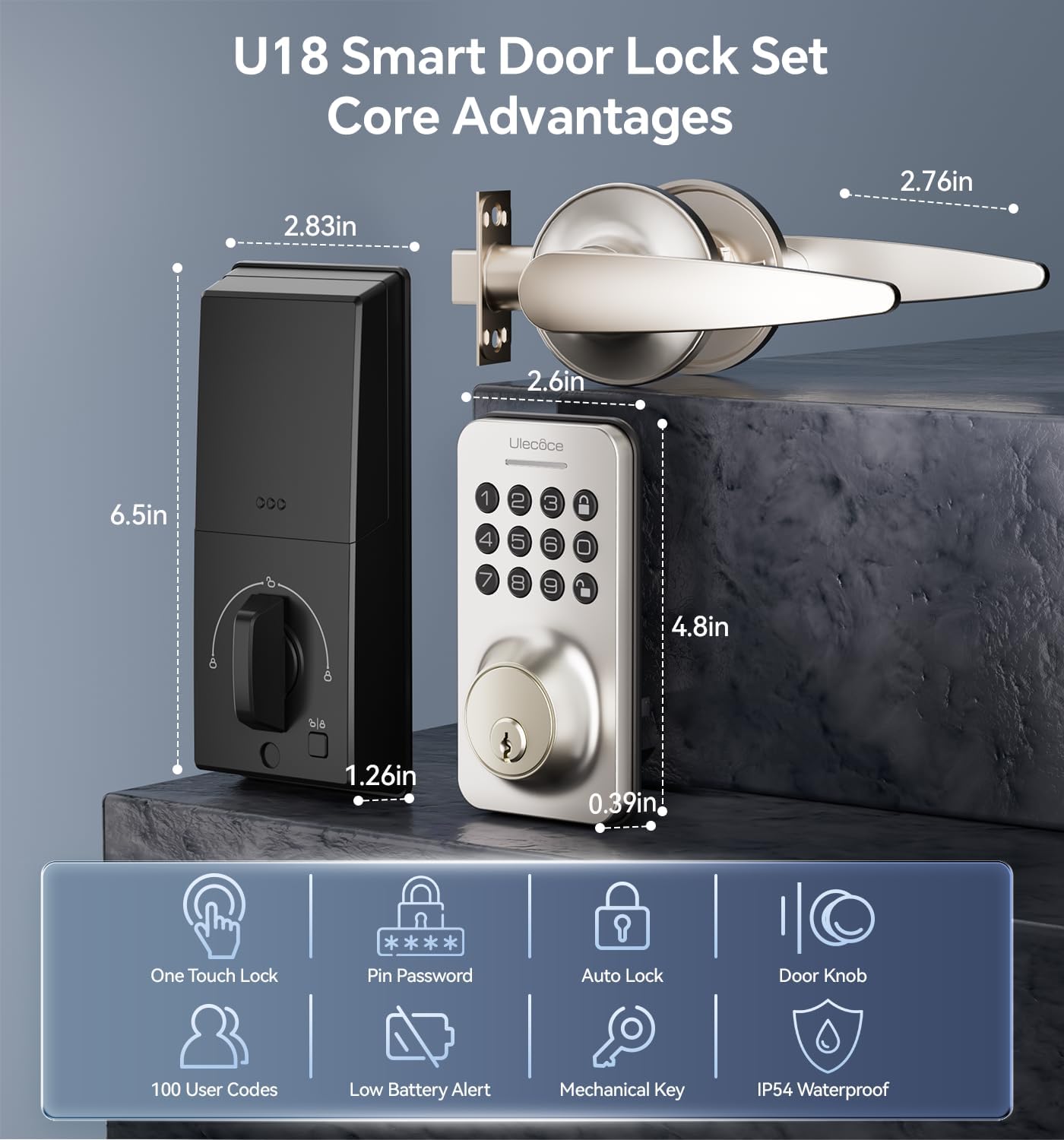
Image 3.1: Dimensions and key features of the Ulecoce U18 Smart Door Lock Set.

Image 3.2: ANSI Grade 3 certification and durability test results for the Ulecoce smart lock.
4. Настройка і ўстаноўка
The Ulecoce Keyless Entry Door Lock is designed for easy installation, requiring only a screwdriver. No additional drilling or professional locksmith services are typically needed. It is compatible with both left and right-hand doors.
4.1 Праверка перад устаноўкай
Before beginning installation, ensure your door meets the compatibility requirements for latch hole and backset dimensions.
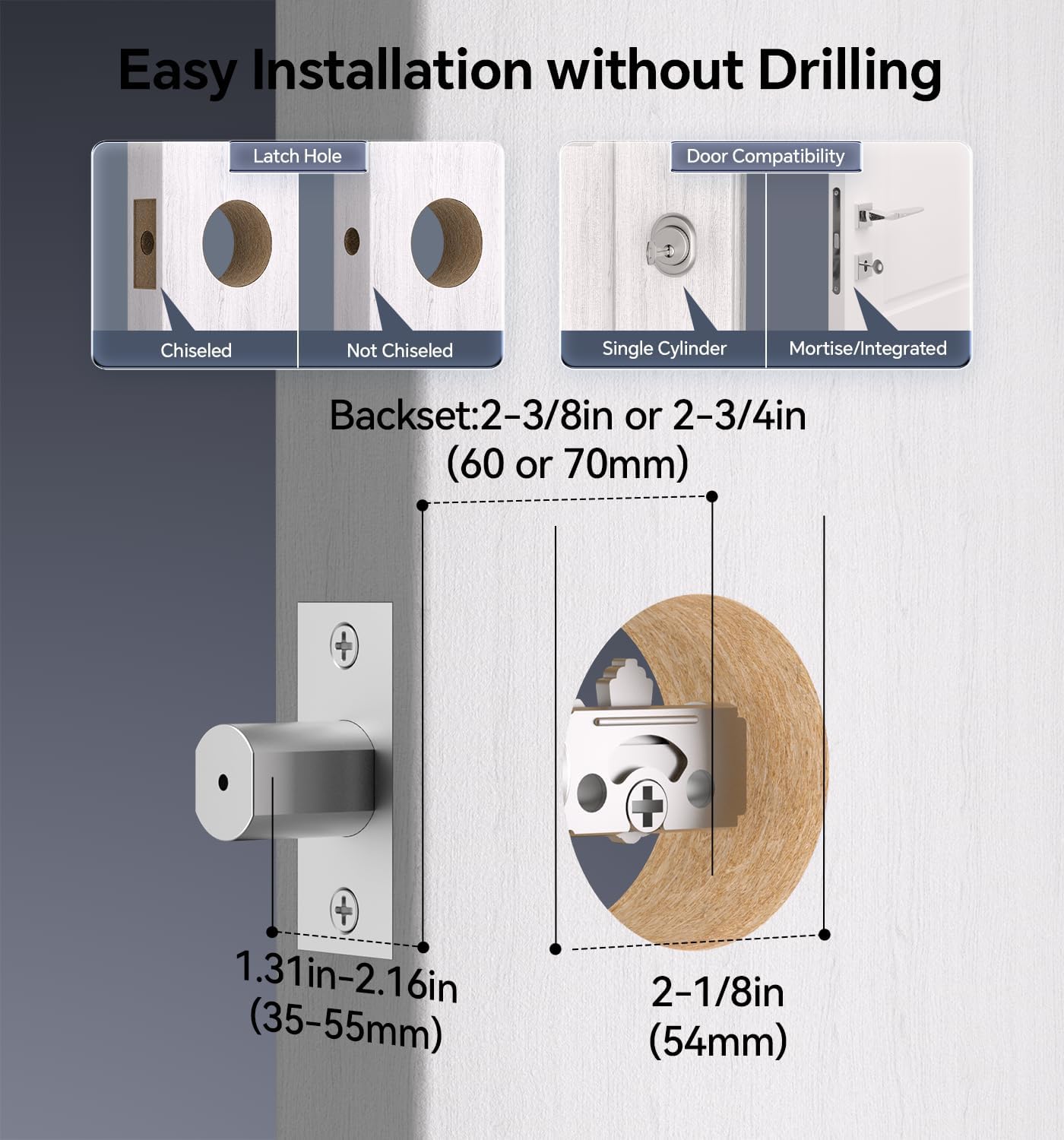
Image 4.1: Door compatibility and latch hole requirements for installation.

Image 4.2: Check door dimensions and lock measurements before purchase.
4.2 Этапы ўстаноўкі
- Prepare the door: Ensure the door is properly prepped with the correct bore hole and backset.
- Усталюйце зашчапку і запорную пласціну.
- Усталюйце знешнюю клавіятурную зборку.
- Install the interior assembly, connecting the cable.
- Secure the lock with screws.
- Устаўце 4 батарэйкі тыпу АА (не ўваходзяць у камплект) у батарэйны адсек.
- Праверце працаздольнасць замка.

Image 4.3: Installation process using a screwdriver.

Image 4.4: The lock is compatible with both left and right-hand door orientations.
5. Інструкцыя па эксплуатацыі
The Ulecoce smart lock offers various convenient ways to unlock and manage access.
5.1 Спосабы разблакіроўкі
- Код клавіятуры: Enter your programmed user code on the keypad.
- Аднаразовыя коды: Генераваць часовыя коды для аднаразовага выкарыстання.
- Фізічны ключ: Use the provided backup keys for manual unlocking.
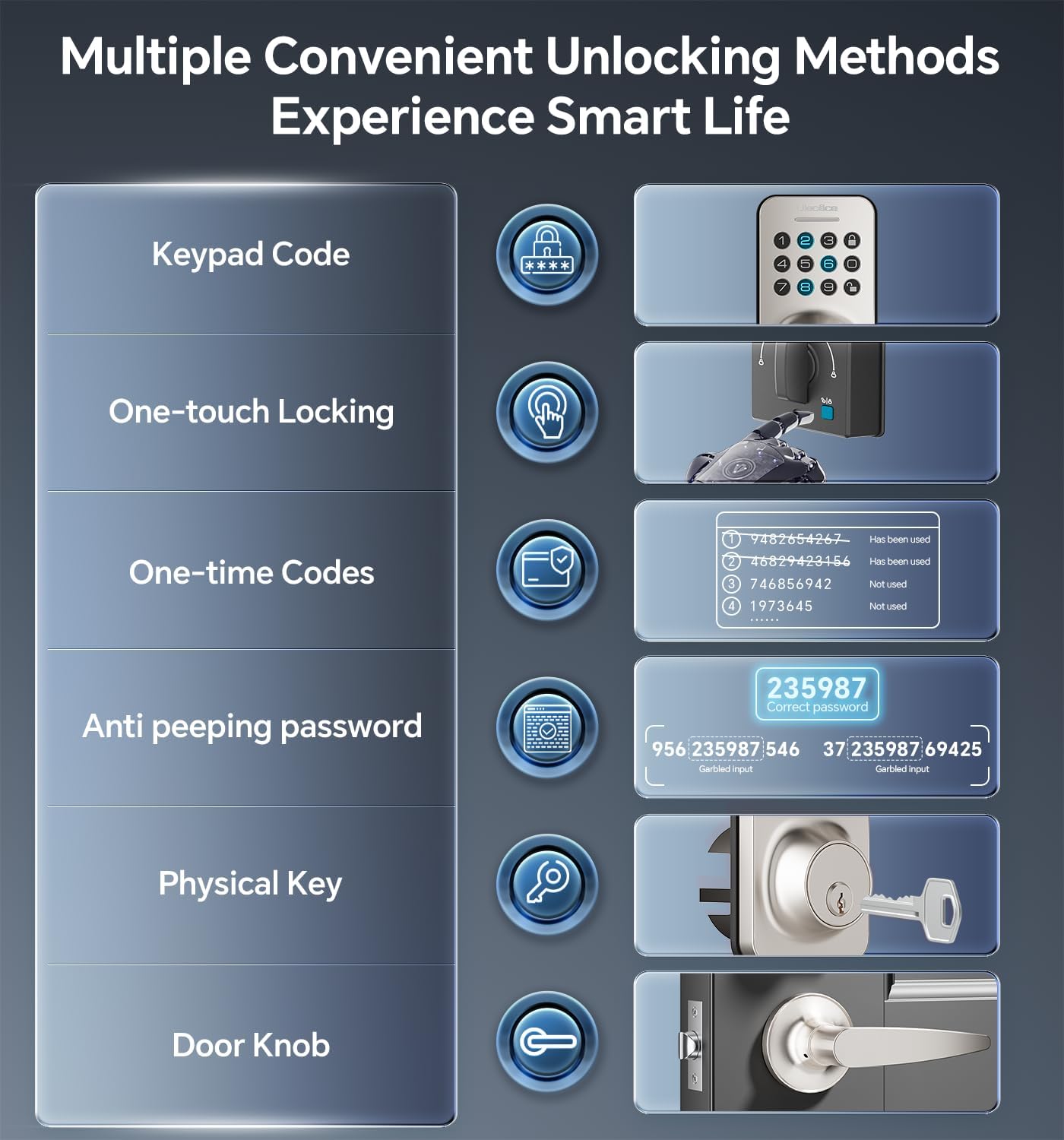
Image 5.1: Multiple methods available for unlocking the door.
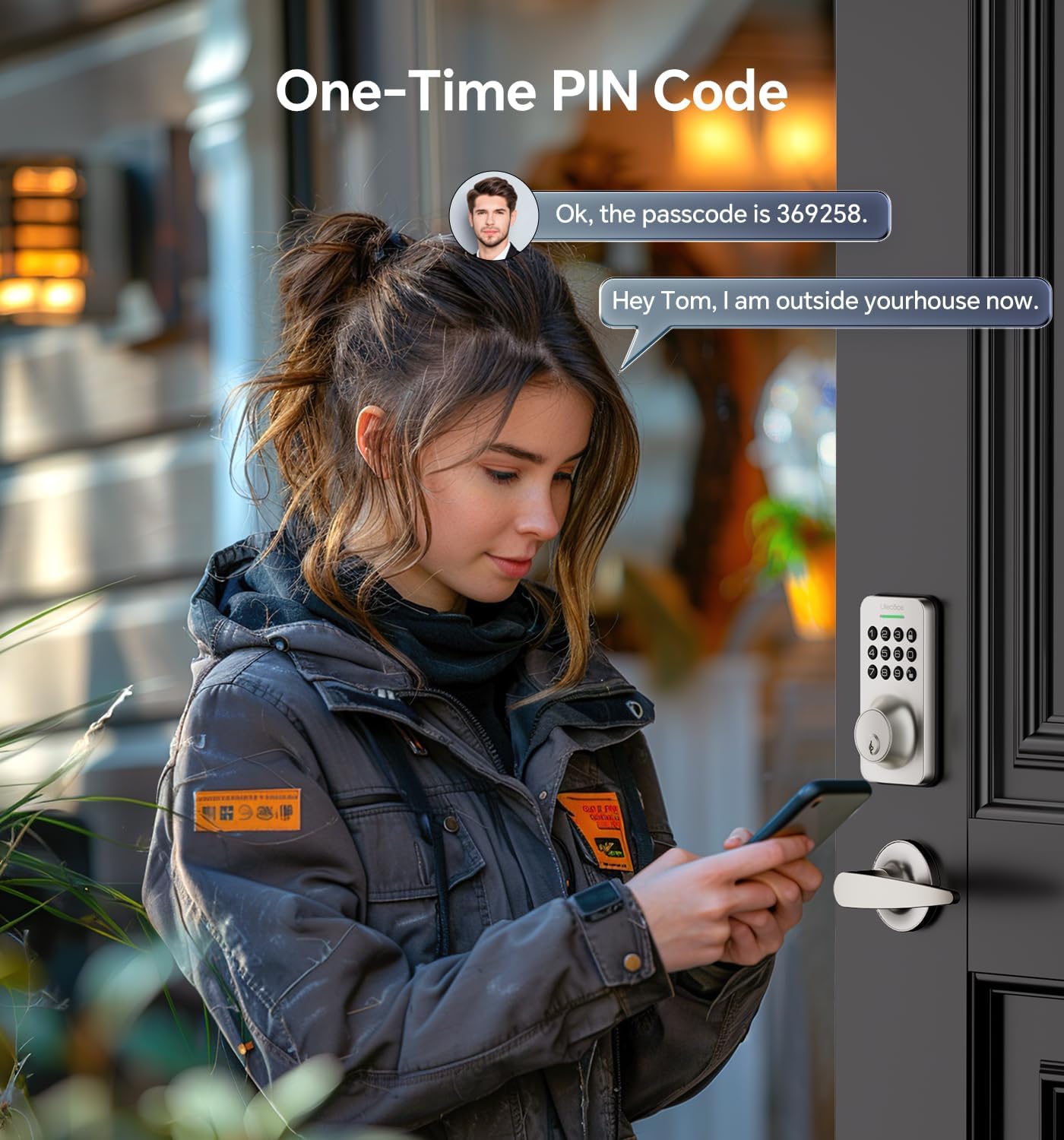
Image 5.2: Using a one-time PIN code for temporary access.
5.2 Пароль супраць падглядвання
To prevent others from guessing your code, you can enter random digits before or after your actual passcode. The lock will recognize the correct consecutive sequence within the input.
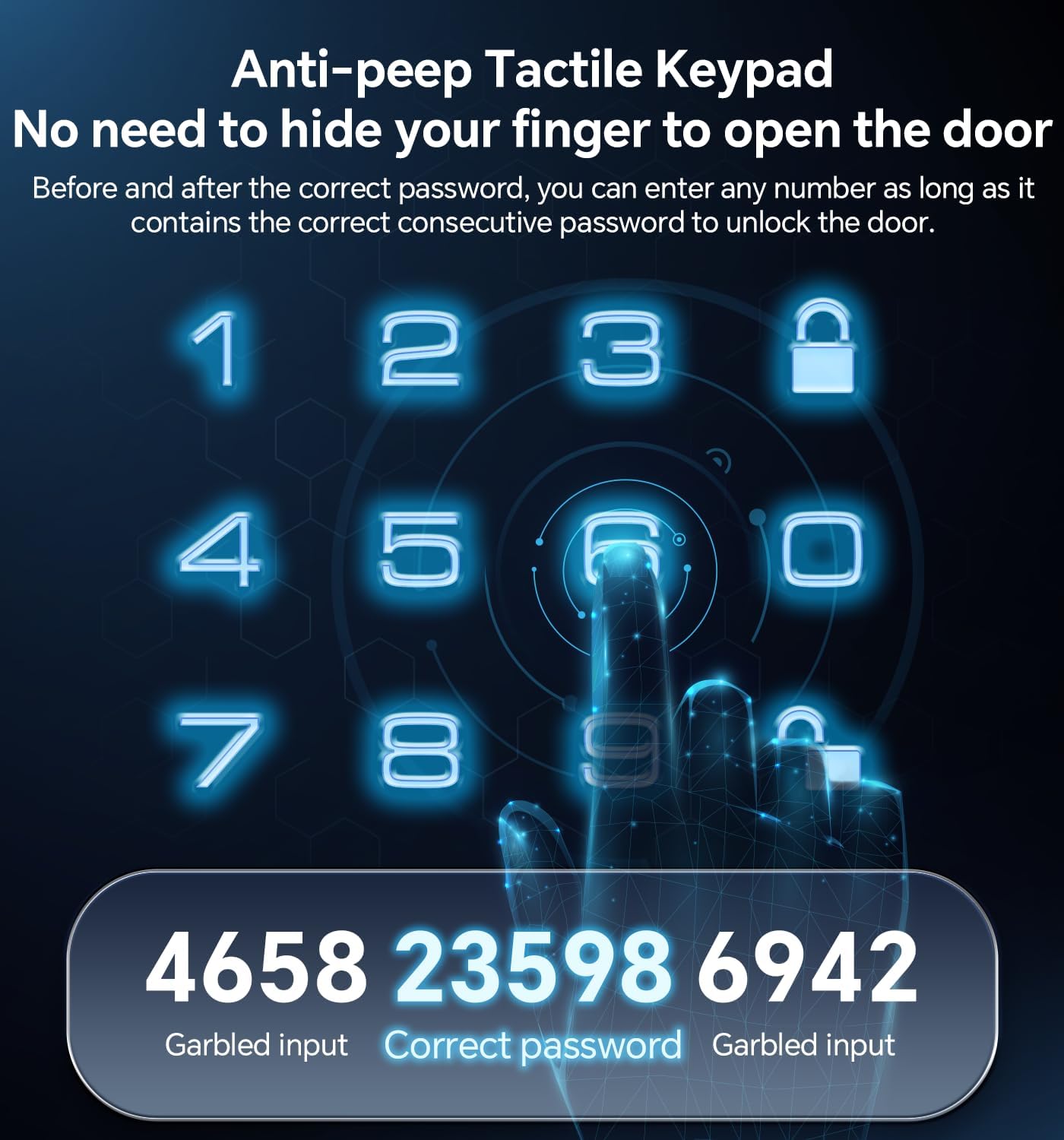
Малюнак 5.3: Прыкладample of using the anti-peeping password feature.
5.3 Аўтаматычная блакіроўка і блакіроўка адным дотыкам
- Аўтаматычная блакіроўка: The lock can be programmed to automatically lock after a set period (10-30 seconds) once the door is closed.
- Блакаванне адным дотыкам: A dedicated button on the interior assembly allows for quick manual locking.

Image 5.4: The auto-lock feature provides convenience and security.
6. Тэхнічнае абслугоўванне
6.1 Замена батарэі
The lock is powered by 4 AA batteries (not included). When the battery level is low, the lock will provide an alert. Replace all four batteries promptly to ensure continuous operation.

Image 6.1: Low battery indicator and backlit keypad for visibility.
6.2 Ачыстка
Clean the lock's exterior with a soft, dry cloth. Avoid using abrasive cleaners or solvents, as these can damage the finish or electronic components.
7. Выпраўленне непаладак
- Замак не рэагуе: Праверце ўзровень зарада батарэі і пры неабходнасці заменіце яе. Пераканайцеся, што клавіятура чыстая і без смецця.
- Код не працуе: Verify the code is entered correctly. Ensure the anti-peeping feature is used as intended. If issues persist, reset the code or use a physical key.
- Аўтаматычная блакіроўка не спрацоўвае: Check the auto-lock settings to ensure it is enabled and the timer is set appropriately.
- Фізічны ключ не працуе: Ensure the key is fully inserted and turned correctly. Check for any obstructions in the keyway.
Каб атрымаць дадатковую дапамогу, звярніцеся да раздзела «Гарантыя і падтрымка».
8. Гарантыя і падтрымка
Ulecoce provides a 3-гадовая гарантыя на прадукт and lifetime after-sales service for this product. Our customer support team is available 24/7 via email to assist with any questions or concerns you may have.
Please feel free to contact us for support.