
1. Уводзіны
The Ugoos SK2 TV Box is a high-performance streaming media player designed to transform your television into a smart entertainment hub. Running on Android 12.0 with Google TV, it offers seamless access to a vast library of movies, TV shows, and applications. Equipped with a Realtek RTD1325 ARM Cortex-A55 Quad-Core CPU, 4GB RAM, and 32GB ROM, the SK2 ensures smooth 4K HDR playback and efficient multitasking. Its advanced connectivity options, including WiFi 6 and Bluetooth 5.2, provide a stable and fast streaming experience.
2. Змесціва ўпакоўкі
Please verify that all items are present in the box:
- Ugoos SK2 TV Box
- BT + IR Remote Control
- 12V/1A Power Adapter (US Plug)
- Кабель HDMI
- Кіраўніцтва карыстальніка на англійскай мове

Figure 2.1: Ugoos SK2 TV Box and its accompanying remote control.
3. Прадукт скончыўсяview
The Ugoos SK2 TV Box features a compact design with essential ports for connectivity.
3.1 Пярэдняя і бакавая часткі Views

Малюнак 3.1: бок view of the Ugoos SK2 TV Box, showing the USB-C, Reset button, and USB 2.0 (5V===) port.
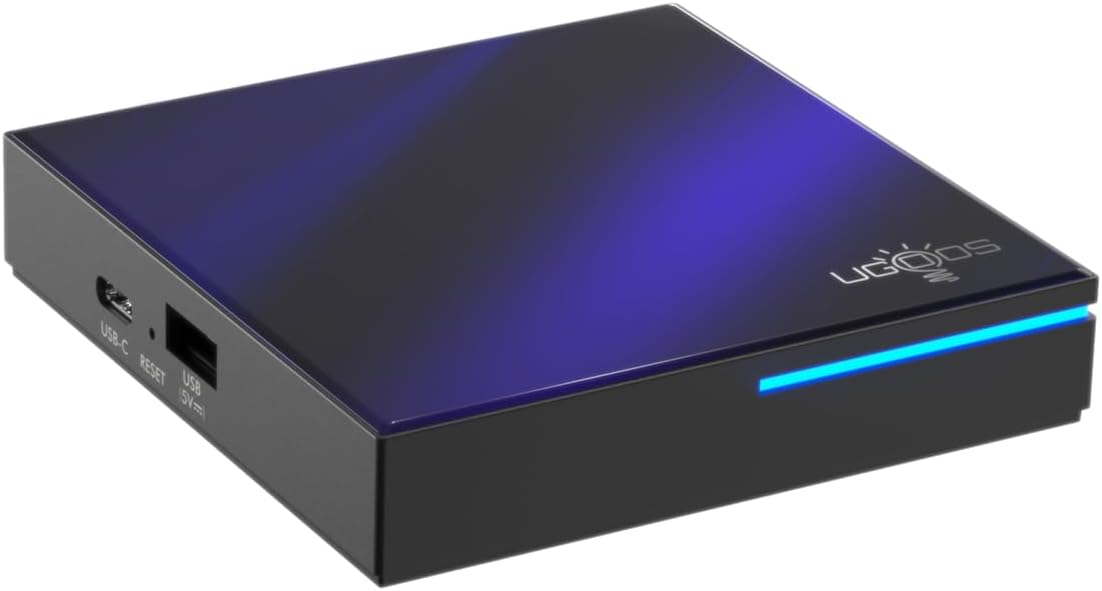
Малюнак 3.2: Пярэдняя і бакавая часткі view highlighting the indicator light strip, which illuminates when the device is powered on.
3.2 Ззаду View (Парты)
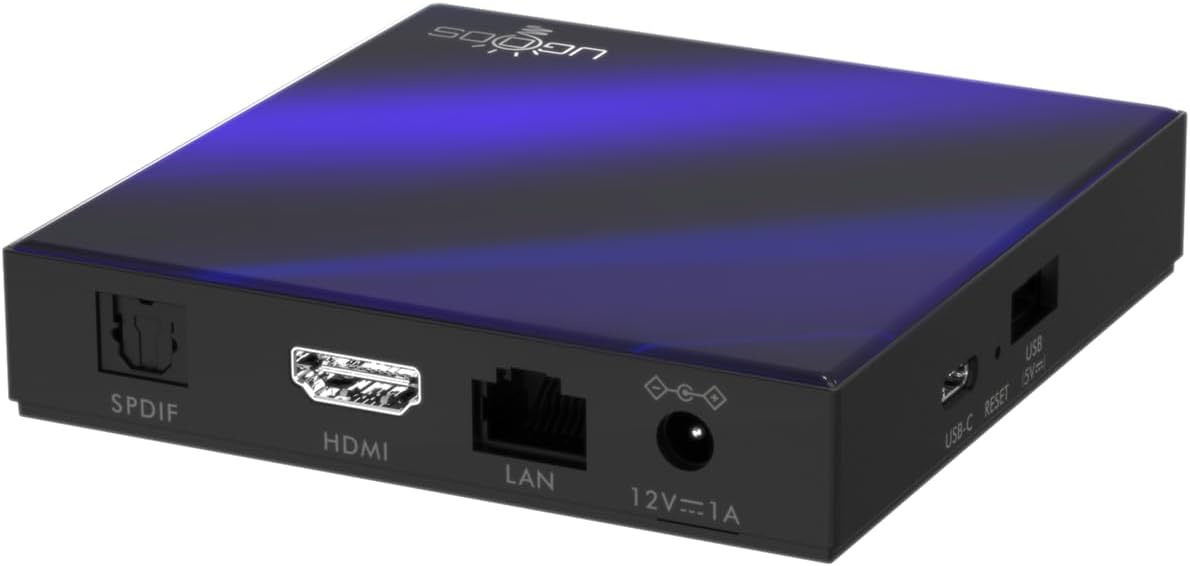
Малюнак 3.3: Задняя частка view of the Ugoos SK2 TV Box, displaying the SPDIF, HDMI, LAN (Ethernet), and 12V/1A Power input ports.
Відэа 3.1: Распакоўка і ўсёview of the Ugoos SK2 ATV Box, showcasing its design and available ports.
4. Кіраўніцтва па наладцы
Выканайце наступныя дзеянні, каб наладзіць прыстаўку Ugoos SK2 TV Box:
- Падключэнне да тэлевізара: Connect one end of the provided HDMI cable to the HDMI port on the Ugoos SK2 TV Box and the other end to an available HDMI input on your television.
- Падключыце харчаванне: Plug the 12V/1A power adapter into the DC IN port on the TV Box and then plug the adapter into a wall outlet. The indicator light on the front of the device will illuminate.
- Устаўце батарэйкі ў пульт дыстанцыйнага кіравання: Open the battery compartment on the back of the BT + IR Remote Control and insert two AAA batteries (not included), ensuring correct polarity.
- Уключэнне: Power on your television and select the correct HDMI input source corresponding to where the TV Box is connected. The Ugoos SK2 TV Box should automatically power on.
- Першапачатковая ўстаноўка: Follow the on-screen instructions to complete the initial setup, including language selection, region/country, and network connection (Wi-Fi or Ethernet).
- Спалучэнне пульта дыстанцыйнага кіравання: During the initial setup, you may be prompted to pair the remote control. Press and hold the 'Home' and 'Back' buttons simultaneously for 5 seconds until the indicator light on the remote flashes, indicating successful pairing.
- Падключэнне да сеткі: For optimal performance, connect the device to your home network. You can use either the built-in WiFi 6 (2.4/5/6Ghz) or connect an Ethernet cable to the LAN port for a wired connection.
5. Інструкцыя па эксплуатацыі
The Ugoos SK2 TV Box runs on Google TV, providing a user-friendly interface for content discovery and streaming.
5.1 Navigation and Apps
Use the remote control to navigate through the Google TV interface. The home screen provides personalized recommendations, quick access to installed apps like YouTube, Netflix, Prime Video, and Disney+, and a search function powered by Google Assistant.
5.2 Галасавое кіраванне (Google Assistant)
Press the Google Assistant button on your remote to activate voice control. You can use voice commands to search for content, control playback, get answers, and manage smart home devices.
5.3 Трансляцыя кантэнту (убудаваны Chromecast)
The device features Chromecast built-in, allowing you to cast movies, shows, photos, and more directly from your phone or tablet to your TV.
5.4 Прайграванне 4K HDR
The Ugoos SK2 supports 4K 60fps resolution, H.265, AV1, and 4K HDR content, including Dolby Vision and HDR10+. This ensures a vibrant and detailed viewing experience with smooth playback.
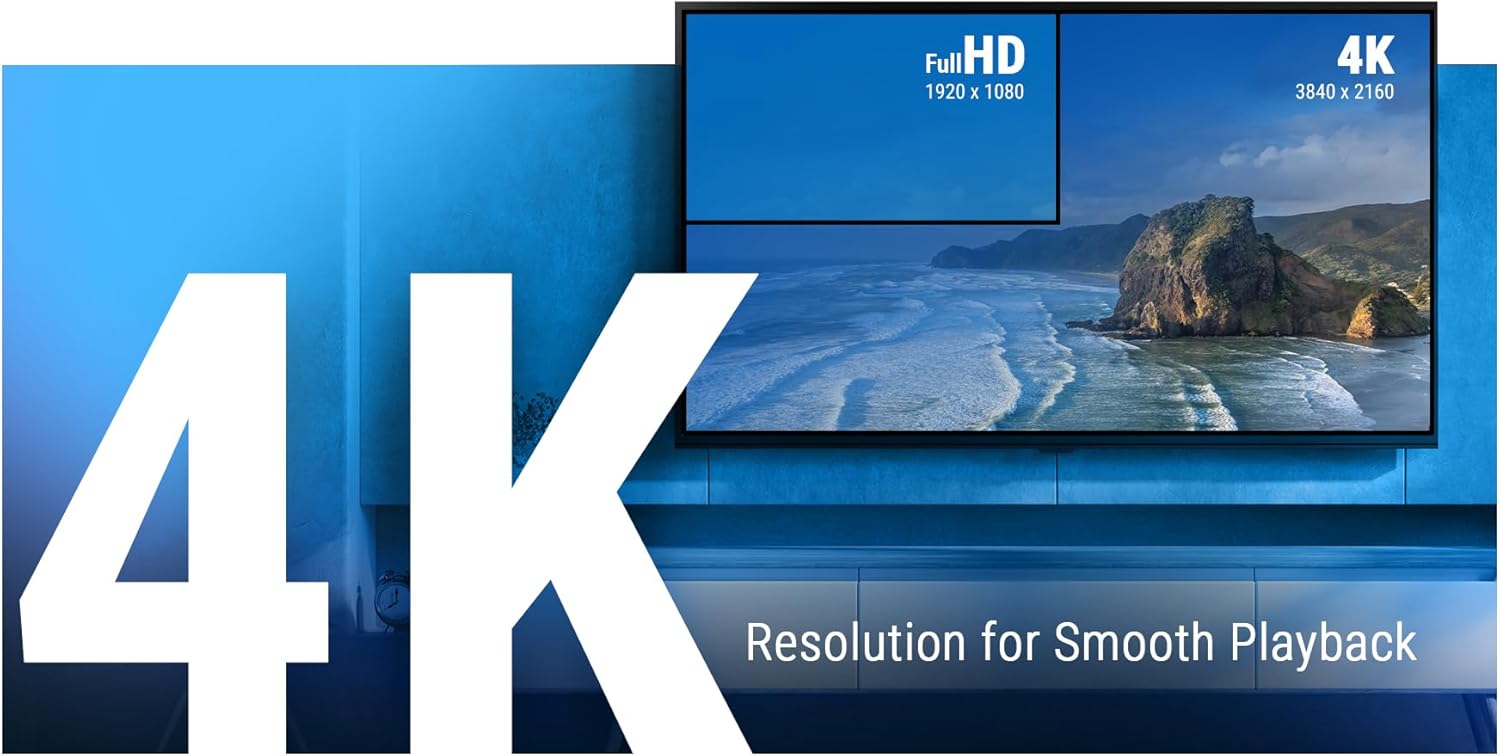
Figure 5.1: The Ugoos SK2 supports 4K resolution for smooth and high-quality video playback.

Figure 5.2: The device supports advanced video technologies like AV1, HDR10+, and Dolby Vision for enhanced visual fidelity.

Figure 5.3: The Automatic Frame Rate (AFR) system ensures optimal resolution and frequency matching for smooth video playback.
6. Тэхнічнае абслугоўванне
To ensure the longevity and optimal performance of your Ugoos SK2 TV Box, follow these maintenance guidelines:
- Уборка: Для чысткі вонкавай паверхні прылады выкарыстоўвайце мяккую сухую тканіну. Пазбягайце выкарыстання вадкіх ачышчальнікаў або абразіўных матэрыялаў.
- Вентыляцыя: Пераканайцеся, што прылада знаходзіцца ў добра вентыляваным месцы, каб пазбегнуць перагрэву. Не закрывайце вентыляцыйныя адтуліны.
- Абнаўленні праграмнага забеспячэння: Periodically check for and install software updates to ensure you have the latest features and security patches. This can usually be done through the device's settings menu.
- Кіраванне сховішчам: While the device has 32GB of internal storage, regularly manage your installed apps and media to prevent performance degradation due to full storage.
7. Выпраўленне непаладак
If you encounter issues with your Ugoos SK2 TV Box, refer to the following common problems and solutions:
- Няма харчавання:
- Пераканайцеся, што адаптар сілкавання надзейна падключаны як да прылады, так і да спраўнай разеткі.
- Праверце працаздольнасць разеткі, падключыўшы да яе іншую прыладу.
- Няма выявы/сігналу:
- Verify that the HDMI cable is securely connected to both the TV Box and the TV.
- Пераканайцеся, што ваш тэлевізар настроены на правільную крыніцу ўваходнага сігналу HDMI.
- Паспрабуйце іншы кабель HDMI або порт HDMI на вашым тэлевізары.
- Пульт дыстанцыйнага кіравання не адказвае:
- Праверце і заменіце батарэйкі ў пульце дыстанцыйнага кіравання.
- Re-pair the remote control by pressing and holding the 'Home' and 'Back' buttons simultaneously for 5 seconds.
- Праблемы з падключэннем да Wi-Fi:
- Пераканайцеся, што ваш Wi-Fi-роўтар уключаны і працуе належным чынам.
- Move the TV Box closer to the router or consider using an Ethernet connection.
- Restart both the TV Box and your Wi-Fi router.
- Завісанне/збой праграмы:
- Зачыніце і зноў адкрыйце праблемнае прыкладанне.
- Ачысціце кэш і дадзеныя праграмы праз налады прылады.
- Пераканайцеся, што праграмнае забеспячэнне прылады абноўлена.
For persistent issues, consider performing a factory reset (refer to the device settings for this option). Note that a factory reset will erase all personal data and installed applications.
8. Тэхнічныя характарыстыкі
Падрабязныя тэхнічныя характарыстыкі тэлевізійнай прыстаўкі Ugoos SK2:
| Асаблівасць | Апісанне |
|---|---|
| Назва мадэлі | SK2 |
| Марка | Угус |
| Аперацыйная сістэма | Android 12.0 (Google TV) |
| Processor (SOC) | Realtek RTD1325, ARM Cortex-A55 Quad-Core CPU |
| графічны працэсар | Mali-G57 MC1 |
| АЗП | 4 ГБ DDR4 |
| Унутраная памяць | 32 ГБ eMMC |
| Бесправоднае падключэнне | WiFi 6 (2.4/5/6Ghz, IEEE 802.11 a/b/g/n/ac/ax 2x2 MIMO) |
| Bluetooth | Bluetooth 5.2 |
| Відэавыхад | HDMI (4K 60fps, HDR, AV1, VP9, H.265) |
| Падтрымка аўдыё | Dolby Vision-Atmos |
| Ethernet | 100M LAN-порт |
| Парты USB | USB-C, USB 2.0 |
| Іншыя парты | SPDIF, Reset |
| Увод магутнасці | 12 В/1 А |
| Памеры | 3.78 х 3.78 х 0.75 цалі |
| Вага прадмета | 1.35 фунта |
| Асаблівасці | Убудаваны Chromecast, Памочнік Google |

Малюнак 8.1: Закончанаview of the Ugoos SK2's core technical specifications.

Figure 8.2: Comparison illustrating the improved data transfer speed of Bluetooth 5.2 supported by the Ugoos SK2.
9. Інфармацыя па бяспецы
Калі ласка, прачытайце і выконвайце гэтыя меры бяспекі, каб пазбегнуць пашкоджання прылады або траўмаў:
- Выкарыстоўвайце толькі адаптар сілкавання, які ўваходзіць у камплект.
- Не падвяргайце прыладу ўздзеянню вады, вільгаці або экстрэмальных тэмператур.
- Пазбягайце размяшчэння прылады побач з крыніцамі цяпла або пад прамымі сонечнымі прамянямі.
- Не спрабуйце разабраць або мадыфікаваць прыладу.
- Захоўвайце прыладу і аксэсуары ў месцах, недаступных дзецям.
10. Гарантыя і падтрымка
The Ugoos SK2 TV Box is covered by a standard manufacturer's warranty. Please refer to the warranty card included in your package or contact Ugoos customer support for detailed information regarding warranty terms, service, and technical assistance.
For further support, visit the official Ugoos webсайт або звязацца з іх камандай абслугоўвання кліентаў.