
Уводзіны
Thank you for choosing the XTU S6 Remote Control. This device is designed to provide convenient wireless control over your XTU S6 camera, enhancing your remote shooting experience. Please read this manual carefully before use to ensure proper operation and to maximize the performance and lifespan of your remote control.
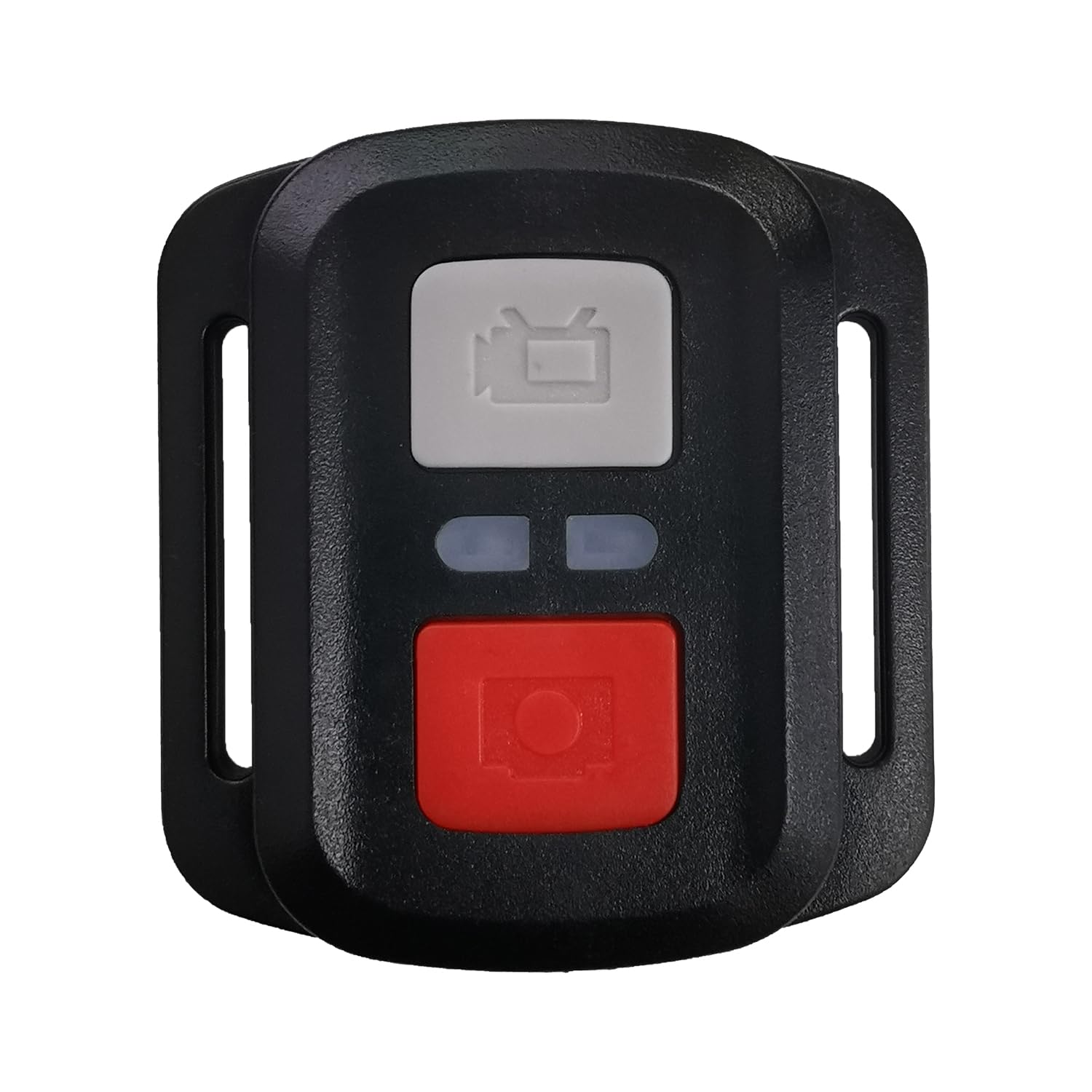
Малюнак 1: XTU S6 Remote Control. This image displays the compact black remote control with its array of buttons, designed for easy handling and intuitive operation of the XTU S6 camera.
Настройка
Follow these steps to set up your XTU S6 Remote Control with your XTU S6 camera:
- Ўстаноўка батарэі: Open the battery compartment on the back of the remote control. Insert the required batteries (type not specified, refer to product packaging) ensuring correct polarity. Close the compartment securely.
- Уключэнне: Press and hold the power button on the remote control until the indicator light illuminates.
- Pairing with XTU S6 Camera:
- Ensure your XTU S6 camera is powered on and in pairing mode (refer to your camera's user manual for specific instructions on enabling remote control pairing).
- On the remote control, press the designated pairing button (if available) or follow the camera's instructions to initiate the connection.
- Once successfully paired, the indicator light on the remote control may change or stop blinking, and the camera should acknowledge the connection.
- Тэставае злучэнне: Attempt to take a photo or start recording using the remote control to confirm successful pairing.
Інструкцыя па эксплуатацыі
The XTU S6 Remote Control features 15 buttons for various functions. While specific button assignments may vary, general operations include:
- Кнопка харчавання: Уключае/выключае пульт дыстанцыйнага кіравання.
- Кнопка засаўкі/запісу: Activates photo capture or starts/stops video recording.
- Кнопка рэжыму: Switches between different camera modes (e.g., Photo, Video, Playback).
- Кнопкі навігацыі (Уверх/Уніз/Улева/Управа/ОК): Used to navigate camera menus and confirm selections.
- Кнопкі маштабавання: Adjusts the camera's zoom level (if supported by the camera).
- Settings/Menu Button: Accesses camera settings or menu options.
- Светлавы індыкатар: Provides feedback on power status, pairing status, and command transmission.
For detailed functionality of each button, please refer to your XTU S6 camera's user manual, as remote control functions are often integrated with camera features.
Тэхнічнае абслугоўванне
To ensure the longevity and optimal performance of your XTU S6 Remote Control, follow these maintenance guidelines:
- Уборка: Use a soft, dry cloth to wipe the remote control. Do not use liquid cleaners, solvents, or abrasive materials, as they may damage the surface or internal components.
- захоўванне: Захоўвайце пульт дыстанцыйнага кіравання ў прахалодным, сухім месцы, удалечыні ад прамых сонечных прамянёў, экстрэмальных тэмператур і высокай вільготнасці.
- Сыход за батарэяй: Калі пульт дыстанцыйнага кіравання не будзе выкарыстоўвацца працяглы час, выміце батарэйкі, каб прадухіліць уцечку і магчымыя пашкоджанні.
- Пазбягайце ўздзеяння: Protect the remote control from drops and impacts, which can damage internal circuitry.
Ліквідацыю непаладак
If you encounter issues with your XTU S6 Remote Control, try the following solutions:
- Пульт не адказвае:
- Праверце, ці правільна ўсталяваныя батарэйкі і ці дастаткова яны зараджаныя. Пры неабходнасці заменіце іх.
- Пераканайцеся, што пульт дыстанцыйнага кіравання ўключаны.
- Verify that the remote control is within the operating range of the camera.
- Немагчыма спалучыць:
- Make sure both the remote control and the camera are in pairing mode.
- Restart both the remote control and the camera, then attempt pairing again.
- Ensure there are no strong interferences (e.g., other wireless devices) nearby.
- Перарывістае злучэнне:
- Check battery levels in both devices.
- Reduce the distance between the remote control and the camera.
- Ensure there are no physical obstructions between the remote and the camera.
If these steps do not resolve the issue, please contact XTU customer support for further assistance.
Тэхнічныя характарыстыкі
| Марка | XTU |
| Нумар мадэлі | Дыстанцыйнае |
| Колер | Чорны |
| Колькасць кнопак | 15 |
| Вытворца | XTU |
| ASIN | B0F93BZKJP |
| Першая даступная дата | 2025г |
Гарантыя і падтрымка
For information regarding warranty coverage, technical support, or service, please refer to the warranty card included with your product packaging or visit the official XTU webсайт. Захоўвайце чэк аб куплі як пацвярджэнне пакупкі для гарантыйных прэтэнзій.
XTU Official Webсайт: XTU Store on Amazon.co.jp