
1. Уводзіны
The EDIFIER MP330 is a portable Bluetooth speaker designed to deliver a high-quality audio experience with its retro aesthetic and advanced features. It supports Hi-Res audio and offers versatile connectivity options.

Image: The EDIFIER MP330 portable Bluetooth speaker, showcasing its brown finish and integrated leather handle.
2. Змесціва ўпакоўкі
Калі ласка, пастаўце галачку для наступных пунктаў:
- EDIFIER MP330 Speaker x 1
- Кабель USB-C да USB-C x 1
- Кароткае кіраўніцтва x 1
- Important Safety Information x 1

Image: A visual representation of the EDIFIER MP330 speaker and its included accessories: USB-C cable, quick start guide, and safety information.
3. Прадукт скончыўсяview
3.1 Элементы кіравання і парты
The EDIFIER MP330 features intuitive controls and essential ports for various audio sources.
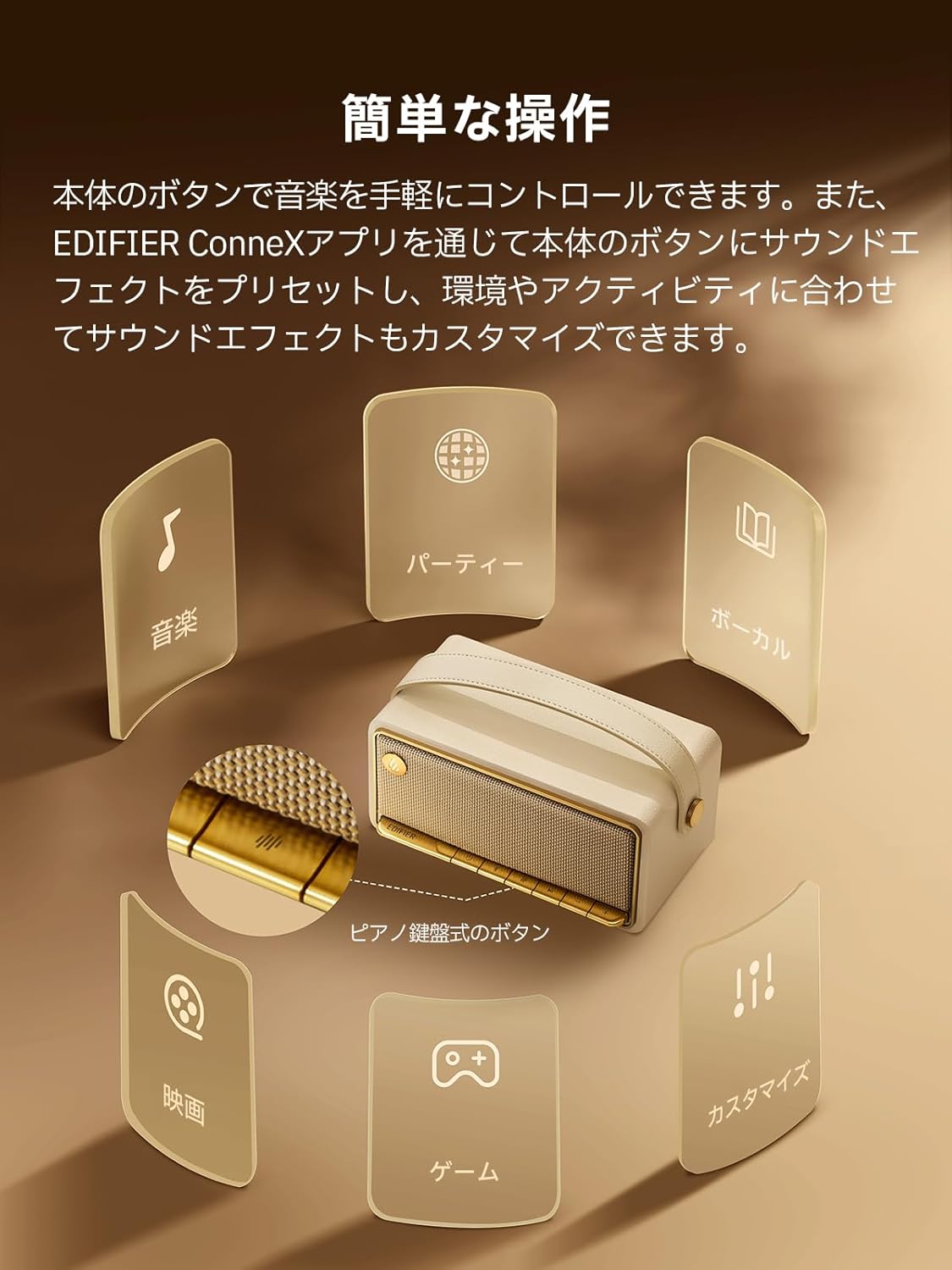
Image: A diagram illustrating the control buttons and indicator lights on the EDIFIER MP330 speaker, showing their functions for power, mode selection, playback, and volume.
- Кнопка харчавання: Націсніце і ўтрымлівайце, каб уключыць/выключыць харчаванне.
- Кнопка рэжыму: Short press to cycle through Bluetooth, USB-C, and microSD card input modes.
- Кнопка прайгравання/паўзы: Кароткае націсканне для прайгравання або прыпынення аўдыё.
- Кнопка павелічэння гучнасці/наступнага трэка: Кароткае націсканне для павелічэння гучнасці, доўгае націсканне для наступнага трэка.
- Кнопка памяншэння гучнасці/пераключэння на папярэдні трэк: Кароткае націсканне для памяншэння гучнасці, доўгае націсканне для папярэдняга трэка.
- Порт USB-C: For charging and audio input.
- Слот для карты microSD: Для прайгравання аўдыё files directly from a microSD card.
4. Настройка
4.1 Зарадка дынаміка
Before first use, fully charge the speaker using the provided USB-C cable and a compatible power adapter (not included). The indicator light will show charging status.
4.2 Уключэнне/выключэнне сілкавання
- Каб уключыць: націсніце і ўтрымлівайце кнопку харчавання, пакуль не загарыцца індыкатар.
- Каб выключыць прыладу: націсніце і ўтрымлівайце кнопку харчавання, пакуль індыкатар не пагасне.
4.3 Спалучэнне па Bluetooth
Каб падключыць прыладу праз Bluetooth:
- Power on the MP330 speaker. The Bluetooth indicator will flash, indicating it is in pairing mode.
- На вашай прыладзе (смартфоне, планшэце і г.д.) уключыце Bluetooth і знайдзіце даступныя прылады.
- Select "EDIFIER MP330" from the list of devices.
- Пасля падключэння індыкатар Bluetooth будзе гарэць пастаянна.
4.4 Шматкропкавае падключэнне
The MP330 supports connecting to two Bluetooth devices simultaneously. After connecting the first device, put the speaker back into pairing mode and connect the second device. You can then switch between audio sources by pausing playback on one device and starting it on the other.

Image: Two mobile phones displaying music playback interfaces, indicating a multipoint Bluetooth connection to the EDIFIER MP330 speaker.
4.5 Стэрэаспалоўванне (TWS)
For an enhanced stereo sound experience, you can pair two MP330 speakers together:
- Ensure both MP330 speakers are powered on and not connected to any Bluetooth device.
- On one speaker, press and hold the Bluetooth button until it enters TWS pairing mode (indicator light will flash a specific pattern).
- The two speakers will automatically connect to each other. One speaker will become the left channel and the other the right.
- Once paired, connect your device to the primary speaker via Bluetooth as described in section 4.3.

Image: Two EDIFIER MP330 speakers, one black and one ivory, positioned to illustrate stereo pairing, with a Bluetooth logo and arrows indicating connection.
5. Інструкцыя па эксплуатацыі
5.1 Пераключэнне рэжымаў уваходу
Short press the Mode button to switch between Bluetooth, USB-C, and microSD card input modes. The indicator light will change color to reflect the active mode.
5.2 USB-C Audio Playback
Connect the MP330 to your computer using the provided USB-C cable. The speaker will automatically switch to USB-C audio mode. Select "EDIFIER MP330" as the audio output device on your computer.

Image: A diagram showing the EDIFIER MP330 speaker connected to a computer via a USB-C cable, indicating USB-C audio playback.
5.3 microSD Card Playback
Устаўце карту microSD з аўдыя files into the microSD card slot. The MP330 will automatically switch to microSD card mode and begin playback.

Image: A diagram illustrating how to insert a microSD card into the dedicated slot on the EDIFIER MP330 speaker.
5.4 Using the EDIFIER Connex App
Download the EDIFIER Connex app to unlock extended features and customize your listening experience. The app allows you to:
- Пераключэнне крыніц уваходнага сігналу.
- Кіраванне прайграваннем.
- Customize sound effects (equalizer presets or custom settings).
- Access the electronic user manual and other settings.

Image: Multiple smartphone screens displaying the EDIFIER Connex app interface, highlighting various control and customization options for the speaker.
6. Тэхнічнае абслугоўванне
To ensure the longevity and optimal performance of your EDIFIER MP330 speaker, follow these maintenance guidelines:
- Уборка: Use a soft, dry cloth to clean the speaker's surface. Avoid using abrasive cleaners, solvents, or strong chemicals, as they may damage the finish.
- захоўванне: Захоўвайце дынамік у прахалодным, сухім месцы, удалечыні ад прамых сонечных прамянёў, экстрэмальных тэмператур і высокай вільготнасці.
- Ўздзеянне вады: The speaker is not waterproof. Avoid exposing it to water, rain, or excessive moisture.
- Апрацоўка: Handle the speaker with care. Avoid dropping it or subjecting it to strong impacts.
- Сыход за батарэяй: Для аптымальнага тэрміну службы батарэі пазбягайце частай поўнай разрадкі. Пры працяглым захоўванні зараджайце батарэю прыкладна да 50% кожныя некалькі месяцаў.
7. Выпраўленне непаладак
If you encounter issues with your EDIFIER MP330 speaker, refer to the following common troubleshooting steps:
- Няма харчавання:
- Пераканайцеся, што дынамік цалкам зараджаны.
- Check if the power button is pressed and held correctly to turn on the device.
- Няма гуку:
- Verify the volume level on both the speaker and your connected device.
- Ensure the correct input mode (Bluetooth, USB-C, microSD) is selected.
- Калі карыстаецеся Bluetooth, пераканайцеся, што дынамік правільна спалучаны і падключаны да вашай прылады.
- If using a microSD card, ensure the card is inserted correctly and contains playable audio files.
- Праблемы спалучэння Bluetooth:
- Пераканайцеся, што дынамік знаходзіцца ў рэжыме спалучэння Bluetooth (мігае індыкатар).
- Адключыце і зноў уключыце Bluetooth на прыладзе.
- Перамясціце дынамік бліжэй да прылады і далей ад патэнцыйных крыніц перашкод.
- Паспрабуйце адлучыць дынамік і зноў падключыць яго ў наладах Bluetooth вашай прылады.
- Stereo Pairing Not Working:
- Ensure both speakers are not connected to any other Bluetooth device before initiating TWS pairing.
- Follow the TWS pairing steps carefully (Section 4.5).
- Праблемы з падключэннем праграмы:
- Ensure Bluetooth is enabled and the speaker is connected to your device.
- Update the EDIFIER Connex app to the latest version.
- Перазапусціце дынамік і прыладу.
If the problem persists after trying these steps, please contact Edifier customer support for further assistance.
8. Тэхнічныя характарыстыкі
Detailed technical specifications for the EDIFIER MP330 speaker:

Image: A comparison chart highlighting key specifications of the EDIFIER MP330 and MP230 models, including output power, Bluetooth version, battery capacity, playback time, and Hi-Res audio support.
| Асаблівасць | Спецыфікацыя |
|---|---|
| Назва мадэлі | MP330 |
| Тып дынаміка | Партатыўны дынамік |
| Матэрыял | Драўніна (МДФ) |
| Колер | Карычневы |
| Выходная магутнасць | 40 Вт RMS |
| Версія Bluetooth | 6.0 |
| Ёмістасць батарэі | 4800 мАг |
| Час прайгравання | Да 19 гадзін (пры гучнасці 50%) |
| АЧХ | 53 Гц-40 кГц |
| Аўдыё высокага дазволу | Supported (up to 24bit/96kHz) |
| Сувязь | Bluetooth, USB-C, microSD card |
| Памеры (Ш х Г х У) | 20.7 х 11.6 х 10.1 см |
| Вага | 1.13 кг |
| Метад кантролю | Праграма, кнопка |
| Суадносіны сігнал/шум (S/N) | 85 дБ |

Image: A technical drawing showing the dimensions (width, depth, height) and weight of the EDIFIER MP330 speaker.
9. Гарантыя і падтрымка
For warranty information, please refer to the warranty card included in your product packaging or visit the official Edifier website. If you require technical support or have questions about your EDIFIER MP330 speaker, please contact Edifier customer service through their official channels.
Edifier Official Webсайт: www.edifier.com