
1. Прадукт скончыўсяview
The Donner Wireless Bluetooth Page Turner Pedal DBM-50 is designed to provide hands-free control for various applications, enhancing convenience and efficiency for musicians, presenters, and readers. It features Bluetooth 5.0 connectivity, a long-lasting rechargeable battery, and multiple operating modes for versatile use.
- Аперацыя без рук: Control music, reading, scrolling lyrics, and media without using your hands.
- Пашыраны дыяпазон: Effective operating range up to 10 meters (33 feet) via Bluetooth 5.0.
- Шматрэжымная функцыянальнасць: Equipped with 5 page-turning modes and 2 Bluetooth connection modes, supporting commands such as page turning, scrolling, and simulating mouse clicks.
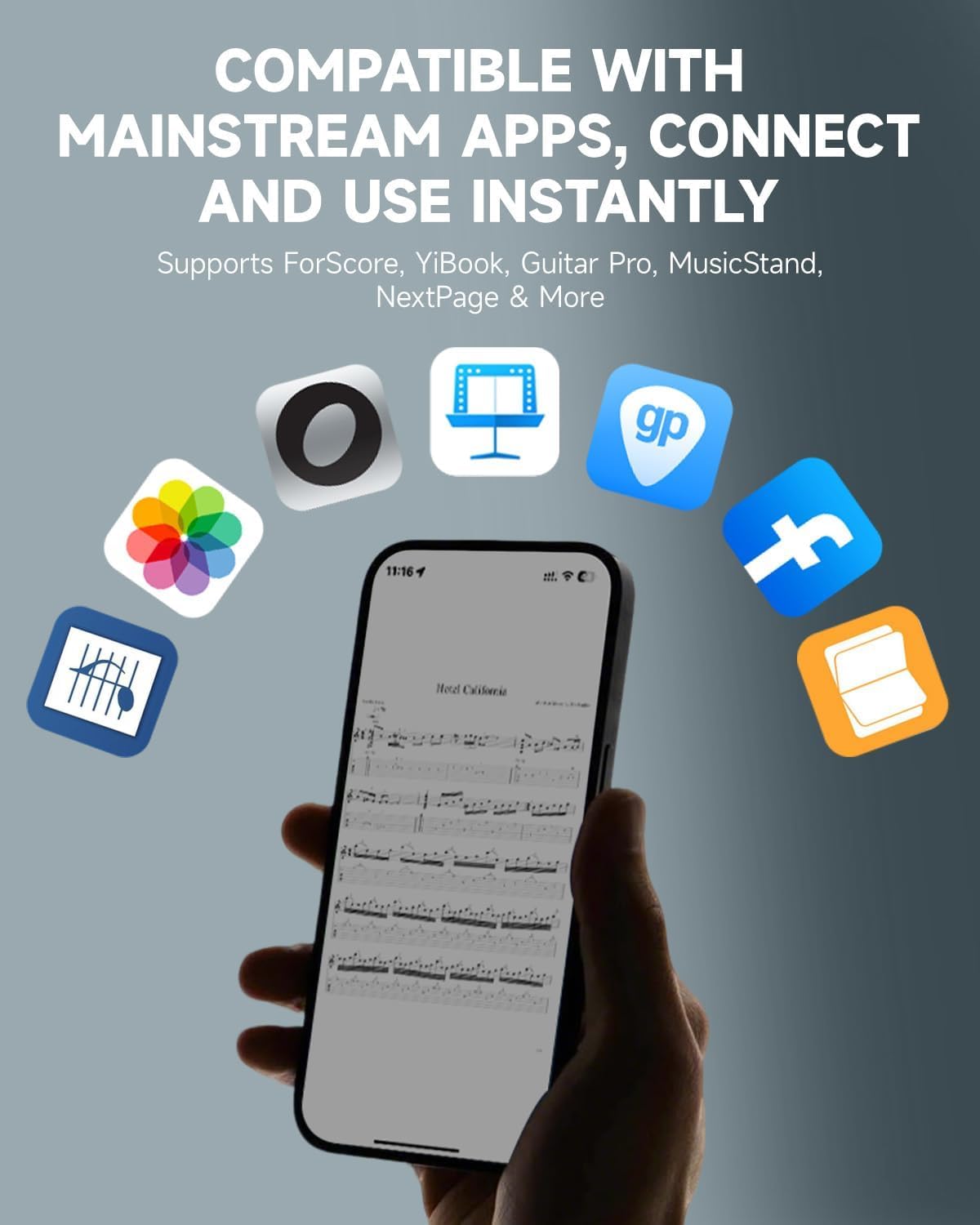
- Шырокая сумяшчальнасць: Compatible with various platforms including phones, tablets, Mac, and PC, and supports popular reading and music notation applications like ForScore, YiBook, Guitar Pro, MusicStand, and NextPage.
- Доўгі тэрмін службы батарэі: Built-in USB-rechargeable lithium battery provides up to 80 hours of continuous use on a full charge, with an auto-sleep function to conserve energy.
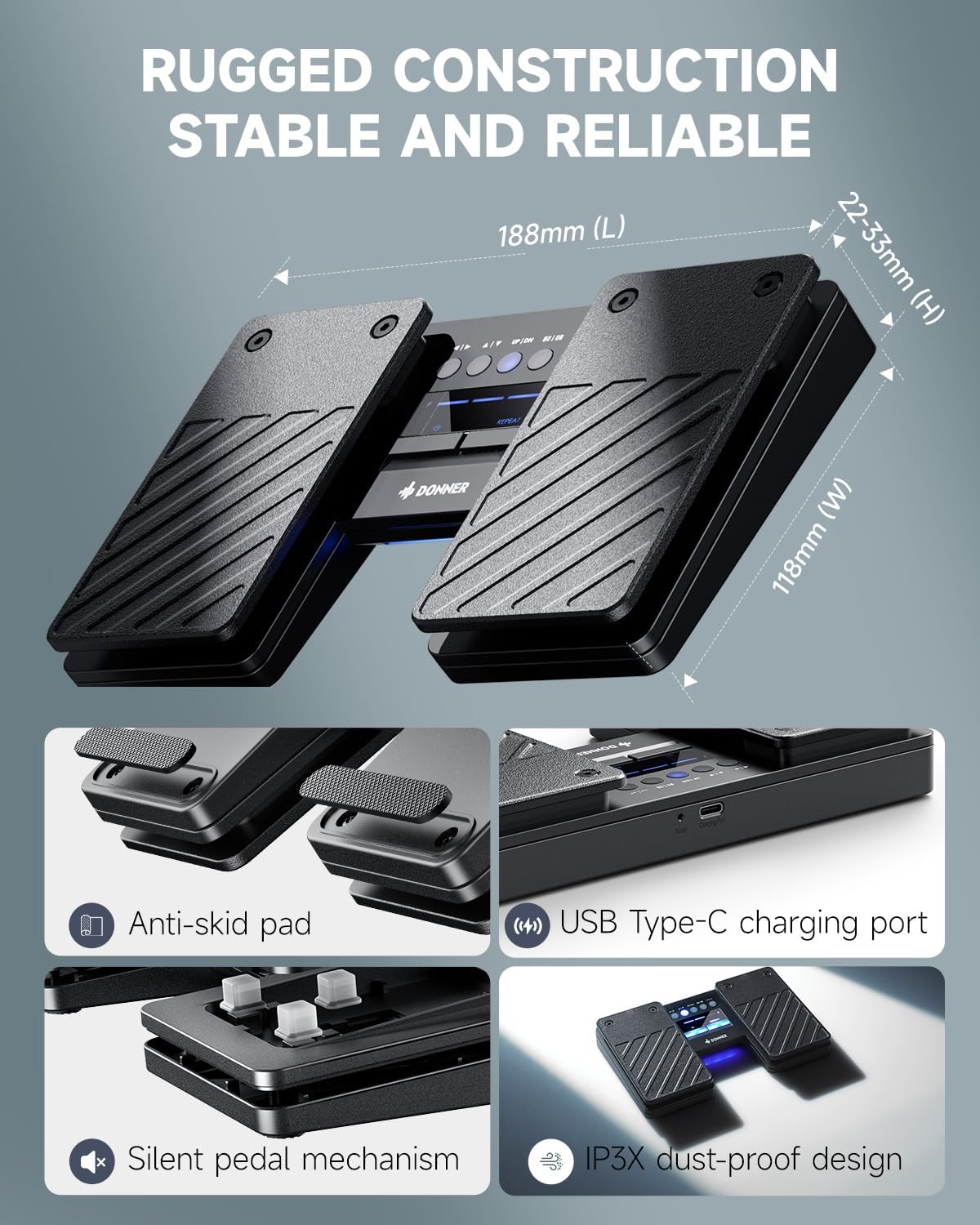
- Трывалы дызайн: Features a dust-resistant design and a sturdy pedal structure for reliable performance in various environments.
2. Што ў скрынцы
- The DBM-50 Bluetooth Page Turner Pedal
- Зарадны кабель USB Type-C
- Кіраўніцтва карыстальніка

3. Кампаненты і характарыстыкі прадукту

- Левая педаль: Typically used for backward page turns or scrolling up.
- Правая педаль: Typically used for forward page turns or scrolling down.
- Панэль кіравання: Located between the pedals, featuring mode selection buttons and LED indicators for battery status and Bluetooth connection.
- Кнопка харчавання: Доўгі націск для ўключэння/выключэння.
- Кнопка паўтарыць: Hold to enable rapid page turning.
- Зарадны порт USB Type-C: Для падзарадкі ўнутранай батарэі.
- Кнопка скіду: Small pinhole button for factory reset.
- Anti-skid Pads: Located on the bottom of the unit for stability during use.
- Silent Pedal Mechanism: Designed for quiet operation, ideal for performance environments.
- IP3X Dust-proof Design: Забяспечвае абарону ад траплення пылу.
4. Налада і спалучэнне
4.1 Пачатковая налада
- Уключэнне: Long press the power button (usually the left button on the control panel) for 1.5 seconds to turn on the page turner. The LED indicators will light up.
- Уключыць Bluetooth: On your phone, tablet, or computer, go to the Settings menu and ensure Bluetooth is turned on.
- Спалучыць прыладу: Пошук available Bluetooth devices. The pedal will appear as "Donner DBM-50". Select it to pair.
- Пацверджанне: Once paired, the Bluetooth indicator light on the pedal will stop flashing, indicating a successful connection.
Прафесійная парада: If you are connecting to a new device, disable Bluetooth on any previously paired devices to ensure a smooth connection process.

4.2 Сумяшчальнасць
The DBM-50 is designed for wide compatibility across various operating systems and applications:
- Аперацыйныя сістэмы: iOS (iPhone/iPad/iPod Touch), Android, Windows, and macOS.
- прыкладанні: Supports popular music notation and reading apps such as ForScore, YiBook, Guitar Pro, MusicStand, NextPage, and many more. It also works with teleprompter apps and for general document scrolling.
5. Рэжымы працы
The DBM-50 offers 5 distinct page-turning modes and 2 Bluetooth connection modes to suit different needs. The mode buttons are located on the central control panel.

- Page Turn Modes: These modes simulate different keyboard inputs, allowing compatibility with various applications. Common modes include:
- Left/Right Arrow keys (for horizontal page scrolling)
- Up/Down Arrow keys (for vertical page scrolling)
- Page Up/Page Down keys
- Mouse Click (Left/Right)
- Spacebar/Enter key
- Рэжымы злучэння Bluetooth: The pedal supports two Bluetooth connection modes to ensure broad compatibility with different devices and software. Refer to the specific application's settings for optimal mode selection.
To switch between modes, press the corresponding mode button on the control panel. The active mode will be indicated by an illuminated LED.
6. Зарадка і акумулятар
The DBM-50 is equipped with a built-in rechargeable lithium battery, offering extended usage time.
- Тэрмін службы батарэі: Provides up to 80 hours of use on a single full charge.
- Зарадка: Use the included USB Type-C cable to charge the device. Connect the cable to the charging port on the side of the pedal and to a standard USB power source (e.g., computer, wall adapter).
- Індыкатар батарэі: The LED indicators on the control panel display the current battery level.
- Аўтаматычны сон: The pedal automatically enters sleep mode when idle to conserve battery power.

7. Тэхнічнае абслугоўванне
To ensure the longevity and optimal performance of your Donner DBM-50 pedal, follow these maintenance guidelines:
- Уборка: Wipe the pedal with a soft, dry cloth. Avoid using harsh chemicals or abrasive cleaners.
- захоўванне: Захоўвайце педаль у прахалодным, сухім месцы, удалечыні ад прамых сонечных прамянёў і экстрэмальных тэмператур.
- Абарона ад пылу: The IP3X dust-proof design helps, but regular cleaning can further prevent dust accumulation in internal circuits.
- Зарадка: Charge the battery regularly, even if not in frequent use, to maintain battery health. Avoid completely draining the battery for extended periods.
8. Выпраўленне непаладак
If you encounter issues with your DBM-50 pedal, try the following steps:
- Not Connecting/Pairing:
- Ensure the pedal is powered on and fully charged.
- Праверце, ці ўключаны Bluetooth на вашай прыладзе.
- Disable Bluetooth on any other devices that may have previously paired with the pedal.
- Try restarting both the pedal and your device.
- Use the reset button (small pinhole) on the pedal to perform a factory reset, then attempt pairing again.
- Incorrect Page Turning/Functionality:
- Check that the correct operating mode is selected on the pedal for your application. Different apps may require different input simulations (e.g., arrow keys vs. page up/down).
- Ensure your application is configured to respond to the selected input type.
- Lag or Missed Turns:
- Пераканайцеся, што ваша прылада знаходзіцца ў радыусе дзеяння Bluetooth 10 метраў.
- Праверце на наяўнасць патэнцыйных перашкод ад іншых бесправадных прылад.
- Ensure the pedal's battery is not critically low.
- Акумулятар не зараджаецца:
- Verify the USB Type-C cable is securely connected to both the pedal and the power source.
- Паспрабуйце выкарыстоўваць іншы кабель USB або адаптар сілкавання.
- Пераканайцеся, што крыніца харчавання спраўная.
9. Тэхнічныя характарыстыкі
| Асаблівасць | Спецыфікацыя |
|---|---|
| Марка | Донэр |
| Назва мадэлі | ДБМ-50 |
| Колер | Чорны |
| Сувязь | Bluetooth 5.0 |
| Далёкасць бесправадной сувязі | Да 10 метраў (33 футаў) |
| Тэрмін службы батарэі | Да 80 гадзін (пры поўнай зарадцы) |
| Порт для зарадкі | USB Type-C |
| Вага прадмета | 332 грам |
| Абарона ад пылу | IP3X |
10. Гарантыя і падтрымка
Donner provides a 1-year warranty for the DBM-50 Bluetooth Page Turner Pedal, covering manufacturing defects and malfunctions under normal use.
For technical support, warranty claims, or any inquiries regarding your product, please contact Donner customer service:
- электронная пошта: service@donnermusic.com
Калі ласка, захавайце пацвярджэнне пакупкі для пацверджання гарантыі.