
Уводзіны
This manual provides essential information for the safe and efficient use of your SUPVAN T50M Pro Label Maker. Please read these instructions carefully before operating the device and retain them for future reference.
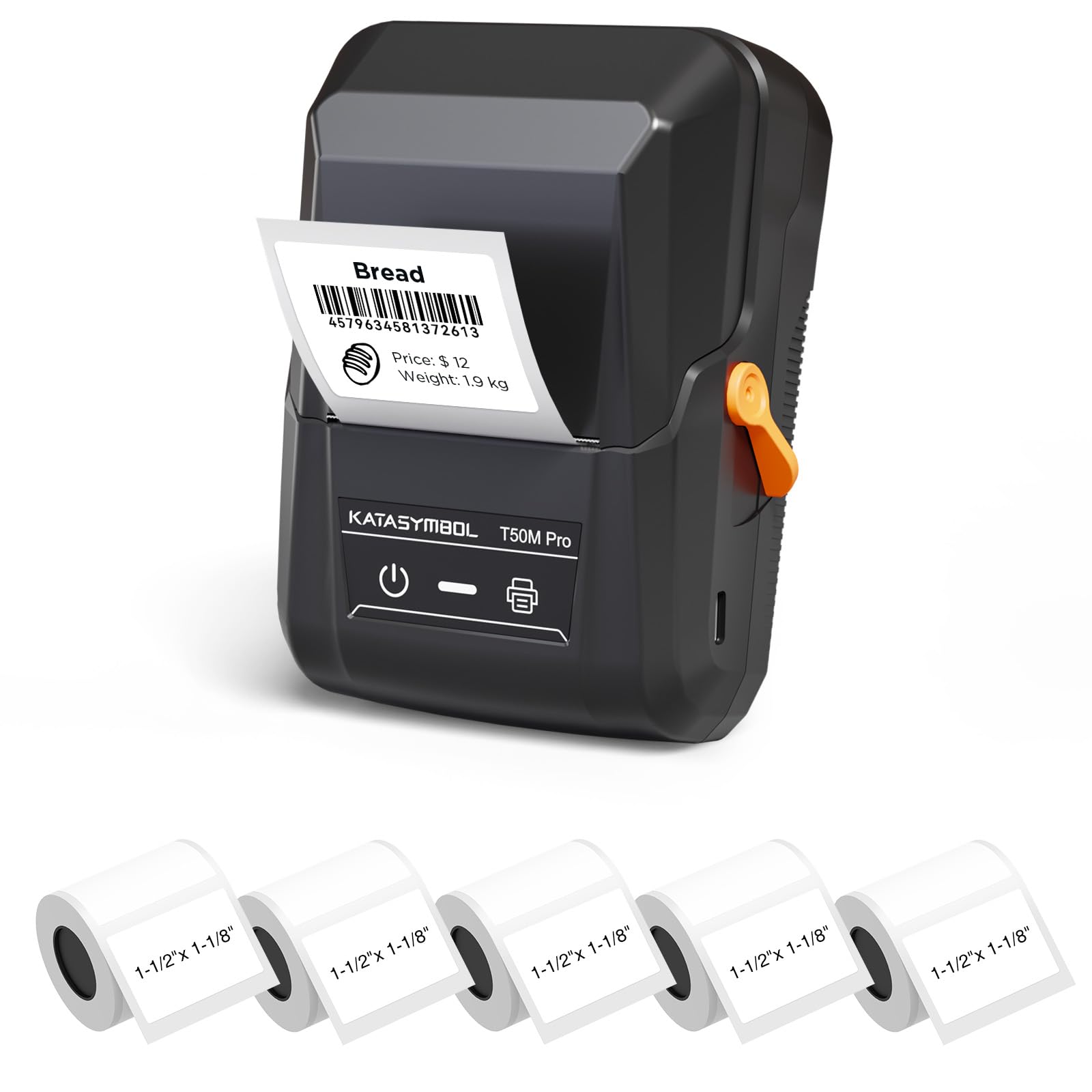
Image: The SUPVAN T50M Pro Label Maker, a compact thermal printer.
Змест пакета
Праверце, ці ёсць усе прадметы ў вашай упакоўцы:
- SUPVAN T50M Pro Label Maker
- 5 rolls of 1.57'' × 1.18'' (40mm × 30mm) white labels (250 labels/roll)
- USB Cable (for charging and connectivity)
- Кіраўніцтва карыстальніка (гэты дакумент)
Кіраўніцтва па ўстаноўцы
1. Зарадка прылады
Before first use, fully charge the label maker using the provided USB cable. The device features a 1200 mAh built-in rechargeable battery, offering extended use on a single charge.
2. Installing the Label Roll
The T50M Pro uses thermal paper, eliminating the need for ink or toner. Follow these steps to install a label roll:
- Адкрыйце вечка адсека для этыкетак.
- Insert the label roll with the printing surface facing upwards.
- Ensure the label edge is aligned with the printer's feed mechanism.
- Close the cover. The device's Smart RFID Auto-Detection will recognize the label size automatically.

Image: Illustration of loading thermal paper into the label maker. The device uses thermal printing technology, requiring no ink or toner.
3. Усталёўка і падключэнне праграмы
Download the official SUPVAN app from your device's app store. The app provides all editing functions and is free to use.
- Уключыце прыладу для вырабу этыкетак.
- Open the SUPVAN app on your smartphone or tablet.
- Follow the in-app instructions to connect to your T50M Pro via Bluetooth or USB.
Інструкцыя па эксплуатацыі
1. Creating Labels with the App
The SUPVAN app offers a comprehensive suite of editing tools:
- Рэдагаванне тэксту: Choose from over 40 fonts.
- Image & Picture Integration: Add custom images and logos.
- Шаблоны: Access over 140 free, constantly updated templates for various uses.
- Auto Label Size Recognition: The app automatically detects the loaded label size, reducing errors.

Image: The SUPVAN app's editing interface, demonstrating font choices, image integration, and automatic label size detection.

Image: A selection of over 140 free templates available within the SUPVAN app, suitable for diverse labeling needs.
2. Друк этыкетак
After designing your label in the app, select the "Print" option. Ensure the label maker is connected and has sufficient battery. The T50M Pro supports various label styles and sizes, printing 3/4 to 2-inch wide labels.

Малюнак: Examples of labels created with the T50M Pro, including address labels, price tags, and decorative labels, demonstrating support for various styles.

Image: A visual comparison highlighting the high-quality image output from the SUPVAN T50M Pro's app compared to other label makers.
3. Агульныя прымяненні
The SUPVAN T50M Pro is suitable for a wide range of labeling tasks:
- Малы бізнес: Shipping addresses, product information, QR codes, brand logos.
- Office & School: Імя tags, folder labels, documentation, asset tagгінг.
- Арганізацыя дома: Pantry labels, storage bins, personal items.

Image: Demonstrates diverse uses for the label maker, such as labeling containers in a pantry, creating product labels, printing shipping labels, and organizing school supplies.
Тэхнічнае абслугоўванне
1. Ачыстка друкавальнай галоўкі
Каб забяспечыць аптымальную якасць друку, перыядычна чысціце тэрмагалоўку друку. Выкарыстоўвайце мяккую тканіну без ворса, злёгку прамакніце яеampened with isopropyl alcohol. Do not use abrasive cleaners or sharp objects.
2. Сыход за батарэяй
Recharge the device when the battery indicator is low. Avoid fully discharging the battery frequently to prolong its lifespan. Store the device in a cool, dry place when not in use for extended periods.
3. Label Storage
Store label rolls in a cool, dry place away from direct sunlight and heat to prevent degradation of the thermal material.
Ліквідацыю непаладак
1. Прылада не ўключаецца
- Пераканайцеся, што прылада цалкам зараджана. Падключыце яе да крыніцы харчавання з дапамогай USB-кабеля.
- Націсніце і ўтрымлівайце кнопку харчавання некалькі секунд.
2. Printing Issues (Blank or Faint Prints)
- Check if the label roll is installed correctly with the printing surface facing up.
- Ensure the label roll is not empty.
- Ачысціце друкавальную галоўку, як апісана ў раздзеле «Тэхнічнае абслугоўванне».
- Verify that the label type is compatible with the T50M Pro.
3. Праблемы з падключэннем праграмы
- Пераканайцеся, што Bluetooth уключаны на вашым мабільным прыладзе.
- Make sure the label maker is turned on and within range.
- Restart both the label maker and the app.
- Калі праблемы не знікнуць, паспрабуйце пераўсталяваць праграму.
4. Label Misalignment
- Ensure the label roll is properly seated and aligned in the compartment.
- The Smart RFID Auto-Detection should prevent most misalignment issues; if not, try re-seating the roll.
Тэхнічныя характарыстыкі
| Асаблівасць | Дэталь |
|---|---|
| Назва мадэлі | T50M Pro |
| Марка | СУПВАН |
| Тэхналогія друку | Цеплавы |
| Тэхналогія падлучэння | USB, Bluetooth |
| Абсталяванне інтэрфейсу | USB |
| Вывад на прынтэр | Monochrome (Black Ink Color) |
| Максімальны памер носьбіта | 1.57'' × 1.18'' (40mm × 30mm) - 3/4 to 2-inch wide labels supported |
| Асаблівасць | Portable, Smart RFID Auto-Detection, BPA-free labels |
| акумулятар | Убудаваная акумулятарная батарэя ёмістасцю 1200 мАг |
| Памеры | Прыблізна 5" x 3.7" x 2.3" |
| Вага | Прыблізна 0.6 фунта |
| Уключаныя кампаненты | Label Maker, Labels, USB Cable |

Image: The compact design of the T50M Pro, highlighting its portability, lightweight nature, and 1200 mAh rechargeable battery.
Гарантыя і падтрымка
Інфармацыя аб гарантыі
For detailed warranty information, please refer to the warranty card included with your product or visit the official SUPVAN webсайт. Умовы гарантыі могуць адрознівацца ў залежнасці ад рэгіёна і прадаўца.
Падтрымка кліентаў
If you encounter any issues or have questions regarding your SUPVAN T50M Pro Label Maker, please contact SUPVAN customer support through their official webсайт або прадаўца, дзе быў набыты тавар.
Вы таксама можаце наведаць в SUPVAN Store on Amazon каб атрымаць дадатковую інфармацыю пра прадукт і рэсурсы падтрымкі.