
1. Уводзіны
The IMARS HO-23 is a versatile 3-in-1 diagnostic tool, integrating a dual-channel oscilloscope, a full-function multimeter, and a high-performance signal generator into a single portable device. This instrument is designed for various applications, including automotive diagnostics, industrial maintenance, and electronics troubleshooting. It offers high precision, comprehensive measurement capabilities, and smart data management features.
This manual provides detailed instructions for the safe and effective use of your IMARS HO-23 device. Please read it thoroughly before operation and retain it for future reference.
2. Інфармацыя па бяспецы
To ensure safe operation and prevent damage to the device or injury to yourself, observe the following safety precautions:
- Operate the device only in dry, indoor environments.
- Avoid exposure to high temperatures, excessive humidity, or strong magnetic fields.
- Не спрабуйце адкрываць або мадыфікаваць прыладу. Звяртайцеся па ўсё абслугоўванне да кваліфікаванага персаналу.
- Ensure all probes and cables are in good condition before use. Do not use damaged accessories.
- Прытрымлівацца ўказанага ўводу тtage limits for all functions to prevent overload.
- Always disconnect power from the circuit under test before connecting or disconnecting probes, especially when measuring high voltagэс.
- Use caution when working with live circuits. Wear appropriate personal protective equipment.
3. Змесціва ўпакоўкі
Праверце наяўнасць усіх прадметаў у камплекце:
- 1 x IMARS HO-23 Handheld Oscilloscope
- 1 х зарадны кабель Type-C
- 1 х Сумка для пераноскі
- Necessary Probes and Accessories (e.g., oscilloscope probes, multimeter test leads)

Image: The IMARS HO-23 device shown with its complete set of accessories, including probes, cables, and a carry bag.
4. Прылада скончанаview
The IMARS HO-23 integrates three primary functions: an oscilloscope, a multimeter, and a signal generator. This design streamlines diagnostic workflows by providing multiple tools in one compact unit.
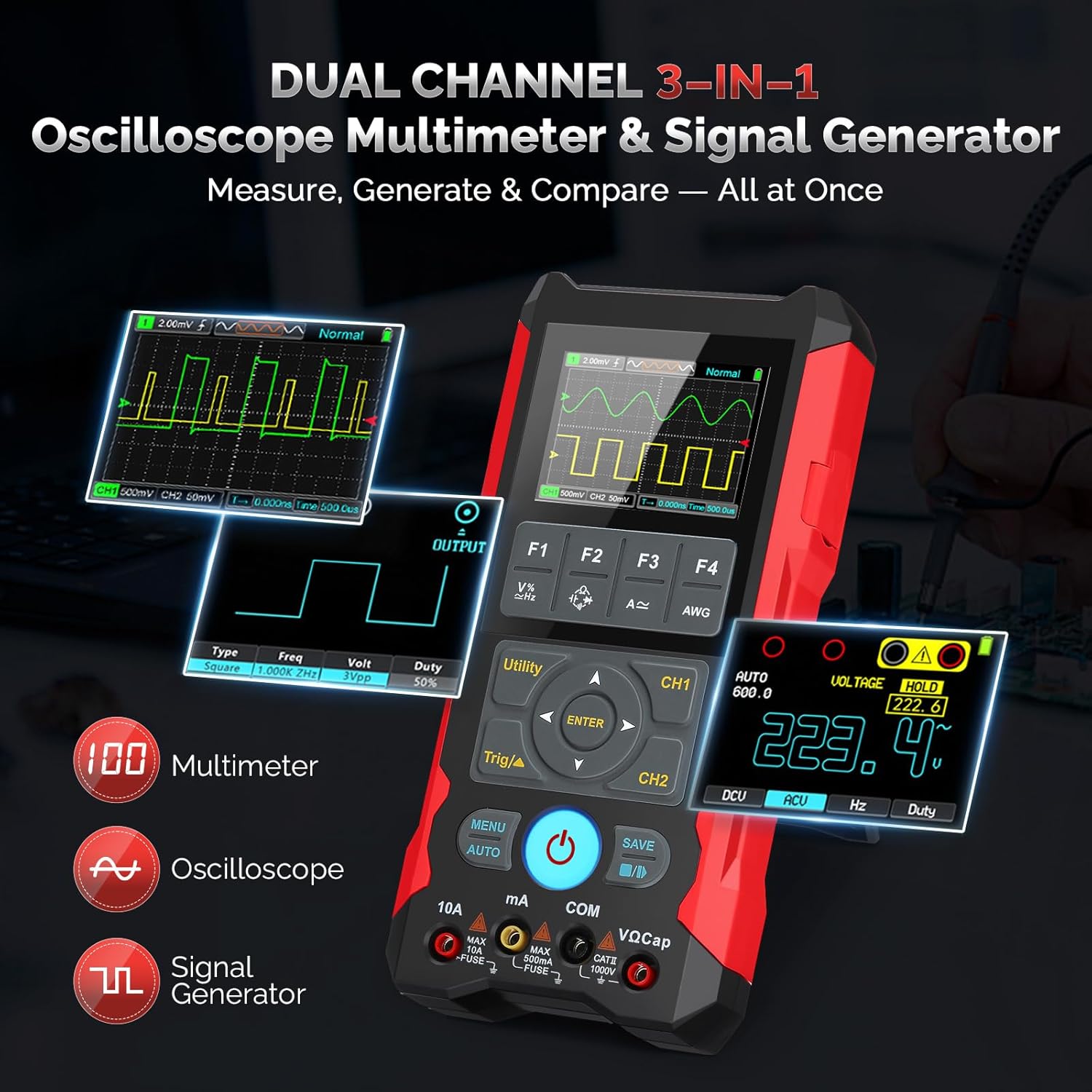
Image: An illustration highlighting the 3-in-1 functionality of the IMARS HO-23, showing its oscilloscope, multimeter, and signal generator capabilities.
Элементы кіравання і дысплей
The device features a 2.8-inch LCD for clear display of waveforms and measurement data. Navigation is managed through a central directional pad and dedicated function buttons (F1-F4, MENU, AUTO, SAVE, Utility, Trig/▲, CH1, CH2).
- Кнопка харчавання: Located centrally, used for turning the device on and off.
- Функцыянальныя кнопкі (F1-F4): Context-sensitive buttons for various settings and modes.
- Кнопка МЕНЮ: Accesses the main menu for configuration options.
- Кнопка AUTO: Аўтаматычна наладжвае параметры асцылографа для аптымальнага адлюстравання формы сігналу.
- Кнопка ЗАХАВАЦЬ: Initiates data and waveform saving.
- Utility Button: Accesses utility functions.
- Trig/▲ Button: Adjusts trigger settings in oscilloscope mode.
- Кнопкі CH1/CH2: Selects or configures channels.
- Уваходныя тэрміналы: Dedicated ports for oscilloscope probes (CH1, CH2) and multimeter test leads (10A, mA, COM, VΩCap).
5. Настройка
5.1 Першапачатковая зарадка
Before first use, fully charge the device. Connect the provided Type-C cable to the device's charging port and to a compatible USB power adapter (not included). The 4000mAh battery supports 15W fast charging and provides up to 10 hours of continuous use.

Image: A visual representation of the IMARS HO-23's internal 4000mAh battery and the Type-C fast charging port.
5.2 Падключэнне зондаў
Depending on the desired function, connect the appropriate probes:
- Для асцылографа: Connect the oscilloscope probes to the CH1 and/or CH2 BNC connectors. Ensure a secure connection.
- Для мультыметра: Connect the red test lead to the VΩCap or 10A/mA terminal and the black test lead to the COM terminal.
6. Інструкцыя па эксплуатацыі
6.1 Уключэнне/выключэнне сілкавання
Press and hold the central power button to turn the device on or off.
6.2 Рэжым асцылографа
The HO-23 features a 70MHz dual-channel oscilloscope with a 200MSa/s sampling rate and 2Kpts record depth, capable of capturing high-frequency signals with precision. It supports ±400V high-voltagэлектронны ўвод.

Image: The IMARS HO-23 display showing a captured waveform, emphasizing its 70MHz bandwidth capability for detailed signal analysis.
- Выбар канала: Use the CH1 and CH2 buttons to enable or disable channels.
- Вертыкальная шкала (вольты/дзяленне): Adjust the vertical scale using the directional pad or dedicated buttons to fit the waveform on the screen.
- Гарызантальная шкала (час/дзяленне): Adjust the horizontal scale to view more or less of the waveform over time.
- Налады трыгера: Use the Trig/▲ button to configure trigger type, source, and level for stable waveform display.
- AUTO Function: Press the AUTO button for automatic adjustment of vertical, horizontal, and trigger settings.
- Дадатковыя магчымасці: Access math operations, cursor measurement, persistence mode, and XY mode through the MENU or Utility buttons for in-depth analysis.
6.3 Рэжым мультыметра
The integrated multimeter provides accurate measurements for various electrical parameters.

Image: A collage demonstrating the IMARS HO-23 performing DC voltagе, абtage, diode test, and capacitance measurements.
- AC/DC Voltage: Measures up to 1000V.
- Супраціў: Measures up to 60MΩ.
- Ёмістасць: Measures up to 100mF.
- Частата: Measures from 10Hz to 10MHz.
- Diode Test and Continuity: Available functions for component testing.
Select the desired measurement function using the appropriate buttons or menu options. Connect test leads to the correct input terminals (VΩCap for voltage/resistance/capacitance/frequency, 10A/mA for current, COM for common ground).
6.4 Рэжым генератара сігналаў
The built-in signal generator can output various waveforms for testing circuits or simulating sensor signals.
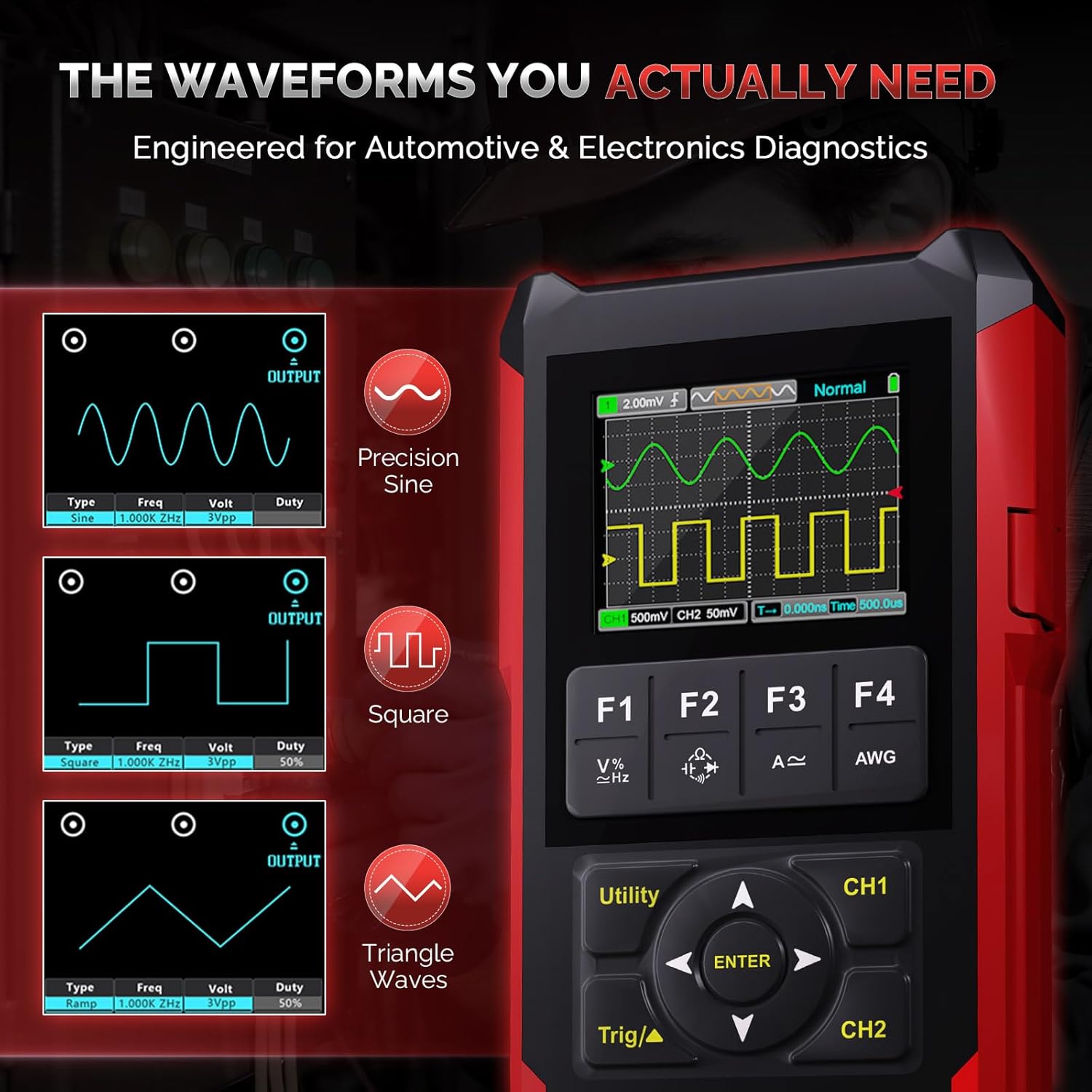
Image: The IMARS HO-23 screen showing examples of generated sine, square, and triangle waveforms with adjustable frequency and ampлітуда.
- Тыпы формаў хвалі: Generates Sine, Square, and other waveforms.
- Частата налады: Adjust frequency with 1Hz fine stepping.
- Amplitude and Duty Cycle: Configure output amplitude and duty cycle as needed.
Access the signal generator function through the menu. Connect the output to the circuit under test using appropriate cables.
6.5 Data Management and Display
The device allows for efficient data and waveform management.
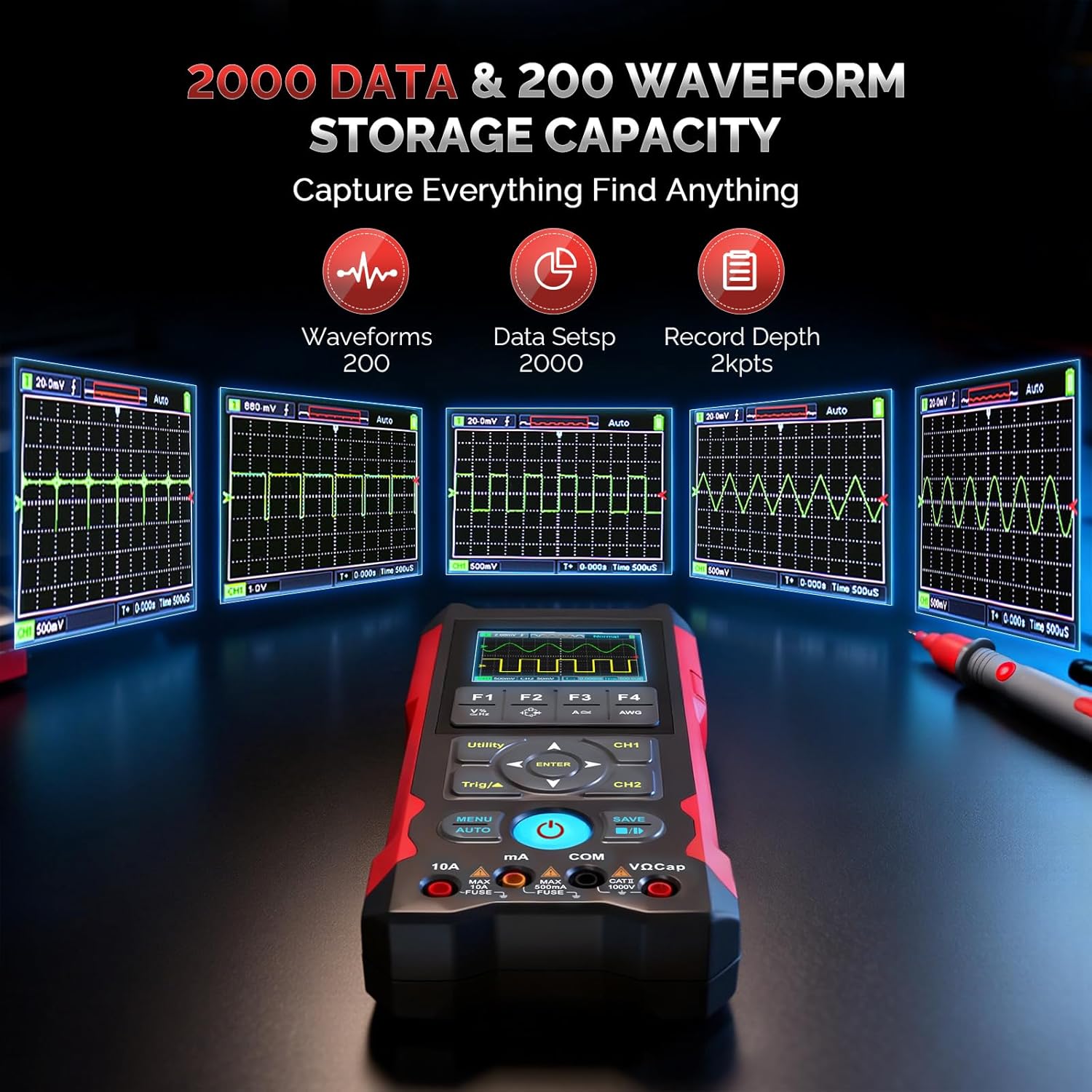
Image: A graphic illustrating the IMARS HO-23's capacity to store 200 waveforms and 2000 data sets, with examples of stored waveforms.
- One-Click Save: Use the SAVE button to store up to 2000 data sets and 200 waveforms.
- File Перадача: Transfer saved files to a PC via the Type-C connection for further analysis and reporting.
- Асаблівасці дысплея: The 2.8-inch LCD supports live and reference waveform comparison, enhancing analysis capabilities.
7. Тэхнічныя характарыстыкі
| Асаблівасць | Спецыфікацыя |
|---|---|
| мадэль | HO-23 Dual Channel Handheld Oscilloscope |
| Прапускная здольнасць | 70 МГц |
| Sampлінг -стаўка | 200MSa / с |
| Record Depth | 2Kpts |
| Уваходны кнtagе далёкасць | ±400 В |
| Функцыі мультиметра | AC/DC Voltage (up to 1000V), Resistance (60MΩ), Capacitance (100mF), Frequency (10Hz–10MHz) |
| генератар сігналаў | Sine, Square waveforms, 1Hz fine stepping |
| акумулятар | Літыевая акумулятарная батарэя ёмістасцю 4000 мАг |
| Зарадка | 15W Type-C fast charging |
| Бесперапыннае выкарыстанне | Да 10 гадзін |
| Дысплей | 2.8-inch LCD, supports live and reference waveform comparison |
| Захоўванне | Saves up to 2000 data sets and 200 waveforms |
| Памеры ўпакоўкі | 9.45 х 7.09 х 1.97 цалі; 2.12 фунтаў |
| Вытворца | IMARS |
8. Тэхнічнае абслугоўванне
8.1 Ачыстка
Wipe the device with a soft, dry cloth. Do not use abrasive cleaners or solvents. Ensure the device is powered off and disconnected from any power source before cleaning.
8.2 Захоўванне
When not in use, store the device in its carry bag in a dry, cool place, away from direct sunlight, high temperatures, humidity, and strong magnetic fields. Ensure the battery is partially charged (around 50%) for long-term storage to prolong battery life.
9. Выпраўленне непаладак
If you encounter issues with your IMARS HO-23, consider the following general troubleshooting steps:
- Прылада не ўключаецца: Ensure the battery is charged. Connect the device to a Type-C charger and try again.
- No signal displayed in Oscilloscope mode: Check probe connections. Ensure the probe is properly connected to the circuit under test. Adjust vertical and horizontal scales, and trigger settings. Use the AUTO button.
- Няправільныя паказанні мультыметра: Verify that the test leads are connected to the correct input terminals for the selected measurement function. Ensure the circuit under test is within the device's measurement range.
- Device freezes or behaves erratically: Паспрабуйце перазагрузіць прыладу. Калі праблема не знікне, звярніцеся ў службу падтрымкі кліентаў.
10. Гарантыя і падтрымка
For warranty information, technical support, or service inquiries, please contact IMARS customer service through the retailer where the product was purchased or visit the official IMARS website. Please have your product model (HO-23) and purchase details available when contacting support.