
1. Прадукт скончыўсяview
The BIFYTON 1:18 Scale RC Truck (Model: YT6632) is an all-terrain remote control vehicle designed for both indoor and outdoor use. Featuring a durable PVC shell, LED lights, and a 2WD rear-wheel drive system, it offers an engaging driving experience. The truck is equipped with a powerful brushed motor and anti-skid tires, capable of reaching speeds up to 20KM/H. It comes with two rechargeable batteries for extended playtime and a 2.4GHz remote control for stable operation.

Image 1.1: The BIFYTON 1:18 Scale RC Truck, remote control, and included accessories.
2. Змесціва ўпакоўкі
- 1 x BIFYTON 1:18 Scale RC Truck
- 1 x 2.4GHz Remote Controller
- 2 x 3.7V 1200mAh Rechargeable Batteries (for truck)
- 2 батарэйкі тыпу АА (для пульта дыстанцыйнага кіравання)
- 1 х USB-кабель для зарадкі
- 1 х адвёртка
- 2 x Body Lock Clips (spare)

Image 2.1: All items included in the product package.
3. Кіраўніцтва па наладцы
3.1. Charging the Truck Batteries
- Locate the two 3.7V 1200mAh rechargeable batteries and the USB charging cable.
- Connect one end of the USB charging cable to the battery.
- Plug the USB end of the cable into a compatible USB power adapter (not included) or a computer USB port.
- The indicator light on the USB cable will show the charging status (e.g., red for charging, green for fully charged).
- Charging typically takes 2-3 hours per battery. Each fully charged battery provides up to 30 minutes of playtime.
3.2. Installing Truck Batteries
- Using the provided screwdriver, carefully open the battery compartment cover located on the underside of the RC truck.
- Connect a fully charged 3.7V 1200mAh rechargeable battery to the truck's battery connector.
- Place the battery securely inside the compartment.
- Зачыніце крышку батарэйнага адсека і замацуеце яе шрубай.
3.3. Устаноўка батарэек пульта дыстанцыйнага кіравання
- Адкрыйце батарэйны адсек на задняй панэлі пульта дыстанцыйнага кіравання 2.4 ГГц.
- Устаўце дзве батарэйкі тыпу АА, якія ўваходзяць у камплект, сачыце за правільнай палярнасцю (+/-).
- Зачыніце крышку батарэйнага адсека.

Image 3.1: Rechargeable batteries and USB charging cable.
4. Інструкцыя па эксплуатацыі
4.1. Уключэнне і спалучэнне
- Turn on the RC truck using the ON/OFF switch located on its underside.
- Уключыце пульт дыстанцыйнага кіравання, выкарыстоўваючы яго выключальнік ON/OFF.
- The remote control and truck will automatically pair. An indicator light on the remote will confirm successful pairing.
4.2. Функцыі дыстанцыйнага кіравання
- Трыгер: Pull the trigger to move forward, push it to move backward.
- Стырно: Rotate the wheel left or right to steer the truck.
- Speed Mode Button: Switch between Low Gear (slower speed for beginners) and High Gear (faster speed for experienced users).
- Кнопка асвятлення: Toggle the LED headlights and colorful body lights ON/OFF.
4.3. Directional Adjustment
If the truck does not drive in a straight line, use the directional adjustment knob located on the underside of the truck (near the front wheels) to fine-tune its steering alignment.
4.4. All-Terrain Driving
The BIFYTON RC Truck is designed for various terrains, including grass, mud, sand, and paved roads. Its anti-skid tires and independent shock absorbers provide a stable and smooth driving experience. The sturdy front bumper helps protect against minor collisions.

Image 4.1: The 2.4GHz remote control with labeled functions.
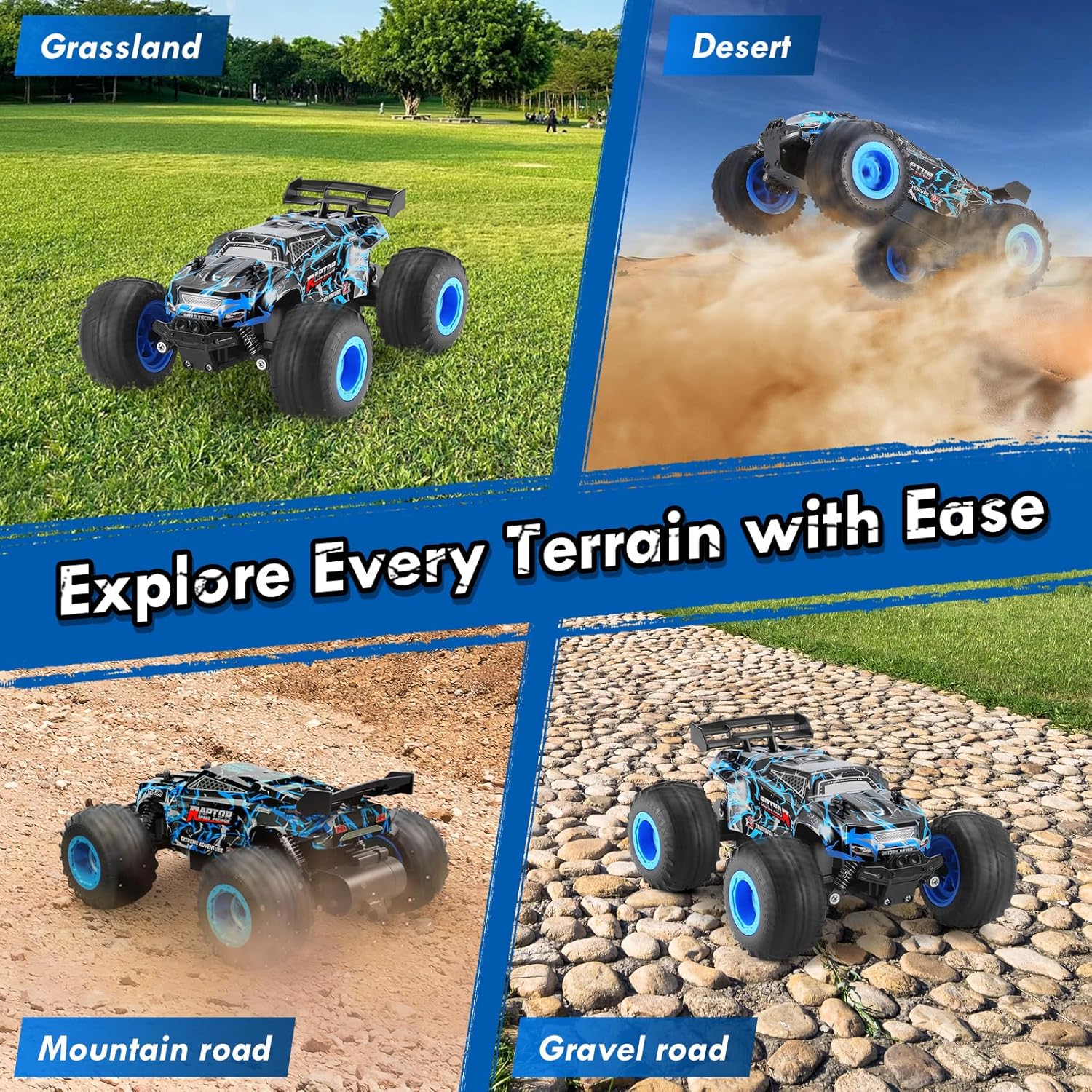
Image 4.2: The RC truck demonstrating its all-terrain capabilities.
5. Тэхнічнае абслугоўванне
5.1. Уборка
- After use, especially on dirty or dusty surfaces, gently wipe the truck with a soft, dry cloth to remove dirt and debris.
- Avoid using water or harsh chemicals, as this can damage electronic components.
- Clean the wheels and suspension components to ensure smooth operation.
5.2. Сыход за батарэяй і яе захоўванне
- Always fully charge the rechargeable batteries before storage.
- Remove all batteries (truck and remote) if the product will not be used for an extended period.
- Захоўвайце грузавік і акумулятары ў прахалодным, сухім месцы, удалечыні ад прамых сонечных прамянёў і экстрэмальных тэмператур.
5.3. Агульны агляд
- Regularly check for any loose screws or damaged parts. Tighten screws as needed.
- Ensure the tires are free from embedded debris that could affect performance.
6. Выпраўленне непаладак
- Truck not responding: Ensure both the truck and remote control are powered ON and batteries are fully charged and correctly installed. Re-pair the devices if necessary.
- Poor steering: Adjust the directional adjustment knob on the underside of the truck. Check for any obstructions in the steering mechanism.
- Reduced speed/power: The batteries may be low. Replace with a fully charged battery or recharge the current one.
- Не працуюць фары: Press the Lighting button on the remote control. Ensure the truck's main power is on.
7. Тэхнічныя характарыстыкі
| Асаблівасць | Спецыфікацыя |
|---|---|
| Марка | БІФІТОН |
| Нумар мадэлі | YT6632 |
| Маштаб | 1:18 |
| Сістэма прывада | 2WD (Rear-Wheel Drive) |
| Максімальная хуткасць | 20 км/г |
| Кантроль частаты | 2.4 ГГц |
| Дыяпазон кантролю | Да 164 футаў |
| Акумулятар грузавіка | 2 акумулятарныя батарэі 3.7 В 1200 мАг |
| Аддалены акумулятар | 2 батарэйкі АА (уключаны) |
| Playtime per Battery | Да 30 хвілін |
| Час зарадкі | 2-3 гадзіны на адной батарэі |
| Матэрыял абалонкі | Трывалы ПВХ |
| Матэрыял шасі | Трывалы АБС-пластык |
| Асаблівасці | LED Lights, Independent Shock Absorbers, Anti-skid Tires, Directional Adjuster |
| Памеры прадукту | 8.26 х 6.69 х 3.94 цалі |
| Вага прадмета | 14.4 унцыі |
| Рэкамендаваны ўзрост | 8 - 10 гадоў |
8. Інфармацыя па бяспецы
- Захоўваць удалечыні ад крыніц узгарання.
- Не выкарыстоўвайце прыладу паблізу вады або ў вільготных умовах, каб пазбегнуць пашкоджання электрычнасцю.
- Рэкамендуецца нагляд дарослых, асабліва за маленькімі карыстальнікамі.
- Avoid operating in crowded areas or near people/animals to prevent accidents.
- Не змяняйце прадукт або яго кампаненты.
9. Гарантыя і падтрымка
This product is covered by a standard return policy. For specific warranty details, returns, or technical support, please refer to your purchase documentation or contact the retailer directly. Ensure to keep your proof of purchase for any warranty claims.