
1. Уводзіны
The Perixx PERIBOARD-832RGB is a compact, wireless mini keyboard featuring RGB backlighting and multi-device Bluetooth connectivity. This manual provides instructions for setting up, operating, and maintaining your keyboard to ensure optimal performance.

Image 1.1: The Perixx PERIBOARD-832RGB keyboard in use, showcasing its compact design and backlit keys.
2. Змесціва ўпакоўкі
Калі ласка, праверце ўпакоўку на наяўнасць наступных прадметаў:
- Perixx PERIBOARD-832RGB Wireless RGB Backlit Mini Keyboard
- USB-C to A Charging Cable
- Кіраўніцтва карыстальніка (гэты дакумент)

Image 2.1: Contents of the Perixx PERIBOARD-832RGB package, including the keyboard, USB-C cable, and manual.
3. Налада і падключэнне
3.1 Зарадка клавіятуры
Before first use, fully charge the keyboard. Connect the provided USB-C to A cable to the keyboard's USB-C charging port and the other end to a USB power source (e.g., computer USB port, USB wall adapter).
- Індыкатар зарадкі будзе гарэць падчас зарадкі.
- Індыкатар зменіцца або выключыцца пасля завяршэння зарадкі.

Image 3.1: Location of the USB-C charging port and power ON/OFF switch on the keyboard.
3.2 Уключэнне/выключэнне сілкавання
Locate the power switch on the side or back of the keyboard. Slide it to the 'ON' position to power on the keyboard. Slide it to 'OFF' when not in use to conserve battery.
3.3 Bluetooth Pairing (Multi-Device Connection)
The PERIBOARD-832RGB supports connection to up to three devices via Bluetooth. Follow these steps to pair your keyboard:
- Пераканайцеся, што клавіятура ўключана.
- Націсніце і ўтрымлівайце Fn клавіша і адна з клавіш канала Bluetooth (Q для БТ1, W for BT2, or E for BT3) for 3-5 seconds until the corresponding indicator light (usually above the key) starts blinking rapidly. This indicates the keyboard is in pairing mode.
- На вашай прыладзе (ПК, ноўтбуку, планшэце, смартфоне) уключыце Bluetooth і пачніце пошук новых прылад.
- Select "PERIBOARD-832RGB" from the list of available devices.
- If prompted, enter the pairing code displayed on your screen using the keyboard and press Увайдзіце.
- Once paired, the indicator light will stop blinking and remain solid for a few seconds before turning off. The keyboard is now connected.
To connect to additional devices, repeat the process using a different Bluetooth channel key (Fn+W or Fn+E).

Image 3.2: Visual guide for connecting the keyboard to up to three devices using Fn+Q/W/E keys.
4. Аперацыя
4.1 Пераключэнне паміж падлучанымі прыладамі
Каб пераключыцца паміж спалучанымі прыладамі, проста націсніце Fn клавішу разам з адпаведнай клавішай канала Bluetooth (Q, W, або E) for the desired device. The keyboard will automatically connect to the selected device.
4.2 Кантроль падсветкі
The PERIBOARD-832RGB features RGB backlighting with multiple color options.
- Уключэнне/выключэнне падсветкі: Прэса Fn + F11 (RGB) каб уключыць або выключыць падсветку.
- Змяніць колер падсветкі: Прэса Fn + F12 (RGB) to cycle through the available RGB colors (7 colors).
- Наладзіць яркасць: Выкарыстоўвайце Fn + Page Up для павелічэння яркасці і Fn + Page Down каб паменшыць яркасць.
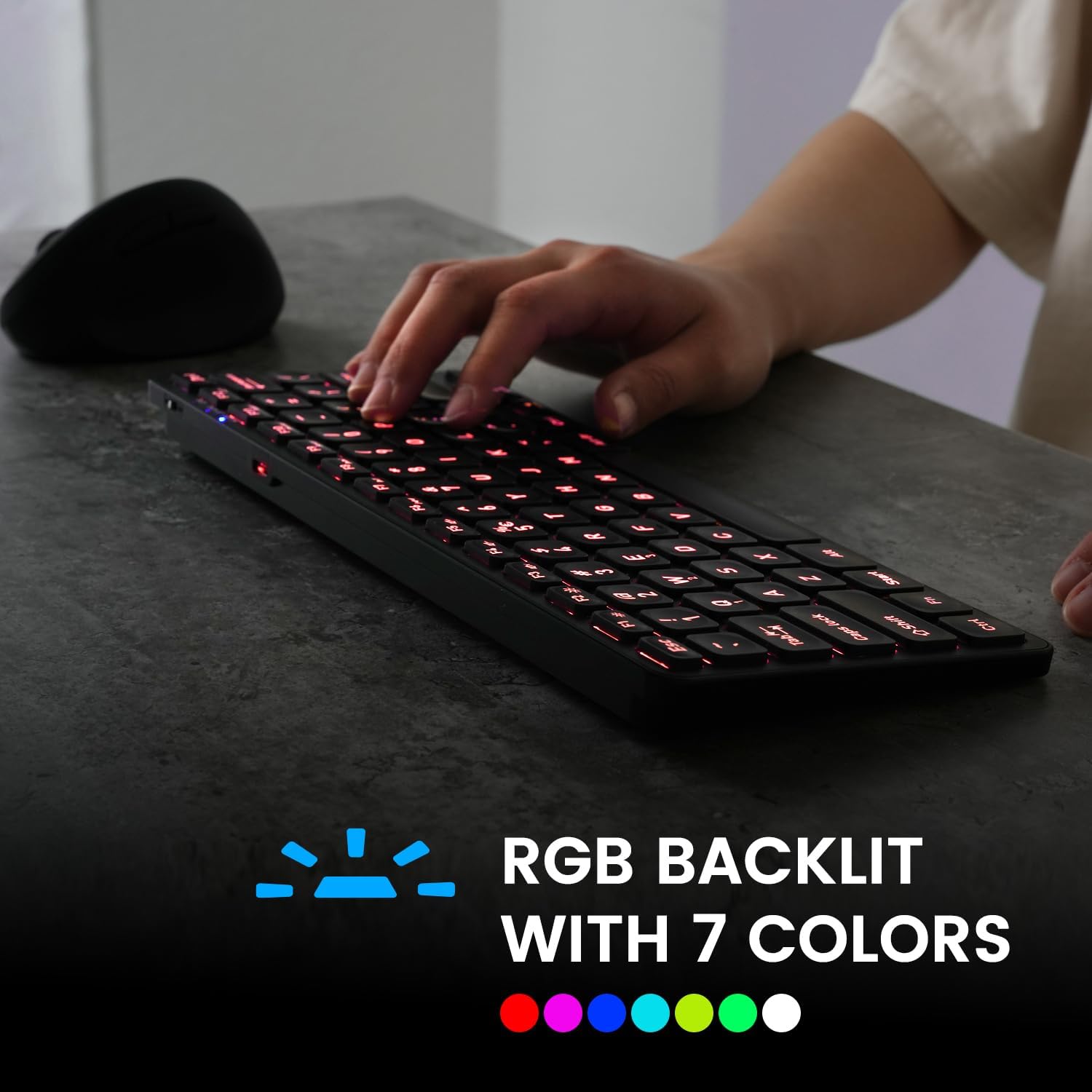
Image 4.1: The keyboard illuminated with RGB backlighting, demonstrating visibility in low-light conditions.
4.3 Функцыянальныя клавішы (камбінацыі Fn)
Many keys have secondary functions accessible by holding the Fn key and pressing the desired function key. These include media controls, volume adjustments, and other system shortcuts.
| Камбінацыя клавіш | Функцыя |
|---|---|
| Fn + Q | Пераключыцеся на прыладу Bluetooth 1 |
| Fn + W | Пераключыцеся на прыладу Bluetooth 2 |
| Fn + E | Пераключыцеся на прыладу Bluetooth 3 |
| Fn + F1 | Медыяплэер |
| Fn + F2 | Памяншэнне гучнасці |
| Fn + F3 | Павялічыць гучнасць |
| Fn + F4 | Адключыць гук |
| Fn + F5 | Папярэдні трэк |
| Fn + F6 | Прайграванне/Паўза |
| Fn + F7 | Наступны трэк |
| Fn + F8 | Стоп |
| Fn + F9 | Web Браўзэр |
| Fn + F10 | Электронная пошта |
| Fn + F11 (RGB) | Уключэнне/выключэнне падсвятлення |
| Fn + F12 (RGB) | Cycle Backlight Colors |
| Fn + Page Up | Павялічыць яркасць падсветкі |
| Fn + Page Down | Паменшыць яркасць падсвятлення |

Малюнак 4.2: Падрабязны view of the keyboard keys, highlighting the primary and secondary (Fn) functions.
5. Тэхнічнае абслугоўванне
Каб забяспечыць даўгавечнасць і аптымальную прадукцыйнасць вашай клавіятуры, выконвайце наступныя рэкамендацыі па абслугоўванні:
- Уборка: Выкарыстоўвайце мяккую безворсовую тканіну, злёгку dampПрацірайце паверхню клавіятуры вадой або мяккім ачышчальным растворам. Пазбягайце выкарыстання агрэсіўных хімічных рэчываў або абразіўных матэрыялаў.
- Выдаленне пылу: Выкарыстоўвайце сціснутае паветра, каб выдаліць пыл і смецце паміж клавішамі.
- Сыход за батарэяй: Avoid fully discharging the battery frequently. Charge the keyboard regularly, especially if it will not be used for an extended period.
- захоўванне: Захоўвайце клавіятуру ў прахалодным, сухім месцы, удалечыні ад прамых сонечных прамянёў і экстрэмальных тэмператур.
6. Выпраўленне непаладак
If you encounter issues with your PERIBOARD-832RGB, refer to the following common solutions:
| праблема | Магчымае рашэнне |
|---|---|
| Клавіятура не ўключаецца. | Ensure the power switch is in the 'ON' position. Charge the keyboard fully using the provided USB-C cable. |
| Немагчыма падключыцца праз Bluetooth. | Make sure the keyboard is in pairing mode (Fn + Q/W/E, indicator blinking). Ensure Bluetooth is enabled on your device. Try unpairing and re-pairing the keyboard. Move the keyboard closer to your device. |
| Клавішы не рэагуюць або націскаюцца няправільна. | Check battery level and charge if necessary. Ensure the keyboard is connected to the correct device. Restart the keyboard and your device. |
| Падсветка не працуе. | Press Fn + F11 to toggle the backlight. Ensure the keyboard has sufficient battery charge. |
| Клавіятура часта адключаецца. | Ensure the keyboard is within the effective Bluetooth range (typically 10 meters). Reduce interference from other wireless devices. Charge the keyboard. |
7. Тэхнічныя характарыстыкі
| Асаблівасць | Дэталь |
|---|---|
| Марка | Перыкс |
| мадэль | PERIBOARD-832RGB |
| Тэхналогія падлучэння | Bluetooth |
| Апісанне клавіятуры | Mechanical (Scissor-switch type) |
| Асаблівасць | RGB Backlit (7 colors) |
| Сумяшчальныя прылады | PC, Laptop, Tablet, Smartphone |
| Памеры прадукту | 11.06" Д х 4.53" Ш х 0.87" В (28.09 х 11.51 х 2.21 см) |
| Вага прадмета | 1.06 фунта (0.48 кг) |
| Матэрыял | Пластыкавыя |
| Крыніца харчавання | USB Powered (Rechargeable Battery) |
| Уключаныя кампаненты | Кабель USB-C да A |
8. Гарантыя і падтрымка
Perixx products are covered by a limited warranty. For detailed warranty information, technical support, or customer service, please refer to the official Perixx webсайт або звярніцеся непасрэдна ў службу падтрымкі кліентаў. Захоўвайце чэк аб куплі для прэтэнзій па гарантыі.