
1. Уводзіны
Thank you for choosing the Genérico MP3 MP4 Player. This device is designed to provide a versatile portable media experience, featuring Bluetooth 5.0 connectivity, lossless audio playback, FM radio, and support for various media formats. This manual provides essential information for setting up, operating, and maintaining your player.
Important Bluetooth Note: The Bluetooth function on this MP3 player is designed for connecting to Bluetooth headphones or speakers only. It does not connect to mobile phones, computers, or car radios for data transfer or control.
2. Змесціва ўпакоўкі
Калі ласка, праверце ўпакоўку на наяўнасць наступных прадметаў:
- 1 x Genérico MP3 MP4 Player (Model MP3-05B)
- 1 х USB-кабель для зарадкі
- 1 х правадныя навушнікі
- 1 х Кіраўніцтва карыстальніка
3. Прадукт скончыўсяview
The MP3-05B player features a compact design with a 2.4-inch sensitive touch screen for easy navigation. It includes built-in speakers, an FM radio, and a voice recorder. The device supports a MicroSD card for expandable storage.

Image: The Genérico MP3 MP4 Player, showcasing its sleek black design and the various accessories included in the package, such as wired headphones and a USB charging cable.
4. Настройка
4.1. Зарадка прылады
Before first use, fully charge the player. Connect the provided USB cable to the player's USB 2.0 port and the other end to a USB power adapter (not included) or a computer's USB port. The battery indicator on the screen will show charging status. A full charge typically takes 2 to 3 hours.
4.2. Устаўка карты MicroSD
The player requires a MicroSD memory card (not included) to store and play music, videos, and other files. The device supports cards up to 128 GB.
- Locate the MicroSD card slot on the side of the player.
- Акуратна ўстаўце карту MicroSD у слот залацістымі кантактамі ўніз, пакуль яна не зафіксуецца са шчоўкам.
- Каб выняць карту, злёгку націсніце на яе, пакуль яна не выскочыць.

Image: A visual representation of a MicroSD card, highlighting its compatibility with the player for memory expansion up to 128GB.
4.3. Уключэнне / выключэнне харчавання
Press and hold the power button (usually located on the side) for a few seconds to turn the player on or off.
5. Інструкцыя па эксплуатацыі
5.1. Базавая навігацыя
The player features a touch screen interface. Tap icons to select functions and swipe to navigate menus.
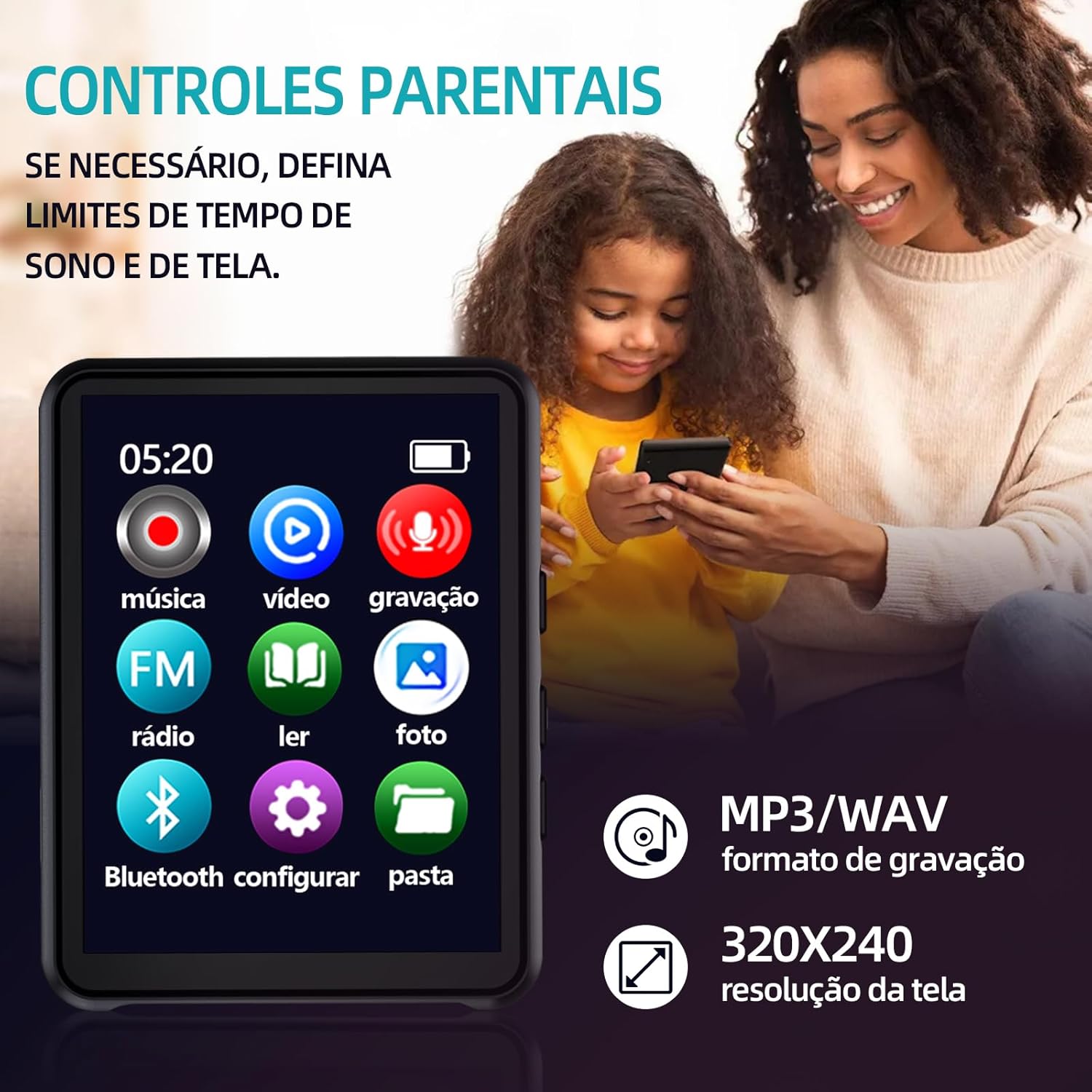
Image: The player's main menu interface, displaying icons for various functions such as music, video, FM radio, and Bluetooth settings.
5.2. Прайграванне музыкі
The player supports MP3, WMA, APE, WAV, and FLAC audio formats, offering lossless sound quality.
- Tap the 'Music' icon on the main menu.
- Праглядзіце сваю музыку fileзахоўваецца на карце MicroSD.
- Націсніце на песню, каб пачаць прайграванне.
- Use the on-screen controls for play/pause, skip tracks, and volume adjustment.

Image: The player's music interface, showing album art and playback controls, demonstrating its powerful music application.

Image: The player in use with wired headphones, illustrating its HiFi HD audio playback capabilities.
5.3. Прайграванне відэа
The player supports video playback with a resolution of 320x240 pixels.
- Tap the 'Video' icon on the main menu.
- Выберыце відэа file from your MicroSD card to play.
5.4. FM-радыё
Убудаванае FM-радыё дазваляе слухаць вашы любімыя станцыі.
- Tap the 'FM Radio' icon on the main menu.
- Use the on-screen controls to scan for stations or manually tune.
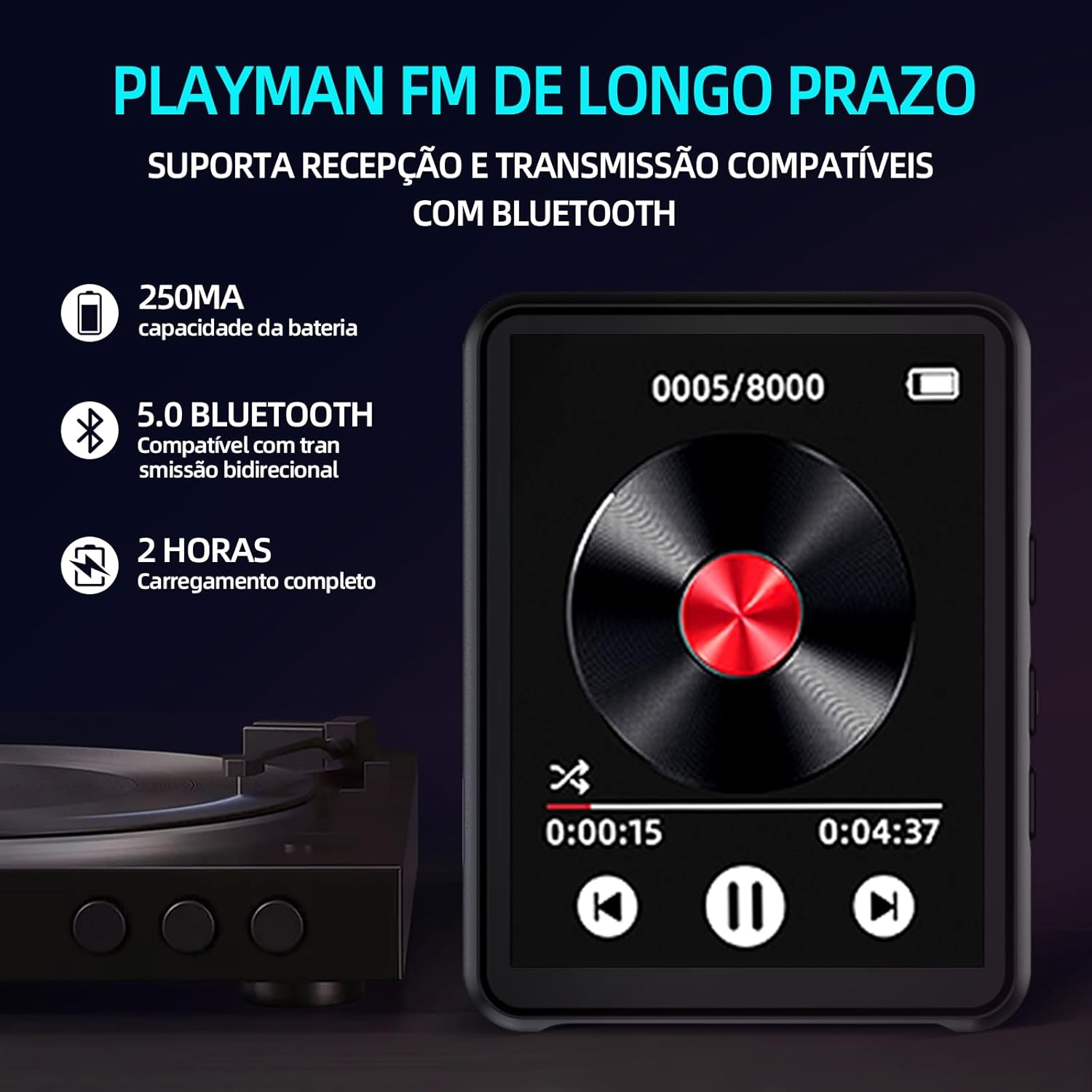
Image: The player's FM radio interface, also highlighting key features like Bluetooth 5.0 and battery information.
5.5. Злучэнне Bluetooth
Connect your player to Bluetooth headphones or speakers for wireless audio.
- Пераканайцеся, што вашы Bluetooth-навушнікі або дынамік знаходзяцца ў рэжыме спалучэння.
- On the MP3 player, tap the 'Bluetooth' icon from the main menu.
- Turn Bluetooth 'On' if it's not already.
- Плэер пачне пошук даступных прылад. Выберыце прыладу са спісу для спалучэння.
5.6. Чыталка электронных кніг
The player supports TXT format e-books.
- Tap the 'E-book' icon.
- Select a TXT file чытаць.
5.7. Імідж Viewer
View JPG and GIF images on the player's screen.
- Tap the 'Photo' icon.
- Выберыце малюнак file каб view.
5.8. Дыктафон
The player includes a voice recording function.
- Tap the 'Recording' icon.
- Follow the on-screen prompts to start, pause, and save recordings. Recordings are typically saved in MP3/WAV format.
6. Тэхнічнае абслугоўванне
6.1. Ачыстка прылады
Use a soft, dry, lint-free cloth to clean the player's screen and body. Avoid using harsh chemicals or abrasive materials.
6.2. Сыход за батарэяй
To prolong battery life, avoid fully discharging the battery frequently. Charge the device regularly, even if not in use for extended periods. Do not expose the device to extreme temperatures.
6.3. Захоўванне
Store the player in a cool, dry place away from direct sunlight and moisture when not in use.
7. Выпраўленне непаладак
If you encounter issues with your player, refer to the following common problems and solutions:
- Прылада не ўключаецца: Ensure the battery is charged. Connect the player to a power source and try again. If the battery is completely drained, it may take a few minutes of charging before it can power on.
- Немагчыма падключыцца праз Bluetooth: Ensure your Bluetooth headphones/speaker are in pairing mode. Remember, the player's Bluetooth does not connect to phones or computers.
- Няма гуку: Check the volume level. Ensure headphones are properly plugged in (if using wired). If using Bluetooth, ensure it's paired correctly and the volume on both devices is up.
- Карта MicroSD не распазнаецца: Ensure the card is inserted correctly. Try reinserting it. If the issue persists, try a different MicroSD card to rule out card malfunction.
- Экран не рэагуе: Try restarting the device by holding the power button. If it remains unresponsive, allow the battery to fully drain and then recharge it.
8. Тэхнічныя характарыстыкі

Image: An illustration of the player's internal audio components, emphasizing its Hi-Fi sound quality with enhanced audio DSP and dual-port decoder.
| Асаблівасць | Спецыфікацыя |
|---|---|
| мадэль | MP3-05B |
| Марка | Genérico |
| Унутраная памяць | Няма |
| Сховішча з магчымасцю пашырэння | Карта MicroSD да 128 ГБ (не ўваходзіць у камплект) |
| Інтэрфейс | USB 2.0 |
| Версія Bluetooth | 5.0 |
| Памер экрана | 2.4 цаляў |
| Тып экрана | Сэнсарны экран |
| дазвол | 320x240 пікселяў |
| Ёмістасць батарэі | 450 мАг |
| Час зарадкі | 2-3 гадзін |
| Час прайгравання музыкі | Да 3 гадзін |
| Час прайгравання відэа | Да 3 гадзін |
| FM Radio Playback Time | Да 3 гадзін |
| Час працы батарэі ў рэжыме чакання | Да 20 гадзін |
| Аўдыё фарматы | MP3, WMA, APE, WAV, FLAC |
| Фарматы малюнкаў | JPG, GIF |
| Фармат электроннай кнігі | TXT |
| Матэрыял | АБС |
| Памеры | 9.0 см х 4.0 см х 0.8 см |
| Вага | 31 грамаў |
9. Інфармацыя аб гарантыі
This Genérico MP3 MP4 Player comes with a manufacturer's warranty of 3 месяцаў from the date of purchase. This warranty covers manufacturing defects under normal use. It does not cover damage caused by misuse, accidents, unauthorized modifications, or normal wear and tear. Please retain your proof of purchase for warranty claims.
10. Падтрымка
For further assistance, technical support, or warranty inquiries, please contact the retailer or manufacturer directly. Refer to your purchase documentation for contact details.