
1. Прадукт скончыўсяview
The Roku Plus Series 55-inch 4K QLED Mini-LED Smart TV is designed to provide a high-quality viewing experience with intuitive smart features. This television integrates advanced display technologies and a user-friendly operating system for seamless entertainment access.

Figure 1.1: Roku Smart TV Home Screen
2. Што ў скрынцы
Upon unboxing your Roku Plus Series 55-inch 4K QLED Mini-LED Smart TV, ensure all the following components are present:
- Roku Plus Series 55" 4K QLED Mini-LED TV
- Stands and screws for TV base installation
- Палепшаны галасавы пульт Roku з батарэйкамі
- Кароткае кіраўніцтва

Малюнак 2.1: Уключаныя кампаненты
3. Настройка
3.1 Мацаванне падставак для тэлевізара
- Асцярожна пакладзеце тэлевізар экранам уніз на мяккую чыстую паверхню, каб пазбегнуць драпін.
- Сумясціце кожную падстаўку з адпаведнымі адтулінамі для шруб у ніжняй частцы тэлевізара.
- Замацуйце кожную стойку з дапамогай прадугледжаных шруб. Не перацягвайце.
3.2 Насценны мантаж (дадаткова)
If you choose to wall mount your TV, refer to the instructions provided with your wall mount kit. Ensure the mount is compatible with VESA standards for your TV size and weight. Professional installation is recommended for wall mounting.
3.3 Падключэнне перыферыйных прылад
The Roku TV offers multiple connectivity options for external devices. Refer to the port diagram below for connection points.

Figure 3.1: TV Input/Output Ports
- HDMI: Connect up to four HDMI devices (e.g., cable box, gaming console, Blu-ray player).
- USB-C: For compatible USB-C devices.
- Лакальная сетка (Ethernet): Для праваднога падключэння да Інтэрнэту.
- Навушнікі: Для прыватнага праслухоўвання з праваднымі навушнікамі.
- Аптычны: For digital audio output to a soundbar or receiver.
- Антэна/кабель: Для падключэння антэны або кабельнага тэлебачання.
3.4 Пачатковае ўключэнне і падключэнне да сеткі
- Падключыце шнур харчавання да тэлевізара, а затым да разеткі.
- Insert the included AAA batteries into the Enhanced Voice Remote.
- Follow the on-screen instructions to select your language, connect to your Wi-Fi network (or use Ethernet), and activate your Roku account.
4. Кіраванне тэлевізарам
4.1 Палепшанае галасавое кіраванне
The Roku Enhanced Voice Remote provides intuitive control over your TV and streaming experience. Key features include:
- Галасавое кіраванне: Press the microphone button to search for content, launch apps, or control playback using voice commands.
- Наладжвальныя цэтлікі: Set personal shortcuts for your favorite apps or functions.
- Згублены дыстанцыйны шукальнік: Use the button on the TV or the Roku Mobile app to locate a misplaced remote.
- Ярлыкі праграм: Dedicated buttons for popular streaming services for quick access.

Figure 4.1: Roku Enhanced Voice Remote Layout
4.2 Navigating the Home Screen
The Roku Home Screen provides quick access to your streaming channels, live TV, and inputs. You can customize the order of your channels for personalized access.
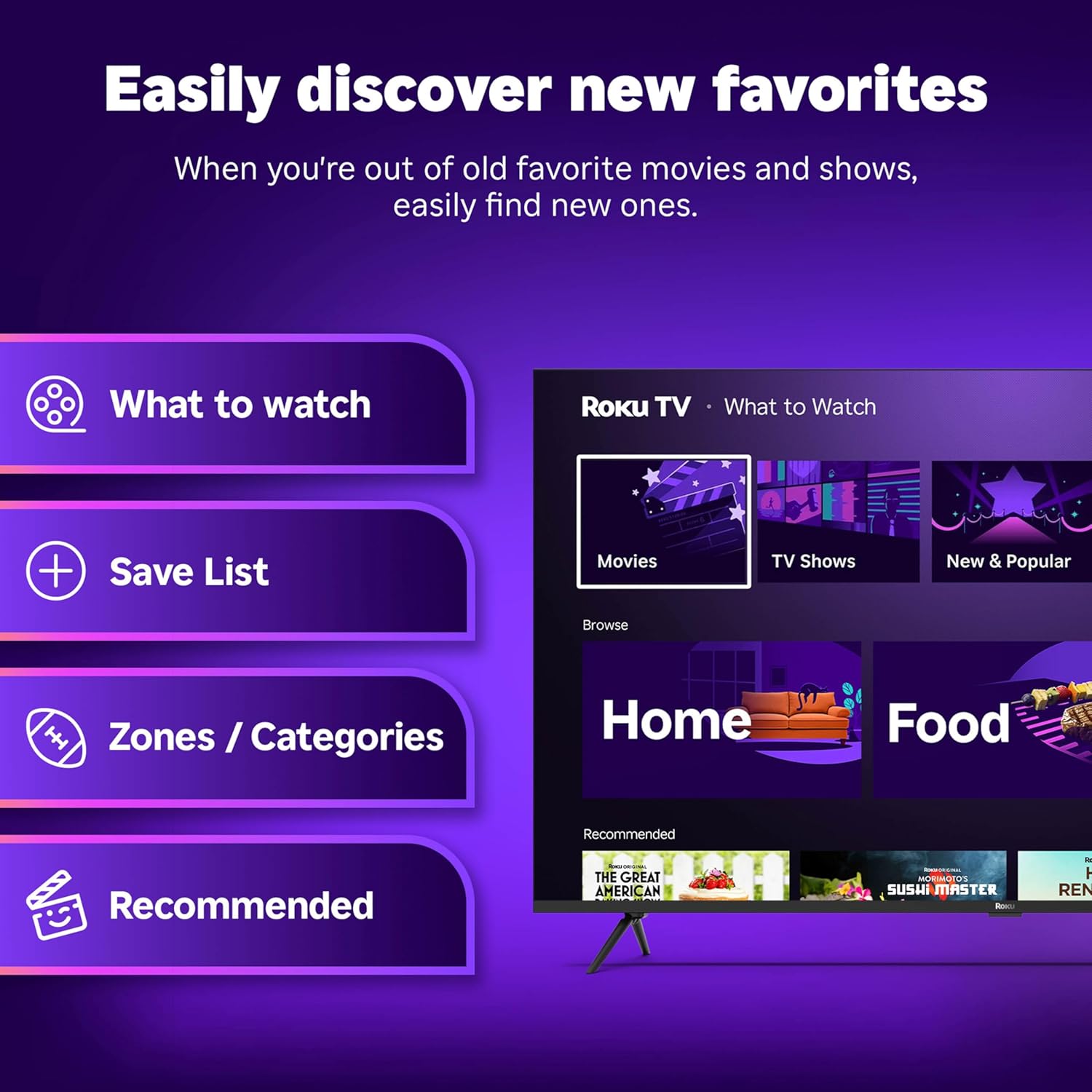
Figure 4.2: Roku Home Screen Interface
4.3 Streaming and Live TV
Access a wide range of streaming services and live TV channels directly from your home screen. The Roku platform offers over 500 free TV channels, including live in-season shows, movies, weather, and local news.

Figure 4.3: Live TV Guide
5. Якасць выявы і гуку
The Roku Plus Series TV features advanced technologies for an immersive audio-visual experience:
- 4K QLED Mini-LED Display: Mini-LED backlighting enhances detail, while QLED and Dolby Vision technology deliver accurate colors and vivid highlights.
- Roku Smart Picture Max: AI-powered optimization refines color and sharpness for various content types, including sports and movies.
- Аўдыё Dolby Atmos: Designed for clear speech and enhanced sound, with a built-in subwoofer for a cinematic experience.
- Рэжым Bluetooth-навушнікаў: Allows private listening using wireless headphones without disturbing others.
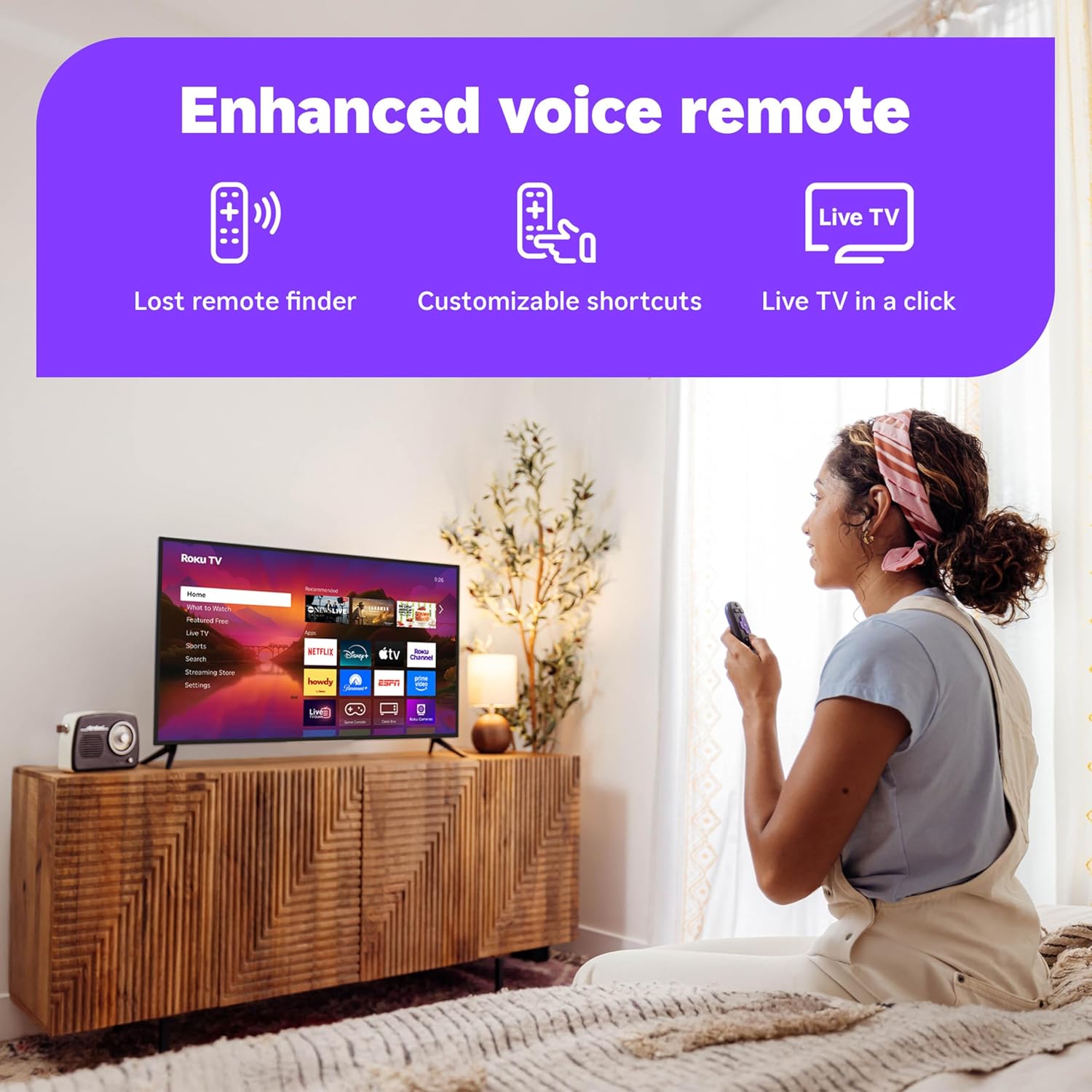
Figure 5.1: Roku Smart Picture Max Settings

Figure 5.2: Bluetooth Headphone Mode in Use
6. Connectivity and Smart Home Integration
The Roku TV is designed for seamless integration into your digital lifestyle:
- Падключэнне Wi-Fi: Built-in Wi-Fi ensures fast and reliable streaming.
- Галасавыя памочнікі: Compatible with Roku Voice, Siri, Alexa, and Google Assistant for convenient voice control.
- Apple AirPlay: Effortlessly share videos, photos, and music from your Apple devices to the TV.
- Аўтаматычныя абнаўленні праграмнага забеспячэння: Ensures you always have the latest features and security enhancements.
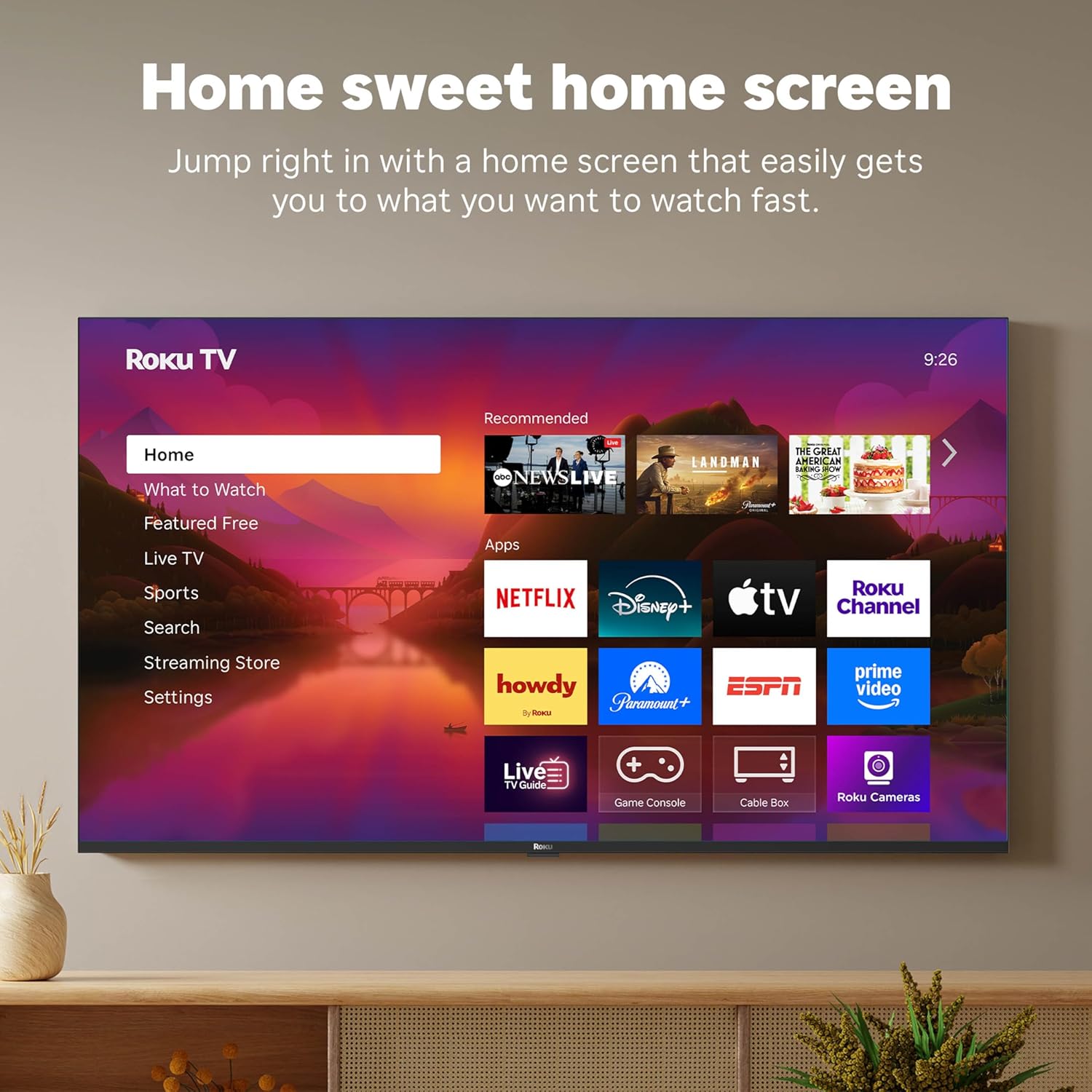
Figure 6.1: Smart Home Integration with Voice Assistants
7. Тэхнічнае абслугоўванне
To ensure the longevity and optimal performance of your Roku TV, follow these maintenance guidelines:
- Ачыстка экрана: Выкарыстоўвайце мяккую тканіну без ворса, спецыяльна прызначаную для электронікі. Не выкарыстоўвайце агрэсіўныя хімікаты або абразіўныя ачышчальнікі. Злёгку працярыцеampпры неабходнасці прамакніце тканіну вадой і акуратна вытрыце.
- Cleaning the Remote: Wipe the remote with a dry, soft cloth. If necessary, use a slightly damp cloth. Avoid getting moisture into the remote's openings.
- Вентыляцыя: Забяспечце дастатковую цыркуляцыю паветра вакол тэлевізара. Не блакуйце вентыляцыйныя адтуліны.
- Упраўленне харчаваннем: Адключайце тэлевізар ад разеткі падчас навальніцы або калі ён будзе заставацца без нагляду на працяглы час.
8. Выпраўленне непаладак
Калі ў вас узніклі праблемы з тэлевізарам Roku, паспрабуйце выканаць наступныя распаўсюджаныя дзеянні па ліквідацыі непаладак:
- Няма харчавання: Пераканайцеся, што шнур харчавання надзейна падключаны як да тэлевізара, так і да спраўнай электрычнай разеткі. Паспрабуйце іншую разетку.
- Няма выявы/гуку: Verify that the correct input source is selected. Check all cable connections (HDMI, optical, etc.) for secure fit.
- Пульт не адказвае: Replace the batteries in the remote. Ensure there are no obstructions between the remote and the TV. For the Enhanced Voice Remote, try using the lost remote finder feature.
- Праблемы з падключэннем да сеткі: Restart your Wi-Fi router and modem. On the TV, go to Settings > Network > Check connection.
- Праграма не загружаецца: Restart the app. If the issue persists, remove the app and reinstall it from the Streaming Store.
- Праблемы з абнаўленнем праграмнага забеспячэння: Ensure your internet connection is stable. Go to Settings > System > Software update to manually check for updates.
For more detailed troubleshooting or persistent issues, visit the official Roku support webсайт або звярніцеся ў службу падтрымкі.
9. Тэхнічныя характарыстыкі
| Асаблівасць | Спецыфікацыя |
|---|---|
| Марка | Року |
| Нумар мадэлі | 55R6C7 |
| Памер экрана | 55 цалі |
| Тэхналогія адлюстравання | 4K UHD, LED, Mini LED, QLED |
| дазвол | 4K |
| Частата абнаўлення | 60 Гц |
| Памеры прадукту | 11.7" Г x 48.3" Ш x 30.5" У |
| Вага прадмета | 27.4 фунта |
| Тэхналогія падлучэння | Bluetooth, Ethernet, USB-C, Wi-Fi |
| Асаблівасці | Рэжым Bluetooth-навушнікаў, Dolby Vision, гульнявы рэжым, мастацкі рэжым, галасавое кіраванне, зменная частата абнаўлення (VRR), плоскі экран |
| Уключаныя кампаненты | Roku Plus Series 55" 4K QLED Mini-LED TV, Stands and screws, Roku Enhanced Voice Remote with batteries, Quick Start Guide |
10. Гарантыя і падтрымка
For information regarding your product's warranty, please refer to the warranty card included in your product packaging or visit the official Roku support website. Roku provides customer support for technical assistance and service inquiries.
Інтэрнэт-падтрымка: support.roku.com