
Berrcom ET003
Berrcom 3-in-1 Digital Infrared Thermometer User Manual
Model: ET003 | Brand: Berrcom
1. Уводзіны і большview
The Berrcom 3-in-1 Digital Infrared Thermometer is designed for quick, accurate, and non-contact temperature measurements. It is suitable for all ages, including infants, newborns, adults, and the elderly. This versatile device can measure body temperature (forehead and ear), room temperature, and object surface temperature, providing results in just one second. Its intelligent fever alert system uses color-coded backlights for easy interpretation of readings.

Figure 1: Berrcom 3-in-1 Digital Infrared Thermometer
2. Асаблівасці прадукту
- State-of-the-Art Infrared Technology: Utilizes advanced infrared scan technology to measure radiation emitted by the eardrum or forehead, providing accurate body temperature readings.
- Quick Readings and Fever Warning: Delivers temperature results in one second. Three quick beeps and a red warning light alert you to fever.
- Універсальнае выкарыстанне: Features a mode to measure room or object temperatures. Automatically shuts down after 30 seconds of inactivity to conserve battery life. Easily switch between Celsius (°C) and Fahrenheit (°F).
- Convenient & User-Friendly: Equipped with an easy-to-read, color-coded display visible even at night. Stores up to 20 memory recalls to track health trends. Includes a mute function for quiet operation, ideal for not disturbing sleeping individuals.

Figure 2: Key features of the Berrcom Thermometer.
3. Што ў скрынцы
Upon opening your Berrcom 3-in-1 Digital Infrared Thermometer package, you should find the following items:
- 1 × Berrcom Thermometer
- 2 × батарэі АА
- 1 × Інструкцыя па эксплуатацыі (гэты дакумент)
- 1 × Кароткае кіраўніцтва карыстальніка

Figure 3: Package contents of the Berrcom Thermometer.
4. Настройка
4.1 Устаноўка батарэі
The Berrcom thermometer requires two AA batteries for operation. To install or replace batteries:
- Знайдзіце вечка адсека для батарэек на ручцы тэрмометра.
- Акуратна зрушце або адшчэпіце вечка, каб адкрыць адсек.
- Устаўце дзве батарэйкі тыпу АА, пераканаўшыся, што станоўчая (+) і адмоўная (-) клемы правільна сумяшчаюцца з індыкатарамі ўнутры адсека.
- Шчыльна зачыніце вечка батарэйнага адсека, пакуль яно не зафіксуецца пачуйце пстрычку.
The thermometer will power on automatically once batteries are correctly installed.
5. Інструкцыя па эксплуатацыі
5.1 Уключэнне/выключэнне сілкавання
The thermometer powers on automatically when a button is pressed or batteries are inserted. It will automatically shut off after 30 seconds of inactivity to save battery life.
5.2 Выбар рэжыму вымярэння
The thermometer offers three measurement modes: Body, Room, and Object. To switch between modes:
- Press the "MODE" button (typically the leftmost button on the control panel).
- Each press will cycle through the available modes: Body, Room, Object.
- Ensure the correct mode is selected for your desired measurement.

Figure 4: The thermometer supports multiple measurement modes.
5.3 Вымярэнне
Каб вымераць тэмпературу:
- Ensure the thermometer is in the desired measurement mode (Body, Room, or Object).
- For body temperature:
- For forehead measurement, ensure the probe cover is on. Point the thermometer at the center of the forehead from a distance of 1.2-2.0 inches (3-5 cm).
- For ear measurement, remove the probe cover. Gently insert the probe into the ear canal.
- For room or object temperature, point the thermometer at the desired surface or area.
- Press the "START" button (typically the top button). The reading will appear on the display within one second.

Figure 5: Taking a non-contact forehead temperature measurement.
5.4 Fever Alert System
The thermometer's display changes color to indicate temperature status:
- Зялёная падсветка: Паказвае на нармальную тэмпературу.
- Аранжавая падсветка: Indicates a slightly elevated temperature.
- Чырвоная падсветка: Indicates a fever (accompanied by three quick beeps).

Figure 6: Color-coded backlight indicators for temperature status.
5.5 Функцыя адключэння гуку
To mute or unmute the beeping sound:
- Press the middle button (often indicated by a speaker icon).
- This is particularly useful for taking measurements without disturbing sleeping individuals.
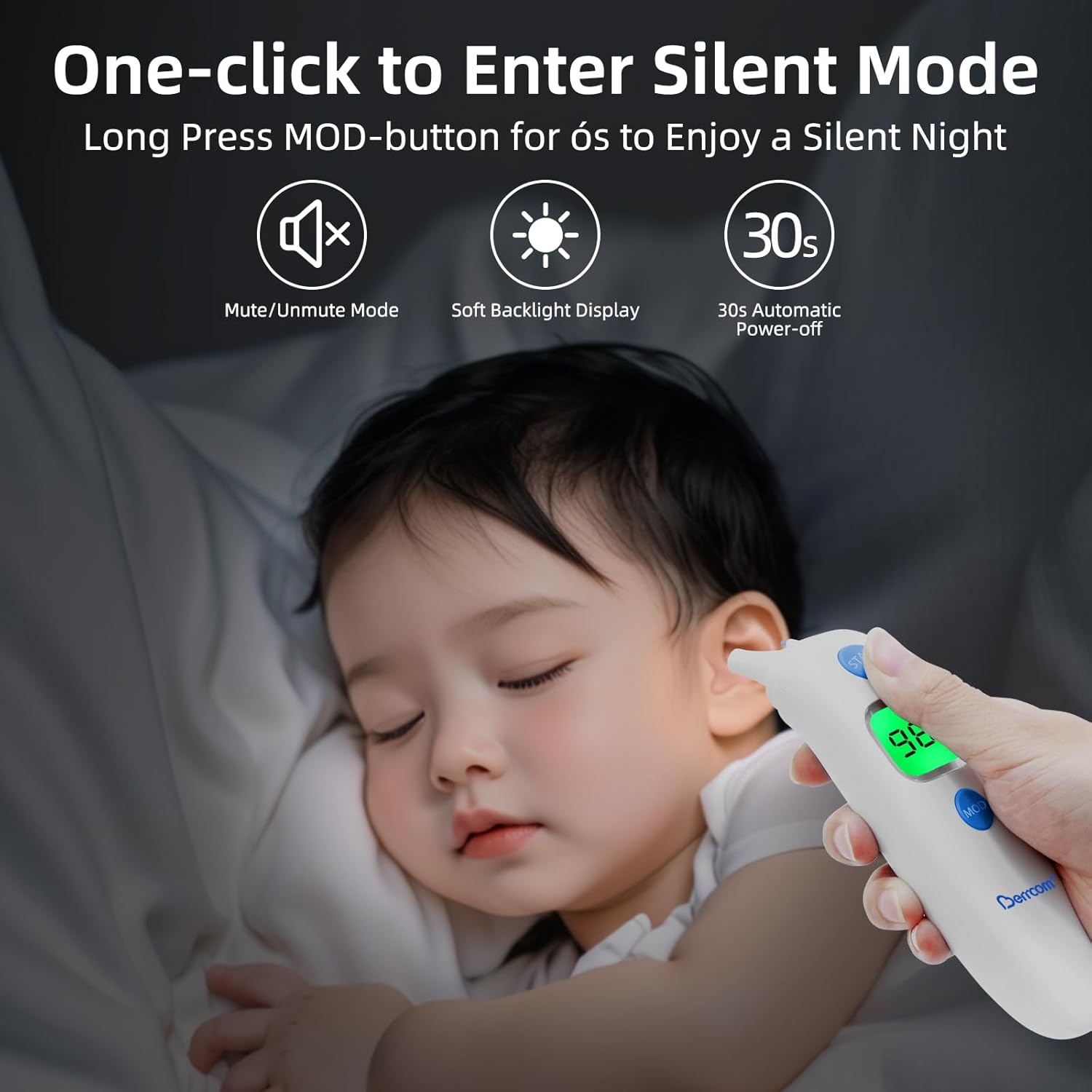
Figure 7: Using the thermometer in silent mode for undisturbed measurements.
5.6 Выклік памяці
The thermometer can store up to 20 previous readings. To access the memory:
- Press the "MEM" button (typically the rightmost button on the control panel).
- Each press will cycle through the stored readings, allowing you to track temperature changes over time.
5.7 Пераключэнне адзінак вымярэння тэмпературы (°C/°F)
Каб пераключыцца паміж градусамі Цэльсія (°C) і Фарэнгейта (°F):
- While the thermometer is on, press and hold the "MODE" button for a few seconds until the unit changes.
- Release the button once your desired unit is displayed.

Figure 8: Easily switch between Celsius and Fahrenheit temperature units.
6. Тэхнічнае абслугоўванне
Proper maintenance ensures the longevity and accuracy of your Berrcom thermometer:
- Уборка: Wipe the thermometer clean with a soft, dry cloth after each use. For disinfection, use an alcohol swab or a cloth dampened with rubbing alcohol. Do not immerse the thermometer in water or any other liquid.
- захоўванне: Store the thermometer in a cool, dry place, away from direct sunlight, extreme temperatures, and humidity. Keep it out of reach of children.
- Сыход за батарэяй: Remove batteries if the thermometer will not be used for an extended period to prevent battery leakage and damage to the device.
7. Выпраўленне непаладак
If you encounter issues with your Berrcom thermometer, consider the following common troubleshooting steps:
- Няма праблем з дысплеем/харчаваннем:
- Праверце, ці правільна ўстаўлены батарэйкі з захаваннем палярнасці.
- Заменіце старыя батарэйкі новымі батарэйкамі тыпу АА.
- Няправільныя паказанні:
- Ensure the correct measurement mode (Body, Room, Object) is selected.
- Verify the distance from the forehead (1.2-2.0 inches) for non-contact measurements.
- Ensure the sensor lens is clean and free from dirt or debris.
- Allow the thermometer to acclimate to room temperature for at least 30 minutes if it has been in an environment with a significantly different temperature.
- Displaying "HI" or "LO":
- "HI" indicates the measured temperature is higher than the measurable range.
- "LO" indicates the measured temperature is lower than the measurable range.
- Ensure proper measurement technique and environmental conditions are within the specified operating range.
Калі праблемы не знікнуць, звярніцеся да раздзела «Гарантыя і падтрымка» для атрымання дадатковай дапамогі.
8. Тэхнічныя характарыстыкі
| Спецыфікацыя | Каштоўнасць |
|---|---|
| Нумар мадэлі тавару | ET003 |
| Марка | Берком |
| Крыніца харчавання | Харчаванне ад батарэі (патрабуюцца 2 батарэйкі АА) |
| Тып дысплея | Лічбавы |
| Асаблівасць | Backlit, Alarm, Auto Off, High Accuracy |
| Узроставы дыяпазон (апісанне) | Adult, Kid, Infant, Baby, Toddler |
| Знешні матэрыял | Пластыкавыя |
| Інструкцыя па догляду за прадуктам | Працярыце |
| Памеры ўпакоўкі | 7.36 х 2.99 х 2.4 цалі |
| Вага прадмета | 5.47 унцыі |
| Краіна паходжання | Кітай |
Note: The product specifications are subject to change without prior notice for product improvement.
9. Гарантыя і падтрымка
Your Berrcom 3-in-1 Digital Infrared Thermometer comes with a 12-месячная гарантыя на замену. For any product-related inquiries, technical assistance, or warranty claims, please contact Berrcom customer support. We offer Кругласутачная служба падтрымкі кліентаў каб гарантаваць вашу задаволенасць.
Калі ласка, захавайце чэк аб куплі ў якасці пацверджання пакупкі для гарантыйных мэт.