
Уводзіны
This manual provides comprehensive instructions for the setup, operation, and maintenance of your OWC 11-Port Thunderbolt 5 Docking Station. Designed to expand the connectivity of your computer, this docking station offers a wide array of ports for peripherals, displays, and network connections through a single Thunderbolt cable.

The OWC 11-Port Thunderbolt 5 Docking Station, a compact and powerful device designed to expand your computer's connectivity.
Асноўныя характарыстыкі
- 11 Ports via Single Cable: Expand your computer's functionality by connecting it to this dock with the included Thunderbolt cable.
- Аптымізаваная прадукцыйнасць: Maximize bandwidth from three Thunderbolt 5 ports for high-speed data transfer.
- Універсальная сумяшчальнасць: Works with Thunderbolt 5/4/3, USB4, and USB-C devices.
- Faster Networking: Features a 2.5GbE Ethernet port for improved network connections.
- Easier Media Offloads: Includes microSD and SD 4.0 UHS-II reader slots for quick photo and video transfers.
- Multiple Device Daisy Chains: Create three separate daisy chains for devices, including bus-powered ones, without affecting other chains.
- Энергазабеспячэнне: Provides up to 140 watts of power to keep your notebook charged.
- Enhanced Visual Clarity: Supports connection of up to three 8K displays for sharper details.
- Ціхая праца: Fanless aluminum enclosure ensures quiet and cool performance.
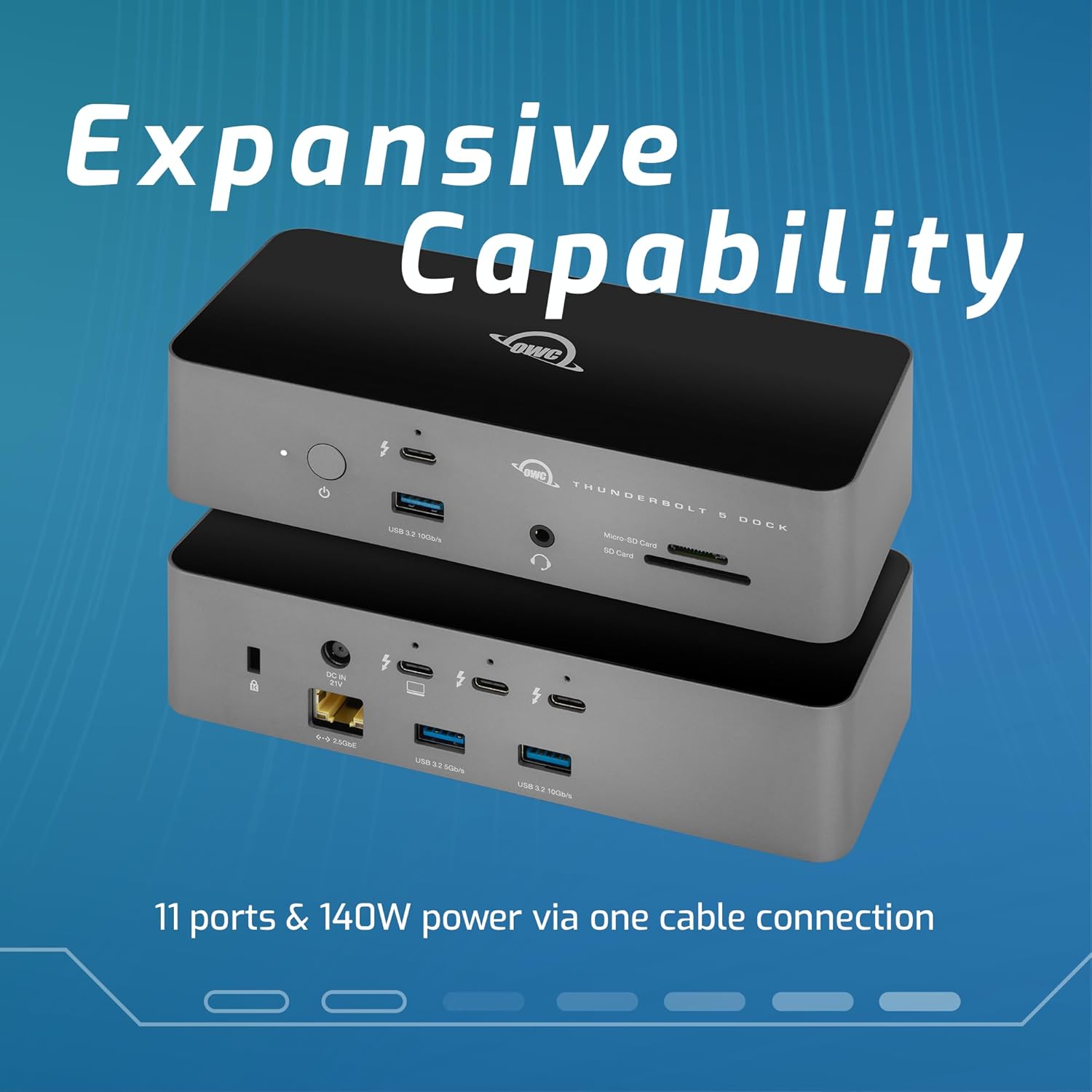
The OWC Thunderbolt 5 Dock offers extensive connectivity with 11 ports, including Thunderbolt 5, USB-A, Ethernet, and card readers, providing 140W power delivery through a single cable connection.
Змест пакета
Праверце, ці ёсць усе прадметы ў вашай упакоўцы:
- OWC 11-Port Thunderbolt 5 Docking Station
- Знешні адаптар сілкавання (180 Вт)
- Сілавы кабель
- Thunderbolt 4/USB-C Cable (0.7 meter / 27.6 inch)
Інструкцыя па наладзе
- Падключыце харчаванне: Connect the power cable to the external power adapter, then connect the adapter to the DC IN port on the rear of the docking station. Plug the power cable into a wall outlet.
- Падключэнне да галоўнага кампутара: Use the included Thunderbolt 4/USB-C cable to connect the docking station to a Thunderbolt 5, Thunderbolt 4, Thunderbolt 3, USB4, or USB-C port on your computer. Ensure you connect to the Thunderbolt port on the dock indicated for host connection (often marked with a computer icon or a lightning bolt with an arrow).
- Падключэнне перыферыйных прылад:
- Дысплеі: Connect your monitors to the available Thunderbolt 5 ports on the rear of the dock. The dock supports up to three 8K displays.
- USB прылады: Connect USB devices (e.g., keyboard, mouse, external drives) to the USB 3.2 Type-A ports (10Gb/s and 5Gb/s) on the front and rear of the dock.
- Ethernet: For a stable and fast network connection, connect an Ethernet cable from your router or modem to the 2.5GbE port on the rear of the dock.
- Аўдыё: Plug headphones or a microphone into the 3.5mm audio in/out jack on the front.
- Карты памяці: Insert SD or MicroSD cards into the dedicated slots on the front for quick data transfer.
- Уключэнне: Press the power button on the front of the docking station. The power indicator light will illuminate.
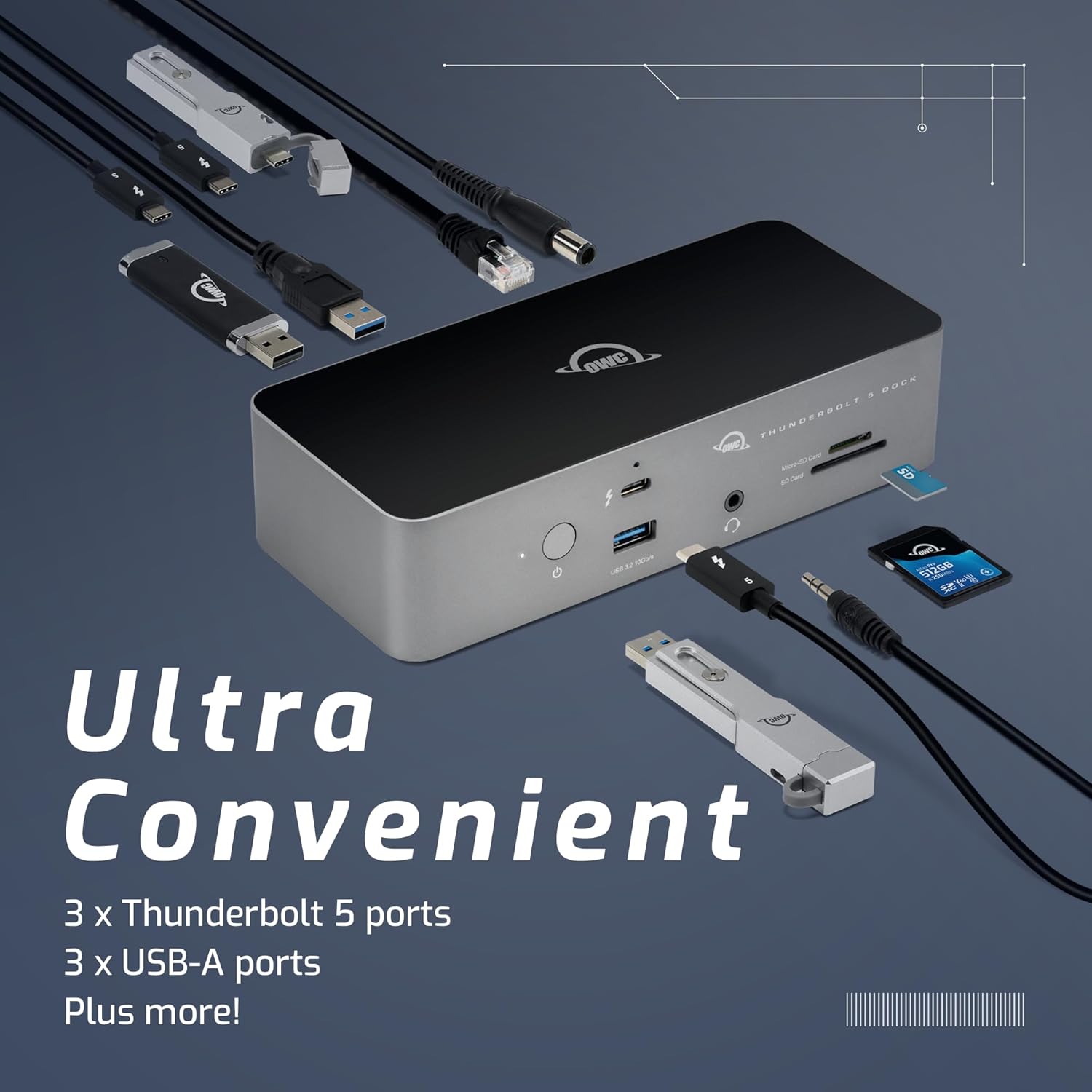
The OWC Thunderbolt 5 Dock provides ultra-convenient connectivity with multiple Thunderbolt 5 ports, USB-A ports, and other essential connections for a streamlined workspace.
Інструкцыя па эксплуатацыі
Once connected, your OWC Thunderbolt 5 Docking Station operates seamlessly with your computer. Most connected devices will be recognized automatically by your operating system.
- Кіраванне дысплеем:
Your computer's display settings will allow you to configure external monitors connected to the dock. You can extend your desktop across multiple screens or mirror your primary display. Refer to your operating system's display settings for detailed configuration options.

Enhance productivity by connecting up to three 8K displays for a comprehensive visual workspace.
- Перадача дадзеных:
Utilize the high-speed Thunderbolt 5 and USB 3.2 ports for rapid data transfer with external storage devices. The SD and MicroSD card readers provide convenient access to media from cameras and other devices.
- Энергазабеспячэнне:
The dock provides up to 140W of power delivery to your connected laptop, ensuring it remains charged during use. This eliminates the need for a separate power adapter for your laptop.
Тэхнічнае абслугоўванне
To ensure the longevity and optimal performance of your OWC Thunderbolt 5 Docking Station, follow these maintenance guidelines:
- Падтрымлівайце чысціню прылады, праціраючы яе мяккай сухой тканінай. Пазбягайце выкарыстання агрэсіўных хімічных рэчываў або абразіўных матэрыялаў.
- Ensure proper ventilation around the dock. Do not block the vents or place the device in an enclosed space.
- Avoid exposing the dock to extreme temperatures, humidity, or direct sunlight.
- Disconnect all cables before moving the docking station.
Ліквідацыю непаладак
If you encounter issues with your OWC Thunderbolt 5 Docking Station, try the following steps:
| праблема | Рашэнне |
|---|---|
| Dock is not powering on. |
|
| External displays are not detected. |
|
| Прылады USB не распазнаюцца. |
|
| Праблемы з падключэннем да сеткі. |
|
Тэхнічныя характарыстыкі
| Асаблівасць | Дэталь |
|---|---|
| Марка | OWC |
| Нумар мадэлі | OWCTB5DOCK11P |
| Памеры прадукту | 7.01 х 3.07 х 1.65 цалі |
| Вага прадмета | 1.17 фунта (530 грамаў) |
| Колер | Чорны |
| Абсталяванне інтэрфейсу | Навальніца |
| Сумяшчальныя прылады | Laptops (Thunderbolt 5/4/3, USB4, USB-C) |
| Усяго партоў USB | 7 |
| Колькасць партоў | 11 |
| Пастаўка электраэнергіі | Да 140 Вт |
| Ethernet | 2.5GbE |
| Счытвальнікі карт | SD 4.0 UHS-II, MicroSD |
| Падтрымка дысплея | Up to three 8K displays |
Гарантыя і падтрымка
Your OWC 11-Port Thunderbolt 5 Docking Station comes with a 2-гадовая абмежаваная гарантыя OWC, што гарантуе спакой адносна якасці і надзейнасці прадукцыі.
For technical support, troubleshooting assistance, or warranty claims, please visit the official OWC support webсайт або звярніцеся ў службу падтрымкі кліентаў. Захоўвайце чэк аб куплі для пацверджання гарантыі.
Note: Specific contact details and support hours may vary. Refer to the OWC webсайт для атрымання самай свежай інфармацыі.