
PAXA Clipbuds 7
PAXA Clipbuds7 Open Ear Earbuds User Manual
Model: Clipbuds 7
1. Уводзіны
Thank you for choosing the PAXA Clipbuds7 Open Ear Earbuds. This manual provides essential information for setting up, operating, and maintaining your new earbuds. Please read it thoroughly before use to ensure optimal performance and longevity of your device.

Image 1: PAXA Clipbuds7 Open Ear Earbuds and their charging case. The earbuds are purple and feature a unique clip-on design. The charging case has an LED display showing battery levels.
2. Змесціва ўпакоўкі
Праверце, ці ёсць усе прадметы ў вашай упакоўцы:
- PAXA Clipbuds7 Open Ear Earbuds (1 pair)
- Wireless Charging Case (1)
- Зарадны кабель (1)
- Кіраўніцтва карыстальніка (1)
3. Настройка
3.1 Першапачатковая зарадка
Before first use, fully charge the earbuds and charging case. Connect the provided charging cable to the Type-C port on the charging case and a power source. The LED display on the case will indicate the charging status.
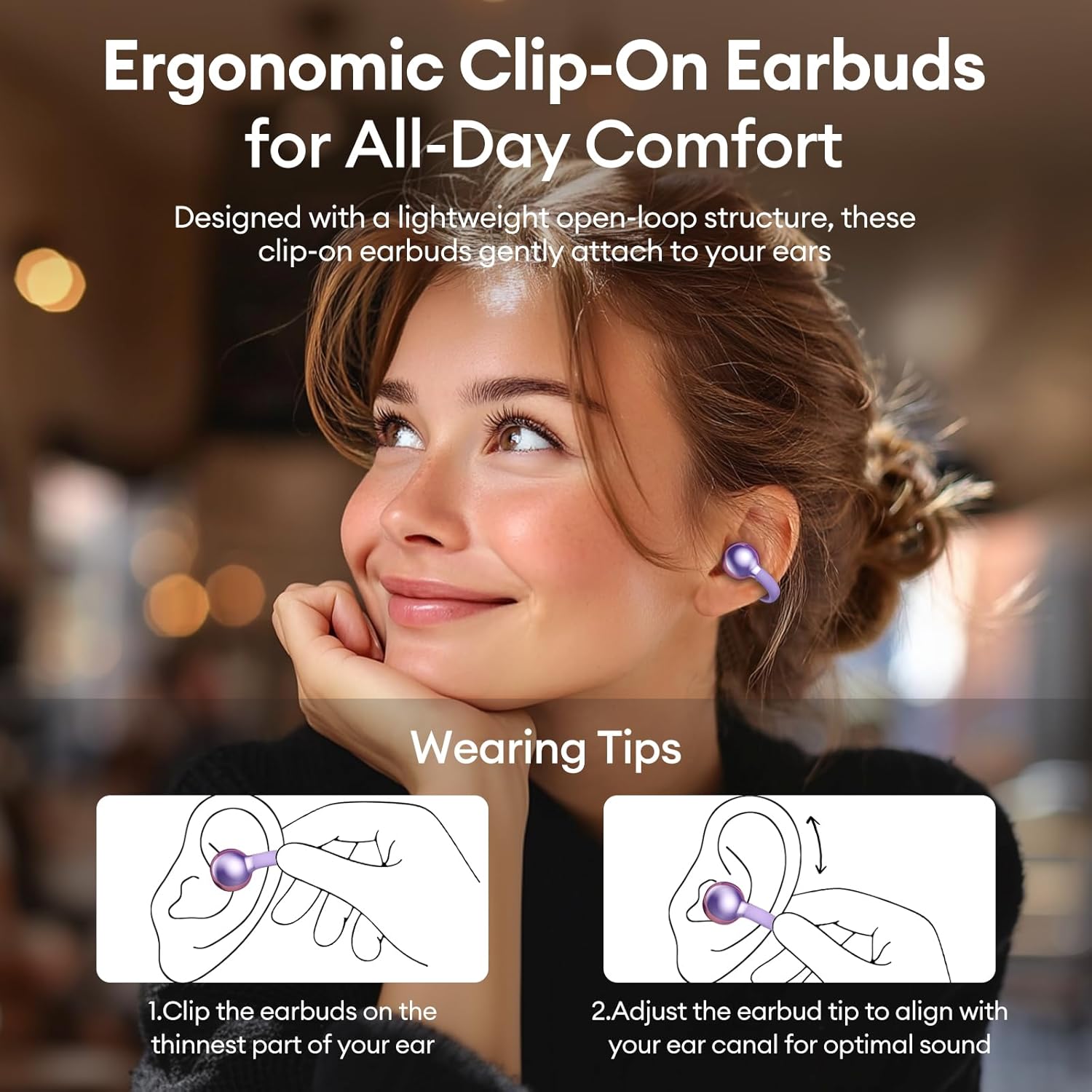
Image 2: The PAXA Clipbuds7 charging case connected to a charging cable, displaying the battery percentagе на яго святлодыёдным экране.
3.2 Нашэнне навушнікаў
The Clipbuds7 are designed for open-ear comfort. Follow these steps for proper fit:
- Прышчэпіце навушнікі да самай тонкай часткі вуха.
- Adjust the earbud tip to align with your ear canal for optimal sound delivery.
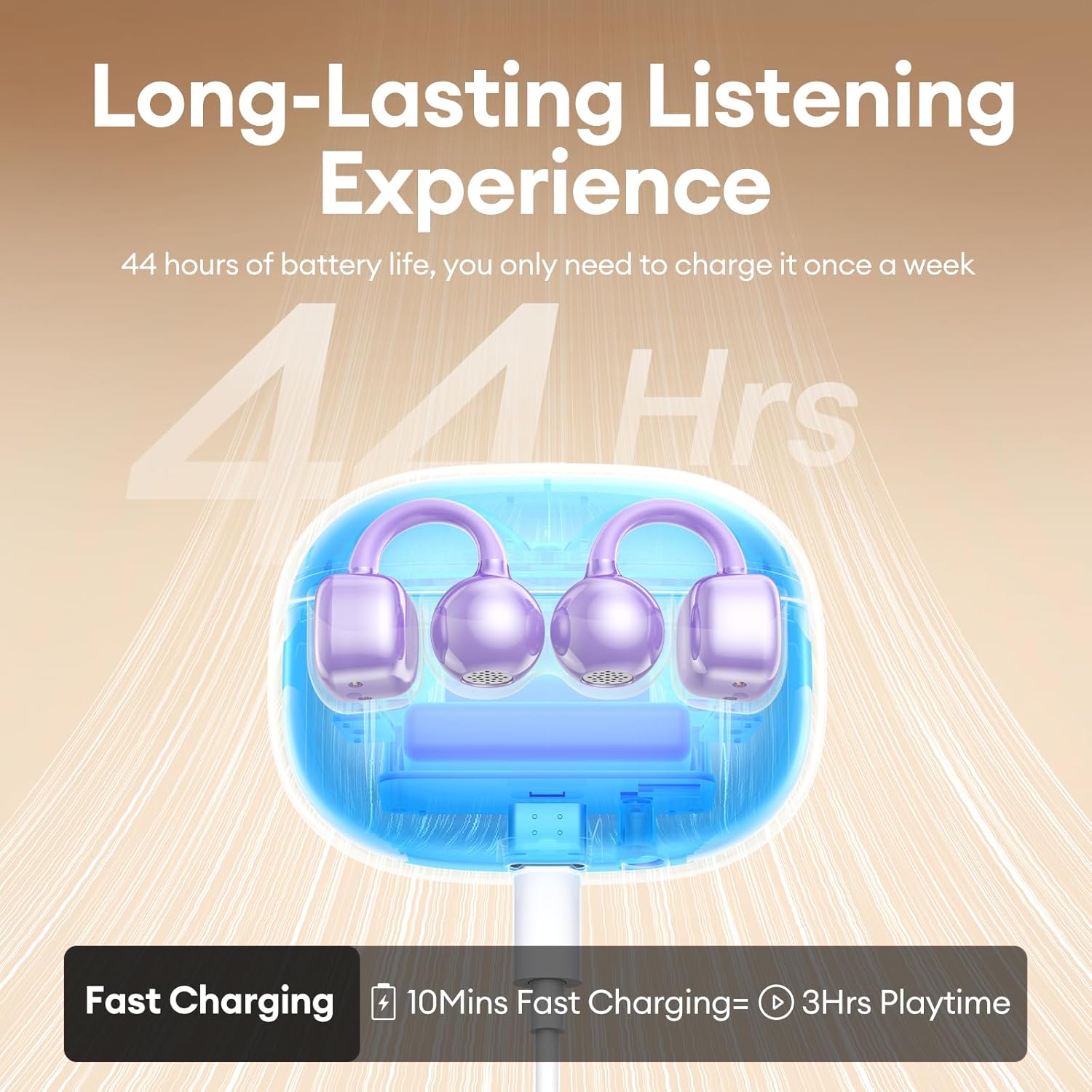
Image 3: A visual guide demonstrating the correct method for clipping the earbuds onto the ear and adjusting them for the best fit.
Video 1: This video demonstrates the unboxing and proper wearing technique for the PAXA Clipbuds7 earbuds, highlighting their comfortable and secure fit.
3.3 Спалучэнне па Bluetooth
The earbuds utilize Bluetooth 5.4 for stable connections.
- Адкрыйце зарадны кейс. Навушнікі аўтаматычна пяройдуць у рэжым спалучэння.
- On your device (smartphone, tablet, laptop), enable Bluetooth and search for "PAXA Clipbuds7".
- Select "PAXA Clipbuds7" to connect. A voice prompt will confirm successful pairing.
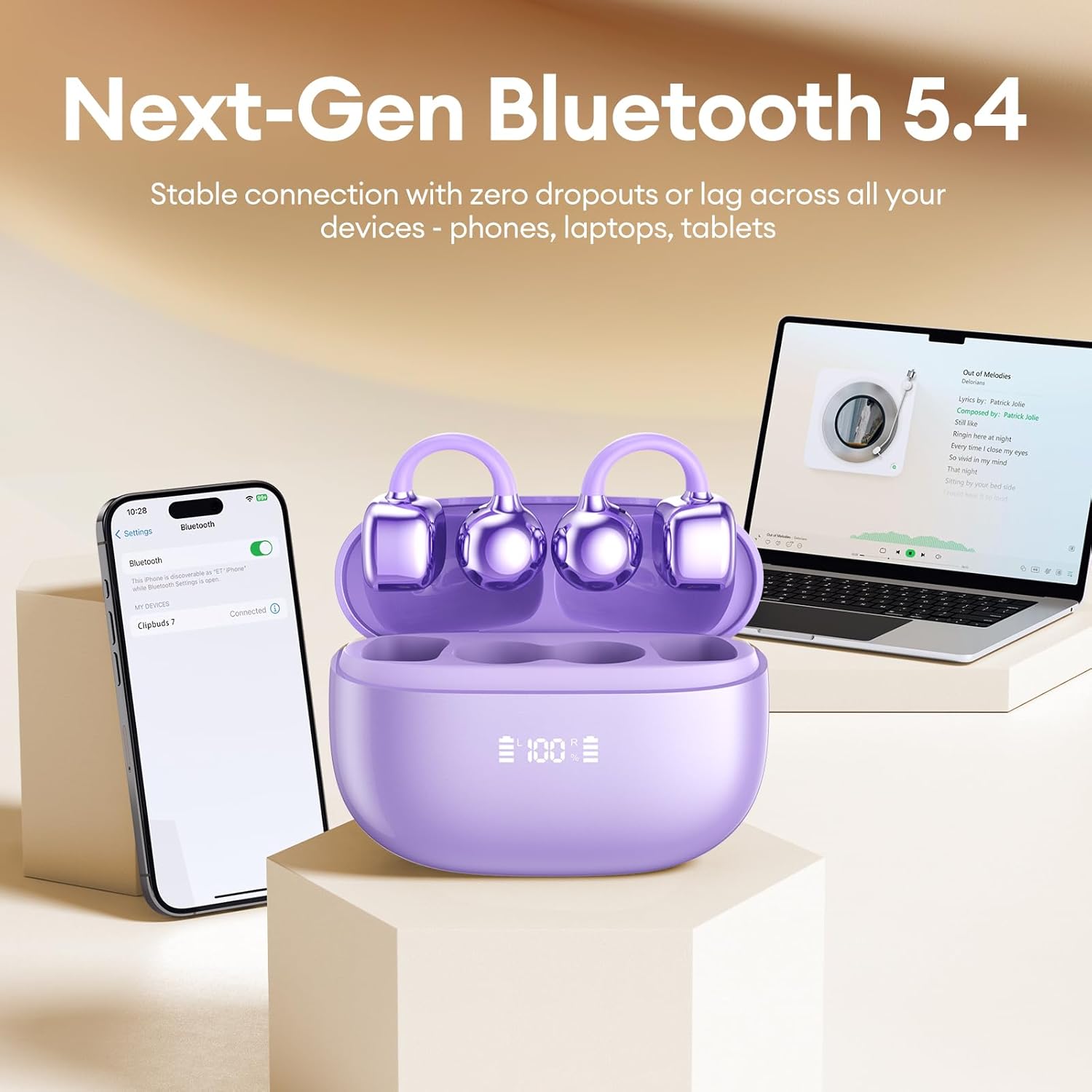
Image 4: A smartphone screen showing the PAXA Clipbuds7 successfully connected via Bluetooth, alongside the earbuds in their charging case.
4. Інструкцыя па эксплуатацыі
4.1 Сэнсарнае кіраванне
The PAXA Clipbuds7 feature intuitive touch controls:
| Дзеянне | Функцыя |
|---|---|
| Double-click either earbud | Адказ/завяршэнне выкліку, прайграванне/прыпыненне музыкі |
| Націсніце і ўтрымлівайце любы навушнік на працягу 2 секунд | Адхіліць выклік |
| Triple-click the left (L) earbud | Previous song, Volume - |
| Triple-click the right (R) earbud | Next song, Volume + |
| Hold both earbuds | Актываваць галасавы памочнік (Siri, Google Assistant і г.д.) |

Image 5: A detailed graphic illustrating the various touch control functions for the PAXA Clipbuds7 earbuds, including call management and music playback.
4.2 Уключэнне/выключэнне сілкавання
- Уключэнне: Адкрыйце зарадны чахол, і навушнікі-ўкладышы аўтаматычна ўключацца.
- Выключэнне: Змясціце навушнікі назад у зарадны футляр і зачыніце вечка. Яны аўтаматычна выключацца і пачнуць зараджацца.
4.3 Кіраванне выклікамі
The earbuds feature ENC noise cancellation for clear calls. Use the touch controls as described above to manage calls.
4.4 Функцыі гуку
Experience immersive stereo sound with directional audio technology, minimizing sound leakage while maintaining environmental awareness.
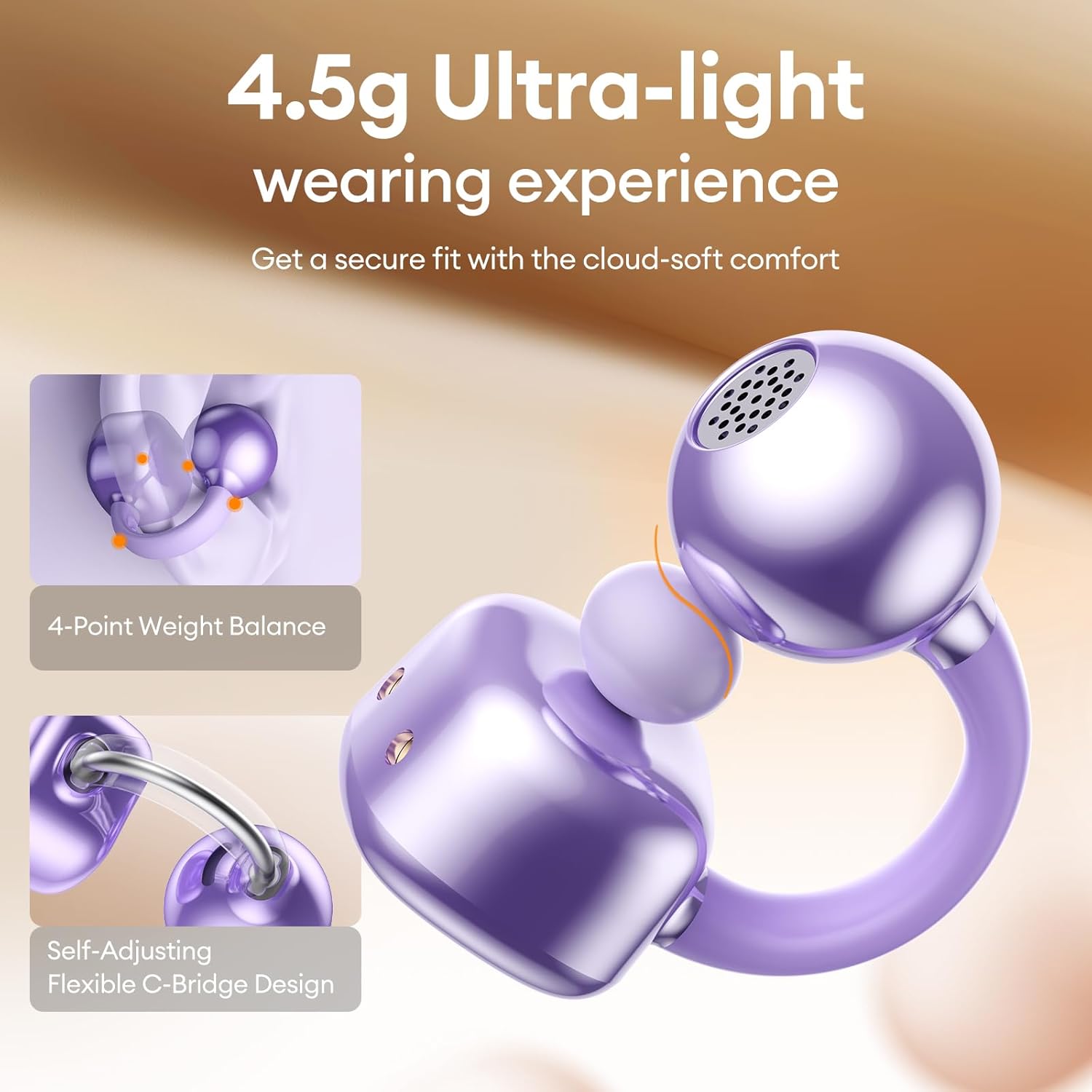
Image 6: A visual representation of the directional audio technology, showing how sound is delivered to the ear while minimizing leakage to the surroundings.
5. Тэхнічнае абслугоўванне
5.1 Ачыстка
Regularly clean your earbuds and charging case with a soft, dry cloth. Avoid using abrasive materials or harsh chemicals. Ensure charging contacts are free of dust and debris.
5.2 Захоўванне
When not in use, store the earbuds in their charging case to protect them and maintain battery life. Store in a cool, dry place away from direct sunlight and extreme temperatures.
5.3 Воданепранікальнасць і пыланепранікальнасць
The earbuds are IP45 rated for dust and water resistance, meaning they can withstand splashes of water and sweat. They are not designed for submersion in water.
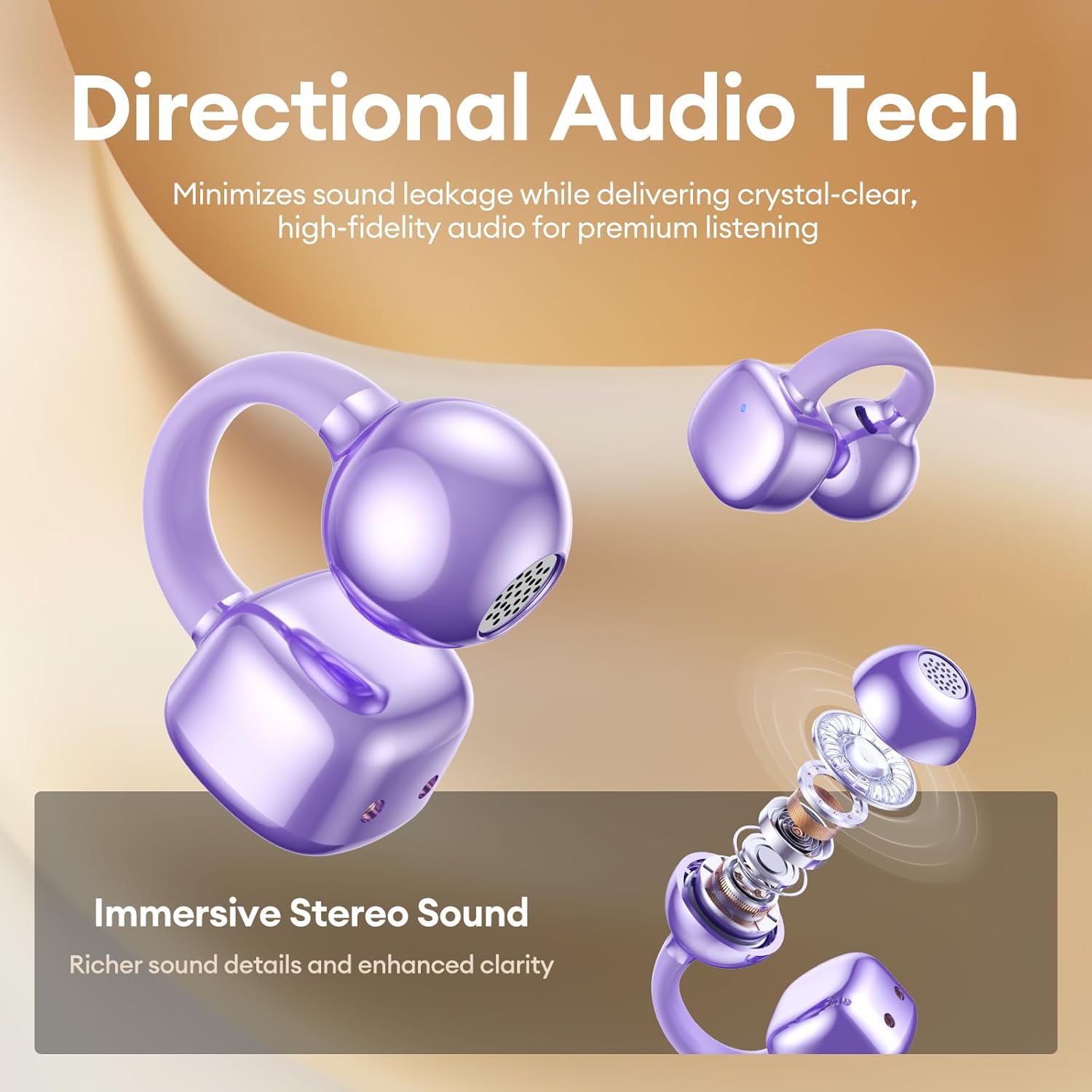
Image 7: A person wearing the PAXA Clipbuds7 earbuds while being exposed to light rain, demonstrating their IP45 water and dust resistance.
6. Выпраўленне непаладак
| праблема | Магчымае рашэнне |
|---|---|
| Навушнікі не спалучаюцца | Ensure earbuds are charged. Place them back in the case, close, then reopen to re-enter pairing mode. Check your device's Bluetooth settings and try reconnecting. |
| Ніякага гуку з аднаго навушніка | Праверце ўзровень зарада батарэі абодвух навушнікаў. Паспрабуйце перазагрузіць навушнікі (гл. інструкцыю вытворцы website for specific reset instructions if not in manual). Re-pair with your device. |
| Чахол для зарадкі не зараджаецца | Verify the charging cable and power adapter are working. Ensure the Type-C cable is securely connected to both the case and the power source. |
| Дрэнная якасць гуку | Ensure earbuds are properly seated in your ears. Check for debris blocking the speaker grilles. Move closer to your connected device to avoid interference. |
7. Тэхнічныя характарыстыкі
| Асаблівасць | Дэталь |
|---|---|
| Назва мадэлі | Кліпбудс 7 |
| Версія Bluetooth | 5.4 |
| Вага навушніка | 4.5 г (кожны) |
| Тэрмін службы батарэі (ад адной зарадкі) | Да 8 гадзін |
| Агульны тэрмін службы батарэі (з чахлом) | Да 44 гадзін |
| Порт для зарадкі | Тып-C |
| Рэйтынг воданепранікальнасці | IP45 |
| Кантроль шуму | Hybrid Noise Cancellation (ENC for calls) |
| Тып кіравання | Сэнсарнае кіраванне |
| Матэрыял | Silicone Rubber + Plastic |
8. Гарантыя і падтрымка
PAXA products come with a standard manufacturer's warranty. For detailed warranty information, product support, or to contact customer service, please visit the official PAXA webсайт або звярніцеся да гарантыйнага талона, які ўваходзіць у камплект пастаўкі.
Інтэрнэт-падтрымка: Visit the PAXA Store on Amazon