
1. Уводзіны
This manual provides detailed instructions for the assembly, operation, and maintenance of your FLEXISPOT Q5 Standing Desk with Drawer. Please read this manual thoroughly before assembly and use to ensure proper function and safety.
2. Інфармацыя па бяспецы
Важныя інструкцыі па бяспецы:
- Заўсёды збірайце стол на ўстойлівай, роўнай паверхні.
- Keep the desk away from heat sources and avoid placing heavy objects on the edges to prevent tipping.
- Be cautious when adjusting the desk's height to avoid injury.
- Always follow the assembly instructions carefully and use appropriate tools.
- Пераканайцеся, што ўсе кабелі належным чынам пракладзены, каб пазбегнуць заблытвання падчас рэгулявання вышыні.
- Не дазваляйце дзецям працаваць за сталом без нагляду дарослых.
3. Змесціва ўпакоўкі
Verify that all components are present before beginning assembly. The FLEXISPOT Q5 Standing Desk typically ships in two separate packages. If any parts are missing or damaged, please contact customer support.
- Whole-piece desktop (55.1"x23.6")
- Desk frame (alloy steel)
- Motor and control panel
- Two wooden drawers
- Assembly hardware and tools (some tools may not be included, refer to instructions)
- Адаптар харчавання і кабель
4. Інструкцыя па зборцы
Assembly is required for the FLEXISPOT Q5 Standing Desk. It is recommended to have two people for assembly due to the size and weight of the components. Follow the step-by-step instructions provided in the separate assembly guide included with your product. Ensure all connections are secure before use.
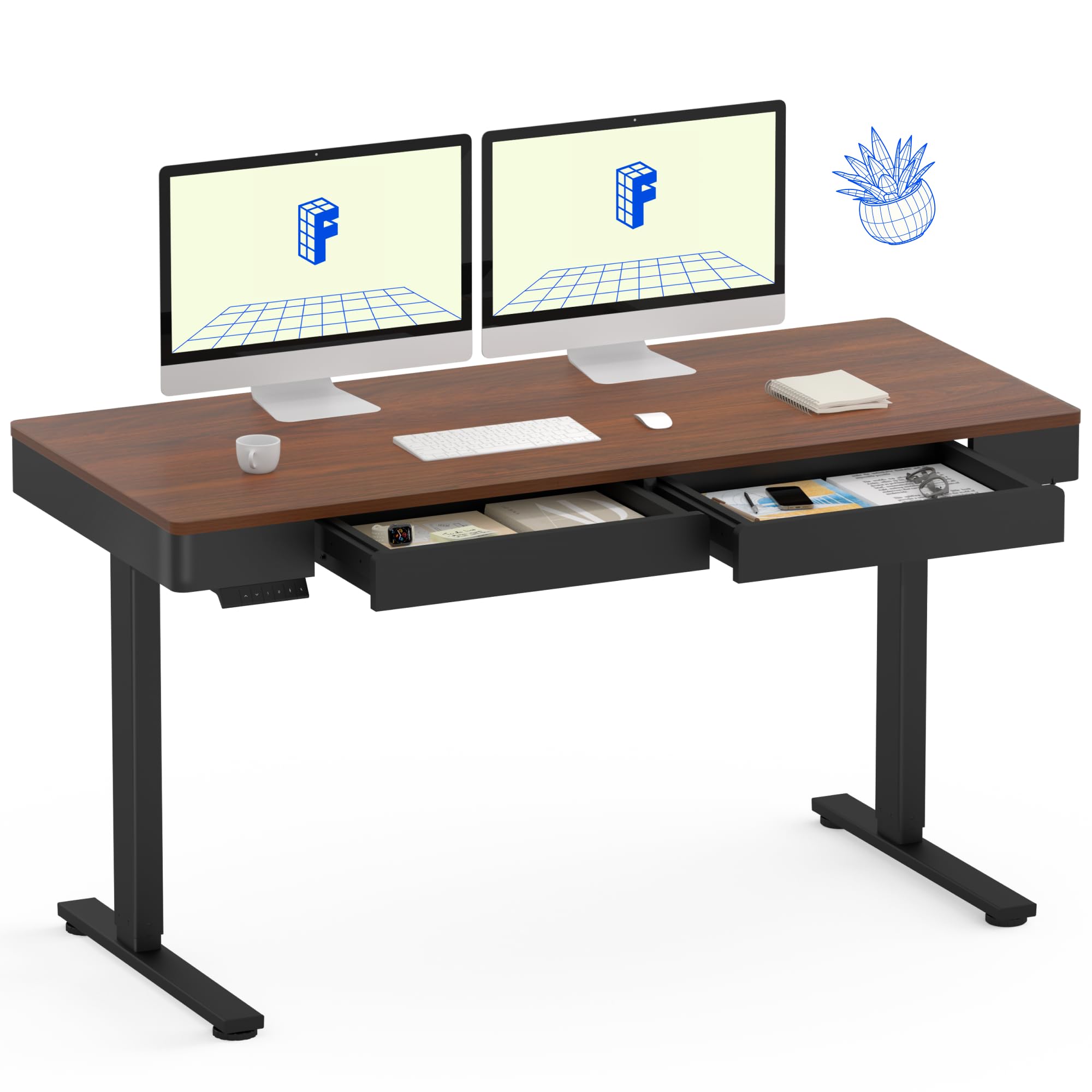
Image: The FLEXISPOT Q5 Standing Desk in Dark Walnut, featuring a spacious desktop, two open storage drawers, and a control panel on the left side. Two computer monitors are placed on the desk.
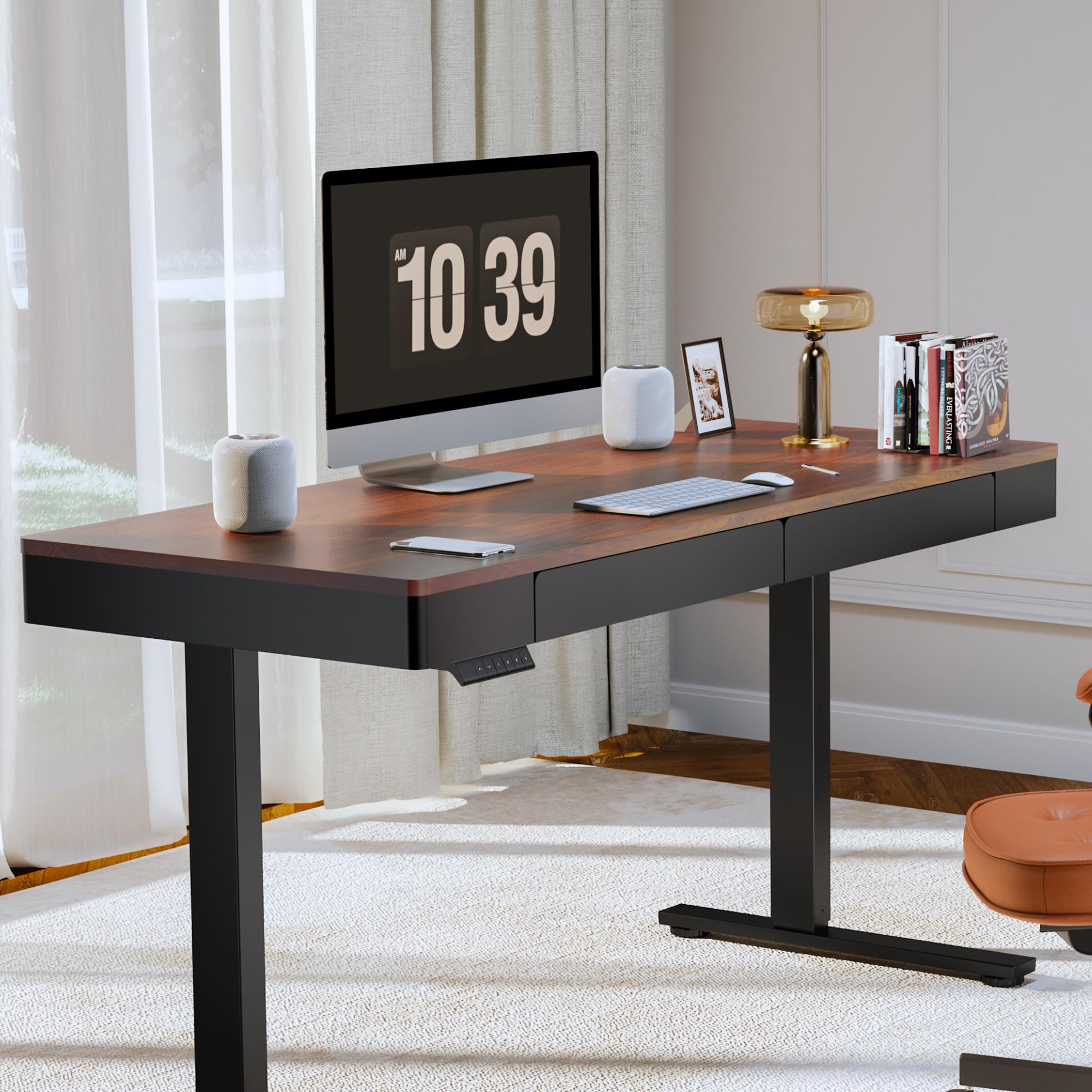
Image: The FLEXISPOT Q5 Standing Desk in a modern home office environment, showcasing its sleek design with a computer monitor, lamp, and books on the desktop.
5. Інструкцыя па эксплуатацыі
5.1. Уключэнне
Connect the power cable to the desk's control box and then to a standard electrical outlet. The control panel should illuminate, indicating the desk is ready for operation.
5.2. Рэгуляванне вышыні

Image: Close-up of the smart control panel, highlighting the up/down movement buttons and the four height memory preset buttons (1, 2, F, 4).
- Рух уверх/уніз: Выкарыстоўвайце Уверх (^) і Уніз (v) arrow buttons on the control panel to manually adjust the desk height. The desk will move smoothly between 28.9 inches (minimum) and 46.5 inches (maximum).
- Памяць вышыні: The control panel features four memory buttons (1, 2, F, 4) to save your preferred sitting and standing heights.
- Адрэгулюйце вышыню стала на патрэбную вышыню з дапамогай кнопак «Уверх»/«Уніз».
- Press and hold one of the memory buttons (1, 2, F, or 4) until you hear a beep or see the display flash, indicating the height has been saved.
- Каб аднавіць захаваную вышыню, проста націсніце адпаведную кнопку памяці. Стол аўтаматычна перамясціцца ў гэтае становішча.
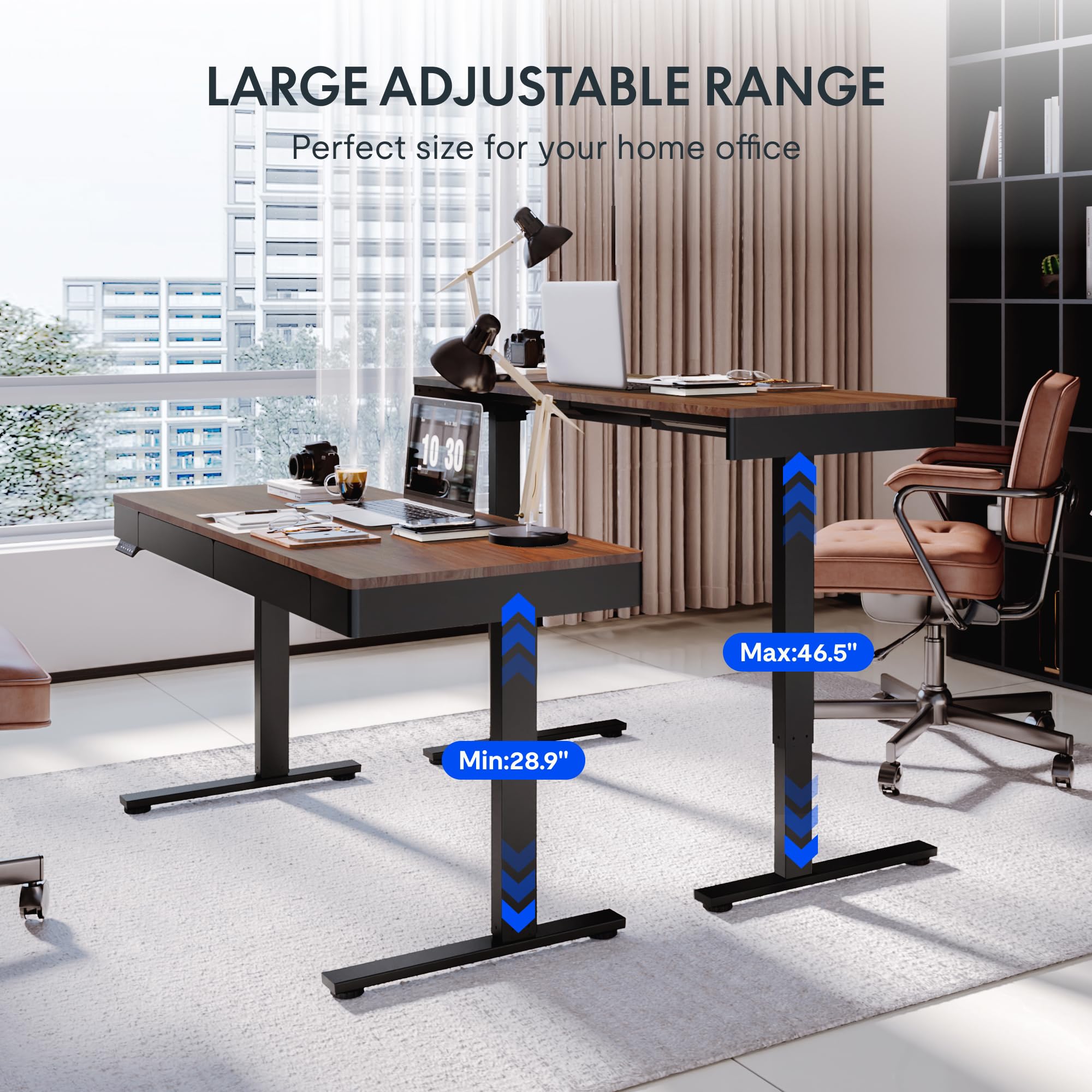
Image: Two FLEXISPOT Q5 desks side-by-side, illustrating the large adjustable height range from a minimum of 28.9 inches to a maximum of 46.5 inches.
5.3. Выкарыстанне скрынь
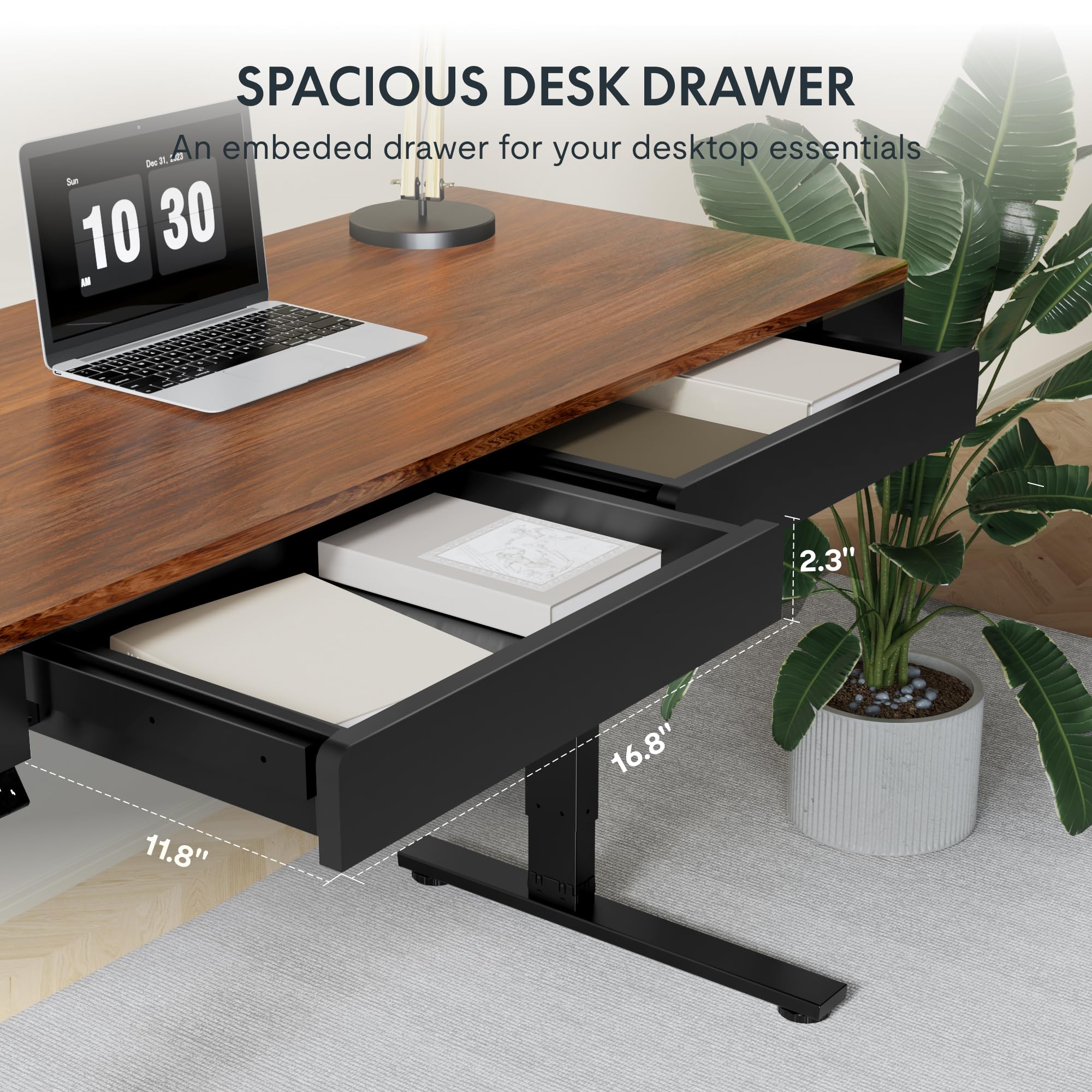
Выява: буйны план view of one of the spacious desk drawers, showing its internal dimensions of 16.8 inches in width, 11.8 inches in depth, and 2.3 inches in height.
The desk is equipped with two spacious wooden drawers for storage. Gently pull the drawer handles to open and push to close. Avoid overloading the drawers to ensure smooth operation of the sliding rails.
6. Тэхнічнае абслугоўванне
- Уборка: Працярыце працоўны стол і рамку мяккай губкайamp тканіна. Пазбягайце абразіўных ачышчальнікаў або агрэсіўных хімікатаў, якія могуць пашкодзіць пакрыццё.
- Кабельнае кіраванне: Periodically check and organize cables to prevent them from getting pinched or tangled during height adjustments.
- Зашпількі: Перыядычна правярайце ўсе шрубы і балты, каб пераканацца ў іх зацягнутасці. Пры неабходнасці падцягвайце.
- Ёмістасць вагі: Do not exceed the maximum weight capacity of 110 lbs (50 kg) on the desktop.
7. Выпраўленне непаладак
If you encounter issues with your FLEXISPOT Q5 Standing Desk, refer to the following common troubleshooting steps:
- Стол не рухаецца:
- Check if the power cable is securely connected to both the desk and the wall outlet.
- Пераканайцеся, што разетка працуе, падключыўшы да яе іншую прыладу.
- If the control panel display shows an error code, consult the full troubleshooting guide available on the FLEXISPOT webсайт або звярніцеся ў службу падтрымкі кліентаў.
- Нераўнамерная рэгуляванне вышыні:
- Perform a reset procedure (refer to the detailed assembly guide for specific steps, usually involves holding down certain buttons).
- Ensure no obstructions are preventing one leg from moving freely.
- Незвычайныя шумы:
- The motor operates quietly (under 50 dB). If loud or grinding noises occur, discontinue use and contact customer support.
- Check for loose components or obstructions under the desk.
8. Тэхнічныя характарыстыкі
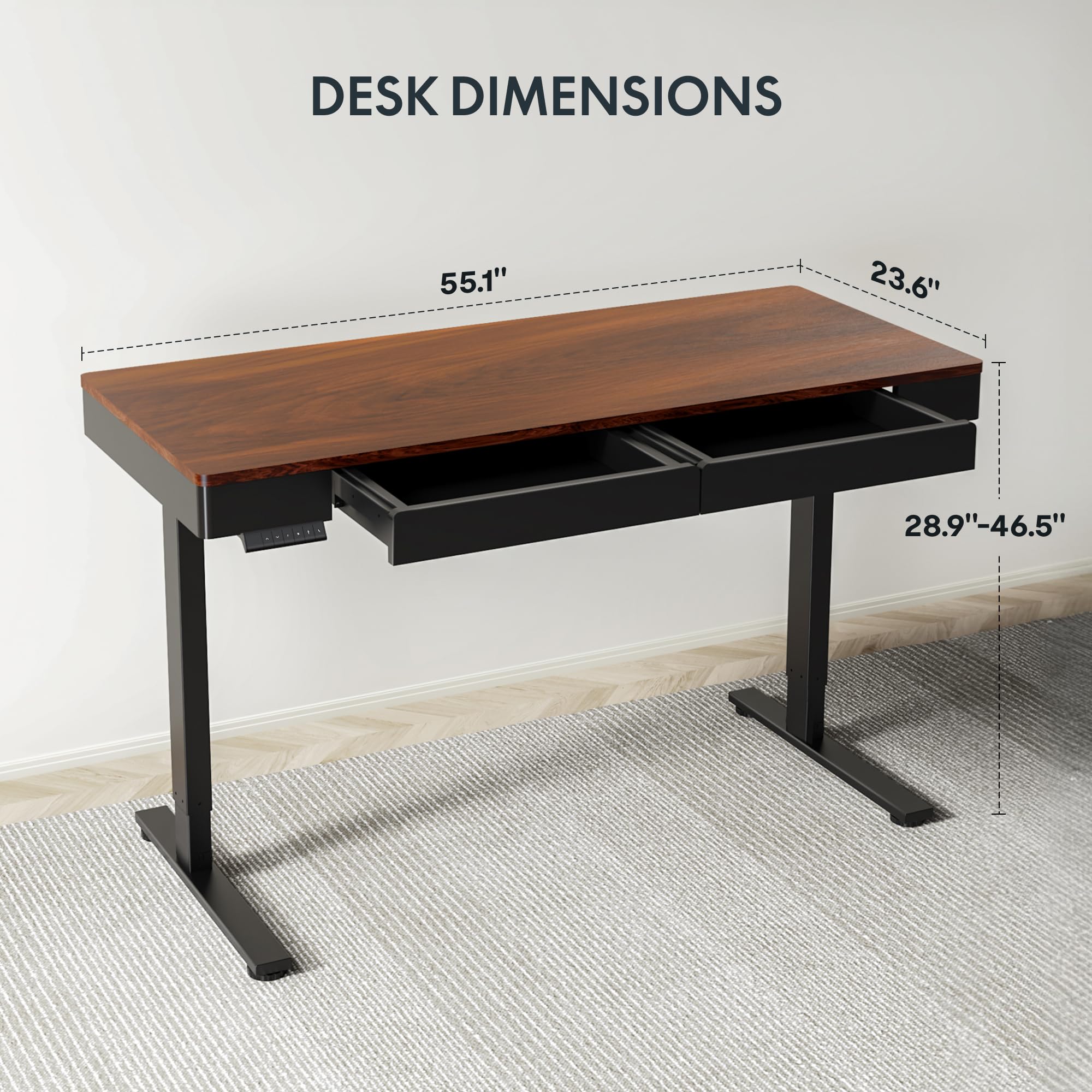
Image: Diagram illustrating the key dimensions of the FLEXISPOT Q5 Standing Desk: 55.1 inches in length, 23.6 inches in width, and an adjustable height range from 28.9 to 46.5 inches.
| Асаблівасць | Дэталь |
|---|---|
| мадэль | Q5 |
| Памеры працоўнага стала | 55.1 см (Ш) х 23.6 см (Г) |
| Дыяпазон рэгулявання вышыні | 28.9" - 46.5" |
| Максімальная грузападымальнасць | 110 фунтаў (50 кг) |
| Узровень шуму | Менш за 50 дБ |
| Матэрыял для працоўнага стала | Wood (Whole-piece) |
| Матэрыял каркаса | Легаваная сталь |
| Drawer Inner Space | 16.8 цалі (Ш) х 11.8 цаляў (Г) х 2.3 цаля (В) |
| Колер | Цёмны арэх |
| UPC | 840460476911 |
9. Гарантыя і падтрымка
FLEXISPOT provides the following warranty coverage for the Q5 Standing Desk:
- 5-гадовая гарантыя: Applies to the desk frame and motor.
- 2-Year Protection: Applies to the control panel and electronics.
For warranty claims, technical support, or missing parts, please contact FLEXISPOT customer service. Refer to the contact information provided in your product packaging or on the official FLEXISPOT webсайт.