
Уводзіны
This manual provides detailed instructions for the installation, operation, and maintenance of your Mcezdy Ebike LCD Display, model M5C-2(BLE)-6-Pin. This display is designed to enhance your electric bike experience by providing essential riding data and smart connectivity features. Please read this manual thoroughly before use to ensure proper functionality and safety.
Важная заўвага па сумяшчальнасці: This ebike display operates exclusively with the UART No. 2 protocol. Ensure your ebike controller also uses the UART No. 2 protocol for proper functionality. Incompatibility with other UART protocols will prevent the display from working correctly.
Настройка
1. Змесціва ўпакоўкі
Перад устаноўкай пераканайцеся, што ўсе кампаненты наяўныя:
- Mcezdy Ebike LCD Display (M5C-2(BLE)-6-Pin)
- Кіраўніцтва карыстальніка
- Апісанне кода няспраўнасці
2. Мантаж дысплея
The display is designed for handlebar mounting. It features an adjustable mount compatible with handlebar diameters of 22.2mm, 25.4mm, 28.6mm, and 31.8mm, ensuring a secure fit for most bicycles.
- Loosen the screws on the display's mounting bracket.
- Position the display on your ebike's handlebar at a comfortable viewкут нахілу.
- Tighten the screws to secure the display firmly in place.
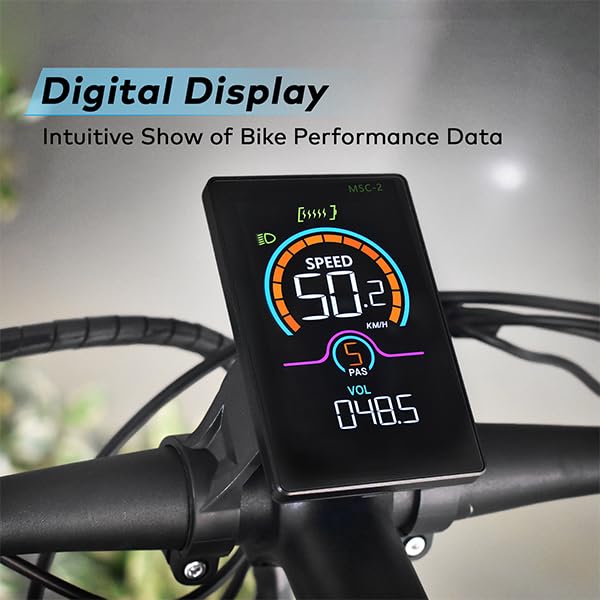
Image: The Mcezdy Ebike LCD Display mounted on a bicycle handlebar, showing its position and visibility.

Image: The Mcezdy Ebike LCD Display with an illustration highlighting its compatibility with various handlebar diameters (22.2mm, 25.4mm, 28.6mm, 31.8mm).
3. Падключэнне кабеляў
The display comes with a 150mm waterproof cable. Ensure your ebike's connector type matches the display's connector (5-pin or 6-pin) before connecting.

Image: The Mcezdy Ebike LCD Display showing a warning about UART No. 2 protocol compatibility and illustrating the difference between 5-pin and 6-pin connectors. Please confirm your e-bike's connector type before purchase.

Выява: Падрабязны view of the Mcezdy Ebike LCD Display, highlighting the waterproof 5-pin and 6-pin connector types and the external keyboard for easy adjustment of display settings.
Carefully align the connectors and push them together until they click into place. Ensure the connection is secure and waterproof.
Інструкцыя па эксплуатацыі
1. Уключэнне/выключэнне харчавання
Press and hold the power button on the display or the external control panel to turn the display on or off.
2. Функцыі адлюстравання
The vibrant color screen provides real-time information about your ride:
- хуткасць: Current riding speed (KM/H).
- Узровень PAS: Pedal Assist System level.
- тtage (VOL): Акумулятар у рэжыме рэальнага часуtage.
- ODO: Total mileage.
- Паездка: Single trip mileage.
- Працягласць: Працягласць бягучай паездкі.
- WATTAGE: Выхадная магутнасць.
- Узровень батарэі: Graphical representation of remaining battery charge.
- Індыкатар фар: Indicates if the ebike's headlight is on.
- Папярэджанне аб няспраўнасці: Displays fault codes if an issue is detected. Refer to the "Fault Code Description" document for details.

Image: The Mcezdy Ebike LCD Display illustrating its various functions, including Cruise, ODO, PAS, Trip, Speed, Fault Warning, Headlight, Battery Level, Voltagэ, Ватtage, Running Time, and Walking Assist.
3. Special Modes and Features
- Walk-Assist Mode: Provides assistance when pushing the ebike.
- круіз-кантроль: Падтрымлівае зададзеную хуткасць без пастаяннага націскання на дросель.
- Parameter Modification: Access settings to customize parameters such as wheel diameter and speed limits. Refer to the detailed user manual for navigation through these settings.
4. Smart Connectivity (Bluetooth APP)
The display supports Bluetooth connectivity, allowing you to sync with cycling applications. This enables recording of routes, statistics, and other ride data.
- Scan the QR code provided in the product packaging or on the display's screen to download the "LINGHUI" app from your device's app store.
- Follow the in-app instructions to connect your display via Bluetooth.
- Once connected, you can monitor and record your cycling data.

Image: The Mcezdy Ebike LCD Display demonstrating LINGHUI APP support. A smartphone screen shows the app interface, and a QR code is provided for downloading the "LINGHUI" app to record cycling data.
5. Порт для зарадкі Type-C
The display includes a built-in Type-C charging port, allowing you to charge compatible devices, such as your smartphone, during your rides. This ensures you stay connected and can navigate safely without worrying about phone battery depletion.
Тэхнічнае абслугоўванне
- Уборка: Працірайце экран дысплея і корпус мяккай губкайamp cloth. Avoid using abrasive cleaners or solvents that could damage the screen or housing.
- Воданепранікальнасць: The display has an IPX65 waterproof rating, providing protection against water splashes and rain. However, avoid submerging the device in water.
- захоўванне: When not in use for extended periods, store the display in a dry, cool place away from direct sunlight.
- Праверка кабеля: Periodically check all cables and connectors for any signs of wear, damage, or loose connections.
Ліквідацыю непаладак
If you encounter issues with your Mcezdy Ebike LCD Display, consider the following:
- Дысплей не ўключаецца:
- Ensure the ebike battery is charged and properly connected.
- Check all cable connections between the display and the controller for looseness or damage.
- Incorrect Readings or No Data:
- Verify that the display's protocol (UART No. 2) matches your ebike controller's protocol.
- Праверце надзейнасць кабельных злучэнняў.
- Ensure wheel diameter settings are correctly configured in the display's parameters.
- Fault Codes Displayed:
If a fault code appears on the screen, refer to the "Fault Code Description" document included with your product for an explanation of the code and recommended actions.
- Праблемы з падключэннем Bluetooth:
- Пераканайцеся, што Bluetooth уключаны на вашым смартфоне.
- Перазагрузіце дысплей і смартфон.
- Ensure the "LINGHUI" app is updated to the latest version.
If problems persist, contact Mcezdy customer support or your retailer for further assistance.
Тэхнічныя характарыстыкі
| Асаблівасць | Спецыфікацыя |
|---|---|
| Марка | Мезды |
| Нумар мадэлі | M5C-2(BLE)-6-Pin |
| Тып дысплея | LCD (Color Screen) |
| Тэхналогія падлучэння | Bluetooth |
| Пратакол | UART No. 2 |
| Праца Выпtage | Пастаянны ток 24В, 36В, 48В, 60В |
| Cable Length (Exposed) | 150mm (Waterproof 5-pin/6-pin) |
| Рэйтынг воданепранікальнасці | IPX65 |
| Матэрыял корпуса | ABS + ПК |
| Матэрыял экрана | Загартаванае шкло |
| Тып мацавання | Handlebar Mount (22.2mm, 25.4mm, 28.6mm, 31.8mm compatible) |
| Вага прадмета | 222 г |
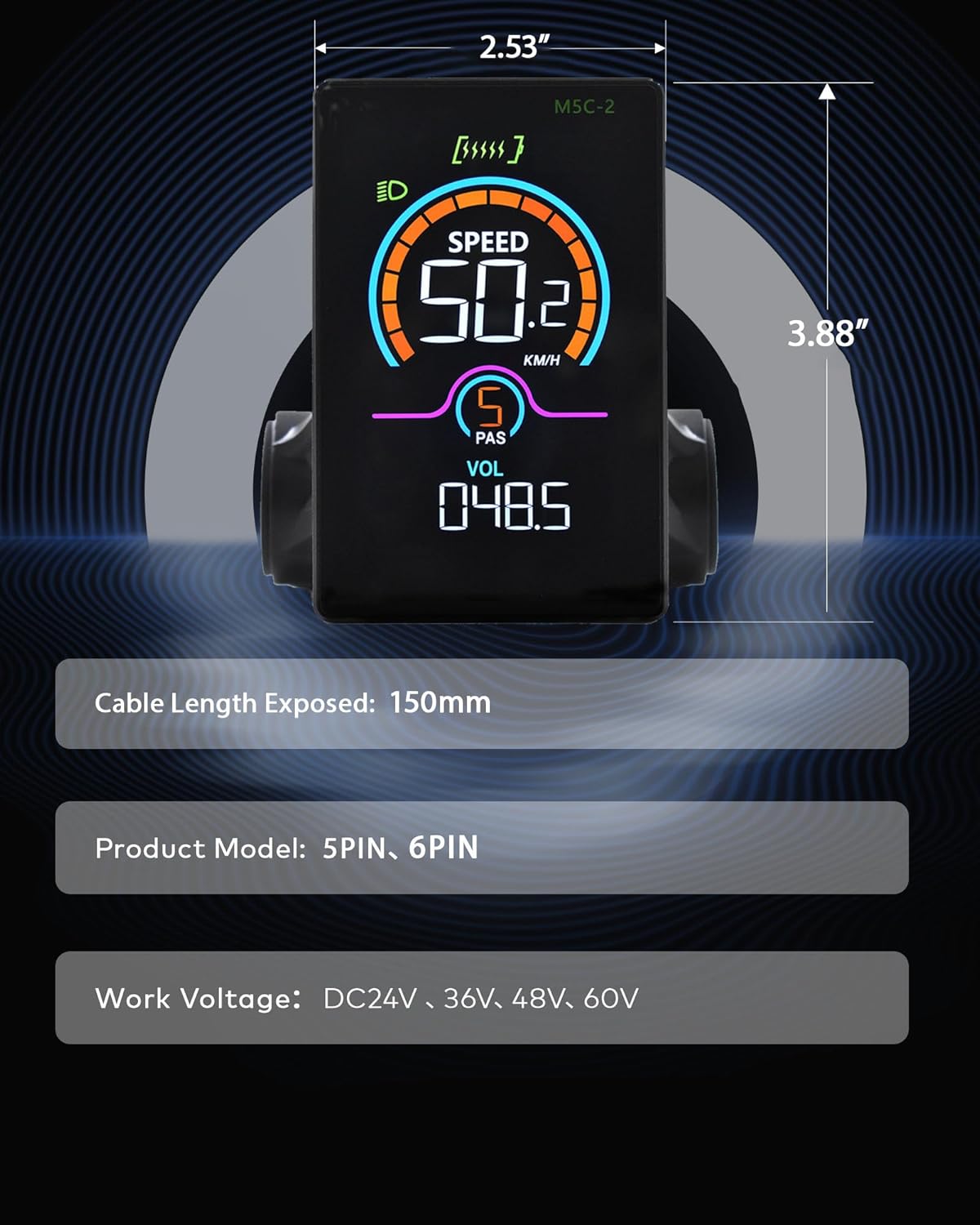
Image: The Mcezdy Ebike LCD Display showing its approximate dimensions (2.53" width, 3.88" height), exposed cable length (150mm), product model (5PIN, 6PIN), and work voltage compatibility (DC24V, 36V, 48V, 60V).
Гарантыя і падтрымка
Інфармацыя аб гарантыі
Specific warranty details for the Mcezdy Ebike LCD Display are typically provided at the point of purchase or within the product packaging. Please retain your proof of purchase for warranty claims. For detailed warranty terms and conditions, refer to the documentation provided by your retailer or contact Mcezdy customer service.
Падтрымка кліентаў
If you require further assistance, have questions not covered in this manual, or need technical support, please contact:
- Ваш прадавец прадукцыі.
- Mcezdy customer service (contact information may be available on the official Mcezdy webсайт або ўпакоўка прадукту).
Ensure you have your product model number (M5C-2(BLE)-6-Pin) and proof of purchase ready when contacting support.