
1. Уводзіны
This manual provides essential information for setting up, operating, maintaining, and troubleshooting your FUNYET Mini Gaming PC, Model STA-CF-01. Please read this manual thoroughly before using the product to ensure optimal performance and longevity.
2. Прадукт скончыўсяview і Асаблівасці
The FUNYET Mini Gaming PC is a compact yet powerful desktop computer designed for high-performance tasks such as gaming, 3D rendering, and multitasking. It features advanced components and connectivity options to meet diverse user needs.
Асноўныя характарыстыкі:
- Desktop-Level Performance: Equipped with an Intel i7-12700HK processor (up to 4.7GHz) and an NVIDIA GeForce RTX 3050 8GB GPU for demanding applications.
- Efficient Multitasking & Fast Storage: Features 32GB DDR4 RAM (expandable up to 64GB across 2 SODIMM slots) and a 1TB M.2 SSD (supporting PCIe 4.0/SATA3) for rapid boot times and smooth operation.
- Удасканаленая сістэма астуджэння: Dual built-in fans ensure optimal temperature management during intensive use, contributing to stable performance and extended hardware lifespan.
- Высакахуткаснае злучэнне: Includes a 2.5Gbps and a Gigabit Ethernet port for reliable wired network connections, alongside WiFi 5 and Bluetooth 5.0 for wireless convenience.
- Versatile Port Selection: Offers 4x USB 3.2 Gen2, 2x USB 2.0, 2x HDMI 2.0, 1x DisplayPort 1.4, 1x Type-C (data+DP), and a 3.5mm audio jack for extensive peripheral and multi-monitor support.
- Compact and Upgradeable Design: A space-saving form factor with easily accessible slots for RAM and storage upgrades.
Visual Overview:

Малюнак 2.1: Спераду view of the FUNYET Mini Gaming PC, highlighting its compact design and RGB lighting.
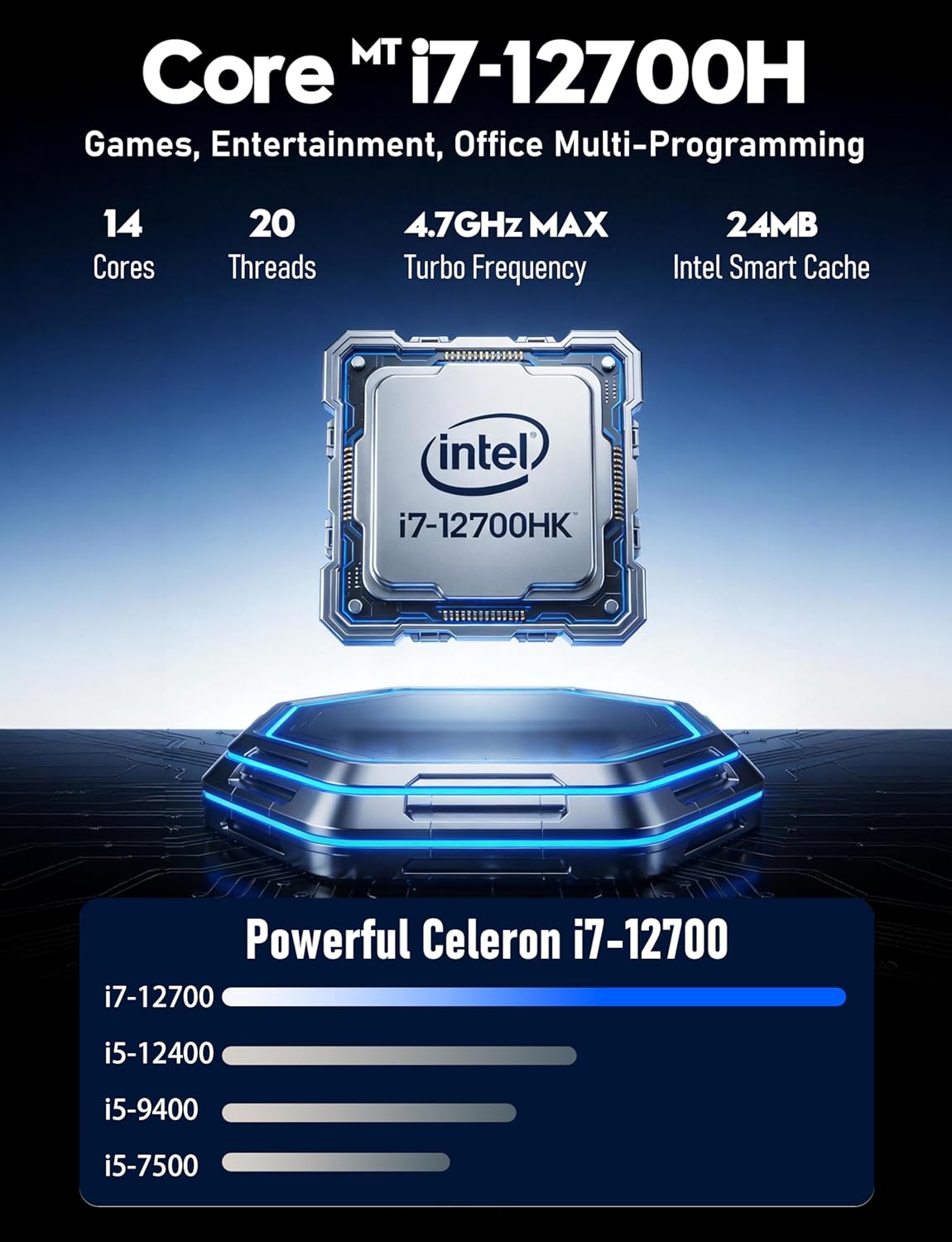
Малюнак 2.2: падрабязна view of the Intel Core i7-12700HK processor, emphasizing its core count and turbo frequency.

Figure 2.3: Illustration of the NVIDIA GeForce RTX 3050 graphics card, noting its 8GB memory and raytracing capabilities.
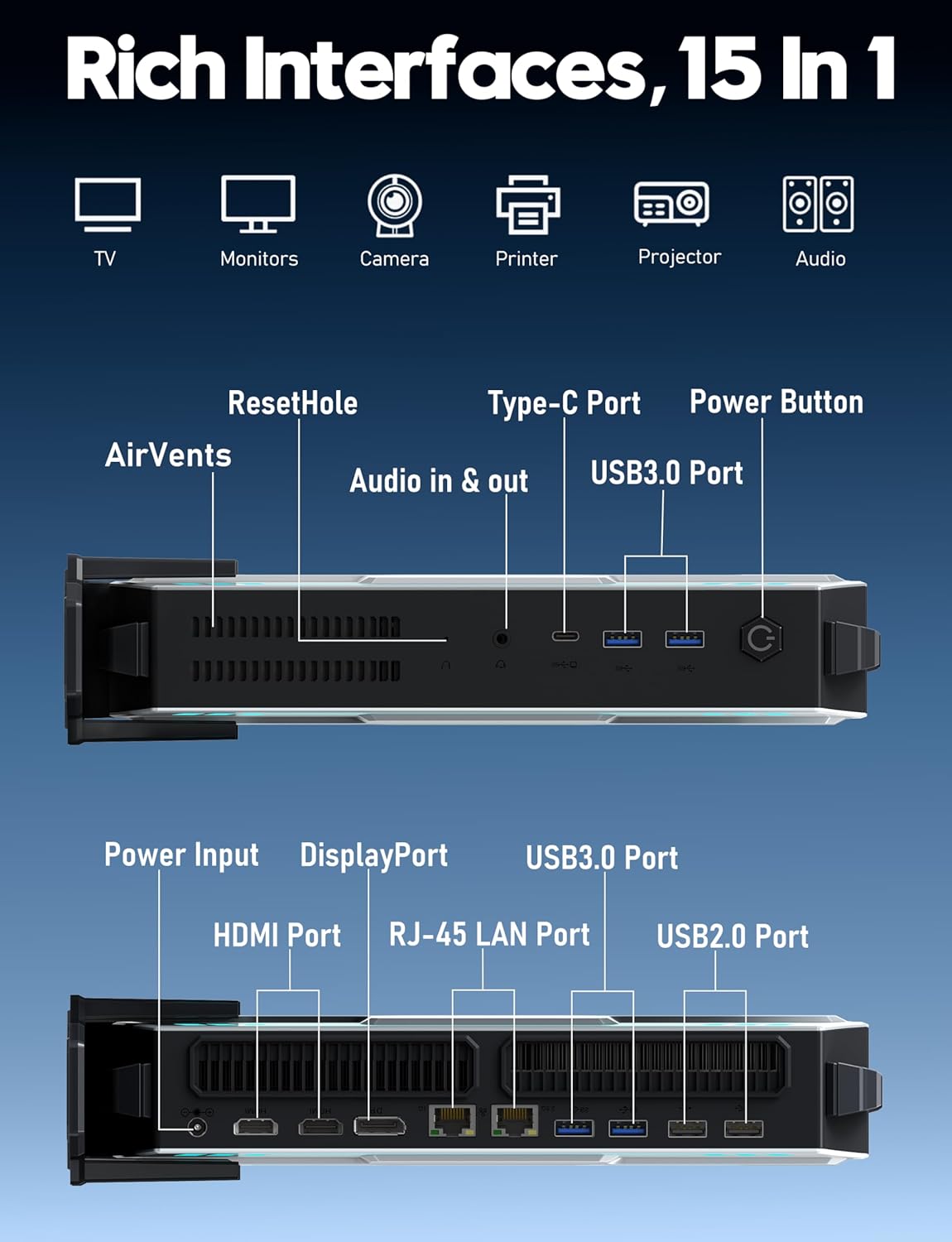
Малюнак 2.4: Закончанаview of the various input/output ports available on the FUNYET Mini Gaming PC, including USB, HDMI, DisplayPort, and LAN.
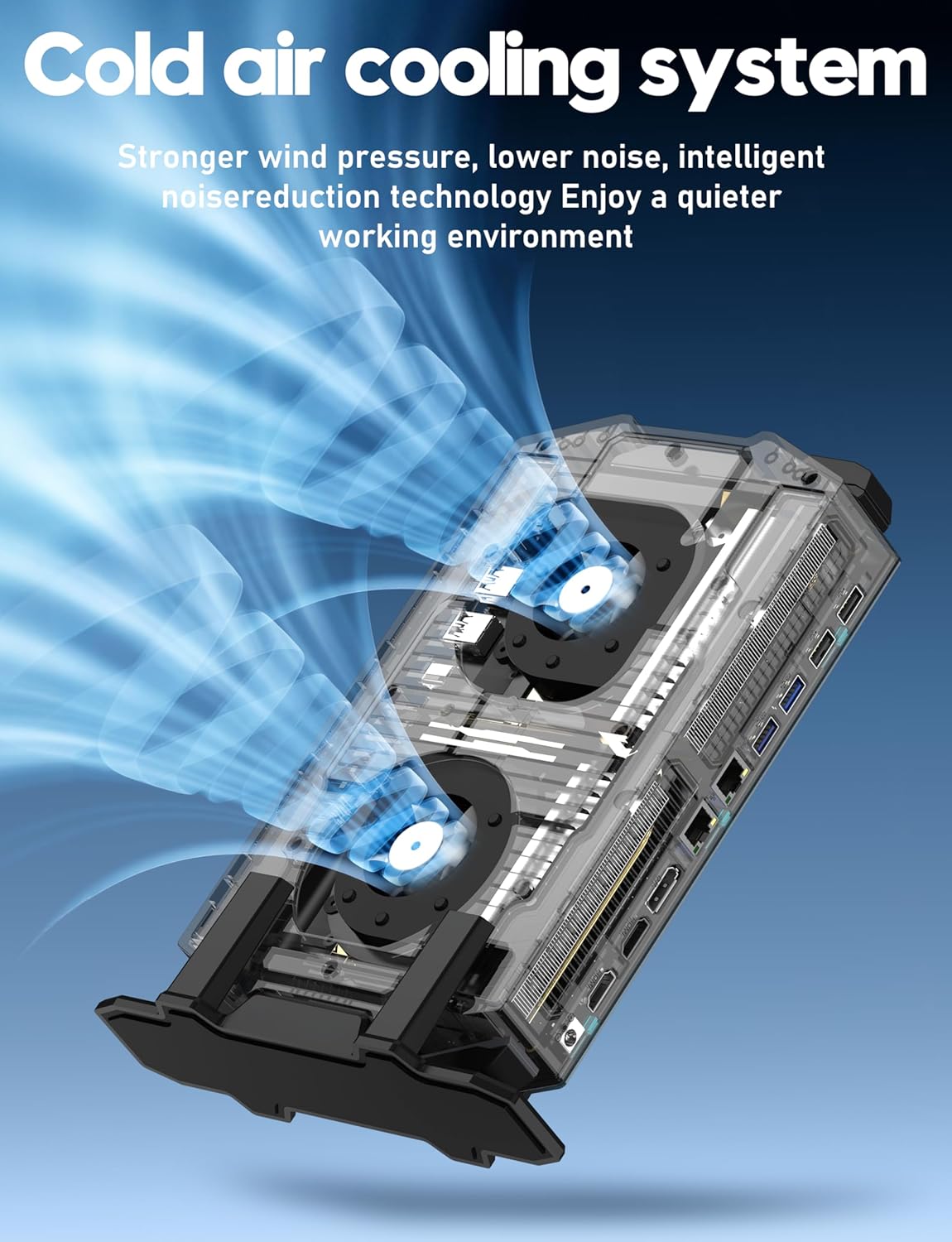
Figure 2.5: Diagram illustrating the cold air cooling system with dual fans, designed for efficient heat dissipation.
Відэа прадукту:
Відэа 2.1: Афіцыйная відэапрэзентацыя прадуктуasing the FUNYET Mini Gaming PC's features, design, and performance capabilities.
3. Кіраўніцтва па наладцы
Follow these steps to set up your FUNYET Mini Gaming PC:
- Распакуйце ПК: Асцярожна дастаньце міні-ПК і ўсе аксэсуары з упакоўкі.
- Падключэнне дысплея: Connect your monitor(s) to the PC using the available HDMI, DisplayPort, or Type-C video outputs. The PC supports up to three 4K displays simultaneously.

Малюнак 3.1: Выпample setup with the Mini PC connected to multiple 4K displays.
- Падключэнне перыферыйных прылад: Plug in your USB keyboard, mouse, and any other desired peripherals into the available USB 2.0 or USB 3.2 Gen2 ports.
- Падключэнне да сеткі: For a wired connection, plug an Ethernet cable into one of the RJ-45 LAN ports. For wireless, ensure the WiFi antenna (if external) is connected or that the internal WiFi is enabled.
- Падключыце харчаванне: Plug the power adapter into the DC-in port on the PC, then connect the power cord to an electrical outlet.
- Уключэнне: Press the power button located on the front of the Mini PC. The RGB lighting will illuminate, indicating the PC is starting.
4. Інструкцыя па эксплуатацыі
Your FUNYET Mini Gaming PC comes with Windows 11 Pro pre-installed. Here are basic operating guidelines:
- Пачатковая ўстаноўка Windows: On first boot, follow the on-screen instructions to complete the Windows 11 Pro setup, including language, region, network connection, and user account creation.
- Ўстаноўка драйвера: Essential drivers are pre-installed. However, it is recommended to check for and install the latest graphics drivers from NVIDIA's official website for optimal gaming and display performance.
- Абнаўленні праграмнага забеспячэння: Рэгулярна правярайце наяўнасць абнаўленняў Windows праз Налады > Цэнтр абнаўлення Windows to ensure your system has the latest security patches and features.
- Падключэнне да Wi-Fi: If not connected via Ethernet, click the network icon in the taskbar, select your desired WiFi network, enter the password, and click Connect.
- Прылады Bluetooth: Каб падключыць прылады Bluetooth, перайдзіце па спасылцы Налады > Bluetooth і прылады, уключыце Bluetooth і абярыце «Дадаць прыладу».
- Выключэнне/Перазагрузка: To properly shut down or restart the PC, click the Start button, then the Power icon, and select "Shut down" or "Restart".
5. Тэхнічнае абслугоўванне
Proper maintenance ensures the longevity and performance of your Mini PC:
- Уборка:
- Regularly clean the exterior of the PC with a soft, dry cloth.
- Use compressed air to gently clear dust from the air vents to maintain efficient cooling. Ensure the PC is powered off before cleaning vents.
- Абнаўленні праграмнага забеспячэння: Keep Windows and all drivers updated. This includes graphics drivers, chipset drivers, and BIOS updates (if available from FUNYET support).
- Кіраванне сховішчам: Перыядычна прыбірайце непатрэбнае files and applications to free up disk space. Consider using Windows' built-in Disk Cleanup tool.
- Рэзервовыя даныя: Рэгулярна рабіце рэзервовыя копіі важных дадзеных на знешні дыск або ў воблачнае сховішча, каб прадухіліць іх страту.
- Умовы навакольнага асяроддзя: Operate the PC in a well-ventilated area, away from direct sunlight, excessive heat, humidity, and dust.
6. Выпраўленне непаладак
Калі ў вас узнікнуць праблемы, звярніцеся да наступных распаўсюджаных праблем і рашэнняў:
| праблема | Магчымае рашэнне |
|---|---|
| Няма сілы |
|
| Няма адлюстравання на маніторы |
|
| Павольная прадукцыйнасць |
|
| Праблемы з падключэннем да сеткі |
|
7. Тэхнічныя характарыстыкі
Detailed technical specifications for the FUNYET Mini Gaming PC (Model STA-CF-01):
| Кампанент | Дэталь |
|---|---|
| Нумар мадэлі | STA-CF-01 |
| Аперацыйная сістэма | Windows 11 Pro |
| Працэсар | Intel Core i7-12700HK (14 Cores/20 Threads, up to 4.7GHz) |
| Графічная карта | NVIDIA GeForce RTX 3050 (8 ГБ выдзеленай памяці GDDR6) |
| АЗП | 32GB DDR4 (2x SODIMM slots, expandable up to 64GB) |
| Захоўванне | 1TB M.2 SSD (Supports PCIe 4.0/SATA 3.0) |
| Максімальны дазвол экрана | 3840 x 2160 (4K) |
| Відэавыхады | 2x HDMI 2.0, 1x DisplayPort 1.4, 1x Type-C (DisplayPort Alt Mode) |
| Парты USB | 4x USB 3.2 Gen2, 2x USB 2.0, 1x Type-C (Data) |
| Сетка | 2.5Gbps Ethernet, Gigabit Ethernet, WiFi 5, Bluetooth 5.0 |
| Аўдыё | 3.5mm Audio Jack |
| Памеры (ДхШхВ) | 6 х 1.6 х 10 цалі |
| Вага прадмета | 2.8 фунта |
| Колер | Шэры |
8. Гарантыя і падтрымка
FUNYET is committed to providing quality products and customer service.
- Гарантыя: All FUNYET products come with a 2-year free repair warranty.
- Exchanges/Returns: A 6-month free exchange and return policy is offered.
- Звязацца са службай падтрымкі: For any questions or assistance with your product, please contact FUNYET support.
- тэлефон: +1 800-986-9631 (4 AM - 10 PM PT, per business day)
- электронная пошта: funyetstore@outlook.com
FUNYET support aims to reply within 24 hours.