
Уводзіны
This manual provides essential information for setting up, operating, maintaining, and troubleshooting your NIMO 15.6" IPS FHD Business Laptop. Please read this manual thoroughly before using your device to ensure optimal performance and longevity.
Што ў скрынцы
- 1 x Nimo N154 Laptop
- 1 x Type-C 65W PD Fast Charger
- 1 х Кіраўніцтва карыстальніка (гэты дакумент)
- Windows 11 Home (pre-installed)
- Warranty Information (2 Years Warranty, 90 Days Return)
Прадукт скончаныview
Familiarize yourself with the key components and features of your NIMO laptop.

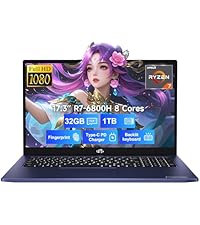
Малюнак 1: NIMO 15.6" Laptop Front View з ключавымі характарыстыкамі
This image displays the NIMO 15.6-inch laptop from the front, showcasing its full HD IPS display. Icons on the screen highlight key features including the Intel Core i3-1215U 6-core processor, 8GB RAM, 256GB SSD, fingerprint reader, Type-C PD charger, and backlit keyboard. An eagle graphic is prominently featured on the screen.
Парты і раздымы

Малюнак 2: Laptop Ports and Connectors
This image illustrates the various ports available on the NIMO laptop. On the left side, from left to right, are the Micro SD card slot, USB 2.0 port, USB 3.0 port, headphone combo jack, and Kensington lock slot. On the right side, from left to right, are a Type-C (charge only) port, USB 3.0 port, HDMI port, Type-C (multifunction) port, and a Charge LED indicator.
- Левы бок: Micro SD Card Slot, USB 2.0, USB 3.0, Headphone Combo Jack, Kensington Lock
- Правы бок: Type-C (Charge Only), USB 3.0, HDMI, Type-C (Multifunction), Charge LED
Кіраўніцтва па ўстаноўцы
1. Пачатковая зарадка
Before first use, fully charge your laptop. Connect the provided 65W Type-C PD fast charger to the Type-C (Charge only) port on the right side of the laptop and to a power outlet. The Charge LED will indicate charging status.

Малюнак 3: 65W Type-C PD Fast Charger
This image shows the compact NIMO 65W Type-C PD fast charger with its accompanying Type-C cable. It highlights the charger's versatility, indicating it can be used for laptops, tablets, and iPhones. Below, a comparison graphic contrasts the single, organized Type-C charger with a cluttered power strip filled with multiple, tangled chargers, emphasizing the convenience of the NIMO charger.
2. Уключэнне
Open the laptop lid. Press the power button, typically located on the top right of the keyboard, to turn on the device. The laptop will boot into Windows 11 Home.
3. Пачатковая ўстаноўка Windows
Follow the on-screen prompts to complete the Windows 11 Home setup. This includes selecting your region, language, connecting to a Wi-Fi network, creating a user account, and setting up security features like the fingerprint reader.
4. Налада счытвальніка адбіткаў пальцаў
During Windows setup or later via Windows Settings, configure the integrated fingerprint reader for secure and quick login. This feature is located on the touchpad area.

Малюнак 4: Fingerprint Reader and Webcam Privacy Shield
This image highlights two security features of the NIMO laptop. The upper left section shows a close-up of the touchpad with a glowing fingerprint icon, indicating the integrated fingerprint scanner for seamless security integration. The lower right section displays the laptop's webcam with a physical privacy shield, emphasizing privacy-focused camera convenience.
Інструкцыя па эксплуатацыі
Клавіятура і тачпад
Your NIMO laptop features a full-size keyboard with a numeric keypad and a backlit function for use in low-light conditions. The large trackpad supports multi-touch gestures.

Малюнак 5: Асаблівасці клавіятуры
This image displays the NIMO laptop's keyboard, highlighting its features for effortless typing in any environment. Icons above the keyboard represent the backlit keyboard, webcam shield, fingerprint reader, and numeric keypad. Insets show the backlit keyboard in use in a dimly lit setting.
Дысплей
The 15.6" Full HD (1920x1080) IPS display offers vibrant colors and wide viewing angles. Adjust brightness and display settings through Windows settings.

Малюнак 6: Яркі дысплей Full HD
This image showcases the NIMO laptop's vivid Full HD display, featuring a vibrant image of a jellyfish on the screen. Icons above the display highlight its key attributes: FHD 1920x1080 resolution, IPS technology, Bright View, and Eye Protection. The screen-to-body ratio is indicated as 85%.
Сувязь
- Wi-Fi 6: Connect to high-speed wireless networks.
- Bluetooth: Pair with Bluetooth-enabled devices such as headphones or mice.
- Парты USB: Utilize the USB 2.0 and USB 3.0 ports for connecting external devices.
- HDMI: Падключэнне да знешніх манітораў або праектараў.
Тэхнічнае абслугоўванне
Чыстка ноўтбука
- Выкарыстоўвайце мяккую безворсовую тканіну, злёгку dampпрамыйце вадой або сродкам для чысткі экранаў, каб ачысціць дысплей.
- Для клавіятуры і корпуса выкарыстоўвайце мяккую тканіну. Пазбягайце выкарыстання агрэсіўных хімічных рэчываў.
- Перыядычна выкарыстоўвайце сціснутае паветра для выдалення пылу з вентыляцыйных адтулін, каб забяспечыць належнае астуджэнне.
Сыход за батарэяй
- Пазбягайце частай поўнай разрадкі акумулятара.
- Захоўвайце ноўтбук у прахалодным, сухім месцы, калі ён не выкарыстоўваецца працяглы час.
- Use only the provided NIMO 65W Type-C PD charger.
Storage and Upgrades
The laptop comes with 8GB DDR4 RAM and a 256GB SSD. Both RAM and SSD are upgradeable, offering flexibility for future performance enhancements.

Малюнак 7: RAM and SSD Configuration
This image shows the NIMO laptop screen displaying various applications, illustrating its multitasking capabilities. Below the laptop, three boxes highlight its memory and storage specifications: 8GB DDR4 RAM, 256GB PCIe 4.0 SSD, and the presence of Dual RAM Channels, indicating support for upgrades and expansion.
Ліквідацыю непаладак
This section addresses common issues you might encounter with your NIMO laptop.
Ноўтбук не ўключаецца
- Пераканайцеся, што зарадная прылада надзейна падключана як да ноўтбука, так і да спраўнай разеткі.
- Check if the Charge LED illuminates when connected to power.
- Паспрабуйце ўтрымліваць кнопку харчавання 10-15 секунд, каб выканаць жорсткі скід.
Акумулятар хутка разраджаецца
- Знізіце яркасць экрана.
- Зачыніце непатрэбныя праграмы, якія працуюць у фонавым рэжыме.
- Ensure Windows is updated, as updates often include power management improvements.
- Check power settings in Windows to optimize battery usage.
Applications Freeze or Laptop is Slow
- Close any applications that are not in use.
- Перазагрузіце ноўтбук.
- Праверце дыспетчар задач (Ctrl+Shift+Esc) на наяўнасць працэсаў, якія спажываюць шмат рэсурсаў працэсара або аператыўнай памяці.
- Пераканайцеся, што ваша аперацыйная сістэма і драйверы абноўлены.
- Consider upgrading RAM or SSD if performance issues persist, as the laptop supports upgrades.
Праблемы з падключэннем да Wi-Fi
- Перазагрузіце Wi-Fi-роўтар і мадэм.
- Адключыце і зноў уключыце Wi-Fi на вашым ноўтбуку.
- Пераканайцеся, што драйверы Wi-Fi абноўленыя.
- Забудзьцеся пра сетку і падключыцеся зноў.
Тэхнічныя характарыстыкі
Detailed technical specifications for your NIMO N154 laptop.
| Асаблівасць | Спецыфікацыя |
|---|---|
| Марка | NIMO |
| Назва мадэлі | Nimo N154 |
| Памер экрана | 15.6 цалі |
| Дазвол экрана | 1920 x 1080 Pixels (Full HD IPS) |
| Працэсар | Intel Core i3-1215U (6 ядраў, да 4.4 ГГц) |
| АЗП | 8 GB DDR4 (Upgradeable) |
| Хуткасць памяці | 3200 МГц |
| Жорсткі дыск | 256 GB SSD (Upgradeable) |
| Графічны супрацэсар | Убудаваная графіка Intel |
| Аперацыйная сістэма | Windows 11 хатняя |
| Бесправадны тып | Wi-Fi 6 (802.11a/b/g/n/ac), Bluetooth 5.2 |
| Парты USB | 1x USB 2.0, 3x USB 3.0, 2x Type-C (1x Charge Only, 1x Multifunction) |
| Іншыя парты | HDMI, Headphone Combo Jack, Micro SD Card Slot, Kensington Lock |
| Асаблівасці | Fingerprint Reader, HD Audio, Memory Card Slot, Numeric Keypad, Backlit Keyboard, Webcam Shield |
| Вага прадмета | 3.8 фунта |
| Памеры прадукту | 14.07 х 8.98 х 0.76 цалі |
| Сярэдні тэрмін службы батарэі | 5 Hours (54Wh Smart Battery) |
| Крыніца харчавання | Battery Powered, 65W Type-C PD Charger |
Гарантыя і падтрымка
NIMO is committed to providing reliable products and excellent customer service.
- Гарантыя: Your NIMO laptop is covered by a 2-year warranty.
- Вяртае: You may return the product within 90 days of purchase.
- Падтрымка кліентаў: Our 24/7 support team is available to provide assistance.
- Кантакты: For support inquiries, please visit the official NIMO webсайт або кантакт service@nimopc.com.

Малюнак 8: Professional Customer Assistance
This image depicts a customer service representative wearing a headset, symbolizing the availability of professional customer assistance via phone and live chat.
Малюнак 9: 2-гадовая падтрымка
This image shows a technician working on a laptop's internal components with tools, representing the 2-year support coverage for Nimo products.

Малюнак 10: 90-дзённая палітыка вяртання
This image illustrates a delivery person handing a package to a customer, signifying the 90-day return policy for Nimo products.