
Уводзіны
This manual provides comprehensive instructions for the setup, operation, and maintenance of your V7 Dual Bay Docking Station USB 3.0. This device is designed to provide convenient access to 2.5-inch and 3.5-inch SATA hard disk drives (HDDs) and solid-state drives (SSDs), offering high-speed data transfer and a standalone cloning function.
Калі ласка, уважліва прачытайце гэтую інструкцыю перад выкарыстаннем прадукту, каб забяспечыць належную працаздольнасць і пазбегнуць пашкоджанняў.
Змест пакета

Image: The side of the V7 Dual Bay Docking Station packaging, detailing the included items.
Праверце, ці ёсць у вашай упакоўцы ўсе пералічаныя ніжэй прадметы:
- 1x V7 Dual Bay Docking Station
- 1x USB 3.0 A to B Cable
- 1x адаптар харчавання пастаяннага току 12 В/3 А
- 1x Кіраўніцтва карыстальніка (гэты дакумент)
Прадукт скончаныview
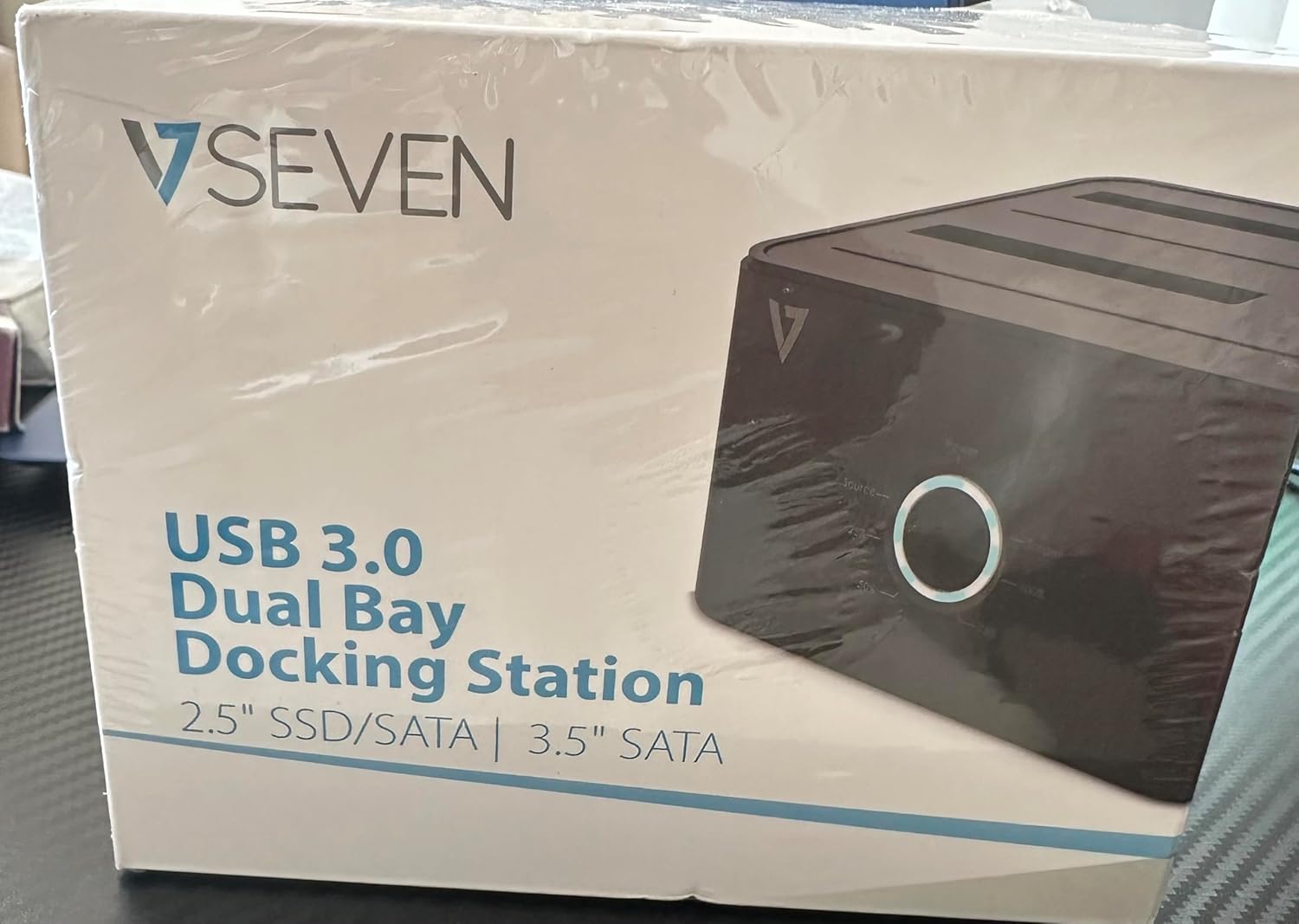
Image: The front of the V7 Dual Bay Docking Station packaging, displaying the product and its name.
The V7 Dual Bay Docking Station provides a versatile solution for managing your 2.5-inch and 3.5-inch SATA drives. Key features include:
- USB 3.0 Super-Speed Data Transfer: Achieves speeds up to 5 Gbps, significantly faster than USB 2.0.
- Канструкцыя з двума адсекамі: Supports two SATA I/II/III HDDs or SSDs simultaneously.
- Standalone Clone Function: Allows direct cloning of one drive to another without requiring a computer.
- Святлодыёдны дысплей: Provides status indication during operation, especially for cloning.
- Перапрацаваныя матэрыялы: Constructed with recycled materials, contributing to environmental sustainability.

Image: The back of the V7 Dual Bay Docking Station packaging, illustrating key features and benefits, including the use of recycled materials.
Парты і індыкатары:
- USB-B Port (1x): Connects the docking station to your computer.
- SATA Drive Bays (2x): For inserting 2.5-inch or 3.5-inch SATA HDDs/SSDs.
- DC Power Input (1x): For connecting the 12V/3A power adapter.
- Power Button/LED: Controls power and indicates operational status.
- Clone Button/LEDs: Initiates the cloning process and indicates progress.
Настройка
- Падключыце харчаванне: Insert the DC 12V/3A power adapter into the "DC Power Input" port on the docking station, then plug the adapter into a wall outlet.
- Устаўце дыскі:
- Gently slide your 2.5-inch or 3.5-inch SATA HDD/SSD into the drive bay(s) until it is securely seated. Ensure the SATA connector aligns correctly.
- For cloning, insert the source drive into Bay 1 (Source) and the target drive into Bay 2 (Target). The target drive must be equal to or larger in capacity than the source drive.
- Падключэнне да кампутара (для перадачы дадзеных): If you intend to use the docking station for data transfer with a computer, connect one end of the USB 3.0 A to B cable to the USB-B port on the docking station and the other end to an available USB 3.0 port on your computer.
- Уключэнне: Press the power button on the docking station. The power LED should illuminate.
Інструкцыя па эксплуатацыі
A. Data Transfer Mode (Connected to Computer)
- Пераканайцеся, што док-станцыя ўключана і падключана да кампутара праз кабель USB 3.0.
- Insert one or two SATA drives into the bays.
- Your operating system should detect the drives as external storage. You may need to initialize and format new drives through Disk Management (Windows) or Disk Utility (macOS) before use.
- You can now access, read, and write data to the inserted drives as you would with any external storage device.
- Always safely eject the drives from your operating system before powering off the docking station or removing the drives.
B. Standalone Clone Function (Without Computer)
The clone function allows you to duplicate a source drive to a target drive without a computer connection. The target drive must have a capacity equal to or greater than the source drive.
- Падрыхтоўка:
- Ensure the docking station is disconnected from any computer.
- Устаўце Крыніца Drive (дыск, з якога трэба скапіяваць) Бухта 1.
- Устаўце Мэтавы дыск (дыск, на які трэба скапіяваць) Бухта 2.
- Warning: All data on the target drive will be erased during the cloning process. Back up any important data on the target drive before proceeding.
- Пачаць клонаванне:
- Уключыце сілкаванне док-станцыі.
- Press and hold the "Clone" button for approximately 3-5 seconds until the clone progress LEDs begin to flash.
- Confirm Clone:
- Release the "Clone" button. The 25% progress LED should start blinking.
- Press the "Clone" button again briefly to confirm and start the cloning process.
- Сачыць за прагрэсам: The progress LEDs (25%, 50%, 75%, 100%) will illuminate sequentially to indicate the cloning status.
- Завяршэнне: When the 100% LED remains solid, the cloning process is complete.
- Power Off and Remove: Перад тым, як выняць дыскі, выключыце док-станцыю.
Тэхнічнае абслугоўванне
- Трымайце док-станцыю ў чысціні і без пылу. Выкарыстоўвайце для чысткі мяккую сухую тканіну.
- Пазбягайце ўздзеяння на прыладу экстрэмальных тэмператур, вільготнасці або прамых сонечных прамянёў.
- Не спрабуйце разбіраць або рамантаваць прыладу самастойна. Гэта прывядзе да анулявання гарантыі.
- Забяспечце належную вентыляцыю вакол прылады падчас працы.
Ліквідацыю непаладак
| праблема | Магчымая прычына | Рашэнне |
|---|---|---|
| Прылада не ўключаецца. | Адаптар харчавання не падключаны або няспраўны. | Ensure the power adapter is securely connected to both the docking station and a working power outlet. Try a different outlet. |
| Drives not detected by computer. | USB cable not connected properly; drive not seated correctly; drive uninitialized/unformatted. | Check USB cable connection. Re-seat the drive(s). For new drives, initialize and format them via Disk Management (Windows) or Disk Utility (macOS). Try a different USB port on your computer. |
| Clone function not starting. | Incorrect drive placement; target drive too small; clone button not held long enough. | Ensure source drive is in Bay 1 and target drive in Bay 2. Verify target drive capacity is equal to or larger than source. Hold the clone button for 3-5 seconds until LEDs flash. |
| Павольная хуткасць перадачы дадзеных. | Connected to USB 2.0 port; faulty USB cable. | Ensure the docking station is connected to a USB 3.0 port on your computer. Try a different USB 3.0 cable. |
Тэхнічныя характарыстыкі
- мадэль: 9UDBBS-BLK
- Hardware Interface: USB 3.0 (зваротная сумяшчальнасць з USB 2.0)
- Хуткасць перадачы даных: Up to 5 Gbps (USB 3.0 Super-Speed)
- Сумяшчальнасць з дыскамі: 2.5" and 3.5" SATA I/II/III HDDs and SSDs
- Завалы: 2
- парты: 1x USB-B (Host), 2x SATA (Internal), 1x DC Power Input
- Спажываная магутнасць: DC 12V/3A (12 Watts)
- UPC: 662919116557
- вытворца: Ingram Micro Inc
- матэрыял: Made from Recycled Materials
Гарантыя і падтрымка
For warranty information and technical support, please refer to the official V7 webсайт або звярніцеся да прадаўца. Захоўвайце пацвярджэнне пакупкі для прэтэнзій па гарантыі.
Каб атрымаць дадатковую дапамогу, наведайце: www.v7world.com/support (Напрampспасылка, фактычная спасылка можа адрознівацца)