
1. Уводзіны
The ACEMAGICIAN T8Plus is a compact and efficient Mini PC designed for various applications, including home office, multimedia entertainment, and educational use. It features a 12th Generation Intel Alder Lake N100 processor, 16GB LPDDR5 RAM, and a 512GB M.2 SSD, providing reliable performance in a small form factor. This manual provides essential information for setting up, operating, maintaining, and troubleshooting your Mini PC.
2. Змесціва ўпакоўкі
Калі ласка, пастаўце галачку для наступных пунктаў:
- 1 x ACEMAGICIAN T8Plus Mini PC
- 1 х адаптар сілкавання
- 1 х кабель HDMI
- 1 x VESA Mount
- 1 х Кіраўніцтва карыстальніка

Image: Package Contents. This image displays all items included in the ACEMAGICIAN T8Plus Mini PC retail box, ensuring users can verify their package is complete.
3. Прадукт скончыўсяview
3.1. Працэсар і прадукцыйнасць
The T8Plus Mini PC is equipped with a 12th Generation Intel Alder Lake N100 processor. This processor features 4 cores and 4 threads, with a maximum frequency of 3.4 GHz and 6MB of L3 Cache, providing efficient processing for daily tasks and multitasking. The design ensures low power consumption (up to 6W TDP) and effective heat dissipation.
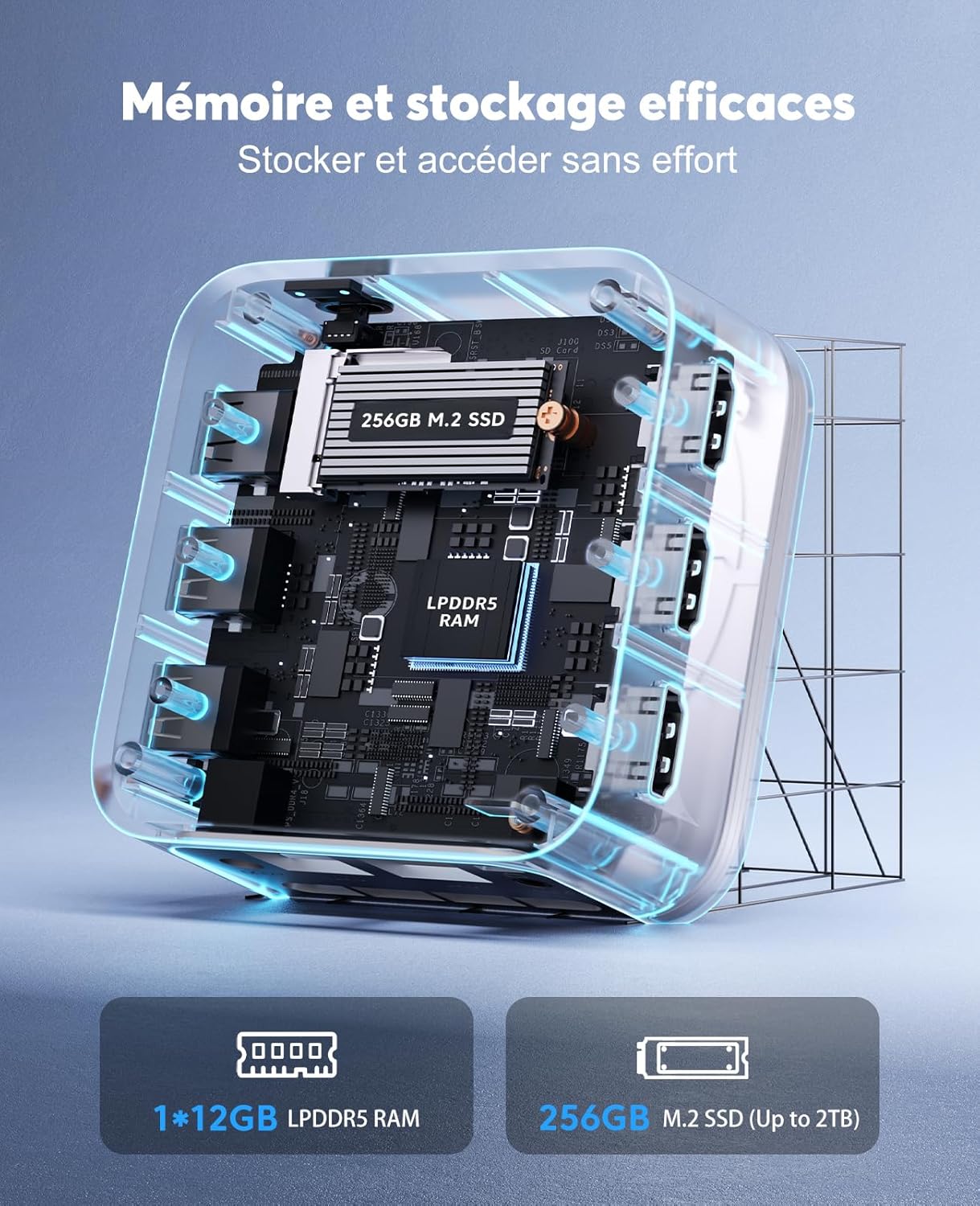
Image: Intel Alder Lake N100 Processor Details. This diagram highlights the key specifications of the Intel Alder Lake N100 processor, including its core count, cache size, maximum frequency, and thermal design power.
3.2. Памяць і захоўванне
The Mini PC comes with 16GB of LPDDR5 RAM, providing ample memory for smooth operation. For storage, it includes a 512GB M.2 SSD, which can be expanded up to 2TB. Note that due to the compact size, the RAM is not expandable, and additional hard drive expansion is not supported.
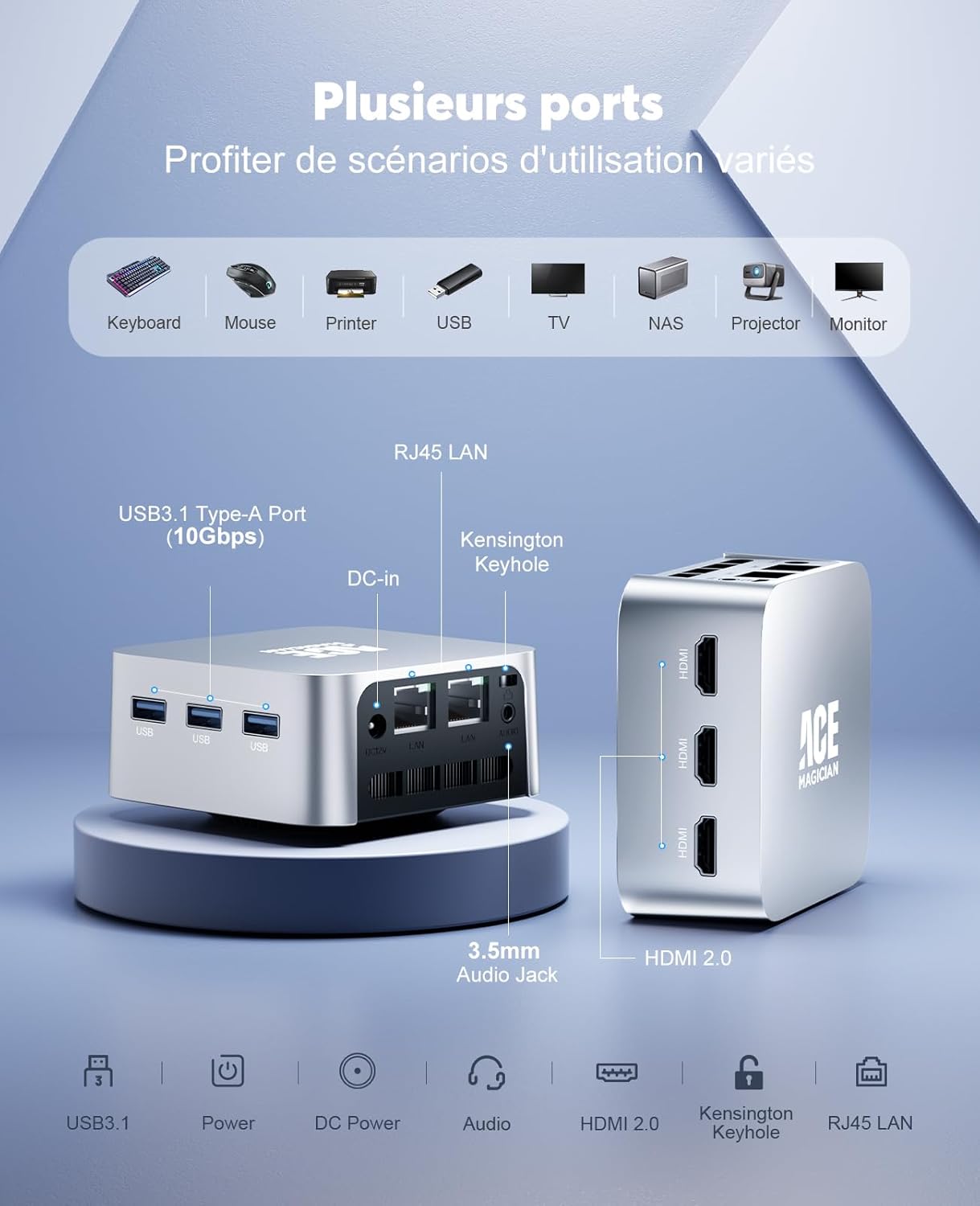
Image: Memory and Storage Configuration. This image illustrates the internal memory and storage components of the Mini PC, specifically the 16GB LPDDR5 RAM and the 512GB M.2 SSD.
3.3. Схема размяшчэння партоў
The T8Plus offers a comprehensive set of ports for connectivity:
- 3 парты USB 3.1 Type-A
- 3 x HDMI 2.0 ports (supporting 4K @ 60Hz audio/video output)
- 2 x RJ45 Gigabit Ethernet ports (1000 Mbps LAN)
- 1 x 3.5mm Headphone/Microphone Jack (2-in-1)
- 1 x DC-in port
- 1 x Kensington Keyhole
- 1 х выключальнік харчавання
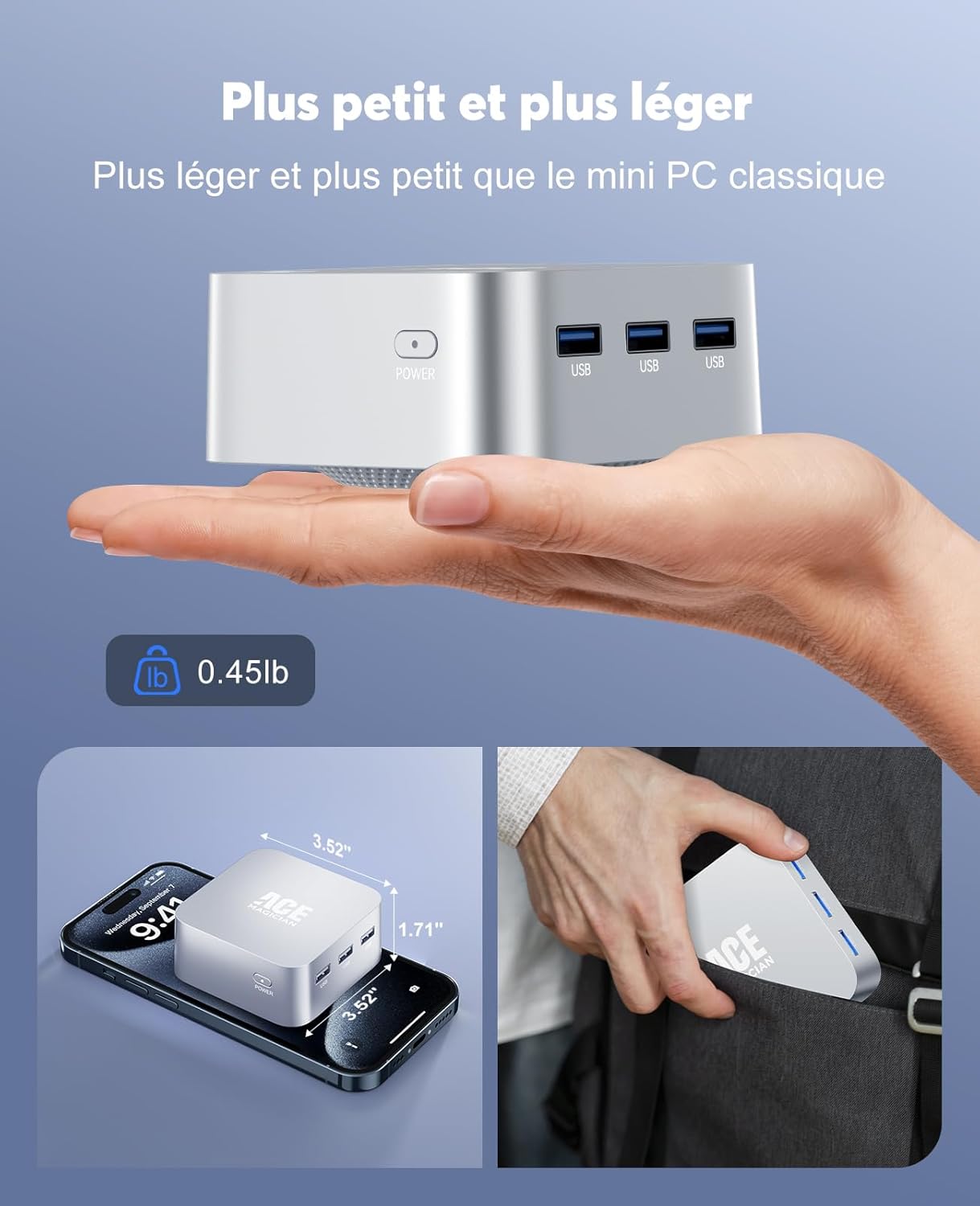
Image: Port Configuration. Гэта выява дае выразнае ўяўленне view of all available ports on the Mini PC, indicating their types and locations for easy identification.
3.4. Бесправадное падключэнне
The device supports Wi-Fi 5 (2.4G + 5G) for stable wireless internet connection and Bluetooth 4.2 for connecting wireless peripherals.
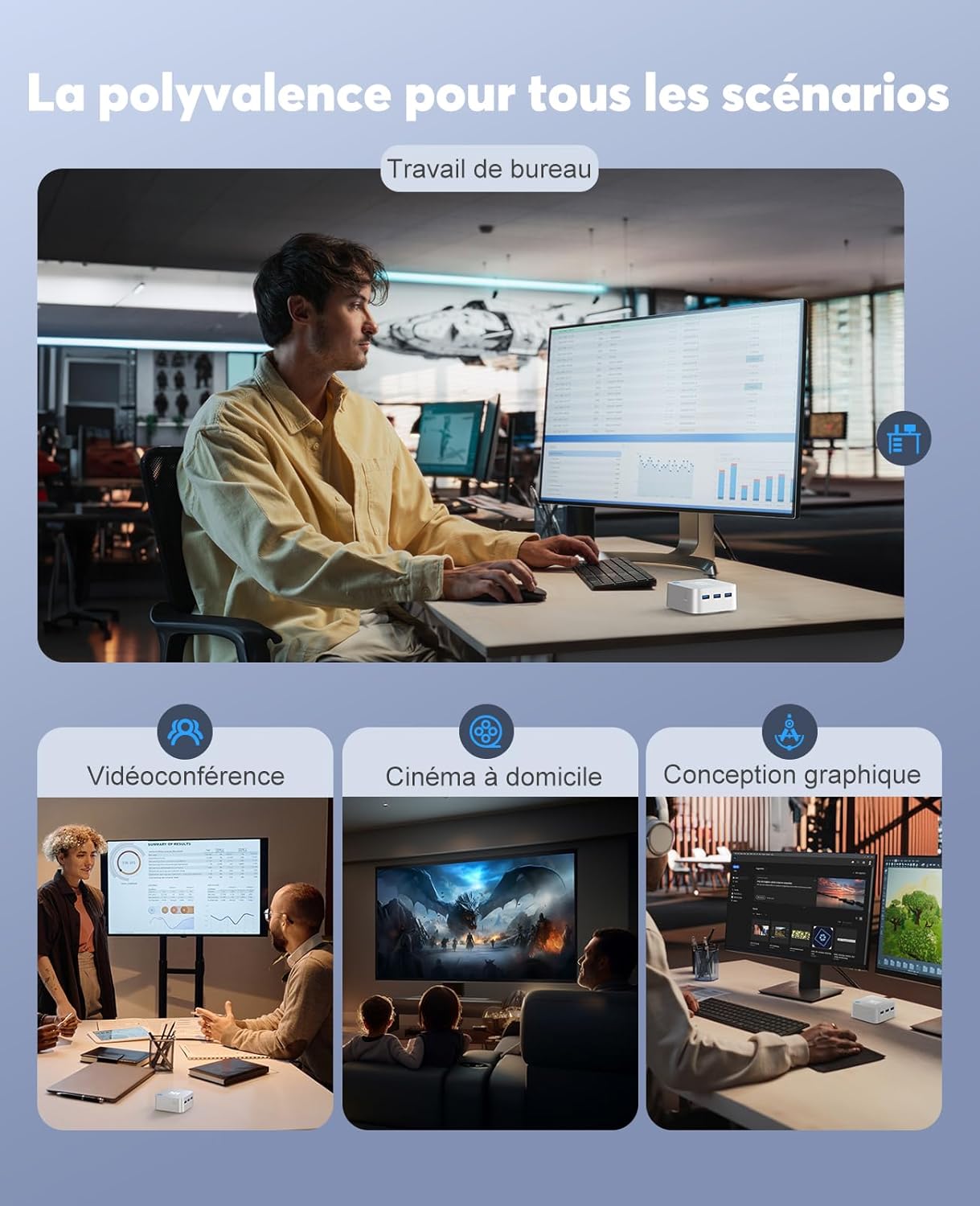
Image: Wireless Connectivity. This image highlights the Mini PC's support for Wi-Fi 5 and Bluetooth 4.2, enabling stable and versatile wireless connections.
3.5. Кампактны дызайн
The T8Plus Mini PC features an ultra-compact design, measuring approximately 8.9 x 8.9 x 4.4 cm and weighing only 204 grams. Its small footprint allows it to be placed discreetly on a desk or mounted behind a monitor using the included VESA mount.
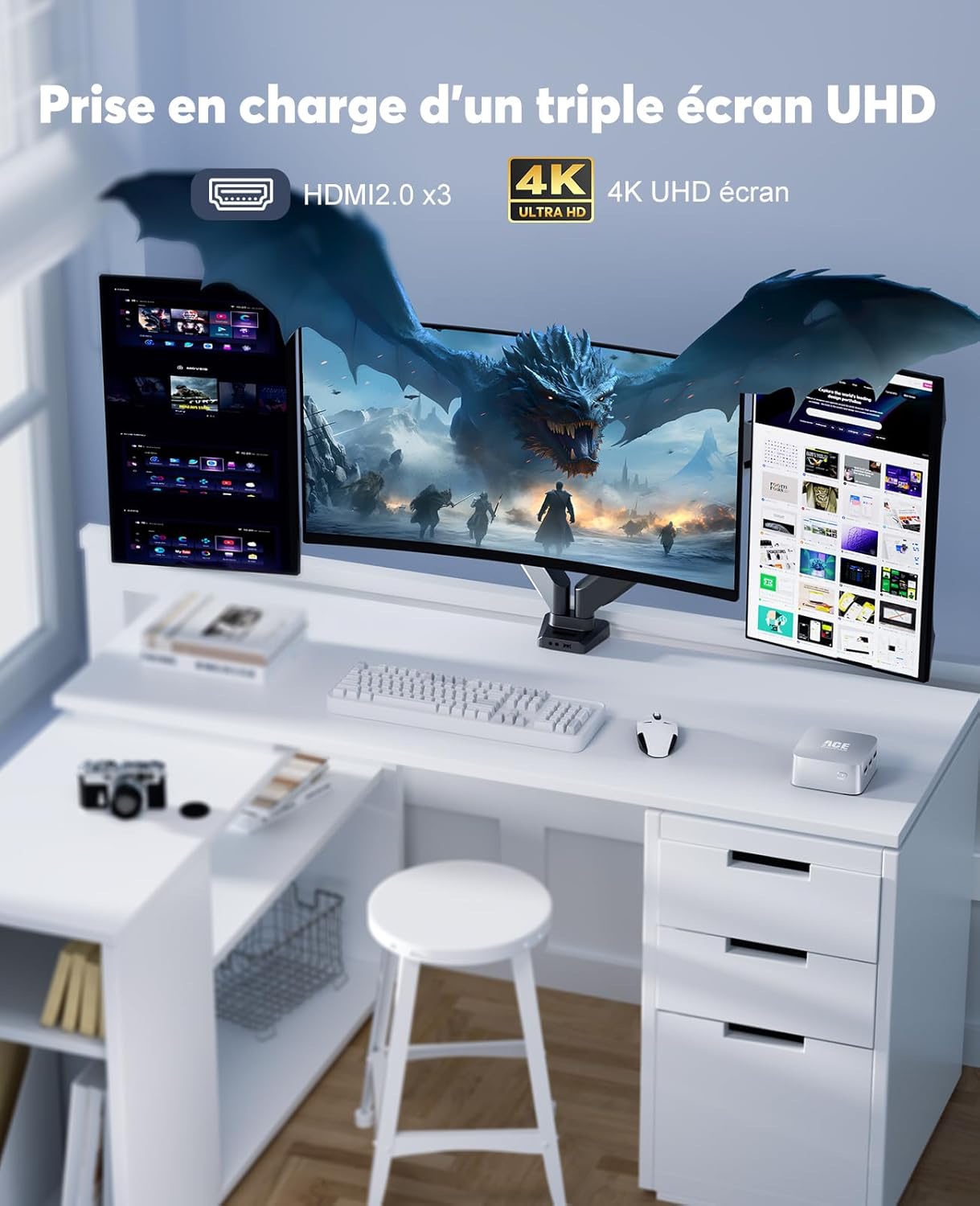
Image: Compact Size and Portability. This image visually demonstrates the remarkably small dimensions of the Mini PC, highlighting its portability and minimal desk space requirement.
4. Інструкцыі па ўсталёўцы
4.1. Падключэнне да сілкавання
- Падключыце адаптар сілкавання да порта пастаяннага току на міні-ПК.
- Падключыце адаптар сілкавання да насценнай разеткі.
4.2. Падключэнне да дысплея
- Use the provided HDMI cable to connect one of the HDMI ports on the Mini PC to an HDMI input on your monitor or TV.
- For multiple displays, connect additional monitors to the other available HDMI ports. The Mini PC supports up to three 4K UHD displays simultaneously.
4.3. Падключэнне перыферыйных прылад
- Connect your USB keyboard and mouse to the USB 3.1 Type-A ports.
- For wired network access, connect an Ethernet cable to one of the RJ45 ports.
- For audio output, connect headphones or speakers to the 3.5mm audio jack.
4.4. Initial Boot
- Націсніце кнопку харчавання на Mini PC.
- Выконвайце інструкцыі на экране, каб завяршыць пачатковую ўстаноўку Windows 11.
5. Інструкцыя па эксплуатацыі
5.1. Канфігурацыя некалькіх дысплеяў
The ACEMAGICIAN T8Plus supports connecting up to three 4K UHD displays simultaneously via its three HDMI 2.0 ports. This allows for an extended desktop environment, enhancing productivity for tasks such as office work, graphic design, or immersive multimedia experiences.

Image: Triple 4K UHD Display Support. This image illustrates the Mini PC's ability to drive three 4K UHD displays concurrently, ideal for multi-monitor setups.
5.2. Падключэнне да сеткі
- Правадное злучэнне: Connect an Ethernet cable from your router or modem to one of the RJ45 ports on the Mini PC.
- Бесправоднае злучэнне: Navigate to the network settings in Windows 11, select your Wi-Fi network, and enter the password to connect.
5.3. Выкарыстанне USB-прылад
The three USB 3.1 Type-A ports allow you to connect various USB devices such as external hard drives, USB flash drives, printers, and other peripherals. Ensure devices are properly inserted into the ports.
6. Тэхнічнае абслугоўванне
6.1. Уборка
- Рэгулярна працірайце знешнія паверхні міні-ПК мяккай сухой тканінай.
- Avoid using liquid cleaners or sprays directly on the device.
- Ensure ventilation openings are free from dust and obstructions to maintain optimal airflow.
6.2. Захоўванне
Калі міні-ПК не выкарыстоўваецца працяглы час, захоўвайце яго ў прахалодным, сухім месцы, удалечыні ад прамых сонечных прамянёў і экстрэмальных тэмператур.
6.3. Цеплааддача
The Mini PC is designed with optimized heat dissipation features, including copper fins and a bottom fan design. To ensure stable performance, avoid blocking the ventilation openings and operate the device in a well-ventilated area.
7. Выпраўленне непаладак
7.1. Няма ўлады
- Пераканайцеся, што адаптар сілкавання надзейна падключаны як да міні-ПК, так і да спраўнай разеткі.
- Праверце працаздольнасць разеткі, падключыўшы да яе іншую прыладу.
7.2. Няма вываду на дысплей
- Check that the HDMI cable is firmly connected to both the Mini PC and the monitor.
- Ensure the monitor is powered on and set to the correct input source (e.g., HDMI 1, HDMI 2).
- Паспрабуйце іншы кабель HDMI або манітор, калі такі маецца.
7.3. Праблемы з аперацыйнай сістэмай
- If the operating system fails to start or reboots unexpectedly, try restarting the device.
- If issues persist, consider performing a system restore or reinstalling the operating system (refer to Windows 11 documentation for detailed steps).
7.4. Праблемы з падключэннем да сеткі
- Пры правадным падключэнні пераканайцеся, што кабель Ethernet падключаны правільна, а маршрутызатар/мадэм працуе.
- For Wi-Fi, check your network settings, ensure Wi-Fi is enabled, and verify the password. Restart your router if necessary.
8. Тэхнічныя характарыстыкі
| Асаблівасць | Спецыфікацыя |
|---|---|
| Марка | АКЕМАГІЧНЫ |
| Назва мадэлі | T8Plus |
| Нумар мадэлі | ACE-T8PLUS |
| Працэсар | Intel Alder Lake N100 (4 Cores, 4 Threads, 0.8 GHz - 3.4 GHz) |
| Кэш працэсара | 6 Мб |
| Графічны супрацэсар | Графіка Intel UHD |
| АЗП | 16 GB LPDDR5 (3200 MHz, non-expandable) |
| Захоўванне | 512 GB M.2 SSD (expandable up to 2 TB) |
| Аперацыйная сістэма | Windows 11 Pro (64-разрадная) |
| Сувязь | Wi-Fi 5 (2.4G + 5G), Bluetooth 4.2, 2 x Gigabit Ethernet (RJ45) |
| Парты | 3 x USB 3.1 Type-A, 3 x HDMI 2.0 (4K@60Hz), 1 x 3.5mm Audio Jack, 2 x RJ45, 1 x DC-in |
| Відэавыхад | HDMI (Supports up to 3 displays, 4096 x 2160 @ 60 Hz) |
| Энергаспажыванне | 6 ват |
| Памеры (Д х Ш х У) | 89.4 мм x 89.4 мм x 43.5 мм (3.52 x 3.52 x 1.71 цалі) |
| Вага | 204 грам (0.45 фунта) |
| Спосаб астуджэння | Паветранае астуджэнне |
| Тып электрычнай вілкі | Type C/EF (European/Hybrid FR-DE) |
9. Гарантыя і падтрымка
ACEMAGICIAN is committed to providing reliable products and customer service. The T8Plus Mini PC comes with:
- Пажыццёвая тэхнічная падтрымка.
- Палітыка бясплатнага вяртання на працягу 1 месяца.
- 18-month worry-free warranty.
- 24-hour customer service.
For any questions or support needs, please do not hesitate to contact ACEMAGICIAN customer service. Contact details can typically be found on the official ACEMAGICIAN webсайт або праз вашу платформу для пакупак.