
1. Уводзіны
Thank you for choosing the FUZHUI Portable 4K 64MP Digital Camera. This manual provides essential information for setting up, operating, and maintaining your camera. Please read it thoroughly before use to ensure optimal performance and longevity of your device. This camera is designed for capturing high-resolution photos and videos, offering features like 16X digital zoom, a fill light, and anti-shake technology, making it suitable for various photography and videography needs, including travel and webвыкарыстанне камеры.
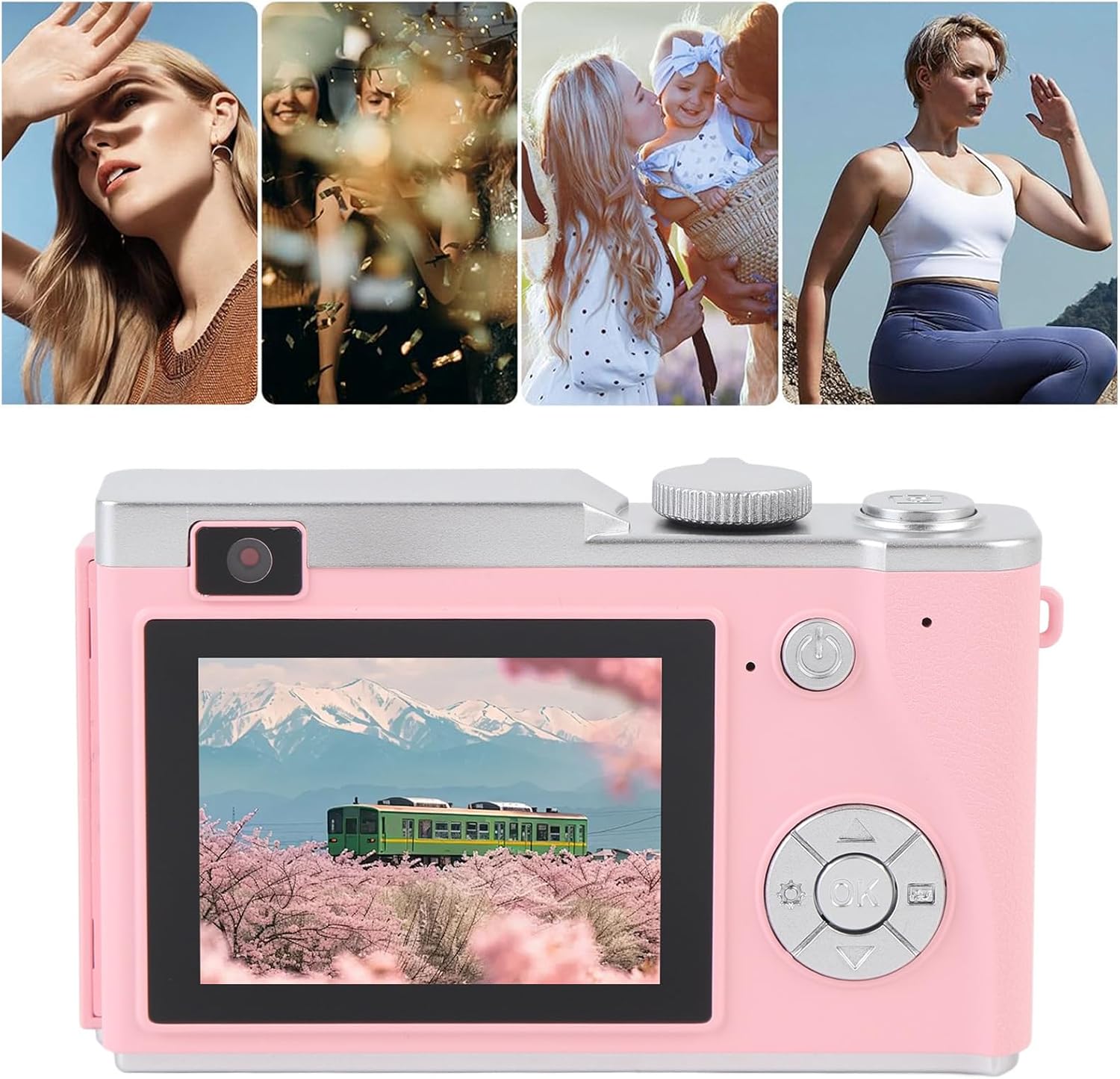
Image: The FUZHUI Portable Digital Camera is versatile for capturing various life moments.
2. Змесціва ўпакоўкі
Калі ласка, пераканайцеся, што ўсе пералічаныя ніжэй прадметы ўваходзяць у ваш пакет:
- 1 x FUZHUI Digital Camera
- 1 х кабель для зарадкі (тыпу C)
- 1 х шнурок
- 1 x Small Memory Card (32GB, pre-installed or separate, depending on package option)
3. Асаблівасці прадукту
The FUZHUI Digital Camera is equipped with several features to enhance your photography and videography experience:
- Высокаразрозная візуалізацыя: Captures stunning 64MP photos and 4K videos.
- 16-кратны лічбавы зум: Allows for closer shots of distant subjects.
- 2.4-цалевы IPS-экран: Забяспечвае выразны дысплей для кадравання здымкаў і перастаноўкіviewзмесціва.
- Убудаваная запаўняльная лямпа: Enhances illumination in low-light conditions.
- Тэхналогія Anti-Shake: Helps reduce blur from camera movement.
- Акумулятарная батарэя: Integrated 800mAh Li-battery for extended use.
- WebФункцыянальнасць камеры: Можна выкарыстоўваць як webкамера пры падключэнні да кампутара.
- Партатыўны дызайн: Лёгкі і кампактны, ідэальна падыходзіць для падарожжаў.

Выява: спераду view of the camera highlighting its 4K video capability.

Выява: спераду view of the camera highlighting its 64MP photo resolution.
4. Настройка
4.1 Зарадка акумулятара
The camera comes with a built-in rechargeable Li-battery. Before first use, fully charge the camera.
- Connect the provided Type-C charging cable to the camera's charging port.
- Падключыце другі канец кабеля да адаптара харчавання USB (не ўваходзіць у камплект) або да USB-порта кампутара.
- The charging indicator light will illuminate. Once charging is complete, the light may change color or turn off.
4.2 Усталёўка карты памяці
A small memory card (32GB) may be included with your package. The camera requires a memory card to store photos and videos.
- Знайдзіце слот для карты памяці збоку камеры.
- Gently insert the memory card into the slot with the gold contacts facing the correct direction (refer to the diagram near the slot if available).
- Націсніце на карту, пакуль яна не зафіксуецца са шчоўкам. Каб выняць, зноў націсніце на яе, пакуль яна не выскочыць.
4.3 Мацаванне шнурка
Attach the lanyard to the designated loop on the camera body to prevent accidental drops.

Image: The camera with its included accessories: charging cable and lanyard.
5. Інструкцыя па эксплуатацыі
5.1 Уключэнне/выключэнне
Press and hold the power button (usually marked with a circle and a vertical line) located on the top or back of the camera to turn it on or off.

Выява: Задняя частка view of the camera, showing the power button and navigation controls.
5.2 Фотаздымка
- Ensure the camera is in photo mode (check the display icon).
- Frame your shot using the 2.4-inch IPS screen.
- Press the shutter button (typically on top of the camera) halfway to focus, then fully to capture the image.
5.3 Запіс відэа
- Пераключыце камеру ў рэжым відэазапісу.
- Press the record button (often marked with a red dot) to start recording.
- Націсніце кнопку запісу яшчэ раз, каб спыніць запіс.
5.4 Выкарыстанне лічбавага павелічэння
While in photo or video mode, use the zoom buttons (often labeled 'W' for wide and 'T' for telephoto) to adjust the 16X digital zoom level.
5.5 Activating the Fill Light
In low-light conditions, you can activate the built-in fill light. Refer to the camera's on-screen menu or a dedicated button for this function.

Image: Detail of the camera's front, including the fill light (flash).
5.6 WebФункцыя камеры
Каб выкарыстоўваць камеру ў якасці webкамера:
- Connect the camera to your computer using the Type-C charging cable.
- On the camera's screen, select the 'Webcam' or 'PC Camera' option if prompted.
- Ваш камп'ютар павінен распазнаць камеру як webcam. You can then select it in your video conferencing or streaming software.
6. Тэхнічнае абслугоўванне
Proper care will extend the life of your camera:
- Уборка: Use a soft, dry cloth to clean the camera body. For the lens and screen, use a specialized lens cleaning cloth and solution. Avoid abrasive materials.
- захоўванне: Захоўвайце камеру ў прахалодным, сухім месцы, удалечыні ад прамых сонечных прамянёў і экстрэмальных тэмператур.
- Сыход за батарэяй: Avoid fully discharging the battery frequently. Charge it regularly, even if not in use for extended periods.
- Ўздзеянне вады: This camera is not waterproof. Avoid exposure to water or high humidity.
7. Выпраўленне непаладак
Калі ў вас узніклі праблемы з камерай, звярніцеся да наступных распаўсюджаных праблем і іх рашэнняў:
- Камера не ўключаецца: Пераканайцеся, што акумулятар зараджаны. Падключыце камеру да крыніцы харчавання і паспрабуйце яшчэ раз.
- Cannot take photos/record videos: Check if a memory card is inserted correctly and has sufficient free space. The card may need to be formatted (this will erase all data).
- Выявы размытыя: Ensure the anti-shake function is enabled. Hold the camera steady. Clean the lens if it's dirty.
- Webcam function not working: Ensure the camera is connected to the computer via the Type-C cable and the 'Webcam' mode is selected on the camera. Check your computer's device manager to see if the camera is recognized.
- Хутка разраджаецца батарэя: Reduce screen brightness, turn off the fill light when not needed, and limit continuous video recording.
Калі праблемы не знікнуць, звярніцеся ў службу падтрымкі кліентаў.
8. Тэхнічныя характарыстыкі
| Асаблівасць | Спецыфікацыя |
|---|---|
| Тып прадмета | Лічбавы фотаапарат |
| Матэрыял | АБС |
| Экран дысплея | 2.4 цалі IPS |
| Максімальнае дазвол відэа | 4K |
| Максімальнае разрозненне фота | 64 МП |
| Лічбавы зум | 16x |
| Акумулятар фотаапарата | Built-in Li Battery, 800mAh |
| Назва мадэлі | FUZHUIrg2u3v5zxk-12 |
| Асаблівасць | Fill Light, Anti-Shake, WebФункцыя камеры |
9. Гарантыя і падтрымка
For warranty information and customer support, please refer to the documentation provided with your purchase or visit the official FUZHUI webсайт. Захоўвайце пацвярджэнне пакупкі для любых гарантыйных прэтэнзій.
For further assistance, you may contact FUZHUI customer service through their official channels.