
RCA 119KZ-GD
Лічбавая фотарамка RCA 10.1 цалі з Wi-Fi (мадэль 119KZ-GD) Кіраўніцтва карыстальніка
Model: 119KZ-GD
Уводзіны
This manual provides instructions for the setup, operation, and maintenance of your RCA 10.1-inch WiFi Digital Picture Frame. Please read this manual thoroughly before using the device to ensure proper functionality and longevity.
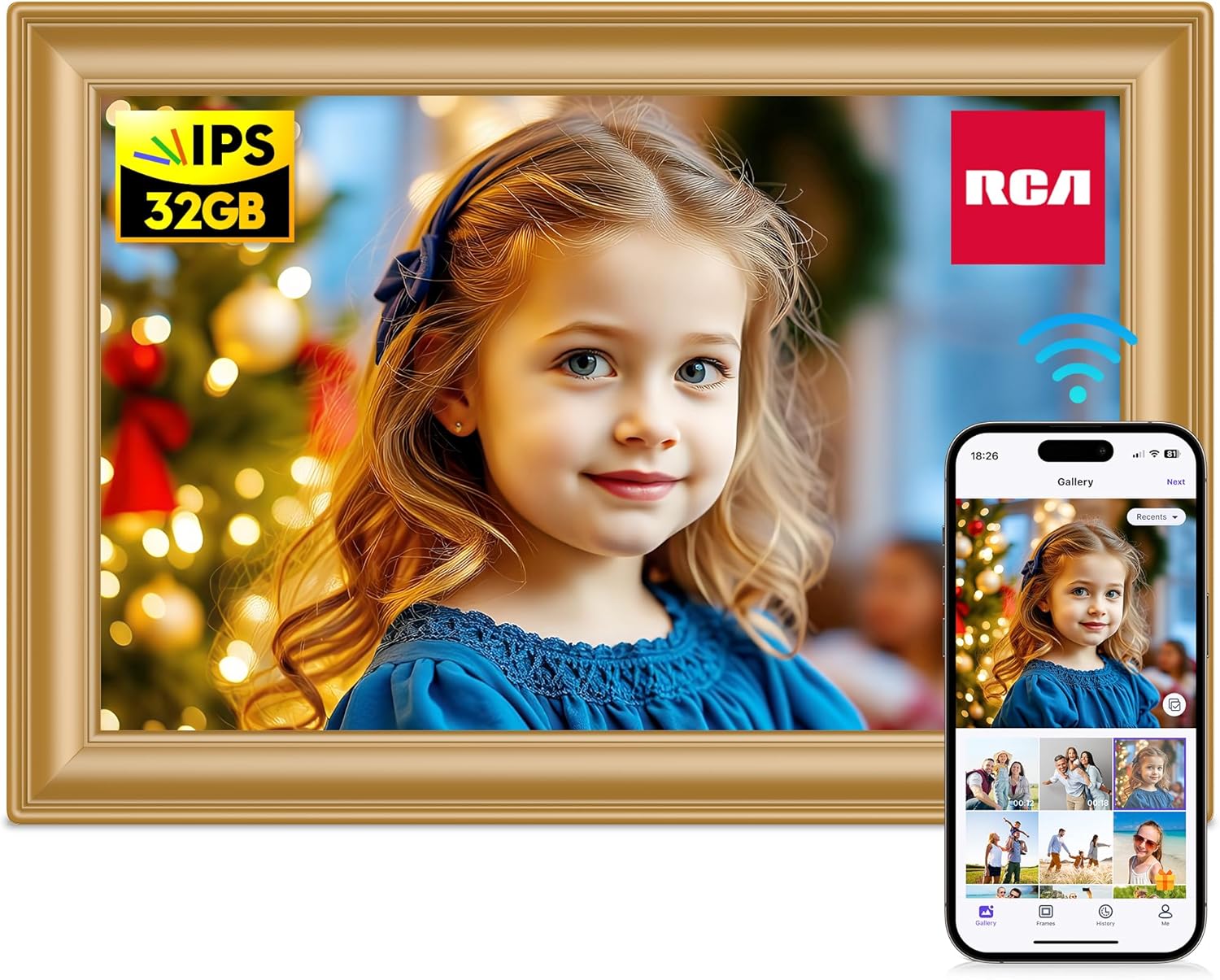
Image: The RCA 10.1-inch WiFi Digital Picture Frame in gold, showcasing a vibrant image of a child. A smartphone next to it displays the Uhale app, illustrating remote photo sharing capabilities.
Змест пакета
Праверце, ці ўсе пералічаныя ніжэй прадметы ўваходзяць у вашу ўпакоўку:
- 1 x Box (Packaging)
- 1 x Digital Photo Frame
- 1 х адаптар пастаяннага току
- 1 х падстаўка
- 1 х Кіраўніцтва карыстальніка (гэты дакумент)
- 2 шрубы (для мацавання на сцяну)

Выява: Над галавой view of the RCA Digital Picture Frame package contents, neatly laid out. This includes the frame, power adapter, stand, a printed user manual, and two screws.
Кіраўніцтва па ўстаноўцы
1. Уключэнне
- Connect the DC adapter to the power port on the back of the digital picture frame.
- Plug the DC adapter into a standard electrical outlet.
- The frame will automatically power on and display the initial setup screen.
2. Падключэнне да Wi-Fi
- On the initial setup screen, select your preferred language.
- Follow the on-screen prompts to connect the frame to your local Wi-Fi network. You will need your Wi-Fi network name (SSID) and password.
- Ensure the frame is within range of your Wi-Fi router for a stable connection.
3. Installing the Uhale App for Remote Sharing
The Uhale app allows you to share photos and videos to your frame remotely from your smartphone.
- Download the "Uhale" app from your smartphone's app store (Google Play Store for Android or Apple App Store for iOS).
- Адкрыйце праграму Uhale і стварыце ўліковы запіс або ўвайдзіце ў сістэму.
- Follow the in-app instructions to pair your smartphone with your RCA Digital Picture Frame. This typically involves scanning a QR code displayed on the frame or entering a unique frame ID.

Image: The Uhale app on a smartphone, demonstrating wireless photo and video sharing to the RCA Digital Picture Frame. The frame displays a family photo, indicating successful content transfer.
4. Adding Photos/Videos via SD Card or USB Drive
You can also transfer media directly using an SD card or USB flash drive.
- Download photos and videos to a USB flash drive or SD card from your computer.
- Insert the U disk (USB drive) or SD card into the corresponding slot on the digital photo frame.
- Navigate to the media import section on the frame's touch screen.
- Select the photos/videos you wish to play directly or copy them to the frame's internal memory.
Заўвага: Please ensure the SD card and USB drive are formatted to FAT32 before use for compatibility.
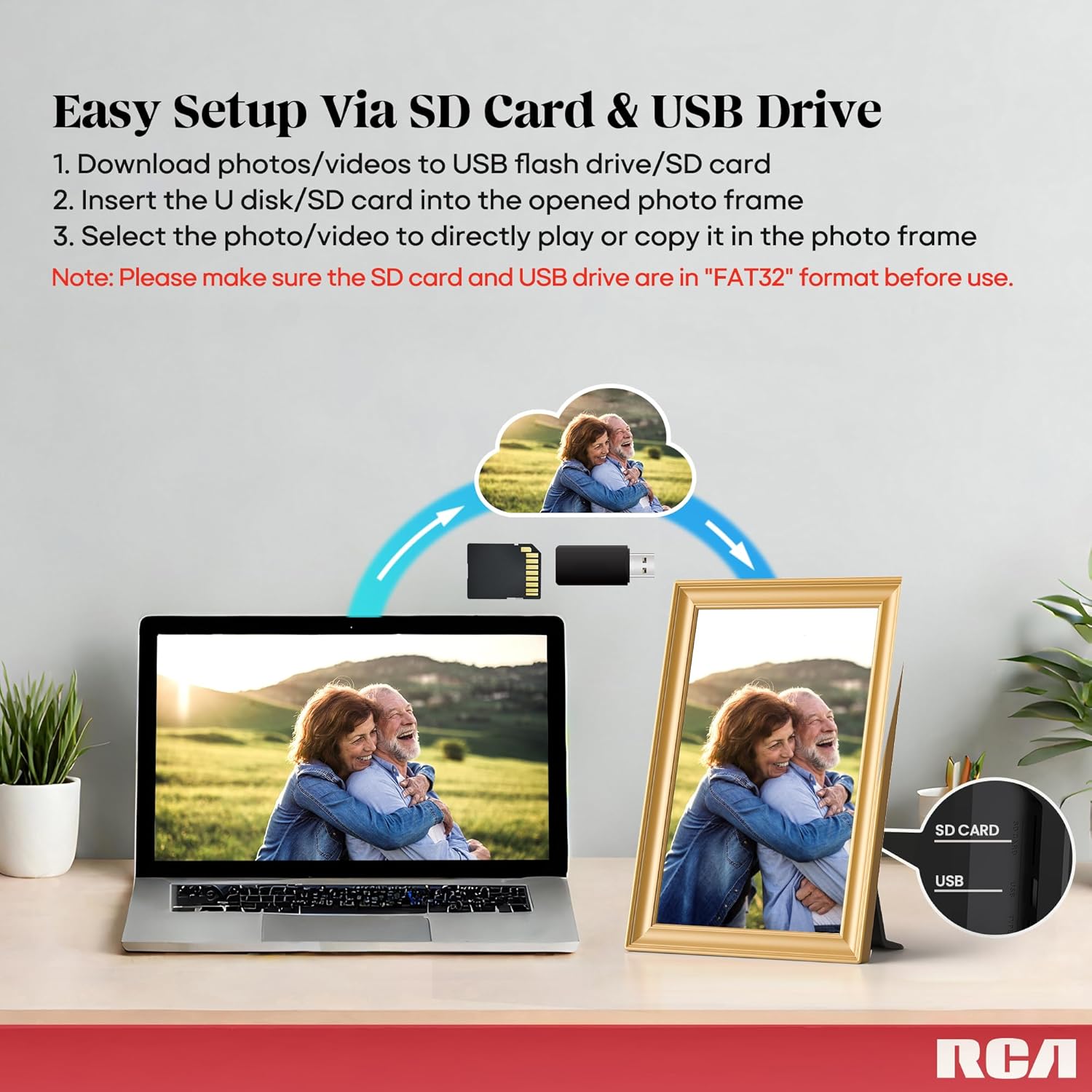
Image: A visual guide illustrating the process of transferring photos and videos from a laptop to the RCA Digital Picture Frame using either an SD card or a USB drive. The frame is shown displaying a photo, with slots for both media types visible.
5. Варыянты мантажу
The frame can be placed on a desktop using the included stand or mounted on a wall.
- Размяшчэнне на працоўным стале: Attach the included support frame/stand to the back of the digital picture frame. Place it on a flat, stable surface.
- Насценны мантаж: Use the wall hanging hole on the back of the frame. Securely install the provided screws into your wall, ensuring they can support the frame's weight, then hang the frame.

Image: Demonstrates the versatility of the RCA Digital Picture Frame, showing it both resting on a table with its support stand and mounted vertically on a wall using the integrated hanging hole.
Інструкцыя па эксплуатацыі
1. Навігацыя па сэнсарным экране
The RCA Digital Picture Frame features a 10.1-inch HD touch screen for intuitive control.
- Tap icons to select options or open menus.
- Swipe left or right to navigate through photos and videos.
- Pinch to zoom in or out on images (if supported by the current view).

Image: The 10.1-inch HD touch screen of the RCA Digital Picture Frame, showcasing a high-resolution image. Feature icons around the frame highlight its IPS display, 1280x800 resolution, and wide 178-degree viewкут нахілу.
2. Налады дысплея
- Аўтаматычны паварот: The frame automatically adjusts the display orientation (landscape or portrait) based on how it is positioned.
- Sleep Mode/Bedtime: Access the settings menu to schedule specific times for the frame to automatically turn off its display (e.g., during nighttime hours) and power back on.
- Shuffle Photos: In the settings, you can choose to display photos in a random order rather than sequentially.
3. Managing Photos and Videos
The frame comes with 32GB of built-in memory, capable of storing over 60,000 pictures. Memory can be expanded up to 64GB using an SD card or USB drive.
- ViewСМІ: Access the "Gallery" or "Photos" section from the main menu to browse your stored media.
- Deleting Media: Select individual photos or videos and choose the delete option from the menu.
- Стварэнне альбомаў: Organize your media into custom albums for easier viewінж.

Image: The RCA Digital Picture Frame showcasing a central image of a child, flanked by multiple other family photos, emphasizing its 32GB built-in memory and ability to store a large volume of images.
4. Multi-User Connection
Multiple users can connect to a single frame via the Uhale app, allowing family and friends to share photos and videos from different locations.
- From the Uhale app, invite others to connect to your frame by sharing the frame's unique code or QR code.
- Accepted users can then send photos and videos directly to your frame.
- Manage connected users and their permissions through the frame's settings or the Uhale app.

Image: The RCA Digital Picture Frame displaying a family photo, accompanied by a smartphone showing the Uhale app. Surrounding the frame are multiple user profile icons on a world map, illustrating the multi-user connection feature for sharing photos and videos.
5. Sending Instant or Timed Wishes
The Uhale app allows you to send personalized messages or "wishes" to the frame, either instantly or scheduled for a specific time.
- Within the Uhale app, select the "Wishes" or "Messages" feature.
- Choose a template or compose your message.
- Select whether to send it immediately or schedule it for a future date and time.
- The message will appear on the digital picture frame at the designated time.

Image: A smartphone displaying the Uhale app's interface for creating and sending personalized messages or "wishes." The RCA Digital Picture Frame in the background shows an example message, "Happy Mother's Day," demonstrating the feature.
Тэхнічнае абслугоўванне
Ачыстка рамы
- Заўсёды адключайце рамку ад сеткі перад чысткай.
- Выкарыстоўвайце мяккую, сухую тканіну без ворса, каб акуратна працерці экран і рамку.
- Для выдалення ўстойлівых плям на экране злёгку працярыцеampПрацярыце тканіну вадой або бяспечным для экрана ачышчальным растворам. Не распыляйце вадкасць непасрэдна на экран.
- Пазбягайце выкарыстання абразіўных ачышчальнікаў, растваральнікаў або аэразольных спрэяў, бо яны могуць пашкодзіць паверхню.
Захоўванне
- Store the frame in a cool, dry place away from direct sunlight and extreme temperatures.
- If storing for an extended period, it is recommended to pack it in its original packaging to protect it from dust and physical damage.
Ліквідацыю непаладак
If you encounter issues with your RCA Digital Picture Frame, refer to the following common solutions:
| праблема | Магчымае рашэнне |
|---|---|
| Рамка не ўключаецца. |
|
| Немагчыма падключыцца да Wi-Fi. |
|
| Photos/videos not displaying from SD card/USB. |
|
| Uhale app cannot connect to the frame. |
|
| Экран не рэагуе. |
|
Тэхнічныя характарыстыкі
| Асаблівасць | Дэталь |
|---|---|
| Нумар мадэлі | 119KZ-GD |
| Памер экрана | 10.1 цалі |
| дазвол | 1280*800 HD |
| Тып дысплея | IPS сэнсарны экран |
| Унутраная памяць | 32GB (stores over 60,000 pictures) |
| Памяць з магчымасцю пашырэння | Up to 64GB (via SD card or USB drive) |
| Сувязь | WiFi |
| Сумяшчальныя прылады | Smartphone (via Uhale App) |
| Памеры прадукту | 6.85 х 10.24 х 0.99 цалі |
| Вага прадмета | 1.06 фунта |
| Колер | золата |
Інфармацыя аб падтрымцы
For further assistance or inquiries, please refer to the following support details:
- Адказ службы падтрымкі кліентаў: Quick replies typically within 24 hours.
- Вяртанне і абмен: Eligible for return or exchange within 30 days of purchase.
- Тэхнічная падтрымка: Для гэтага прадукту прадастаўляецца пажыццёвая тэхнічная падтрымка.
Please visit the official RCA support website or contact their customer service for specific contact methods.