
1. Уводзіны
This manual provides essential information for the proper setup, operation, and maintenance of your Kalobee H9 Smart Watch. Please read these instructions carefully before using your device to ensure optimal performance and longevity.
The Kalobee H9 Smart Watch features a 49mm clear case design with an orange and black band, offering a blend of style and functionality. It includes a digital display with chronograph-style complications and wireless charging capability.
2. Змесціва ўпакоўкі
Праверце наяўнасць усіх прадметаў у камплекце:
- Kalobee H9 Smart Watch Unit
- Зарадны кабель
- Кіраўніцтва карыстальніка (гэты дакумент)
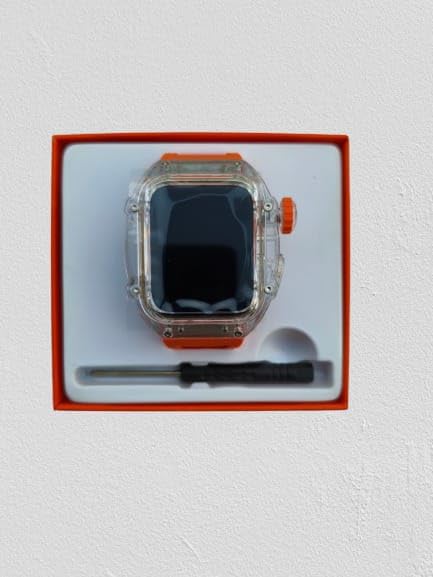
Image: The Kalobee H9 Smart Watch, charging cable, and a small tool are neatly arranged within its retail packaging.
3. Прадукт скончыўсяview
Familiarize yourself with the components of your Kalobee H9 Smart Watch:

Image: An exploded diagram illustrating the main components of the Kalobee H9 Smart Watch, including the face cover, non-slip crown, function key, middle frame, rear cover, and liquid silicone strap.
- Face Cover: The transparent protective layer over the display.
- Non-slip Crown: A rotating and pressable button for navigation and selection.
- Функцыянальная клавіша: An additional button for specific functions.
- Middle Frame: The central housing of the watch.
- Задняя вокладка: The back panel of the watch, typically housing sensors and charging contacts.
- Liquid Silicone Strap: The comfortable and durable watch band.
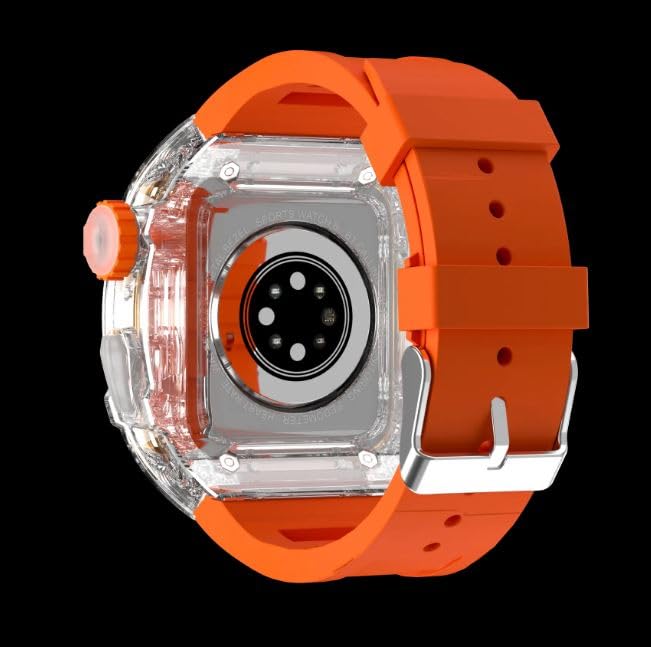
Выява: Задняя частка view of the Kalobee H9 Smart Watch, highlighting the sensor array and wireless charging area on the back panel.
4. Настройка
4.1 Зарадка разумнага гадзінніка
The Kalobee H9 Smart Watch supports wireless charging. Before initial use, fully charge the device.
- Connect the provided charging cable to a compatible USB power adapter (not included).
- Place the rear cover of the watch onto the wireless charging pad. Ensure the watch is centered on the pad for proper contact.
- The watch display will indicate charging status. Allow sufficient time for a full charge.
4.2 Уключэнне/выключэнне
- Каб уключыць: Press and hold the Non-slip Crown until the Kalobee logo appears on the screen.
- Каб выключыць: Press and hold the Non-slip Crown, then select the 'Power Off' option on the screen.
4.3 Спалучэнне са смартфонам
To access all smart features, pair your H9 Smart Watch with a compatible smartphone via Bluetooth.
- Пераканайцеся, што на вашым смартфоне ўключаны Bluetooth.
- On your H9 Smart Watch, navigate to the Bluetooth settings (refer to Section 5.1 for navigation).
- On your smartphone, open the dedicated Kalobee companion app (if available) or go to Bluetooth settings to search for devices.
- Select 'Kalobee H9' from the list of available devices on your smartphone.
- Пацвердзіце запыт на спалучэнне як на гадзінніку, так і на смартфоне.
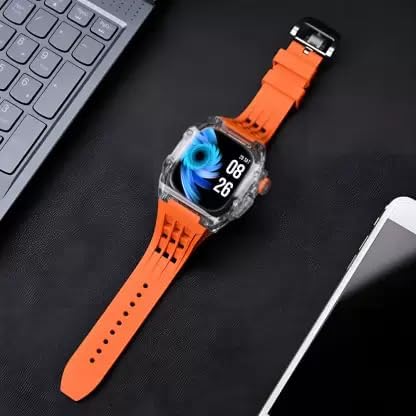
Image: The Kalobee H9 Smart Watch displayed on a desk alongside a smartphone and laptop, illustrating its connectivity with other devices.
5. Інструкцыя па эксплуатацыі
5.1 Асноўная навігацыя
The H9 Smart Watch features both touchscreen and physical button controls:
- Сэнсарны экран: Правядзіце пальцам улева, управа, уверх або ўніз, каб перамяшчацца па меню і экранах. Націсніце, каб выбраць элементы.
- Non-slip Crown: Павярніце, каб пракручваць спісы або змяняць налады. Націсніце, каб вярнуцца на галоўны экран або пацвердзіць выбар.
- Функцыянальная клавіша: Typically used for quick access to a specific feature or as a back button. Refer to the on-screen prompts for its exact function in different contexts.
5.2 Асноўныя магчымасці
The Kalobee H9 Smart Watch offers several features to enhance your daily activities:
- Адсочванне актыўнасці: Адсочвае крокі, адлегласць і спаленыя калорыі.
- Будзільнік: Усталёўвайце будзільнікі непасрэдна з гадзінніка.
- Памяць штодзённай трэніроўкі: Records and stores your workout data.
- Лічбавай дысплей: Provides clear time, date, and other information.
- Апавяшчэнні: Атрымлівайце апавяшчэнні аб званках, паведамленнях і апавяшчэннях праграм са спалучанага смартфона.
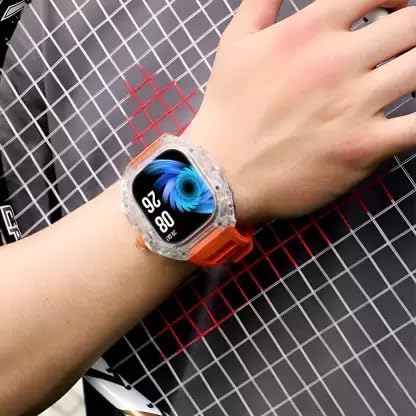
Image: The Kalobee H9 Smart Watch worn on a wrist, displaying the current time and date on its digital interface.
6. Тэхнічнае абслугоўванне
To ensure the longevity and proper functioning of your Kalobee H9 Smart Watch, follow these maintenance guidelines:
- Уборка: Рэгулярна працірайце гадзіннік і раменьчык мяккай сухой тканінай. Для ўстойлівых забруджванняў выкарыстоўвайце злёгкуamp тканінай і мяккім мылам, затым старанна высушыце. Пазбягайце агрэсіўных хімічных рэчываў або абразіўных матэрыялаў.
- Воданепранікальнасць: While the watch features a robust construction, avoid prolonged submersion in water or exposure to high-pressure water jets. Dry the watch thoroughly if it gets wet.
- Зарадка: Use only the provided charging cable. Avoid exposing the charging contacts to moisture or corrosive substances.
- тэмпература: Do not expose the watch to extreme temperatures (hot or cold) or direct sunlight for extended periods.
- захоўванне: Калі гадзіннік не выкарыстоўваецца працяглы час, захоўвайце яго ў прахалодным, сухім месцы.
7. Выпраўленне непаладак
If you encounter issues with your Kalobee H9 Smart Watch, refer to the following common problems and solutions:
| праблема | Магчымая прычына | Рашэнне |
|---|---|---|
| Гадзіннік не ўключаецца | Нізкі зарад батарэі; няспраўнасць прылады | Charge the watch fully. If the issue persists, contact customer support. |
| Немагчыма спалучыць прыладу са смартфонам | Bluetooth off; watch not in pairing mode; interference | Ensure Bluetooth is enabled on both devices. Restart both devices. Try pairing again. |
| Апавяшчэнні не атрыманы | Not paired; app permissions; notification settings | Verify successful pairing. Check notification permissions in your smartphone's settings for the companion app. Ensure notifications are enabled on the watch. |
| Недакладнае адсочванне актыўнасці | Improper wear; software glitch | Ensure the watch is worn snugly on your wrist. Restart the watch. |
8. Тэхнічныя характарыстыкі
Detailed technical specifications for the Kalobee H9 Smart Watch:
- Марка: Generic (Manufactured by Kalobee)
- мадэль: H9
- Нумар мадэлі тавару: H9
- Памеры ўпакоўкі: 15 х 8 х 3.5 см
- Вага прадмета: 85 г
- Ёмістасць памяці: 32 Мб
- Аперацыйная сістэма: Уласная АС
- Сумяшчальныя прылады: Смартфон
- Асаблівасці: Activity Tracker, Alarm Clock, Daily Workout Memory, Digital Display, Notifications
- Мантажнае абсталяванне: Charging Cable, Smart Watch, User Manual
- Памер стацыянарнага экрана: 49 міліметраў
- Тып дысплея: Лічбавы
- Ёмістасць батарэі: 10000 Amp Гадзіны
- Бесправадны тып: Bluetooth
- Тып раздыма: Bluetooth, бесправадная сувязь
- Інтэрфейс прылады - асноўны: Кнопкі, сэнсарны экран
- Краіна паходжання: Кітай
9. Гарантыя і падтрымка
Каб атрымаць інфармацыю аб гарантыі і падтрымцы кліентаў, звярніцеся да дакументацыі, прадстаўленай у месцы пакупкі, або звярніцеся да прадаўца. Захоўвайце пацвярджэнне пакупкі для любых гарантыйных прэтэнзій.
Для атрымання дадатковай дапамогі вы таксама можаце наведаць афіцыйны сайт вытворцы webсайт або звярніцеся ў іх аддзел абслугоўвання кліентаў.